

What is the order & delivery survey form template?
Your shop sees an order as 'shipped'. Your customer sees a parcel that came two days late, in a crushed box, with far too much plastic. A post-delivery survey closes that gap and turns individual complaints into patterns you can act on, whether the cause is a courier, a warehouse or a checkout page.
This template follows the order from checkout to the doorstep. Customers say where they ordered and how it reached them, whether it arrived on the promised day, and rate delivery options, tracking updates, the courier, speed and packaging. If anything arrived damaged, missing or wrong, the form asks them to describe it and attach photos.
It ends with overall satisfaction, how easy ordering was, whether they'd order again and an optional request for contact. Every response becomes a PDF in VergeHR Files, with any photos kept alongside it.
- Best for
- Online shops, subscription boxes, local delivery businesses and click-and-collect retailers
- Filled in by
- Customers after their order arrives
- Time to complete
- About 2 minutes
- Includes
- Delivery timing, five-part rating grid, condition check with photo upload, ease-of-ordering scale and optional follow-up
Who uses a order & delivery survey form?
- A link in the 'Your order has arrived' email
- Comparing couriers or delivery options
- Testing new, smaller or plastic-free packaging
- Catching damage reports with photos before they become chargebacks
- Checking a click-and-collect service in stores
- Monitoring delivery quality during peak season
Questions On This order & delivery survey Form
18 questions over 3 pages · includes file upload, conditional questions, multiple pages, ratings.
1 Your order
- Order number (optional)
- Where did you order?* Our website · Our app · By phone · In store, for delivery · A marketplace
- How did it reach you?* Standard delivery · Express or next-day delivery · Click & collect in store · Locker or pickup point · Local courier
2 Delivery
- Did your order arrive when promised?* Early · On the promised day · Late — by a day or two · Late — by more than two days · It hasn't arrived yet
- Tell us more about the timing asked only when it applies
- How would you rate…* Poor · Fair · Good · Very good · Excellent · N/A
- What condition was your order in?* asked only when it applies Everything arrived in perfect condition · Packaging damaged, items fine · An item was damaged · An item was missing or wrong
- Describe the problem* asked only when it applies
- Photos of the damage or packaging (optional) asked only when it applies
- The amount of packaging was… Too little · About right · Too much
3 Overall
- Overall, how satisfied are you with this order?*
- How easy was it to place your order?*
- Would you order from us again?* Definitely · Probably · Not sure · Probably not · Definitely not
- Anything else we should know?
- Would you like us to contact you about this order?
- Your name* asked only when it applies
- Email* asked only when it applies
- Phone (optional) asked only when it applies
The order & delivery survey form, page by page
1 Your order
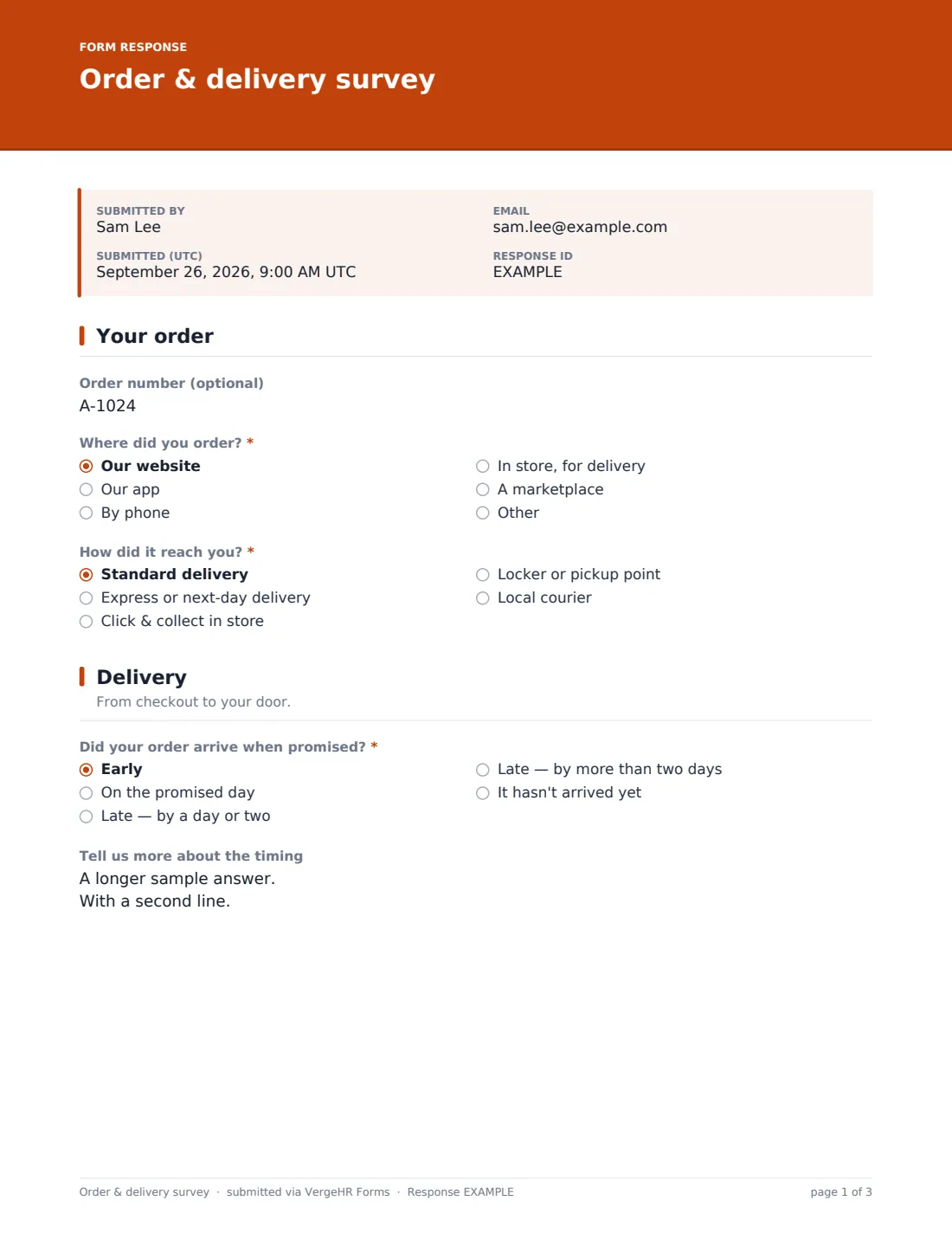
An optional 'Order number' lets you look into a specific problem. 'Where did you order?' offers your website, your app, by phone, in store for delivery or a marketplace, with room for another answer. 'How did it reach you?' covers standard, express or next-day, click & collect, a locker or pickup point, and local courier.
2 Delivery
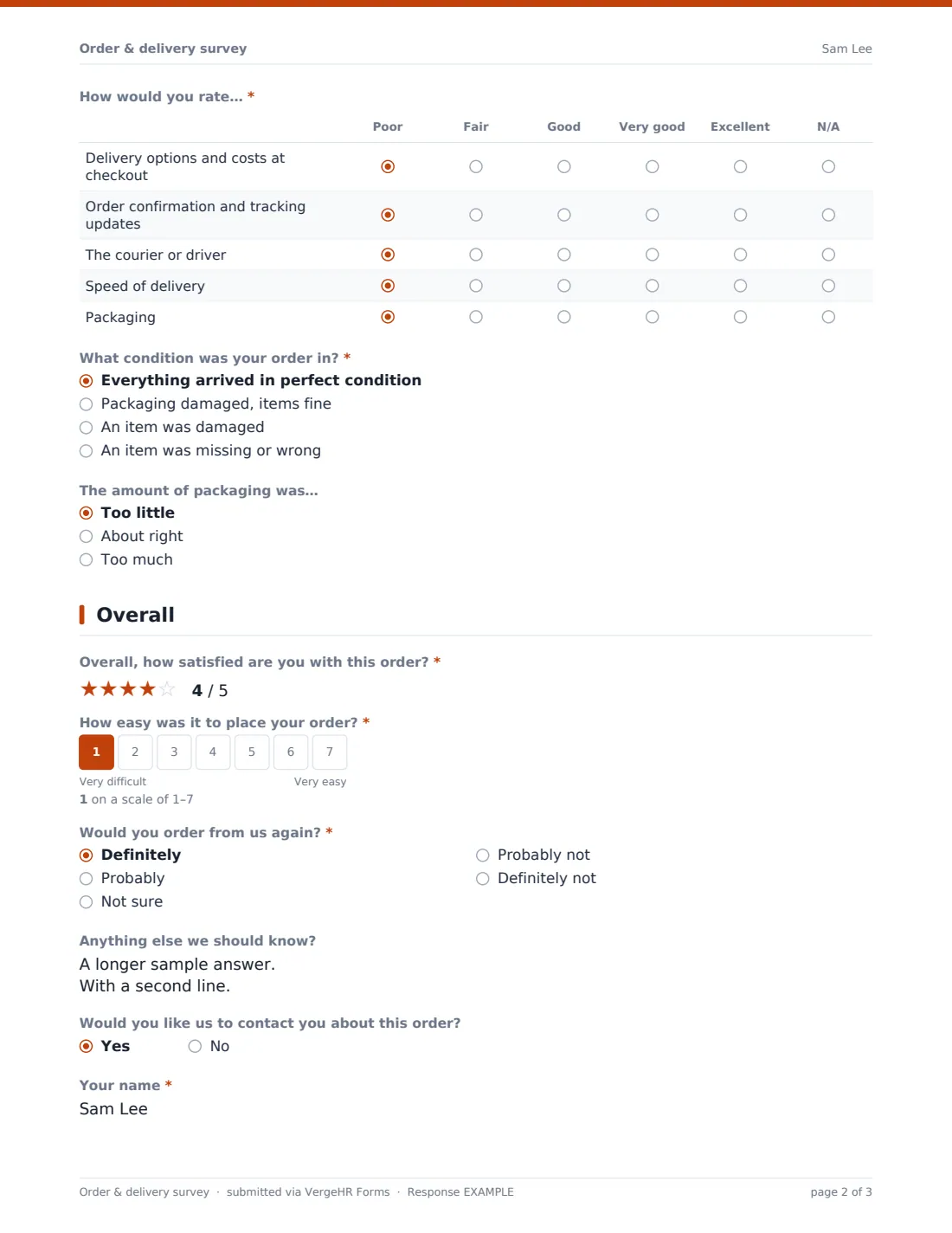
'Did your order arrive when promised?' runs from early to late by more than two days, or not arrived yet. Anything other than 'On the promised day' opens 'Tell us more about the timing'. A grid rates delivery options and costs at checkout, order confirmation and tracking updates, the courier or driver, speed of delivery and packaging, with N/A where it doesn't apply. 'What condition was your order in?' is skipped if the parcel hasn't arrived; if something was damaged, missing or wrong, 'Describe the problem' becomes required and up to three photos can be added. A final question asks whether the amount of packaging was too little, about right or too much.
3 Overall
A five-star satisfaction rating, a 1–7 scale for 'How easy was it to place your order?', and 'Would you order from us again?' from definitely to definitely not. 'Anything else we should know?' is open. Answering yes to 'Would you like us to contact you about this order?' reveals name and email (required) and an optional phone.
Make the Template Yours
- Edit the delivery methods to the ones you actually offer
- Replace 'A marketplace' with the marketplaces you sell on
- Change the timing options if you promise a time slot rather than a day
- Add NotifyEmails for your customer service team so damage reports are seen quickly
- Route responses to a Files folder per month or per courier
- Put your brand color and a friendly cover note in the theme
Tips for a Better order & delivery survey Form
- Send it a day after delivery, not at dispatch
- Reply quickly to anyone who asks to be contacted — it can turn a bad review around
- Look for patterns by delivery method before blaming a single courier
- Packaging comments are a cheap win; customers notice changes
- Keep the photos of damage with the response so claims are easier to make
- Read the timing comments: 'tracking said delivered' complaints point to a carrier issue
Every Response Becomes a PDF In Files
Each response is saved as a PDF in the Files folder you chose, and uploaded photos are attached to that document. When a customer leaves their email, they receive a copy of their answers.
Use the Responses tab to search by order number, open any damage report with its photos, and export to CSV to compare delivery methods over time.
- Start from this template. It opens in the VergeHR Forms designer — change any question, add pages, set the rules for when questions appear.
- Share it. Turn on a public link, or send it to people by email, each with their own link. They don’t need a VergeHR login.
- Get the answers as PDFs. Each response is saved as a PDF in the Files folder you choose — and listed in a Responses table, with any uploaded files, that you can export to CSV.
Order & delivery survey form: frequently asked questions
Is this order and delivery survey template free?
Yes. It's included in the Forms app on every VergeHR account, and you can edit or remove any question.
Does it connect to my online store?
No. Add the link to your delivery or follow-up email, a packing slip or a QR code on the box.
Can customers upload photos?
Yes. If they report damaged packaging, a damaged item or a missing or wrong item, they can attach up to three photos.
Is it anonymous?
Only the order number links an answer to a customer, and it's optional. Name and email are asked for only when someone wants to be contacted.
Do customers need an account?
No. They open the link and answer. Only the store owner needs a VergeHR account.
Can I use it for click and collect?
Yes. 'Click & collect in store' is one of the delivery methods, and the questions still make sense for collection.