

What is the graduate outcomes survey form template?
Colleges, training providers and bootcamps are often asked what their graduates go on to do, and too often the honest answer is 'we don't really know'. A short outcomes survey, sent six to twelve months after people finish, gives you real numbers for prospectuses and funders and real feedback for the curriculum.
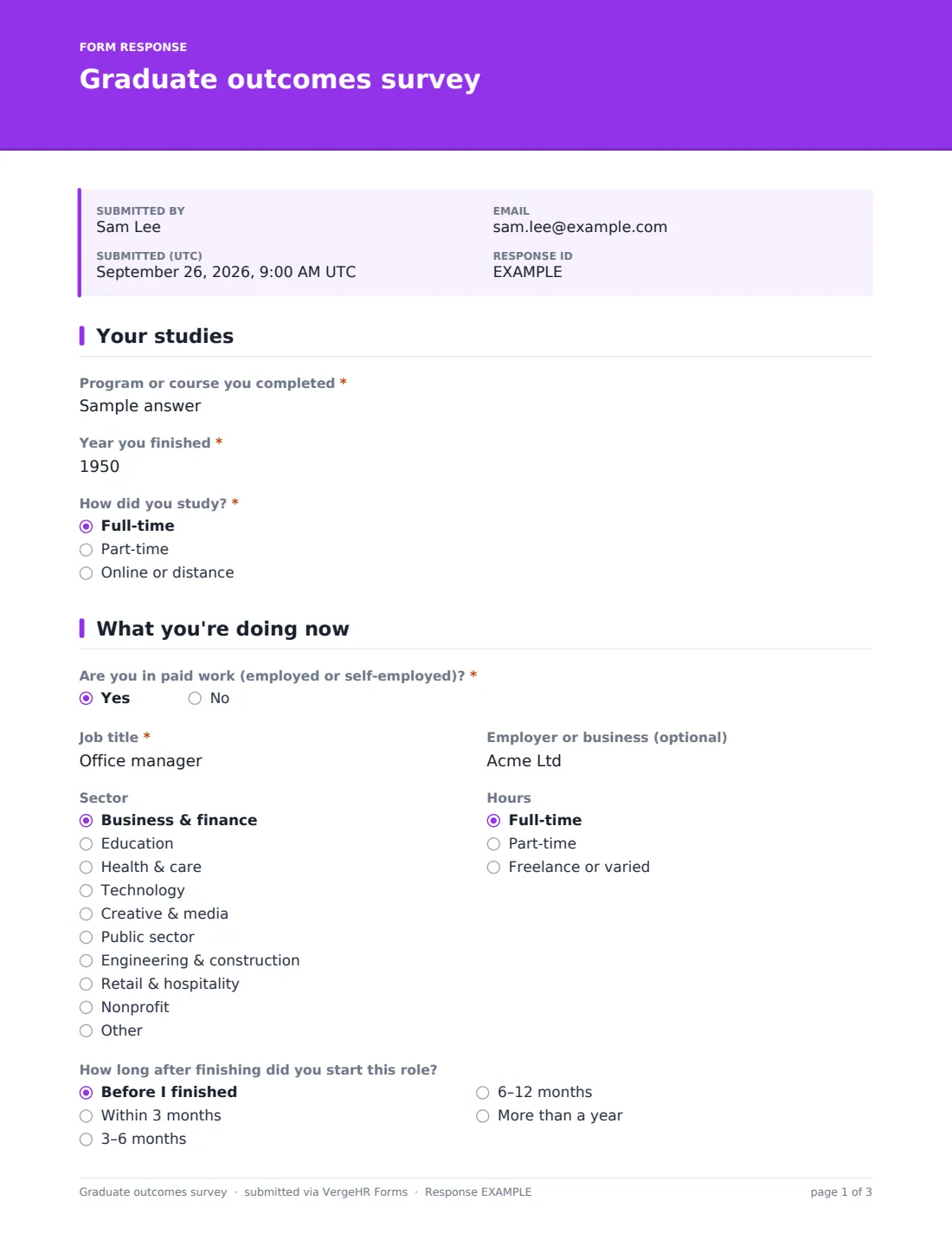
This template asks which program someone completed and when, then what they're doing now. Those in paid work give their job title, sector and hours, how long after finishing they started, how related the work is to their studies and, optionally, a salary band. Everyone says whether they're studying again or looking for work.
Looking back, graduates rate how well the program prepared them for their current role, problem-solving, teamwork, communication, tools and finding a job, and say which support services they used. Those who'd like to help current students can leave their details. Every response is saved as a PDF in VergeHR Files.
- Best for
- Colleges, universities, training providers, bootcamps and apprenticeship schemes
- Filled in by
- Former students, six to twelve months after finishing
- Time to complete
- About 4 minutes
- Includes
- Work and study status, job details, time to role, salary band, preparedness grid, services used, recommend score and alumni offers
Who uses a graduate outcomes survey form?
- Annual destination data for a course page or prospectus
- Evidence for funders, accreditors or employer partners
- Comparing outcomes between full-time, part-time and online cohorts
- Finding gaps in the curriculum from graduates' own experience
- Recruiting alumni speakers and mentors
- Measuring the value of careers services and placements
Questions On This graduate outcomes survey Form
22 questions over 4 pages · includes conditional questions, multiple pages, consent checkbox, ratings.
1 Your studies
- Program or course you completed*
- Year you finished*
- How did you study?* Full-time · Part-time · Online or distance
2 What you're doing now
- Are you in paid work (employed or self-employed)?*
- Job title* asked only when it applies
- Employer or business (optional) asked only when it applies
- Sector asked only when it applies Business & finance · Education · Health & care · Technology · Creative & media · Public sector · Engineering & construction · Retail & hospitality · Nonprofit · Other
- Hours asked only when it applies Full-time · Part-time · Freelance or varied
- How long after finishing did you start this role? asked only when it applies Before I finished · Within 3 months · 3–6 months · 6–12 months · More than a year
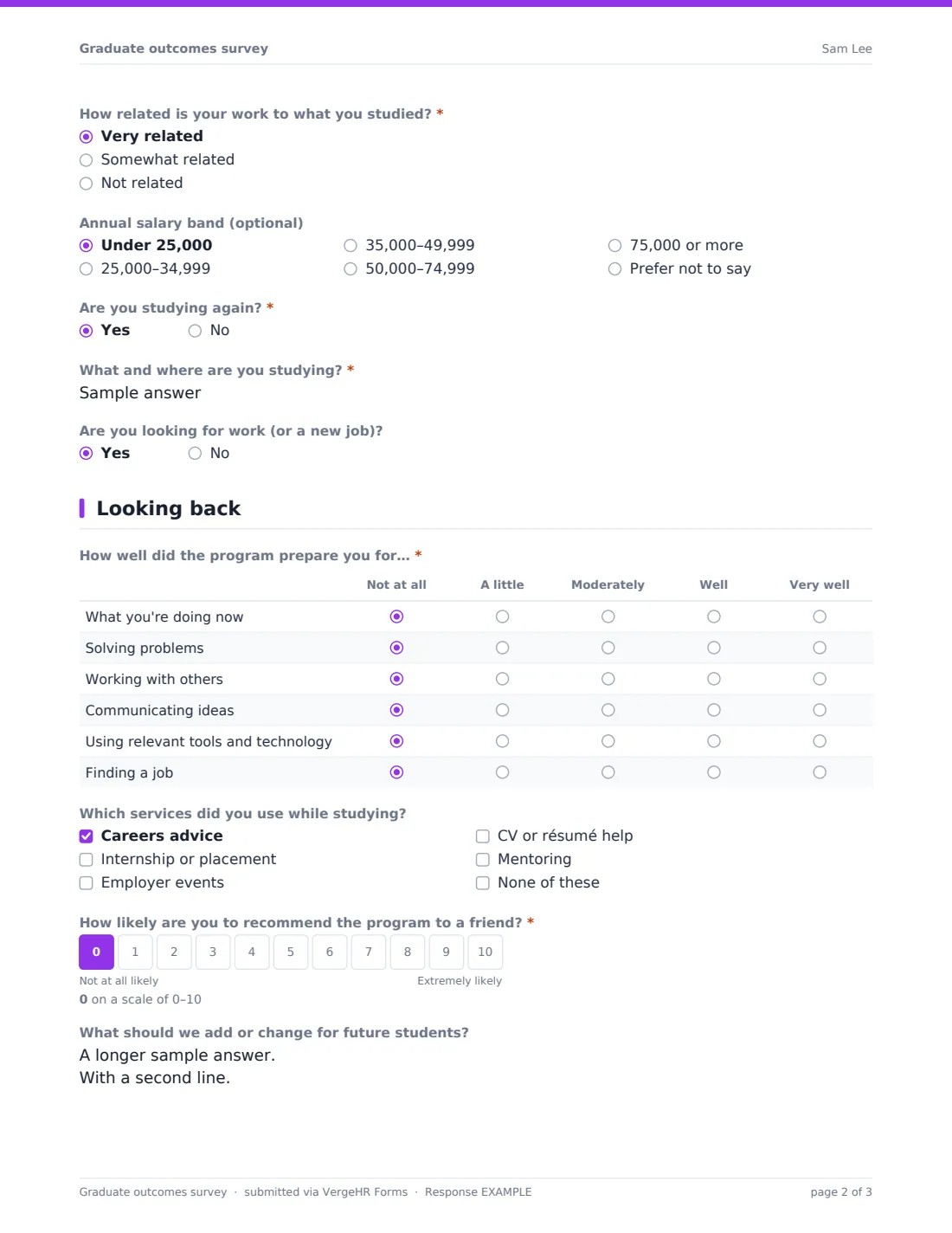
- How related is your work to what you studied?* asked only when it applies Very related · Somewhat related · Not related
- Annual salary band (optional) asked only when it applies Under 25,000 · 25,000–34,999 · 35,000–49,999 · 50,000–74,999 · 75,000 or more · Prefer not to say
- Are you studying again?*
- What and where are you studying?* asked only when it applies
- Are you looking for work (or a new job)?
3 Looking back
- How well did the program prepare you for…* Not at all · A little · Moderately · Well · Very well
- Which services did you use while studying? Careers advice · Internship or placement · Employer events · CV or résumé help · Mentoring · None of these
- How likely are you to recommend the program to a friend?*
- What should we add or change for future students?
4 Staying in touch
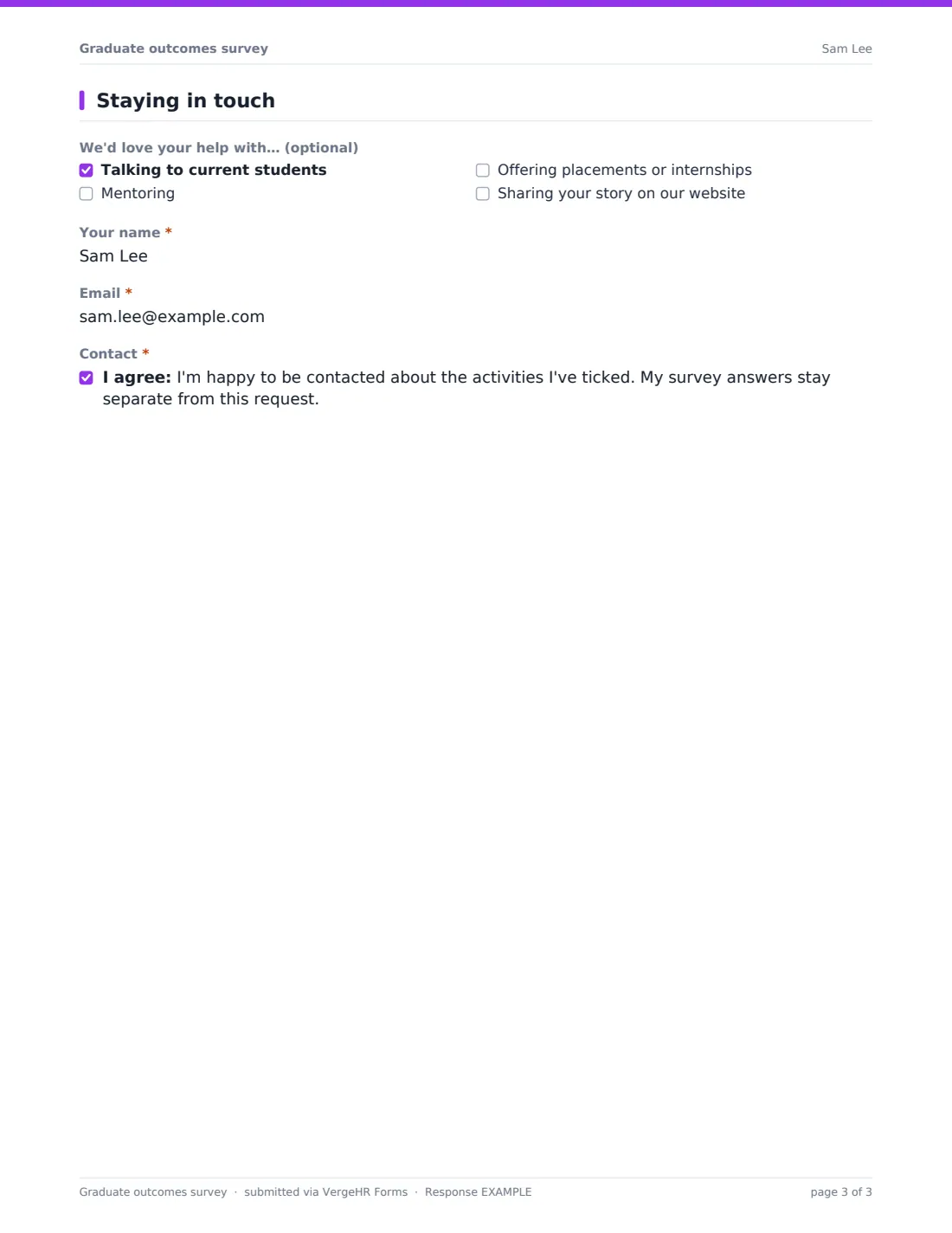
- We'd love your help with… (optional) Talking to current students · Mentoring · Offering placements or internships · Sharing your story on our website
- Your name* asked only when it applies
- Email* asked only when it applies
- Contact* asked only when it applies
The graduate outcomes survey form, page by page
1 Your studies
'Program or course you completed', 'Year you finished' and 'How did you study?' — full-time, part-time, or online or distance — are all required.
2 What you're doing now
'Are you in paid work (employed or self-employed)?' is required. Yes reveals 'Job title' (required), employer, sector, hours, 'How long after finishing did you start this role?', the required 'How related is your work to what you studied?' and an optional salary band, with help text reminding you to set bands for your currency. Everyone answers 'Are you studying again?' — yes asks what and where — and an optional 'Are you looking for work (or a new job)?'.
3 Looking back
A grid from Not at all to Very well asks how well the program prepared them for what they're doing now, solving problems, working with others, communicating ideas, using relevant tools and technology, and finding a job. Graduates tick the services they used — careers advice, internship or placement, employer events, CV or résumé help, mentoring — and give a required 0–10 recommend score. 'What should we add or change for future students?' is open.
4 Staying in touch
An optional list offers ways to help: talking to current students, mentoring, offering placements, or sharing their story on your website. Ticking any of them asks for name and email and a consent to be contacted, which states that survey answers stay separate from the request.
Make the Template Yours
- Replace the program box with a dropdown of your courses
- Edit the salary bands and currency for your region, or remove the question
- Change the sector list to the industries your graduates enter
- Add rows to the preparedness grid for skills your program promises
- Send personal requests to each graduate so you can track who has answered
- Make a copy for each graduating cohort
Tips for a Better graduate outcomes survey Form
- Send it six to twelve months after people finish, when they've had time to settle
- Use emailed requests and reminders; response rates matter for outcome figures
- Report the response rate alongside any percentages you publish
- Read 'add or change' answers with the teaching team, not just in a report
- Thank alumni volunteers quickly and give them something specific to do
- Keep salary optional — required salary questions cut response rates
Every Response Becomes a PDF In Files
Each response is filed as a PDF in the Files folder you choose. Graduates who leave an email address receive a copy of their answers.
Export the Responses tab to CSV to count outcomes by program, finishing year or study mode, and filter for graduates who offered to help.
- Start from this template. It opens in the VergeHR Forms designer — change any question, add pages, set the rules for when questions appear.
- Share it. Turn on a public link, or send it to people by email, each with their own link. They don’t need a VergeHR login.
- Get the answers as PDFs. Each response is saved as a PDF in the Files folder you choose — and listed in a Responses table, with any uploaded files, that you can export to CSV.
Graduate outcomes survey form: frequently asked questions
Is this graduate outcomes survey free?
Yes. It's a ready-made template in the VergeHR Forms app, which every account includes.
Is it anonymous?
Mostly. Name and email are only asked for if a graduate offers to help current students. If you send personal requests, you'll know who each response came from.
Is this the same as an alumni contact update?
No. VergeHR has a separate alumni update template for refreshing contact details; this one asks about outcomes and the program.
Can I track who hasn't responded?
Yes. Send it as emailed requests from the Share tab; each graduate's status shows as sent, viewed or submitted, and you can send reminders.
Do graduates need a VergeHR login?
No. They open the link or their personal request.
Can I compare cohorts?
Yes. The finishing year is required, so you can group results by cohort in the CSV export.