

What is the iT service satisfaction survey form template?
Ticket metrics tell an IT team how fast it closes requests, not whether people are actually productive with the tools they have. Many problems never become tickets: slow Wi-Fi in one meeting room, a laptop that takes ten minutes to start, a sign-in that fails every Monday. An annual or twice-yearly survey brings those to the surface.
This template asks where people work and how often they've contacted support. Those who have rate the support experience — logging requests, first response, first-time fixes, plain language and updates — and everyone rates their laptop, Wi-Fi, video calls, email, file sharing, printing, remote access and sign-in.
It also asks how much time people lose to IT problems each week, whether training would help, how confident they feel about spotting phishing, and the one thing IT should fix this year. Each anonymous response is saved as a PDF in VergeHR Files.
- Best for
- IT managers, service desk leads, CIOs and operations teams in small and mid-sized organizations
- Filled in by
- Employees, anonymously
- Time to complete
- About 4 minutes
- Includes
- Support agreement grid, eight-tool satisfaction grid, weekly time lost, training needs, phishing confidence and priorities
Who uses a iT service satisfaction survey form?
- An annual IT satisfaction benchmark
- Building the case for a hardware refresh or network upgrade
- Checking the service after outsourcing or changing helpdesk provider
- Finding training needs before a software rollout
- Comparing office, home and hybrid workers' experience
- Setting IT's priorities for next year's budget
Questions On This iT service satisfaction survey Form
14 questions over 4 pages · includes conditional questions, multiple pages, ratings.
1 About you
- Department Finance · HR · Operations · Sales & marketing · Customer service · Engineering · Management · Other
- Where do you mostly work?* In the office · At home · Hybrid · On the road or on site
- How often have you contacted IT support in the last 3 months?* Not at all · Once or twice · 3–5 times · More than 5 times
2 IT support
- Thinking about IT support…* asked only when it applies Strongly disagree · Disagree · Neutral · Agree · Strongly agree
- How do you prefer to contact IT? Self-service portal · Email · Chat · Phone · Walk-up desk
- Anything about a recent request you'd like to tell us? asked only when it applies
3 Your tools
- How satisfied are you with…* Very dissatisfied · Dissatisfied · Neutral · Satisfied · Very satisfied · Don't use
- In a typical week, how much time do you lose to IT problems?* None · Under 30 minutes · 30–60 minutes · 1–3 hours · More than 3 hours
- Would training on any tools help you?
- Which tools or topics? asked only when it applies
4 Priorities
- Overall, how satisfied are you with IT services?*
- How confident are you at spotting a phishing email? Very confident · Fairly confident · Not very confident · Not at all confident
- If IT could fix one thing this year, what should it be?*
- Any other comments?
The iT service satisfaction survey form, page by page
1 About you
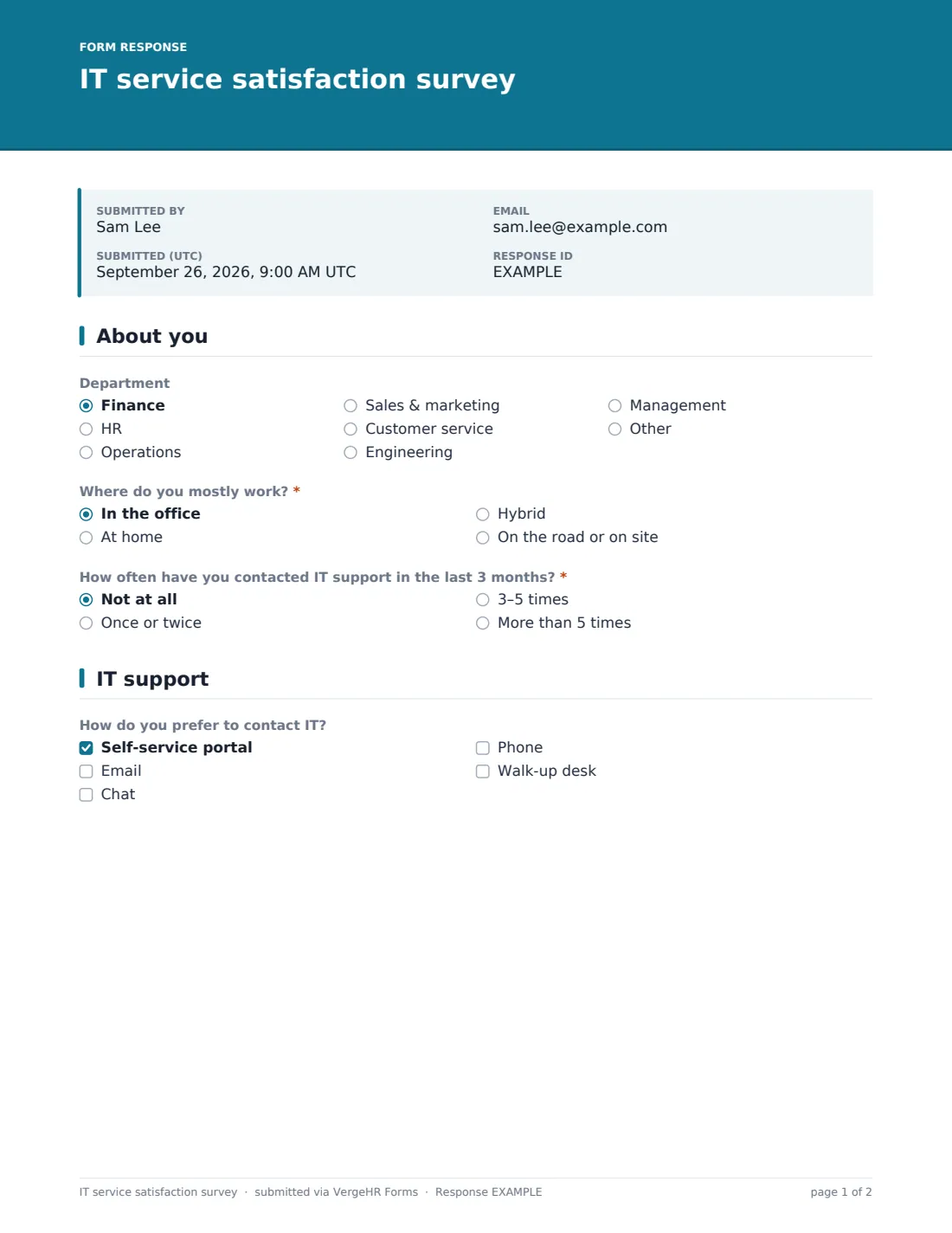
An optional 'Department' dropdown and a required 'Where do you mostly work?' — in the office, at home, hybrid, or on the road or on site. 'How often have you contacted IT support in the last 3 months?' runs from not at all to more than five times.
2 IT support
Anyone who has contacted support gets an agreement grid: it's easy to log a request, I get a quick first response, problems are fixed first time, staff explain things in plain language, and I'm kept updated until it's resolved. Everyone can tick how they prefer to contact IT — portal, email, chat, phone or walk-up desk — and support users can add comments about a recent request.
3 Your tools
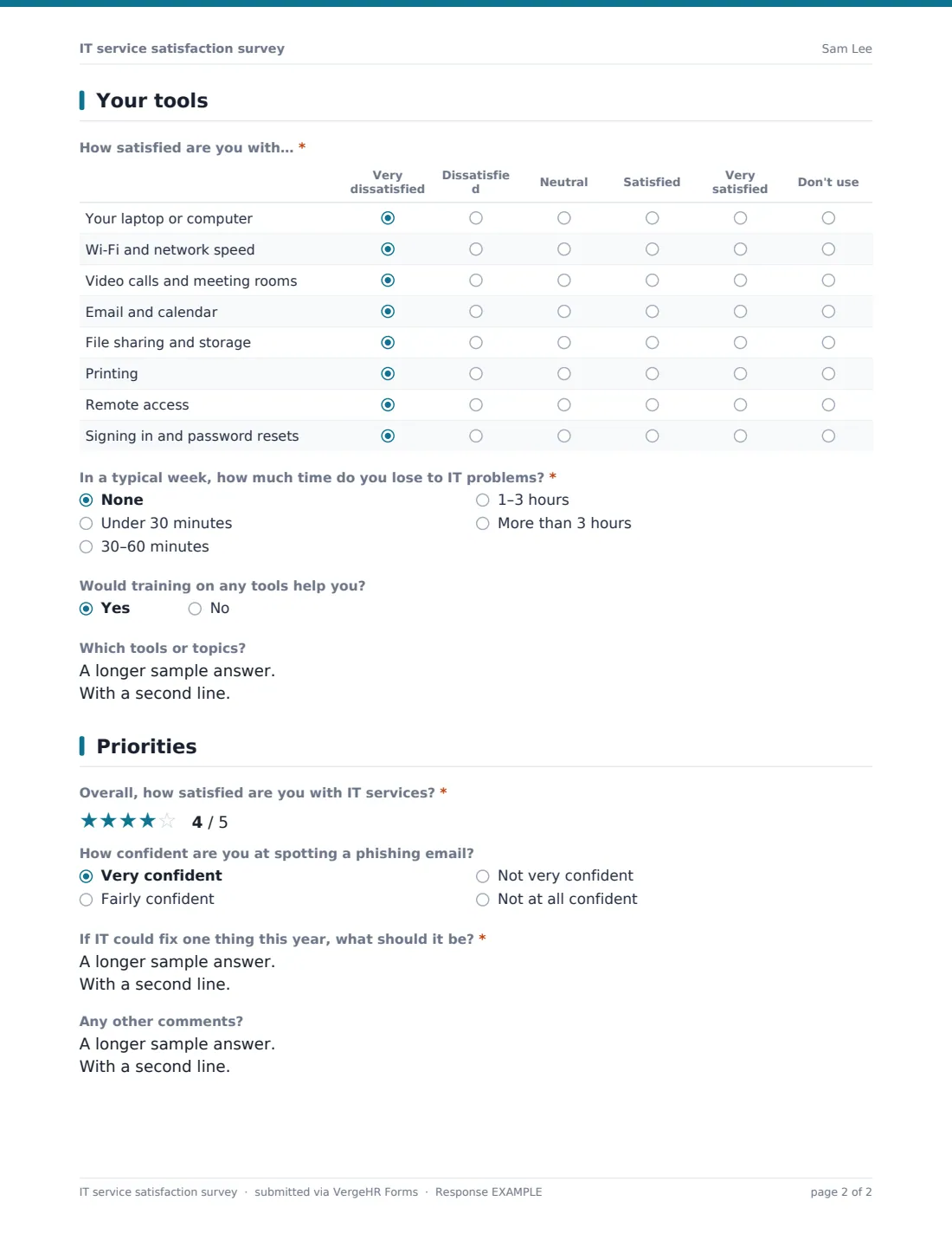
A grid from Very dissatisfied to Very satisfied, with Don't use, covers your laptop or computer, Wi-Fi and network speed, video calls and meeting rooms, email and calendar, file sharing and storage, printing, remote access, and signing in and password resets. 'In a typical week, how much time do you lose to IT problems?' is required. A yes to training reveals 'Which tools or topics?'.
4 Priorities
A required five-star overall rating, an optional question on confidence at spotting a phishing email, the required 'If IT could fix one thing this year, what should it be?' and a box for other comments.
Make the Template Yours
- Edit the tools grid to name the systems you actually run
- Change the departments to match your organization
- Add a row for a new system you've just rolled out
- Remove the phishing question if you measure it elsewhere
- Set a close date two weeks out and send a reminder halfway
- Duplicate the form each year so results can be compared
Tips for a Better iT service satisfaction survey Form
- Tell staff what happened after the last survey — it lifts response rates
- Multiply the time-lost answers by headcount to show the cost of problems
- Look at results by work location; home workers often have different issues
- Keep it anonymous so people are honest about support staff
- Group the 'fix one thing' answers into themes and publish the top three
- Use the training answers to plan short, targeted sessions
Every Response Becomes a PDF In Files
Each response is saved as a PDF titled with the date in the Files folder you chose. Respondents aren't sent copies because the survey is anonymous.
Export the Responses tab to CSV to average the grid scores by department or work location, and read the priority answers together to spot themes.
- Start from this template. It opens in the VergeHR Forms designer — change any question, add pages, set the rules for when questions appear.
- Share it. Turn on a public link, or send it to people by email, each with their own link. They don’t need a VergeHR login.
- Get the answers as PDFs. Each response is saved as a PDF in the Files folder you choose — and listed in a Responses table, with any uploaded files, that you can export to CSV.
IT service satisfaction survey form: frequently asked questions
Is this IT service satisfaction survey free?
Yes. It's a starter template in the VergeHR Forms app, included with every account.
How is this different from a support satisfaction survey?
A CSAT survey asks about one support ticket. This one asks staff about IT as a whole — support, everyday tools and time lost — usually once or twice a year.
Is it anonymous?
Yes. It asks for department and work location only, and identity collection is switched off.
Does it connect to our helpdesk?
No. Share the link by email or on your intranet.
Do employees need VergeHR accounts?
No. They open the link and answer.
Can I compare results year on year?
Yes. Keep the questions the same, make a copy each year, and compare the CSV exports.