

What is the home service visit feedback form template?
For a trades or home services business, the visit is the product. Customers judge it on things the job sheet never records: whether the technician turned up in the window, explained the problem in plain words, wiped their boots and charged what was quoted. A short feedback form after each visit tells you how every technician is doing and spots trouble early.
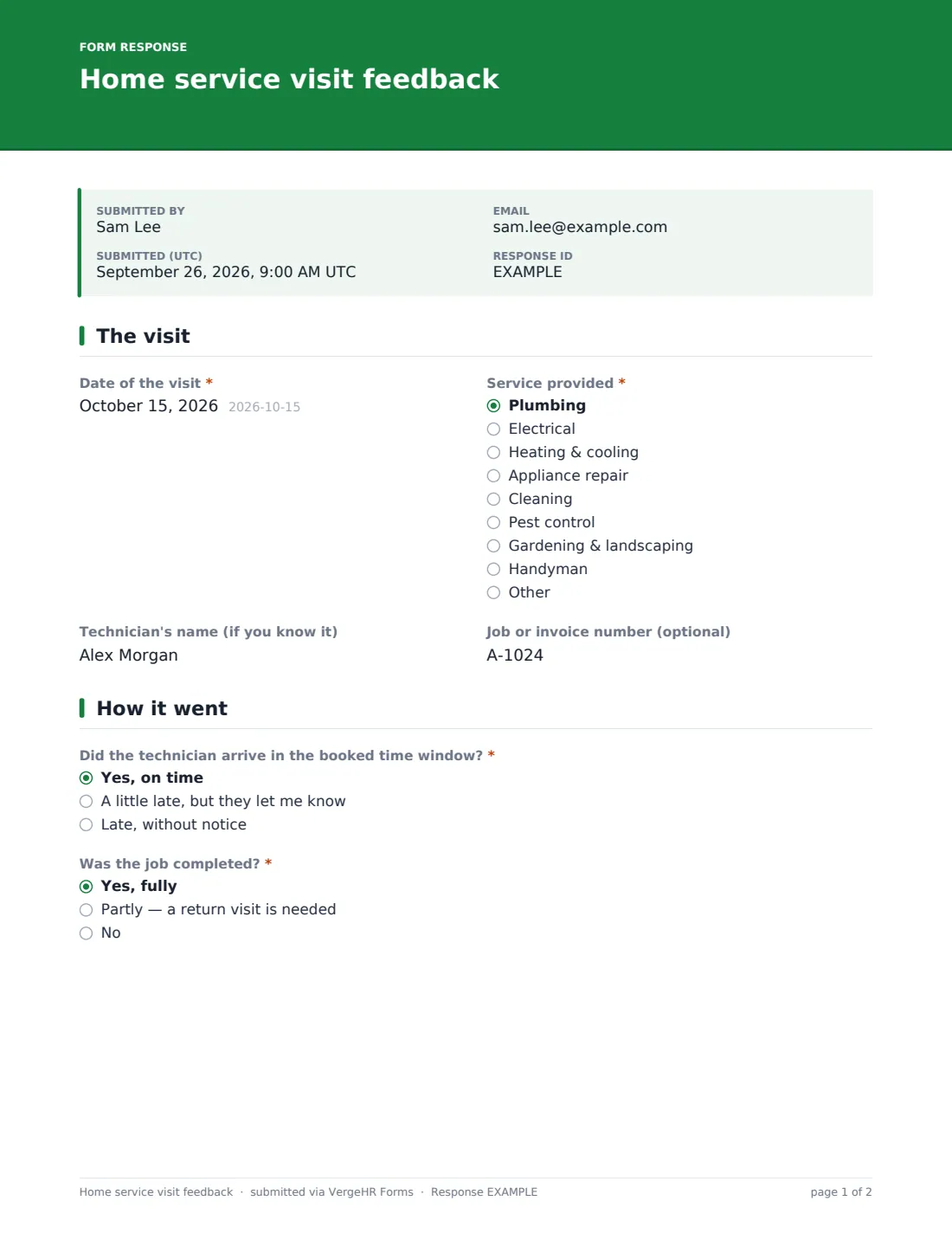
This template asks for the visit date, the service and, optionally, the technician's name and the job number. It checks arrival, whether the job was completed — with a required follow-up if work is outstanding — and rates communication, explanation, quality, tidiness and courtesy. A separate question asks how the final price compared with what was expected.
Customers finish with an overall rating, a recommend score, praise and suggestions, permission to share their comments as a review, and an optional request for a manager to call. Each response is filed as a PDF in VergeHR Files.
- Best for
- Plumbers, electricians, HVAC firms, cleaners, pest control, gardeners and handyman services
- Filled in by
- Homeowners and tenants after a visit
- Time to complete
- About 2 minutes
- Includes
- Arrival and completion checks, five-part rating grid, price vs expectation, recommend score, review permission and callback
Who uses a home service visit feedback form?
- A text or email link sent when the job is closed
- A QR code on the invoice or leave-behind card
- Comparing customer scores across technicians
- Collecting review quotes with permission for your website
- Spotting jobs that need a return visit
- Checking that price changes are explained before work starts
Questions On This home service visit feedback Form
19 questions over 3 pages · includes conditional questions, multiple pages, ratings.
1 The visit
- Date of the visit*
- Service provided* Plumbing · Electrical · Heating & cooling · Appliance repair · Cleaning · Pest control · Gardening & landscaping · Handyman · Other
- Technician's name (if you know it)
- Job or invoice number (optional)
2 How it went
- Did the technician arrive in the booked time window?* Yes, on time · A little late, but they let me know · Late, without notice
- Was the job completed?* Yes, fully · Partly — a return visit is needed · No
- What's still outstanding?* asked only when it applies
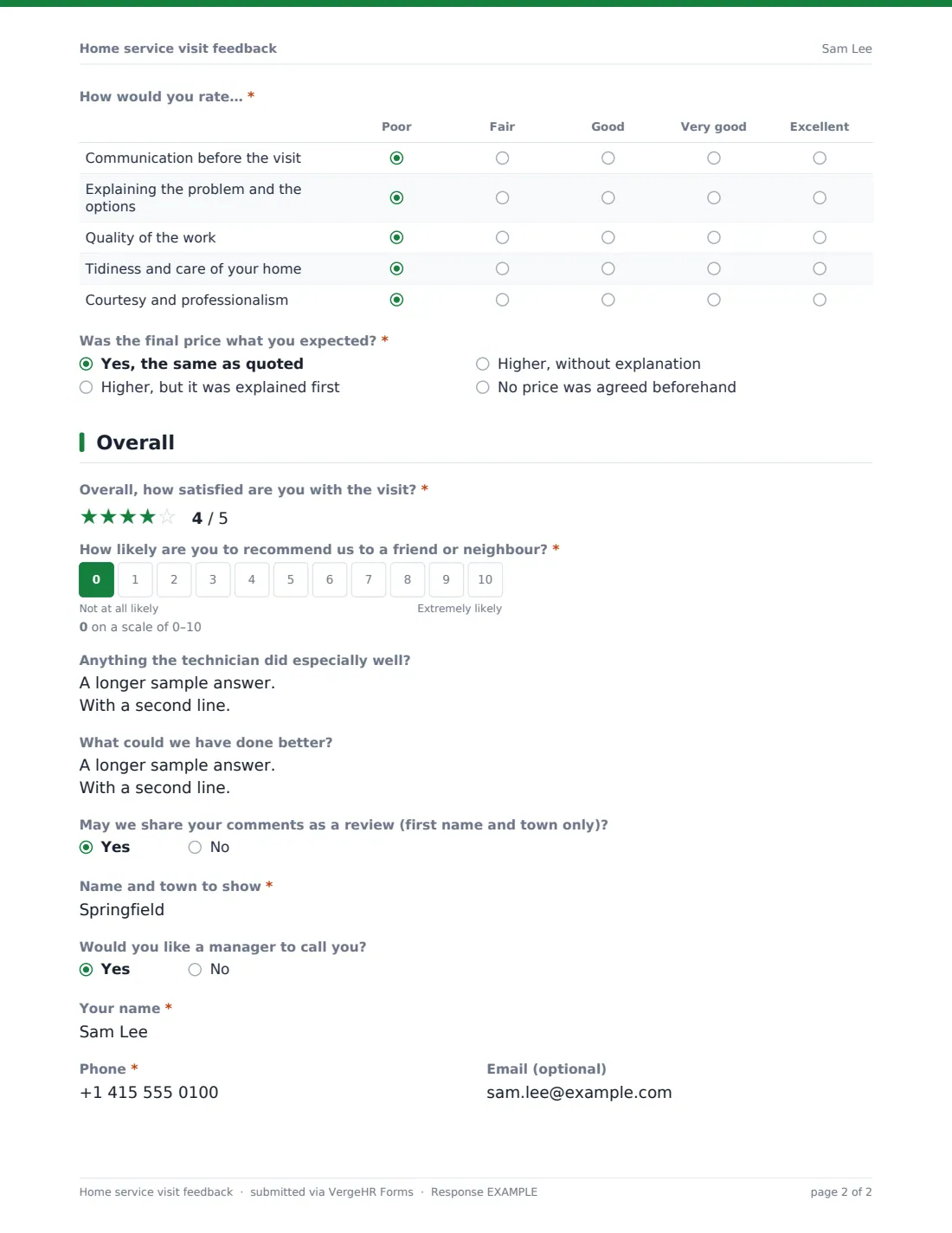
- How would you rate…* Poor · Fair · Good · Very good · Excellent
- Was the final price what you expected?* Yes, the same as quoted · Higher, but it was explained first · Higher, without explanation · No price was agreed beforehand
3 Overall
- Overall, how satisfied are you with the visit?*
- How likely are you to recommend us to a friend or neighbour?*
- Anything the technician did especially well?
- What could we have done better?
- May we share your comments as a review (first name and town only)?
- Name and town to show* asked only when it applies
- Would you like a manager to call you?
- Your name* asked only when it applies
- Phone* asked only when it applies
- Email (optional) asked only when it applies
The home service visit feedback form, page by page
1 The visit
'Date of the visit' and 'Service provided' are required; the service list runs from plumbing, electrical and heating & cooling to cleaning, pest control, gardening and handyman. 'Technician's name (if you know it)' and an optional job or invoice number help you match the response to the job.
2 How it went
'Did the technician arrive in the booked time window?' separates 'on time' from 'a little late, but they let me know' and 'late, without notice'. 'Was the job completed?' offers yes, partly with a return visit needed, or no — and anything but yes requires 'What's still outstanding?'. A Poor-to-Excellent grid rates communication before the visit, explaining the problem and the options, quality of the work, tidiness and care of your home, and courtesy and professionalism. 'Was the final price what you expected?' records whether it matched the quote, was higher but explained first, was higher without explanation, or had no price agreed.
3 Overall
A five-star satisfaction rating and a 0–10 'How likely are you to recommend us to a friend or neighbour?' are required. Two open boxes ask what the technician did especially well and what could have been better. Saying yes to sharing comments as a review asks for a name and town to show. Saying yes to 'Would you like a manager to call you?' reveals name and phone (required) and an optional email.
Make the Template Yours
- Edit the service list to what you offer, or remove it if you do one thing
- Turn the technician name into a dropdown of your team
- Add the job number to the document title so PDFs are easy to match to invoices
- Send it as an emailed request from the job record so each customer gets their own link
- Add a manager's address to NotifyEmails so callback requests are picked up the same day
- Use your brand color and logo-style cover text
Tips for a Better home service visit feedback Form
- Ask within a day of the visit, while details are fresh
- Call back every 'late, without notice' or 'higher, without explanation' answer — those are where reviews go wrong
- Share praise with technicians by name; it matters to them
- Check the return-visit answers against your schedule so nobody is forgotten
- Only publish reviews where the customer said yes, and use the name they gave
- Track the recommend score by technician and service over a few months, not week by week
Every Response Becomes a PDF In Files
Each response is saved as a PDF titled with the date in the Files folder you chose. If you send it as a personal request, the customer receives a copy of their answers by email.
Search the Responses tab by technician or job number, open any response to see the full answers, and export to CSV to compare scores across your team.
- Start from this template. It opens in the VergeHR Forms designer — change any question, add pages, set the rules for when questions appear.
- Share it. Turn on a public link, or send it to people by email, each with their own link. They don’t need a VergeHR login.
- Get the answers as PDFs. Each response is saved as a PDF in the Files folder you choose — and listed in a Responses table, with any uploaded files, that you can export to CSV.
Home service visit feedback form: frequently asked questions
Is this service visit feedback form free?
Yes. It's a ready-made template in the VergeHR Forms app, and every VergeHR account includes the app.
Does it post reviews to Google or other review sites?
No. It records whether the customer is happy for you to share their comments and how they'd like to be named; posting them is up to you.
Can I send it automatically after each job?
You can send it by email request to one or many customers from the Share tab, or share a single link in your own job-closing message. VergeHR doesn't connect to job management software.
Do customers need to sign up?
No. They open the link and answer.
Can I see which technician gets the best scores?
Yes. The technician's name is part of each response; export to CSV to compare.
Can a customer stay anonymous?
Yes. Name and phone are asked for only if they request a call or agree to a review.