

What is the tour & activity feedback form template?
Guests remember a tour for the guide's stories, the pace and the moment that made the day. Review sites capture a few of those opinions; a feedback form sent to every guest captures the rest — including the quiet complaints about an unclear meeting point or a group that was too big.
This template asks which tour, when and with which guide, who the guest came with and how they booked. They give an overall rating, then rate booking information, the guide's knowledge and storytelling, pace, group size, safety and value, compare the day with what they expected, and describe the highlight and anything that would have made it better.
The last page asks for a recommend score, permission to quote the guest with the name they choose, and up to five photos — with a consent statement that appears once photos are added. Every response, photos included, is filed in VergeHR Files.
- Best for
- Tour operators, walking and food tours, outdoor activity providers, museums and attractions
- Filled in by
- Guests after their tour or activity
- Time to complete
- About 2 minutes
- Includes
- Seven-part rating grid, expectations, highlight, access needs check, recommend score, quote permission and photo uploads
Who uses a tour & activity feedback form?
- A link in the thank-you email after every tour
- A QR code on the guide's last stop
- Comparing guides on knowledge and storytelling
- Collecting guest photos for social media with permission
- Checking that access and dietary needs were met
- Finding where booking and meeting-point information falls short
Questions On This tour & activity feedback Form
18 questions over 3 pages · includes file upload, conditional questions, multiple pages, consent checkbox, ratings.
1 Your tour
- Tour or activity*
- Date*
- Guide's name
- Who were you with? On my own · Partner · Family with children · Friends · School or organized group · Work group
- How did you book? Our website · A hotel or travel agent · A booking website or app · On the day · It was a gift
2 The experience
- Overall, how would you rate the experience?*
- Please rate…* Poor · Fair · Good · Very good · Excellent · N/A
- Compared with what you expected, it was…* Better · About what I expected · Worse
- The highlight of your day
- Anything that would have made it better?
- Did anyone in your group have access or dietary needs?
- Were they met? asked only when it applies Fully · Partly · No
3 Reviews & photos
- How likely are you to recommend this tour to a friend?*
- May we quote your comments on our website and social media?
- Name to show with your quote* asked only when it applies
- Share your photos (optional)
- Photo permission* asked only when it applies
- Email for future offers (optional)
The tour & activity feedback form, page by page
1 Your tour
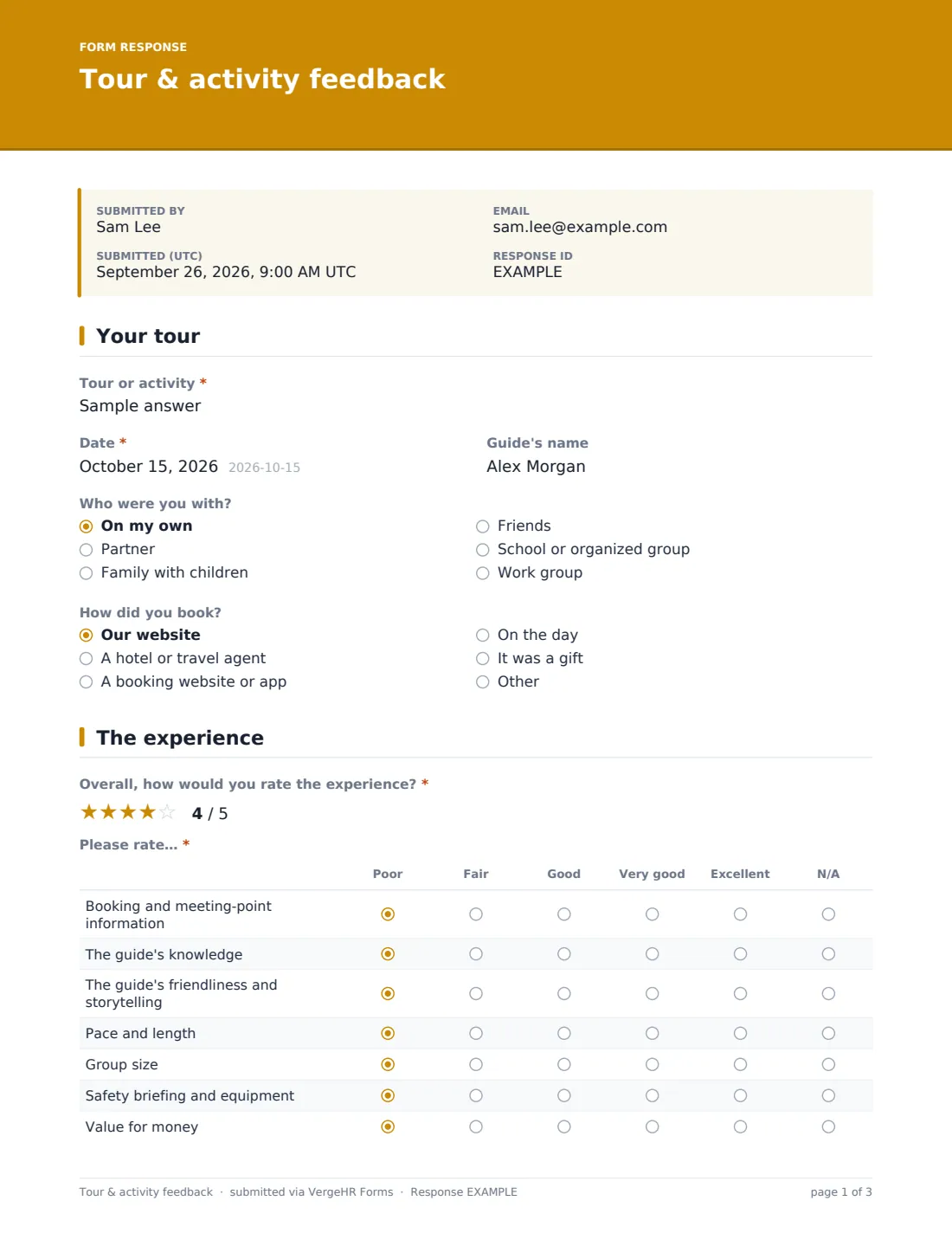
'Tour or activity' and 'Date' are required; 'Guide's name' is optional. 'Who were you with?' ranges from on my own to family with children, friends, a school or organized group or a work group. 'How did you book?' covers your website, a hotel or travel agent, a booking website or app, on the day, or as a gift, with room for another answer.
2 The experience
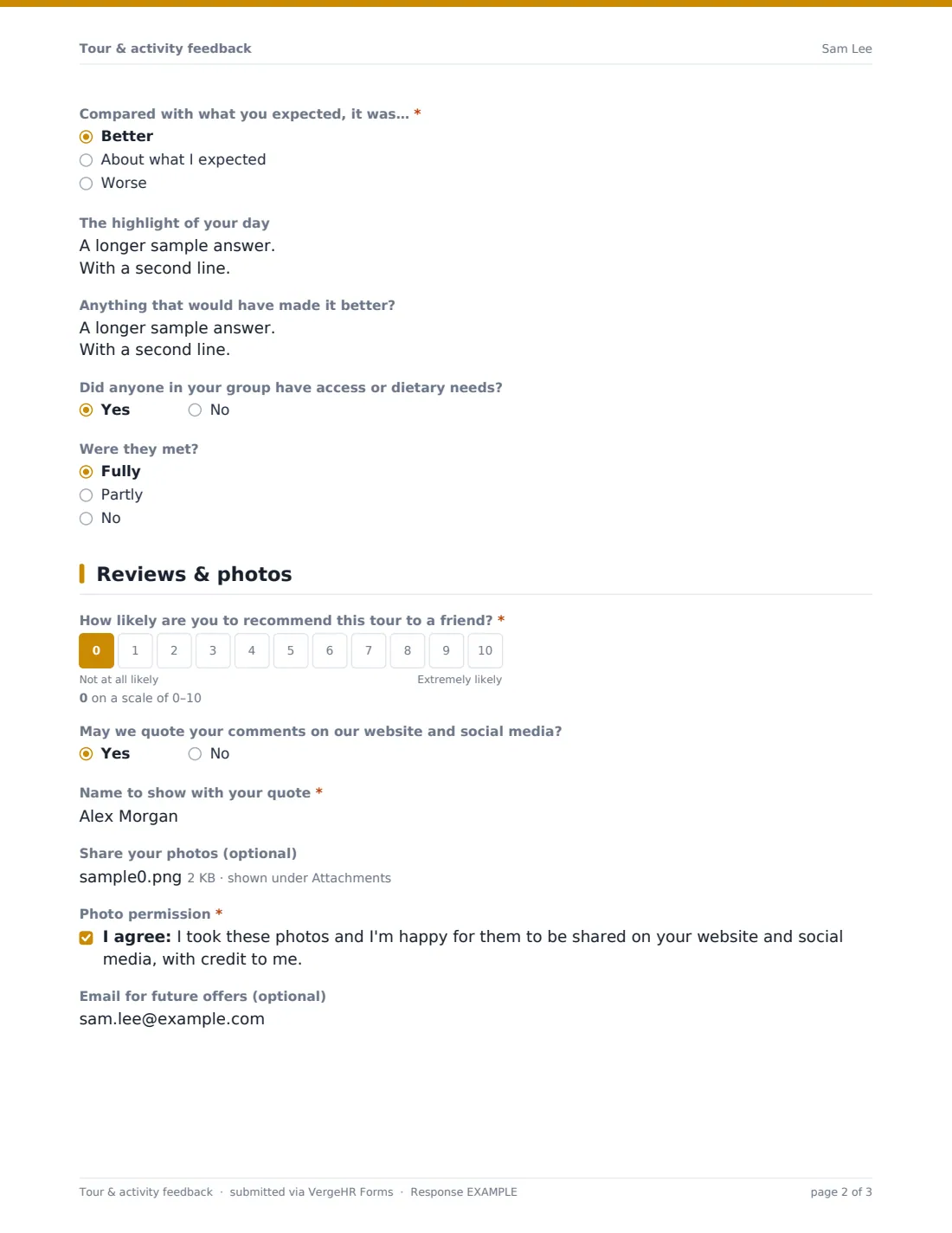
A required five-star overall rating, then a Poor-to-Excellent grid with N/A for booking and meeting-point information, the guide's knowledge, the guide's friendliness and storytelling, pace and length, group size, safety briefing and equipment, and value for money. 'Compared with what you expected, it was…' is required. Open boxes ask for the highlight of the day and anything that would have made it better. If anyone in the group had access or dietary needs, guests say whether they were met fully, partly or not at all.
3 Reviews & photos
A required 0–10 recommend score. A yes to 'May we quote your comments on our website and social media?' asks for the name to show, such as 'Sam, Melbourne'. Guests can upload up to five photos; doing so reveals a required photo permission confirming they took them and are happy for you to share them with credit. An optional email lets them hear about future offers.
Make the Template Yours
- Turn 'Tour or activity' into a dropdown of your tours
- Make the guide a dropdown so names are spelled consistently
- Edit the booking channels to the platforms you sell through
- Remove the safety row if it doesn't apply to your tours
- Reword the photo permission to say exactly where you'll post
- Add your brand color and a cover message in your own voice
Tips for a Better tour & activity feedback Form
- Send the link the same evening, while the day is still vivid
- Share guide feedback with guides each week — praise as well as problems
- Use only quotes and photos where permission was given, with the name the guest chose
- If several guests mention the meeting point, rewrite the booking confirmation
- Follow up anyone whose access needs weren't met
- Ask happy guests to leave a public review too — this form doesn't do it for you
Every Response Becomes a PDF In Files
Each response is saved as a PDF titled with the date in the Files folder you chose, and uploaded photos are attached to that document. Guests who leave an email receive a copy.
Search the Responses tab by tour or guide, open a response to see its photos, and export to CSV to compare ratings across tours and seasons.
- Start from this template. It opens in the VergeHR Forms designer — change any question, add pages, set the rules for when questions appear.
- Share it. Turn on a public link, or send it to people by email, each with their own link. They don’t need a VergeHR login.
- Get the answers as PDFs. Each response is saved as a PDF in the Files folder you choose — and listed in a Responses table, with any uploaded files, that you can export to CSV.
Tour & activity feedback form: frequently asked questions
Is this tour feedback form template free?
Yes. It's included in the VergeHR Forms app on every account, and every question can be edited.
Can guests upload photos?
Yes, up to five images. Uploading reveals a photo permission statement that must be ticked.
Does it post to review sites?
No. It records permission to quote guests on your own website and social media; public review sites are separate.
Do guests need an account?
No. They open the link and answer.
Can I use one form for all my tours?
Yes. Guests enter the tour name, or you can make it a dropdown. Copies per tour also work.
Does it work for activities that aren't guided tours?
Yes — classes, tastings, boat trips and workshops. Edit the guide questions to suit.