

What is AP03 Appoint a secretary?
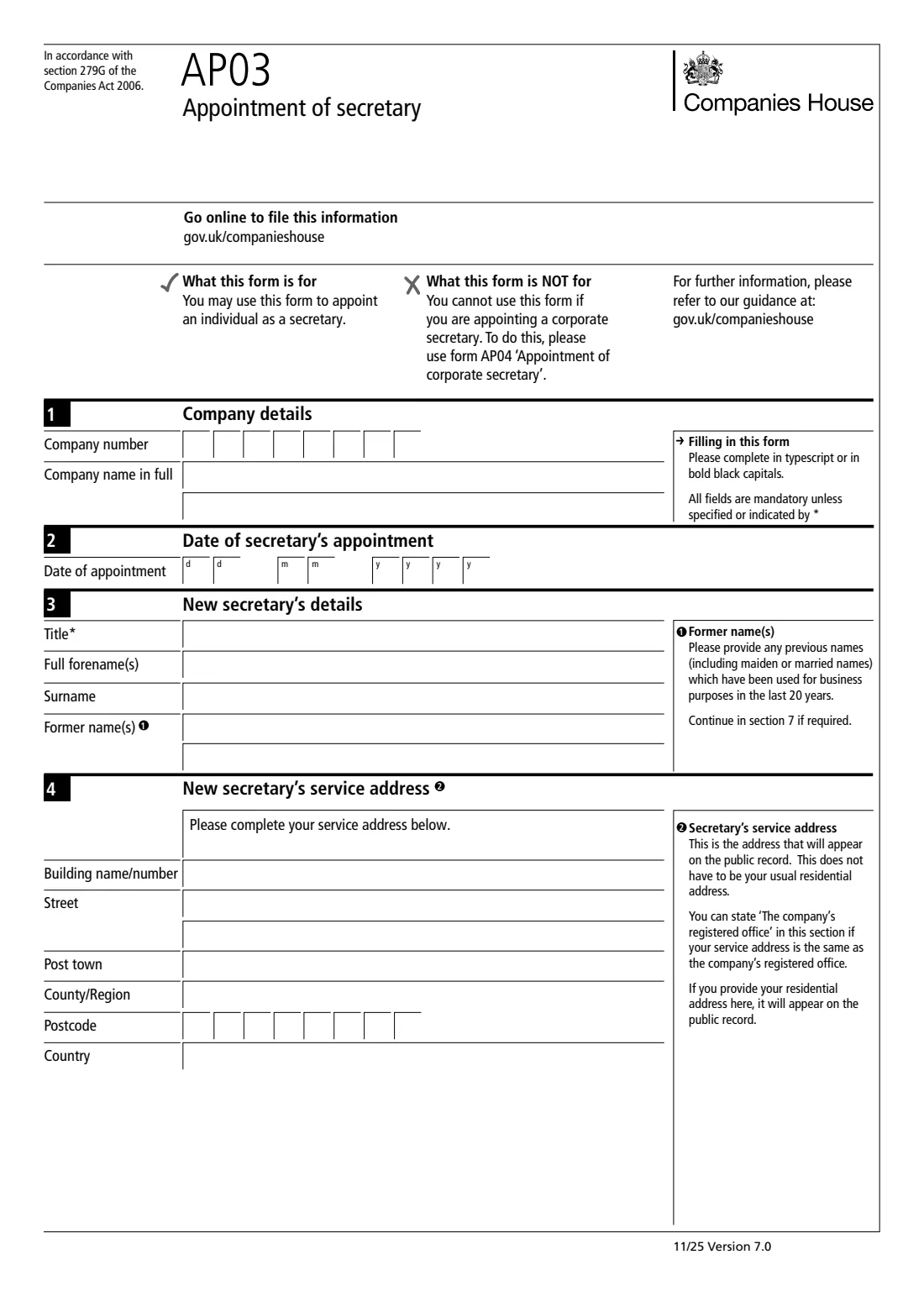
Form AP03 tells Companies House that a UK company has appointed a person as its company secretary. It's for an individual only: a company or firm acting as secretary is appointed on form AP04, and a director on form AP01.
It asks for the company's number and name, the date of appointment, the secretary's name and any former names used for business in the last 20 years, a service address that will appear on the public record, and a tick confirming the secretary has consented to act. Someone with authority to act for the company prints their name to authenticate it. No signature is needed on this edition.
VergeHR walks you through each box, checks the company number, the date and the address, and prints your answers into Companies House's own AP03 PDF (Version 7.0, 11/25). Accented and Eastern European letters print correctly. Companies House offers online filing for this change. If you need the paper form, VergeHR prepares it and saves a copy in Files. You upload or post it yourself; VergeHR never files anything for you.
- Who fills it
- The company: usually a director, the secretary or an authorised agent
- Given to
- Companies House (online filing is also available)
- One form per
- Individual secretary appointed
- Signature
- None: a printed name authenticates it
- Public record
- Everything on the form appears on it
- Edition
- AP03 Version 7.0 (11/25)
Who needs to fill out AP03 Appoint a secretary?
- A UK company appointing a person as company secretary.
- A public company, which must have a secretary, replacing one who has left.
- A private company whose articles require a secretary, or which chooses to have one.
- Accountants and company secretarial agents filing for a client company.
- Not a corporate secretary (use AP04) or a director (use AP01).
When to Use AP03 Appoint a secretary
- After the company has appointed the secretary, so the public register is up to date.
- When you can't or would rather not use Companies House's online service.
- Alongside TM02 when one secretary replaces another: TM02 ends the old appointment and AP03 records the new one.
What You Need Before You Start
- The company number and the company name exactly as on the register.
- The date of appointment.
- The secretary's title (optional), full forenames, surname and any former names used for business in the last 20 years.
- A service address for the public record, or the words 'The company's registered office'.
- The secretary's agreement to act, so the company can confirm consent.
- The name of the person authenticating the form.
What’s On AP03 Appoint a secretary
The 2025 edition has 3 pages. VergeHR asks for it in 8 parts:
- 1. Company detailsCompany
- 2. Date of secretary's appointmentCompany
- 3. New secretary's detailsSecretary
- 4. New secretary's service addressSecretary
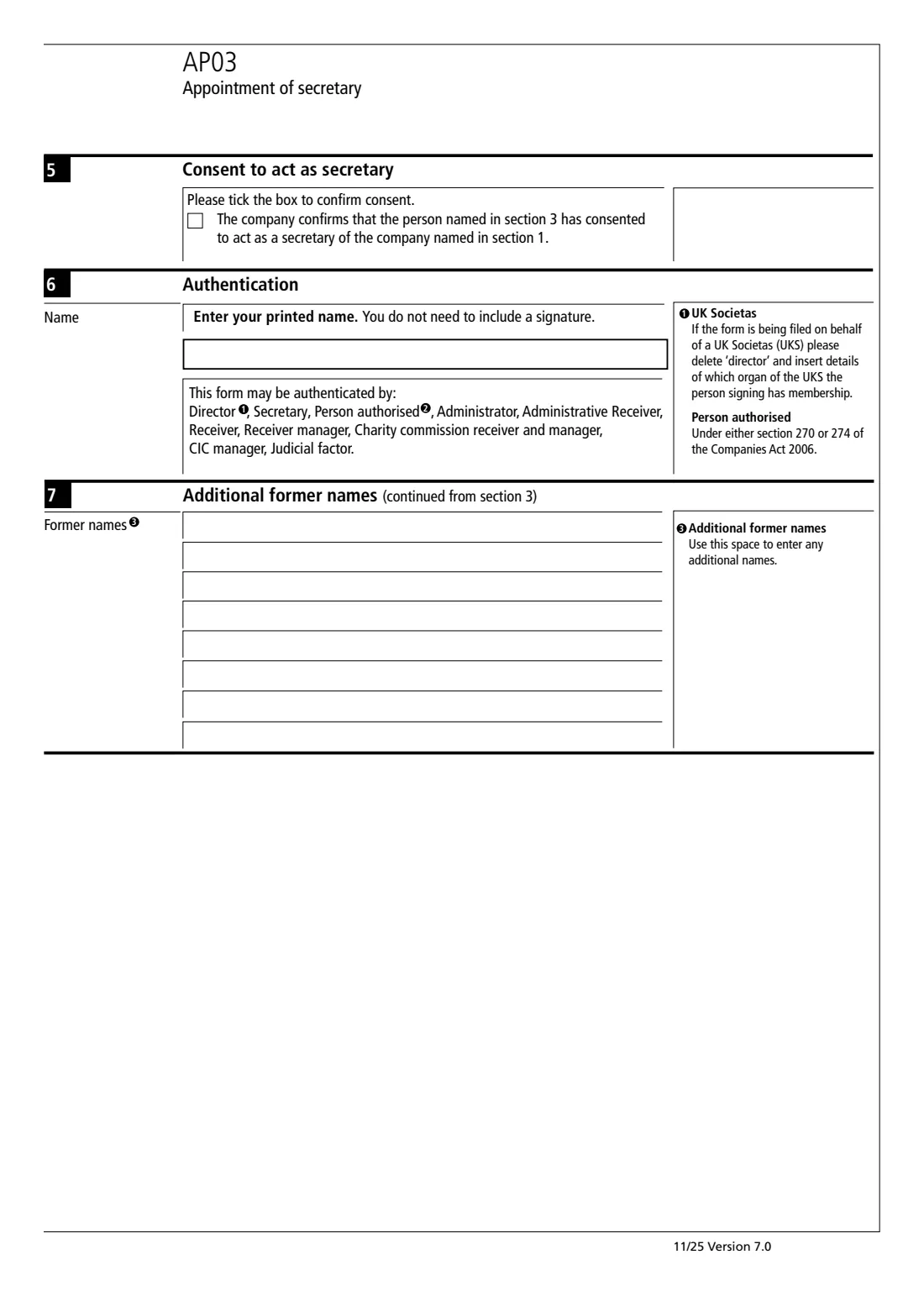
- 5. Consent to act as secretaryCompany
- 6. AuthenticationCompany
- 7. Additional former namesSecretary
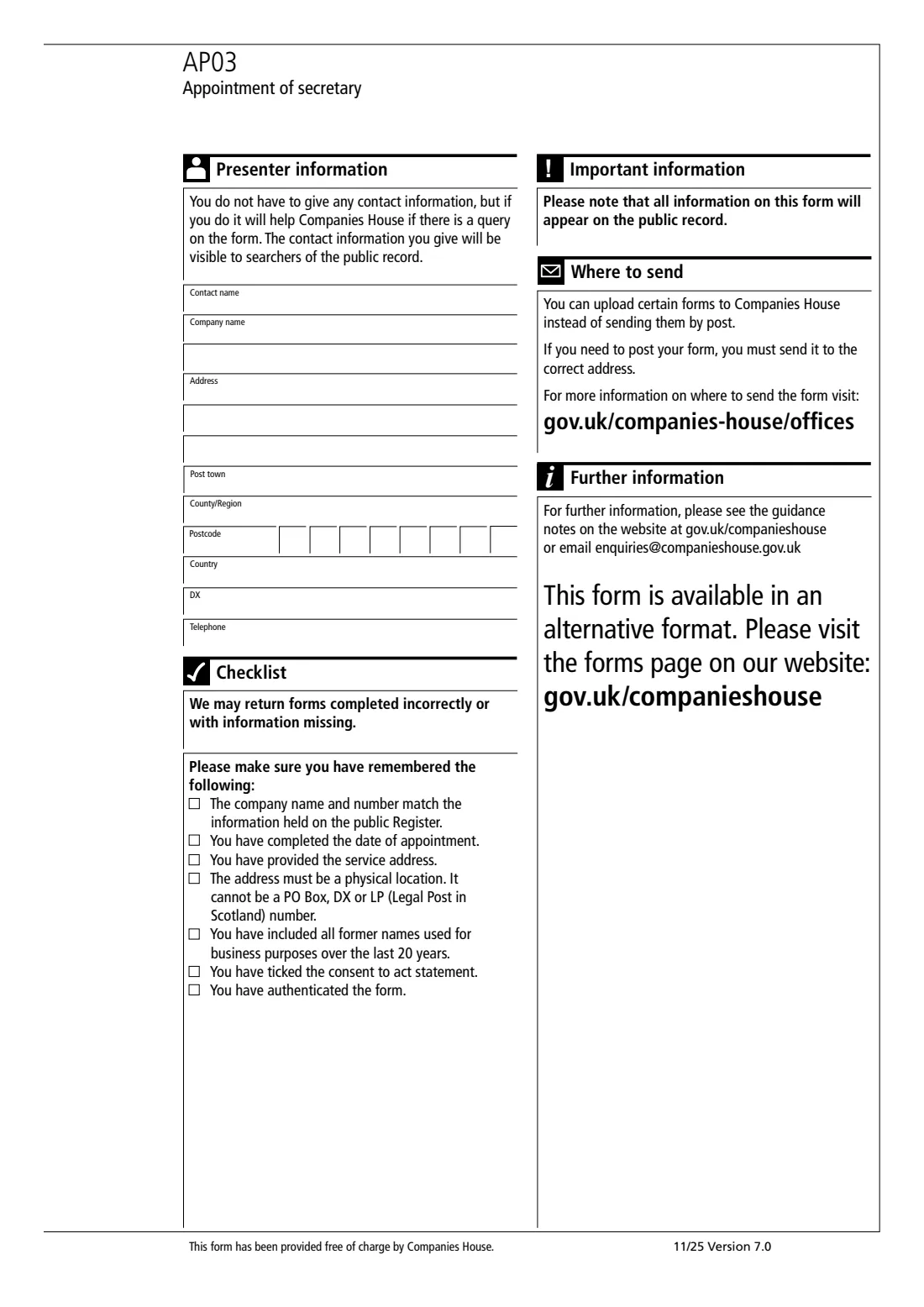
- Presenter information (optional)Presenter
How to fill out AP03 Appoint a secretary, step by step
1 Company details
Enter the company number (8 characters, like 01234567 or SC123456) and the full company name. Both should match the register, or the form may be returned.
2 Date of appointment
The date the company appointed the secretary.
3 New secretary's details
Title is optional. Give all forenames and the surname, and any previous names (including maiden or married names) used for business purposes in the last 20 years. If they don't fit on two lines, continue in section 7.
4 Service address
This address appears on the public record. It doesn't have to be a home address, and you can write 'The company's registered office' if it's the same. If the secretary gives their home address here, it will be public.
5 Consent to act
Tick the box to confirm that the person named in section 3 has consented to act as secretary of the company.
6 Authentication
The person authenticating prints their name: a director, the secretary, a person authorised under section 270 or 274 of the Companies Act 2006, or one of the office-holders listed on the form. No signature is needed.
7 Presenter information
Optional contact details for whoever sends the form. They're visible to anyone searching the public record.
Common Mistakes to Avoid
- Using AP03 for a corporate secretary. That's form AP04.
- Leaving the consent box unticked.
- Putting a home address in the service address without meaning to make it public.
- A company name or number that doesn't match the register.
- Forgetting former names used for business in the last 20 years.
After You Fill It Out
Print the AP03 and go through the checklist on its last page. Companies House says you can upload certain forms instead of posting them; if you post it, send it to the address for where the company is registered (see gov.uk/companies-house/offices). VergeHR doesn't send it for you.
Once Companies House accepts it, the secretary appears on the company's public register entry. Keep the completed form and the board minute or resolution appointing the secretary in the company's VergeHR folder.
If the secretary's details change later, that's form CH03. When the appointment ends, it's form TM02.
Fill Out AP03 Appoint a secretary Online with VergeHR
- Pick the employee. Choose an employee and VergeHR fills in their name, date of birth, email and other details it already knows.
- Answer plain-language questions. One part of the form at a time, with the official help text beside each question — 39 fields in all. Your answers save as you go.
- Check the live preview. Watch your answers land on the real Companies House form, and let VergeHR do any worksheet arithmetic.
- Generate the official PDF. VergeHR prints your answers into the agency’s own PDF and files it in that person’s folder in your vault.
VergeHR fills the form — it never files or submits anything for you. Deliver the finished form to whoever asked for it, the way the form’s instructions say.
Start AP03 Appoint a secretary Now — It’s FreeAP03 Appoint a secretary: frequently asked questions
Can AP03 appoint a company as secretary?
No. The form says it is for appointing an individual. A corporate secretary is appointed on form AP04.
Does the secretary have to sign AP03?
No. The company confirms in section 5 that the secretary has consented to act, and the form is authenticated with a printed name. No signature is needed on this edition.
What is a service address?
The address that appears on the public record for the secretary. It doesn't have to be their home address, and the form lets you state 'The company's registered office' instead.
Which former names do I need to give?
The form asks for previous names, including maiden or married names, used for business purposes in the last 20 years. Section 7 has room for more.
Who can authenticate the form?
The form lists a director, the secretary, a person authorised under section 270 or 274 of the Companies Act 2006, an administrator, administrative receiver, receiver, receiver manager, Charity Commission receiver and manager, CIC manager or judicial factor.
Official Sources
- Blank form (PDF), published by Companies House: https://assets.publishing.service.gov.uk/media/6912fcbccf24e9250d893ef7/AP03_v7.0-FINAL.pdf
- Official instructions and guidance: https://www.gov.uk/government/publications/appoint-a-secretary-ap03
- Edition shown on this page: AP03, Version 7.0 11/25 (checked 2026-10-01).
VergeHR is not affiliated with or endorsed by Companies House or any government. This page explains the form in general terms and is not legal, tax or immigration advice. Always read the official instructions, and check that you are using the edition the recipient accepts. Page last reviewed 2026-10-01.