

What is Form 1099-NEC?
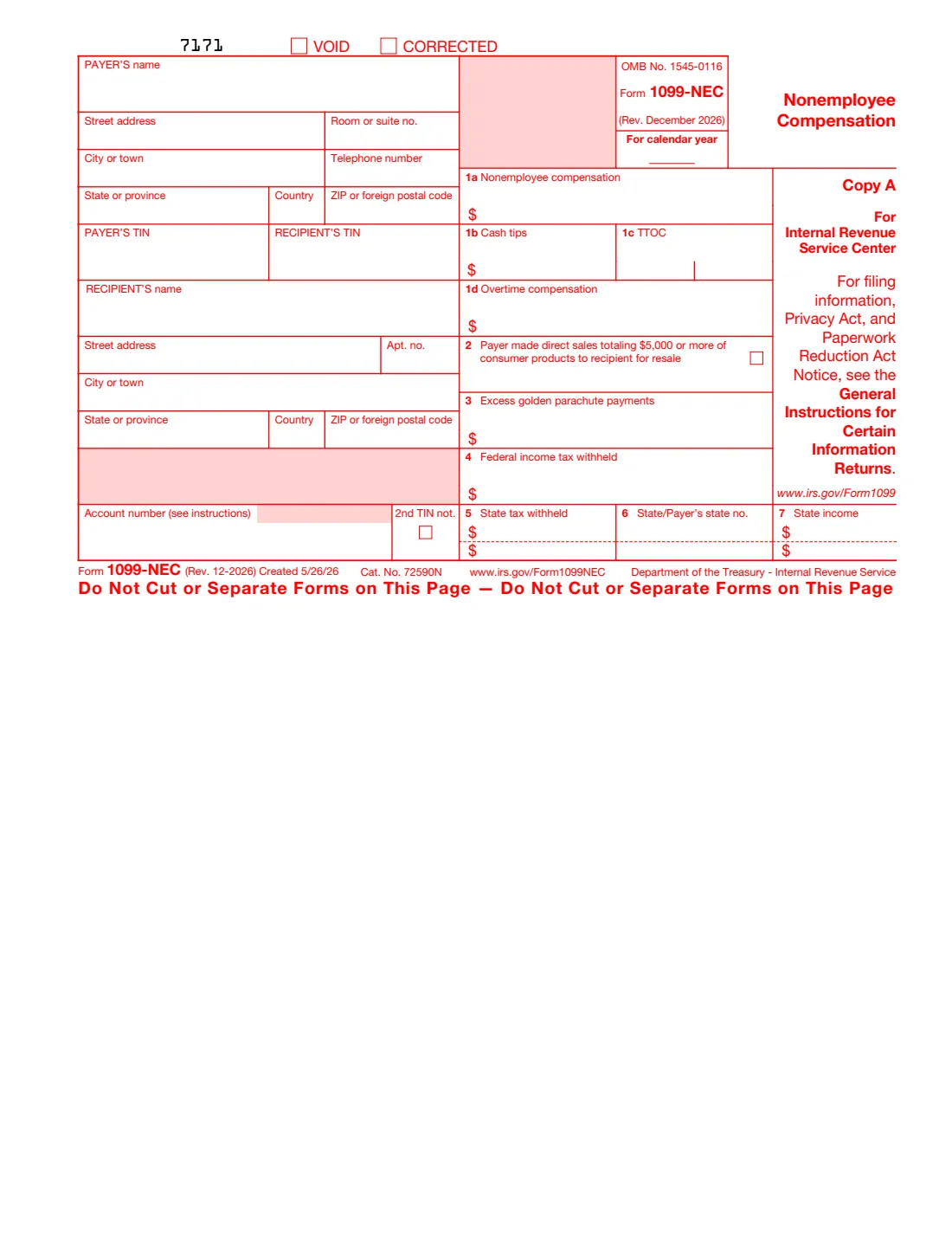
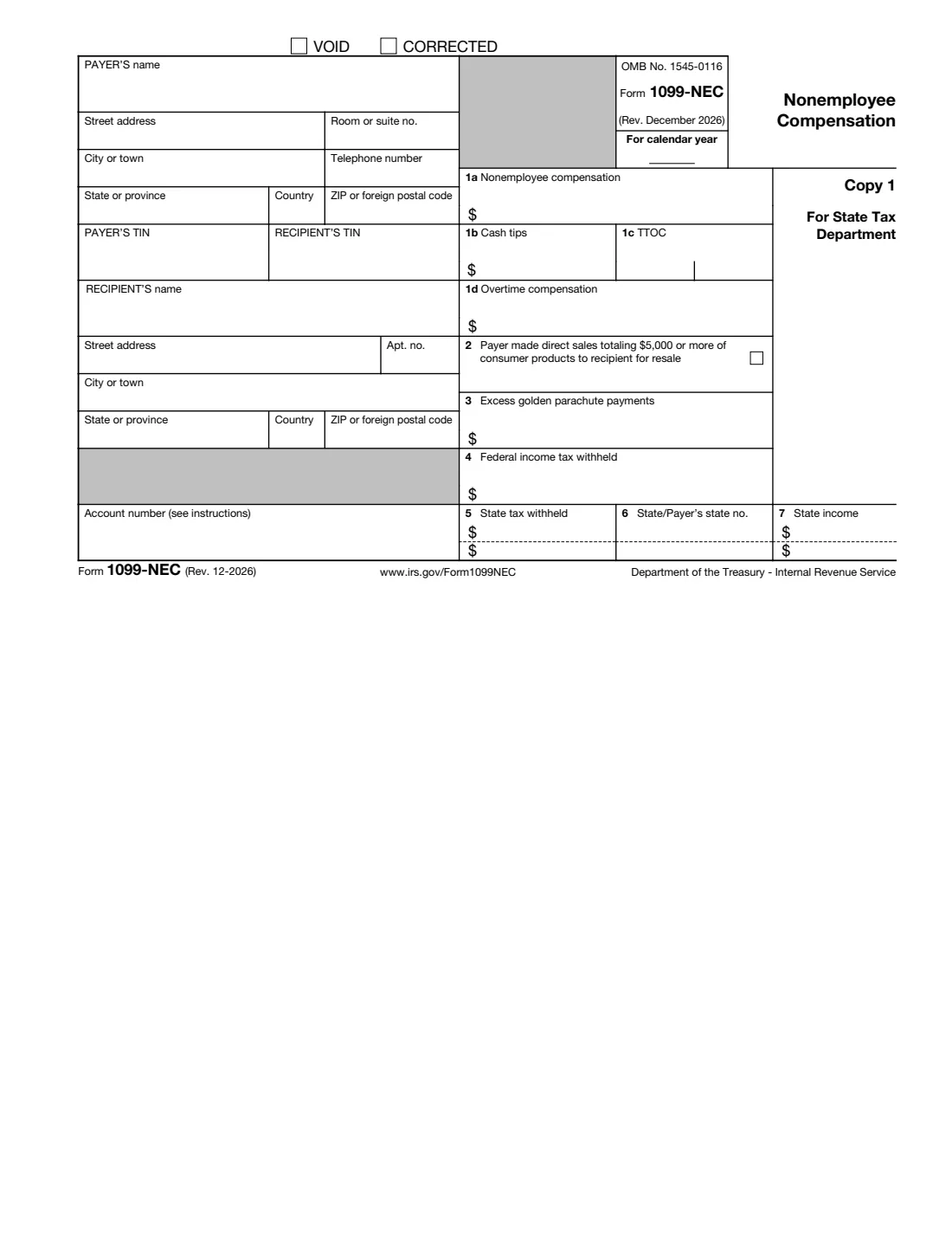
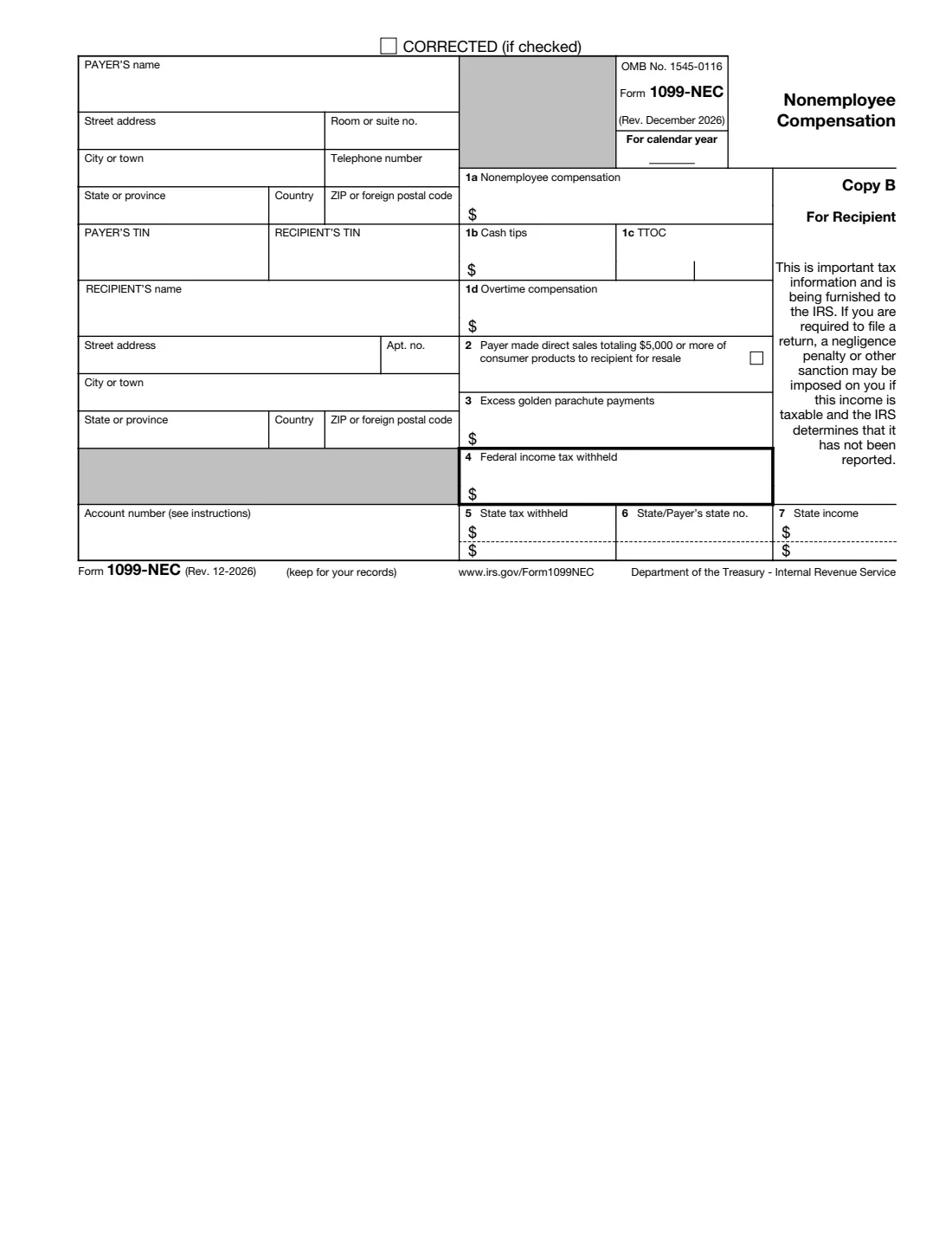
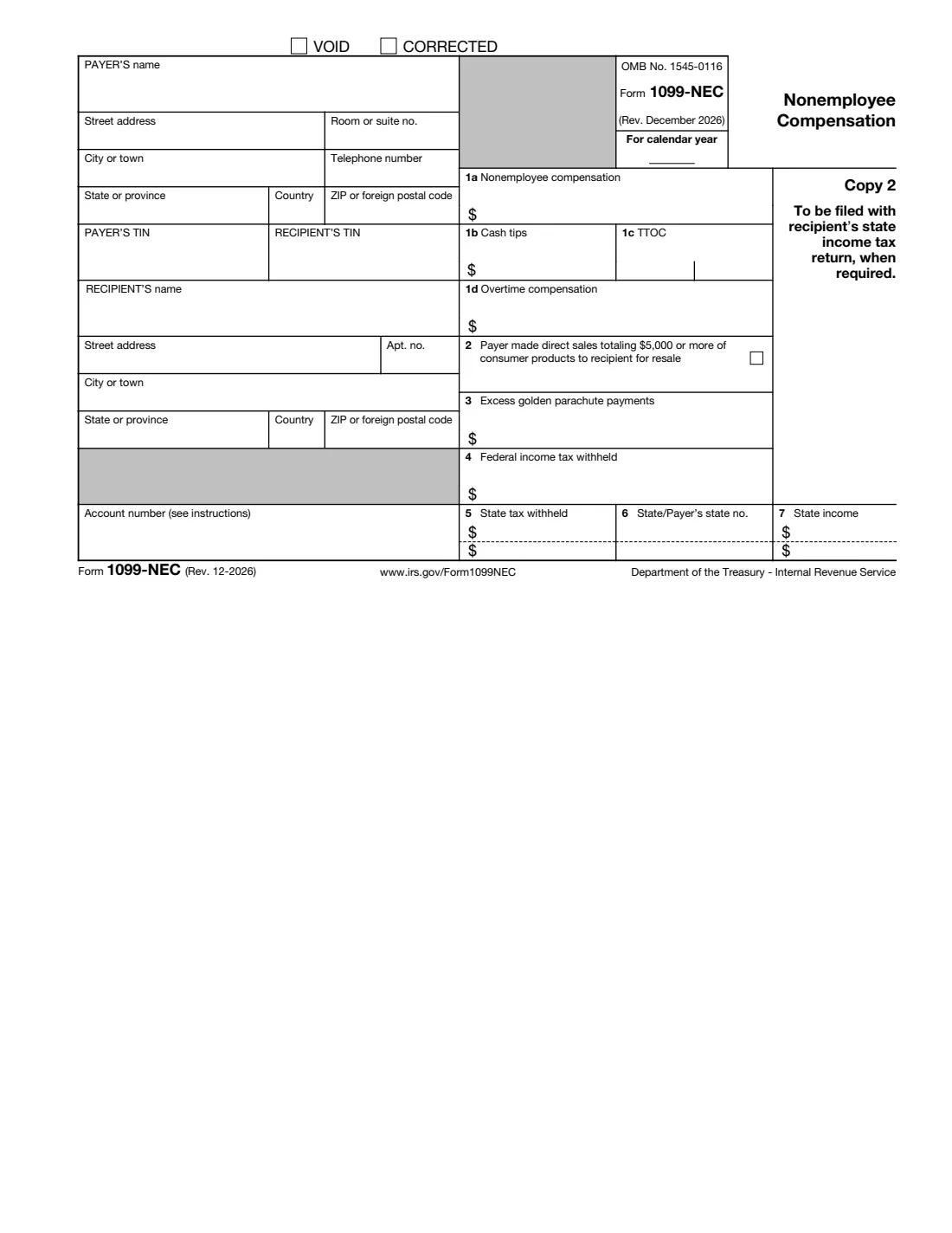
Form 1099-NEC, Nonemployee Compensation, reports what a business paid someone who isn't its employee, such as an independent contractor, freelancer or consultant, for services in its trade or business. The recipient uses Copy B for their own tax return, and the IRS gets the same information through Copy A. The December 2026 revision is first used for amounts paid in 2026. It adds box 1b for cash tips, box 1c for the Treasury Tipped Occupation Code and box 1d for overtime compensation, and for payments after 2025 the reporting threshold for box 1a rises from $600 to $2,000.
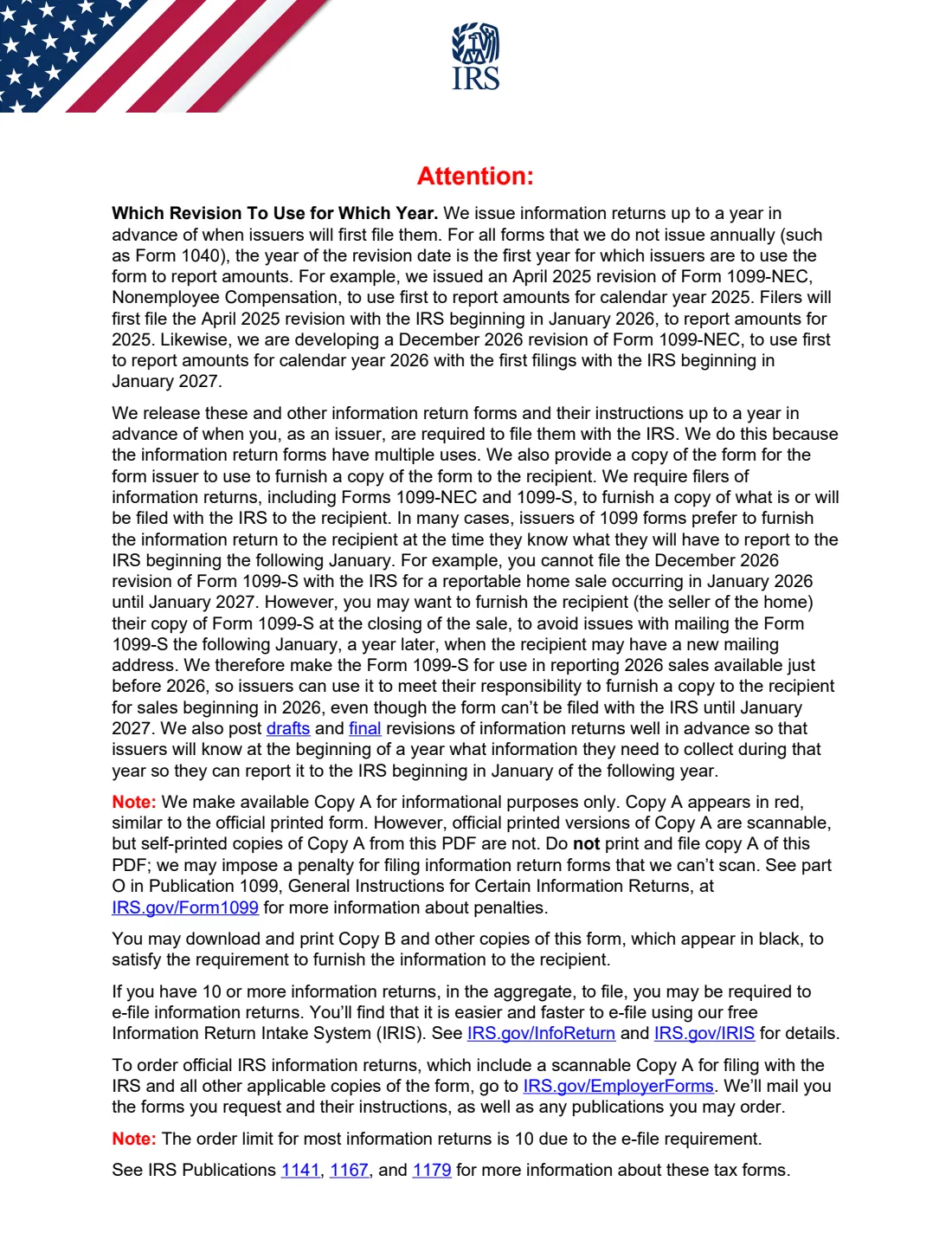
Important: Copy A can't be filed from this PDF. The IRS says self-printed copies of Copy A aren't scannable and filing them may bring a penalty, so e-file Copy A (IRIS) or file an official red-ink Form 1099-NEC ordered from the IRS, with Form 1096. VergeHR fills Copy B, Copy 1 and Copy 2, which the IRS lets you download and print.
VergeHR asks for the payer, the recipient and the amounts once and prints them on all three copies. It formats both TINs, and can show only the last four digits of the recipient's TIN on the copies they get. It checks that cash tips and overtime fit inside box 1a. You give Copy B to the recipient, send Copy 1 to your state if it asks for it, and give Copy 2 to the recipient for their state return.
- Who Files It
- A business that paid a nonemployee $2,000 or more for services in 2026 or later ($600 for 2025), or withheld backup withholding.
- Due Date
- January 31 of the next year, both to the recipient and to the IRS (for 2026 payments, February 1, 2027).
- Copies VergeHR Fills
- Copy B (recipient), Copy 1 (state tax department) and Copy 2 (recipient's state return).
- Copy A
- E-file it (IRIS), or file the official red-ink form with Form 1096. Don't file Copy A printed from the PDF.
- E-Filing
- Required when you file 10 or more information returns in total for the year.
- Edition
- Form 1099-NEC (Rev. December 2026)
Who needs to fill out Form 1099-NEC?
- Businesses that paid independent contractors, freelancers or consultants for services.
- Payers who backup-withheld federal income tax from a nonemployee's pay because the TIN was missing or wrong.
- Businesses that sold $5,000 or more of consumer products to someone for resale outside a store (box 2).
- Bookkeepers and payroll teams preparing year-end contractor forms.
When to Use Form 1099-NEC
- After the end of the year, for each nonemployee you paid $2,000 or more for services (for payments after 2025).
- By January 31, to give Copy B to the recipient and to file Copy A with the IRS.
- To correct a form you already gave and filed: choose Corrected and give the right amounts.
- For any amount of backup withholding, whatever the payment.
What You Need Before You Start
- Your business name, address, phone number and EIN (or SSN for a sole proprietor).
- The recipient's name, address and TIN, from the Form W-9 they gave you.
- The total nonemployee compensation for the year, and the cash tips and overtime included in it, if any.
- Any backup withholding, excess golden parachute payments and state tax withheld.
- Your state identification number, if the state requires boxes 5 to 7.
What’s On Form 1099-NEC
The 2026 edition has 6 pages. VergeHR asks for it in 5 parts:
- About This FormPayer
- PayerPayer
- RecipientPayer
- AmountsPayer
- State InformationPayer
How to fill out Form 1099-NEC, step by step
1 About This Form
Enter the calendar year of the payments and say whether this is a corrected form.
2 Payer and Recipient
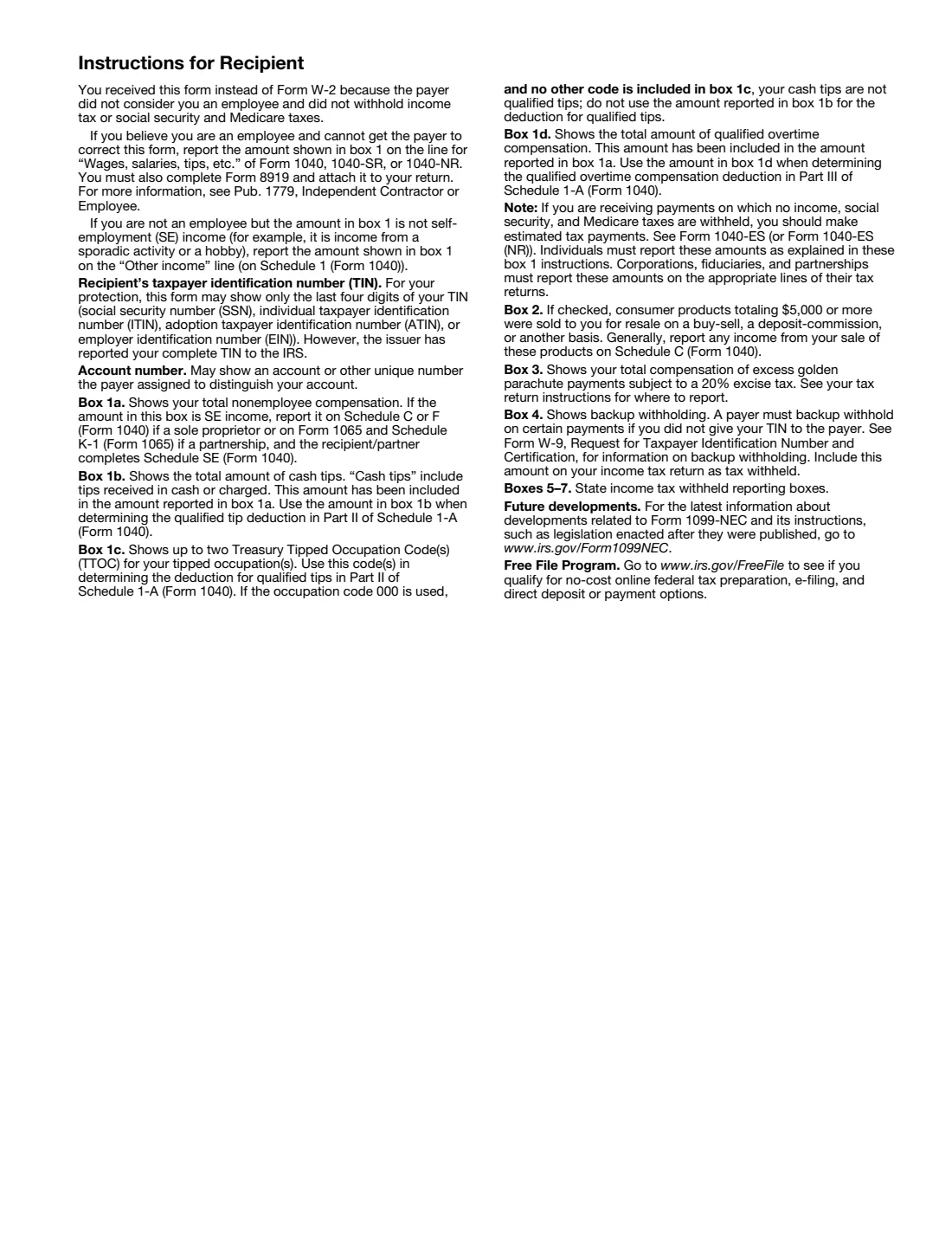
Give your name, address, phone and TIN, then the recipient's details from their Form W-9. Choose whether Copies B and 2 show only the last four digits of the recipient's TIN.
3 Amounts
Enter nonemployee compensation in box 1a. Cash tips (1b) and overtime (1d) are parts of box 1a, and box 1c takes the tipped occupation code. Add box 2 for direct sales, box 3 for excess golden parachute payments and box 4 for backup withholding.
4 State Information
Switch on boxes 5 to 7 if a state needs them, with up to two states.
5 Copy A
File Copy A with the IRS separately: e-file it through IRIS or another e-file service, or use an official red-ink form with Form 1096. VergeHR leaves Copy A blank.
Common Mistakes to Avoid
- Printing and mailing Copy A from the downloaded PDF: it can't be scanned and may bring a penalty.
- Using Form 1099-NEC for an employee's wages, which belong on Form W-2.
- A recipient name and TIN that don't match the IRS's records: use what's on their Form W-9.
- Cash tips or overtime that aren't included in the box 1a total.
- Using this December 2026 revision for 2025 payments, which use the April 2025 revision.
After You Fill It Out
Give Copy B, and Copy 2 if the recipient's state needs it, to the recipient by January 31.
File Copy A with the IRS by January 31: e-file it through IRIS, or mail an official red-ink Copy A with Form 1096. Send Copy 1 to your state tax department if it asks for it.
VergeHR saves the filled PDF in Files. This revision has no Copy C, so keep that file for your records.
Fill Out Form 1099-NEC Online with VergeHR
- Pick the employee. Choose an employee and VergeHR fills in their name, date of birth, email and other details it already knows.
- Answer plain-language questions. One part of the form at a time, with the official help text beside each question — 48 fields in all. Your answers save as you go.
- Check the live preview. Watch your answers land on the real Internal Revenue Service (IRS) form, and let VergeHR do any worksheet arithmetic.
- Generate the official PDF. VergeHR prints your answers into the agency’s own PDF and files it in that person’s folder in your vault.
VergeHR fills the form — it never files or submits anything for you. Deliver the finished form to whoever asked for it, the way the form’s instructions say.
Start Form 1099-NEC Now — It’s FreeForm 1099-NEC: frequently asked questions
Can I print Copy A from this PDF and mail it to the IRS?
No. The IRS says Copy A in the PDF appears in red for information only: printed copies can't be scanned, and filing them may bring a penalty. E-file it (the IRS's IRIS system is free), or order official red-ink forms from the IRS and send them with Form 1096.
Which copies can I print and give out?
Copy B for the recipient, Copy 1 for the state tax department and Copy 2 for the recipient's state return. The IRS says you may download and print Copy B and the other black copies to furnish the recipient.
What is the threshold for 2026?
For payments made after 2025, box 1a is generally required when you paid the recipient $2,000 or more in the year for services (it was $600 before). Backup withholding is always reported.
What are the new boxes 1b, 1c and 1d?
Box 1b is cash tips and box 1d is qualified overtime compensation, both already included in box 1a. Box 1c holds up to two Treasury Tipped Occupation Codes. They help the recipient claim the deductions for qualified tips and overtime.
Do I have to e-file?
Yes if you file 10 or more information returns in total for the year (Forms 1099, W-2 and others counted together). Otherwise you may e-file or use official paper forms.
Does VergeHR file Form 1099-NEC for me?
No. VergeHR fills the copies you give out and keeps a copy in Files. You file Copy A with the IRS yourself.
Official Sources
- Blank form (PDF), published by Internal Revenue Service (IRS): https://www.irs.gov/pub/irs-pdf/f1099nec.pdf
- Official instructions and guidance: https://www.irs.gov/forms-pubs/about-form-1099-nec
- Edition shown on this page: Form 1099-NEC (Rev. December 2026), created 5/26/26 (checked 2026-11-09).
VergeHR is not affiliated with or endorsed by Internal Revenue Service (IRS) or any government. This page explains the form in general terms and is not legal, tax or immigration advice. Always read the official instructions, and check that you are using the edition the recipient accepts. Page last reviewed 2026-11-09.