

What is a copywriting agreement?
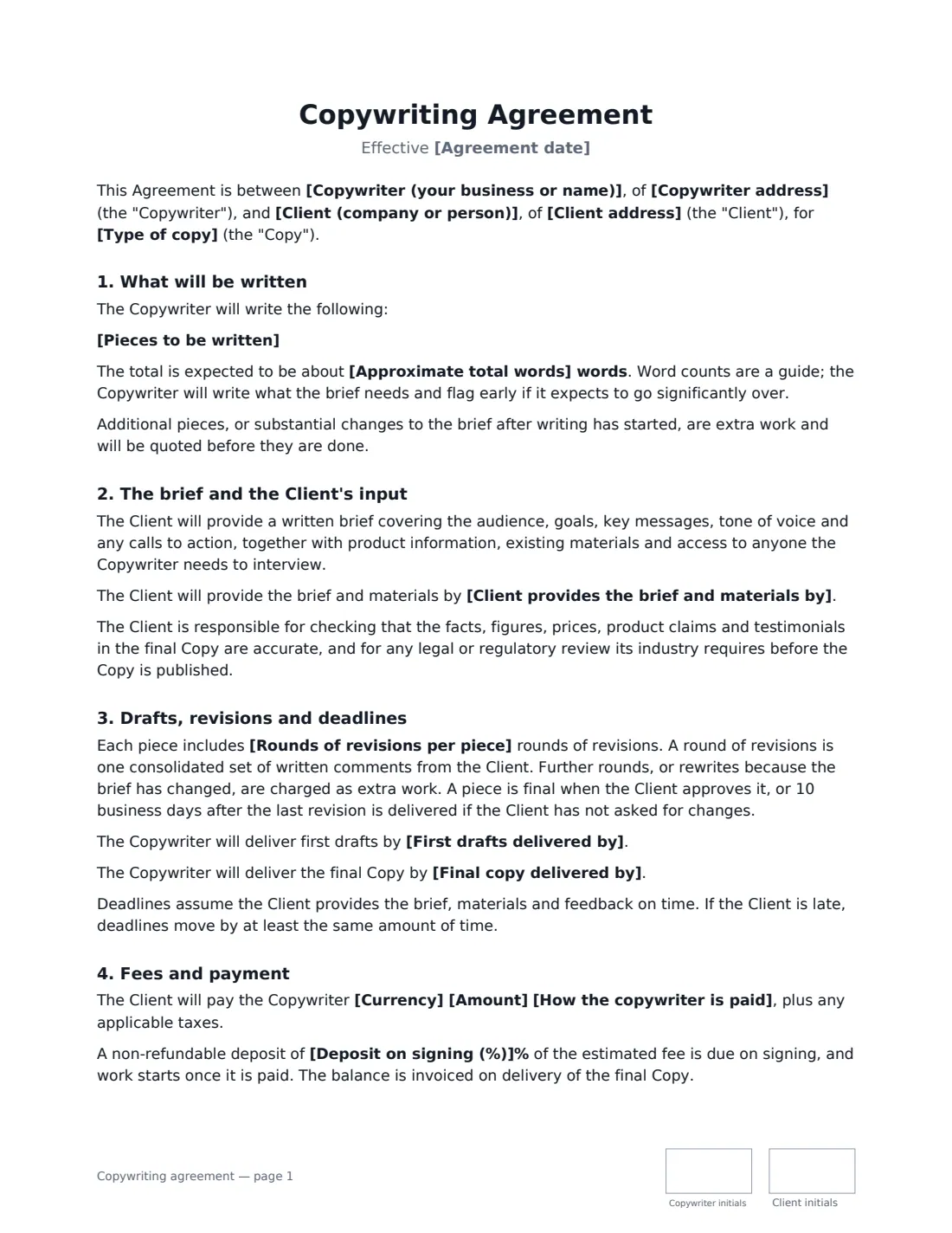
A copywriting agreement sets the terms between a freelance copywriter and a client for website pages, ads, emails, brochures, product descriptions or articles. Clear terms matter because the usual problems are about scope: a brief that changes halfway through, "just one more round" of edits, a deadline that slips because the client's input is late, and uncertainty over who owns the copy and whether the writer may show it.
This template lists the pieces to be written with an approximate word count, the brief and materials the client supplies, revision rounds per piece and when a piece is treated as final, and optional dates for the brief, drafts and final copy. You choose a fixed fee, a rate per word or an hourly rate, with an optional deposit. It confirms originality, states whether AI writing tools may be used, transfers rights on full payment, sets credit and portfolio use, and covers confidentiality, cancellation and the client's responsibility for checking facts and regulated claims.
- Best for
- Freelance copywriters, content writers and small content studios
- Signed by
- The copywriter and the client
- Pricing
- Fixed project fee, per word or per hour, with optional deposit
- Length
- 2-3 pages, initialled on every page
When to Use a copywriting agreement
- A copywriter writes a new website's home, about and service pages
- A brand commissions a welcome email sequence
- An agency outsources ad copy for a product launch
- An online shop needs product descriptions written in batches
- A company commissions brochure and sales sheet copy for print
What You Fill In
20 blanks, then the name and email of each person who signs: copywriter, client.
1 The parties
- Copywriter (your business or name)*
- Copywriter address
- Client (company or person)*
- Client address
2 The copy
- Agreement date*
- Type of copy* website copy · advertising copy · email marketing copy · brochure and print copy · product descriptions · blog and article content · marketing copy
- Pieces to be written*
- Approximate total words
- Rounds of revisions per piece*
3 Deadlines
- Client provides the brief and materials by
- First drafts delivered by
- Final copy delivered by
4 Fees
- How the copywriter is paid* as a fixed fee for the project · per word · per hour
- Currency*
- Amount*
- Deposit on signing (%)
- Invoices are due within (days)*
5 Other terms
- Use of AI writing tools* The Copywriter will not use AI tools to generate the copy · The Copywriter may use AI tools for research and first ideas, and will write, rewrite and check all final copy personally
- Credit and portfolio* The Copywriter may show the published copy in its portfolio · The Copywriter will not show the copy in its portfolio or say it wrote it
- Governing law*
6 Who signs
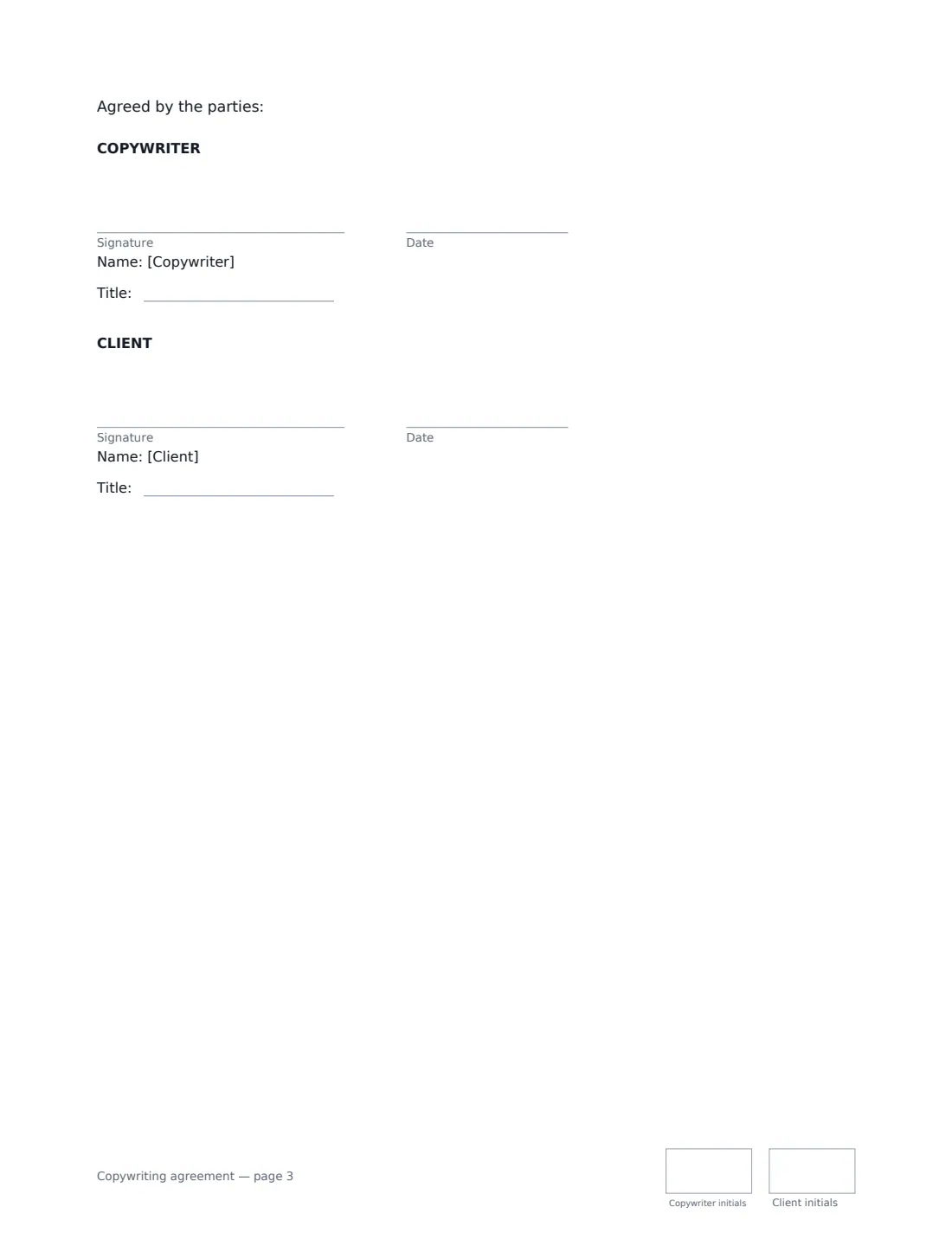
- Copywriter signature and date, job title, initials on every page
- Client signature and date, job title, initials on every page
What the copywriting agreement Covers
- What will be written
- The brief and the Client's input
- Drafts, revisions and deadlines
- Fees and payment
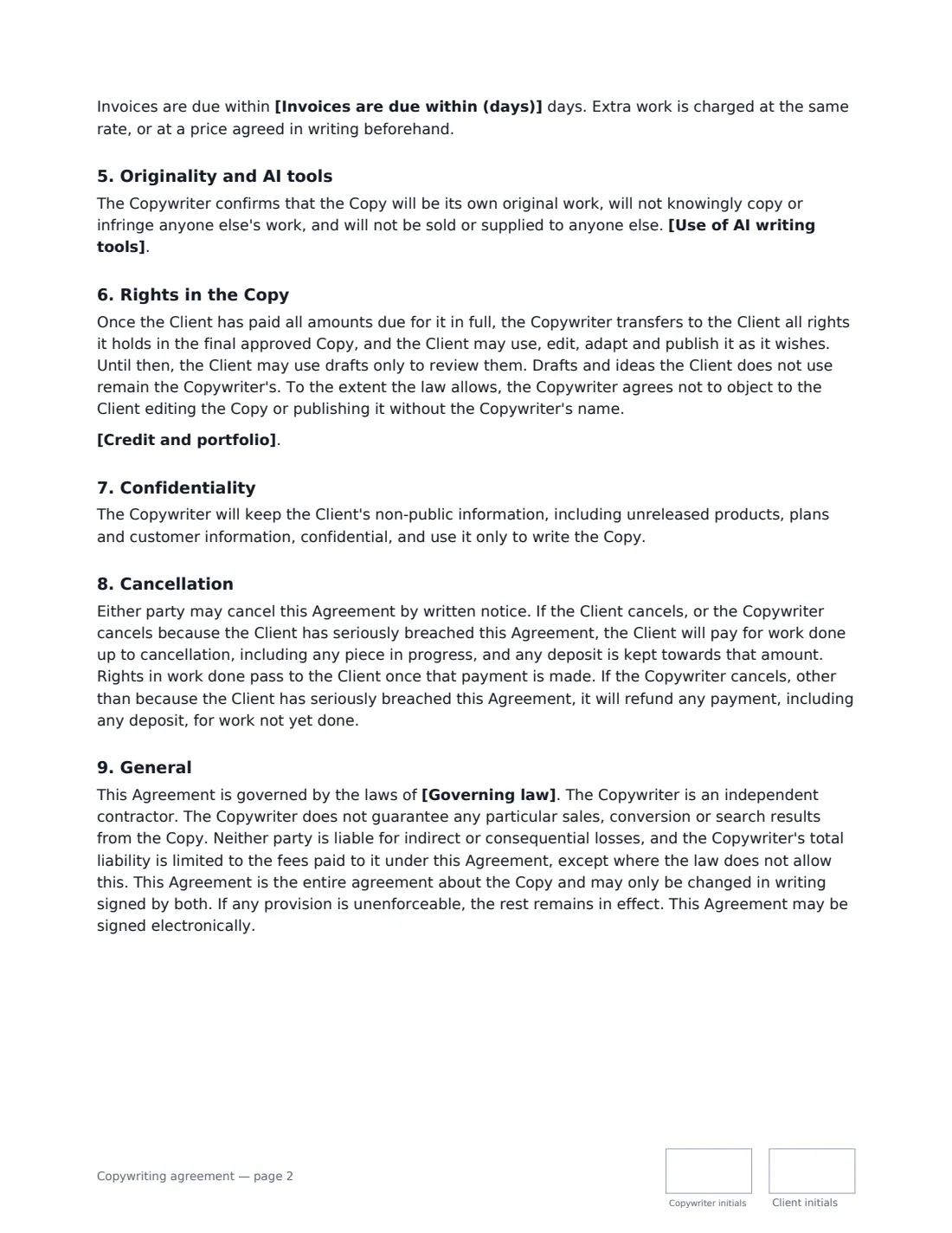
- Originality and AI tools
- Rights in the Copy
- Confidentiality
- Cancellation
- General
Using the copywriting agreement, step by step
1 List the pieces
Choose the type of copy and list each piece with an approximate length — for example a 600-word home page and three 500-word service pages. Add a total word count if you charge per word.
2 Set revisions and dates
Enter revision rounds per piece. Add optional dates for the client's brief, your first drafts and the final copy; if the client is late, your deadlines move by at least as long.
3 Choose the fee and AI policy
Pick a fixed fee, per-word or hourly rate, and a deposit if you take one. Choose whether AI tools are ruled out, or used only for research and first ideas with you writing and checking all final copy.
4 Decide on credit
Choose whether you may show the published copy in your portfolio, or keep your involvement private.
5 Send it
Add the client and send. Both of you sign and initial each page, and the signed copy is filed in Files.
Tips Before You Send It
- Don't start without a written brief — the agreement lists what it should cover.
- Ask for all feedback on a draft in one consolidated round, from the person who can approve it.
- Remind clients in regulated industries to have claims checked before publishing; the agreement makes that their responsibility.
- State your AI policy openly — many clients now ask.
Sign It Online In Minutes
- Fill in the blanks. Names, dates and amounts go straight into the agreement — the preview shows exactly where.
- Name who signs. Tick “This is me” for your own part. VergeHR builds the PDF with every signature, date and initials box on the right line, and you can check or move anything before sending.
- Send it. Each signer gets a secure link and signs from any device — no account needed. The signed PDF, with an audit trail and a Certificate of Completion, is filed in Files and emailed to everyone.
Copywriting agreement: frequently asked questions
When does the client own the copy?
Once all amounts due for it are paid in full, the copywriter transfers its rights in the final approved copy, and the client can edit, adapt and publish it freely. Unused drafts and ideas stay with the copywriter.
When is a piece final?
When the client approves it, or 10 business days after the last revision is delivered if the client hasn't asked for changes.
What if the client cancels halfway?
The client pays for work done up to cancellation, including any piece in progress, and any deposit is kept towards that amount. Rights in the work done pass to the client once that's paid.
Is an agreement signed electronically legally binding?
In most countries, including the US (ESIGN Act and UETA), the UK, the EU (eIDAS) and Canada, an electronic signature is generally valid for an ordinary commercial contract like this one. VergeHR keeps an audit trail and a Certificate of Completion with the signed PDF as evidence of who signed and when.
Is this template free?
Yes. The template is free to use with the eSignature app in VergeHR. Your client doesn't need a VergeHR login to sign.