

What is the meeting effectiveness survey form template?
Most teams know some of their meetings drag, but nobody wants to be the person who says so in the room. A short anonymous survey after the meeting gives everyone a safe way to say what worked and what didn't, and gives the organizer something more useful than a vague feeling that people look bored.
This template takes about a minute. People name the meeting, say what part they played, give it a star rating and work through seven agreement statements — clear purpose, agenda in advance, on time, the right people, everyone heard, decisions made, next steps agreed. It then asks the two questions that matter most for recurring meetings: did you need to be there, and could this have been an email or a shared document?
Every response is saved as a PDF in VergeHR Files, so you can compare the same meeting over a few weeks and see whether changes are landing.
- Best for
- Team leads, project managers, chiefs of staff and anyone running recurring meetings
- Filled in by
- Meeting attendees, anonymously
- Time to complete
- About 1 minute
- Includes
- Star rating, seven-statement agreement grid, length, attendance need, 'could have been an email', frequency and improvement ideas
Who uses a meeting effectiveness survey form?
- Checking whether a weekly stand-up or team update is still earning its slot
- Reviewing an all-hands or town hall from the audience's side
- Trimming a calendar full of recurring meetings before a new quarter
- Giving a new manager honest feedback on how they run meetings
- Comparing project meetings across teams
- A quick pulse after a long planning workshop
Questions On This meeting effectiveness survey Form
12 questions over 3 pages · includes multiple pages, ratings.
1 The meeting
- Which meeting are you rating?*
- Date of the meeting
- Type of meeting Team update or stand-up · Project meeting · Decision meeting · Planning or workshop · All-hands or town hall · Client or external meeting · Other
- Your part in it* Organizer or chair · Presenter · Participant · Note-taker
2 How it went
- Overall, how useful was this meeting?*
- How much do you agree?* Strongly disagree · Disagree · Neutral · Agree · Strongly agree
- The length was…* Too short · About right · Too long
- Did you need to be there?* Yes — my input was needed · Only for one item · No — the notes would have been enough
- Could this meeting have been an email or a shared document?*
3 Making it better
- If it's a recurring meeting, how often should it happen? More often · Keep it as it is · Less often · Stop holding it · It isn't recurring
- What worked well and should stay?
- One change that would make it better
The meeting effectiveness survey form, page by page
1 The meeting
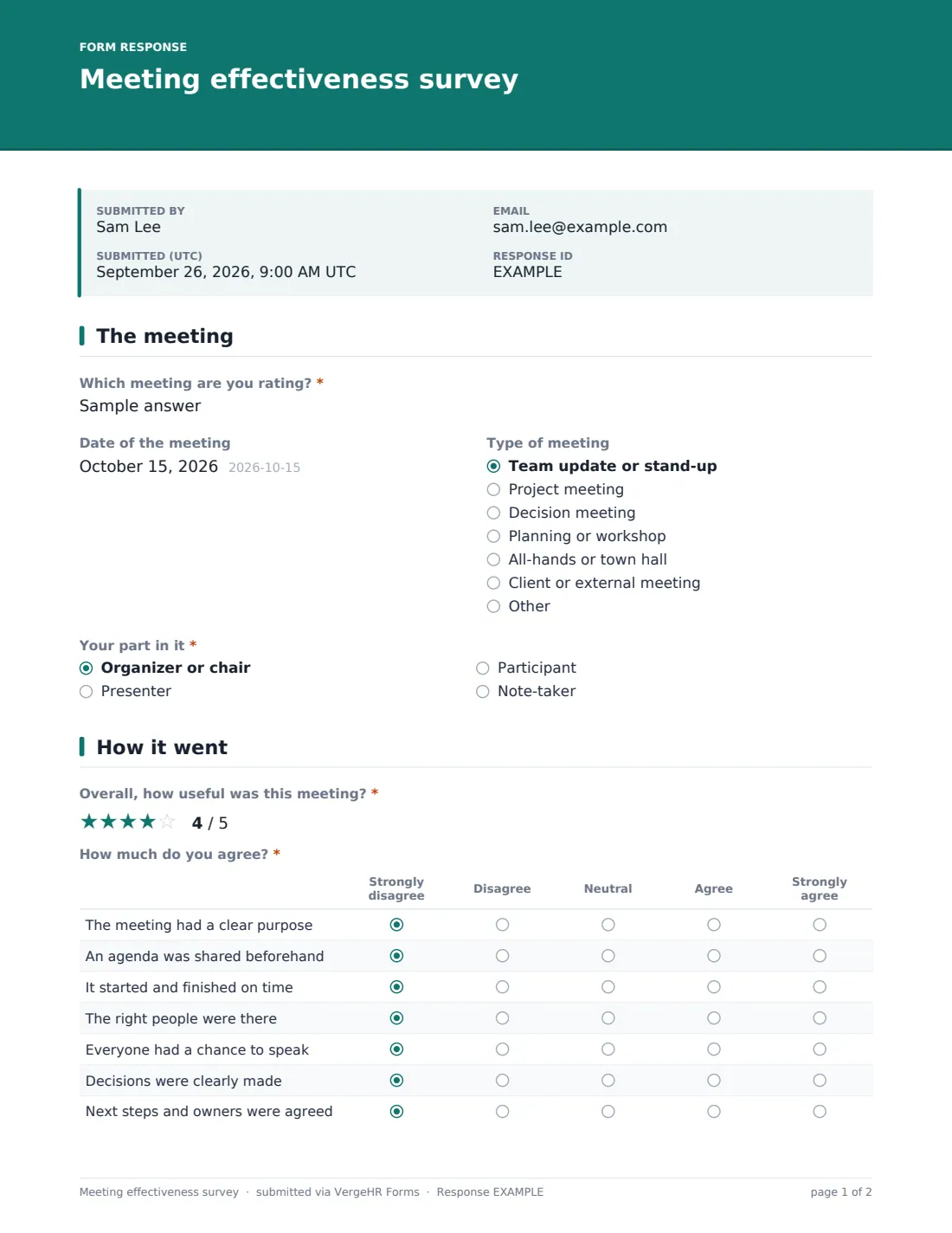
A required 'Which meeting are you rating?' box, with an example like 'Monday team stand-up', is followed by an optional date and a 'Type of meeting' dropdown: team update or stand-up, project meeting, decision meeting, planning or workshop, all-hands, client meeting or other. 'Your part in it' is required — organizer or chair, presenter, participant or note-taker — so you can see whether presenters and listeners experience the meeting differently.
2 How it went
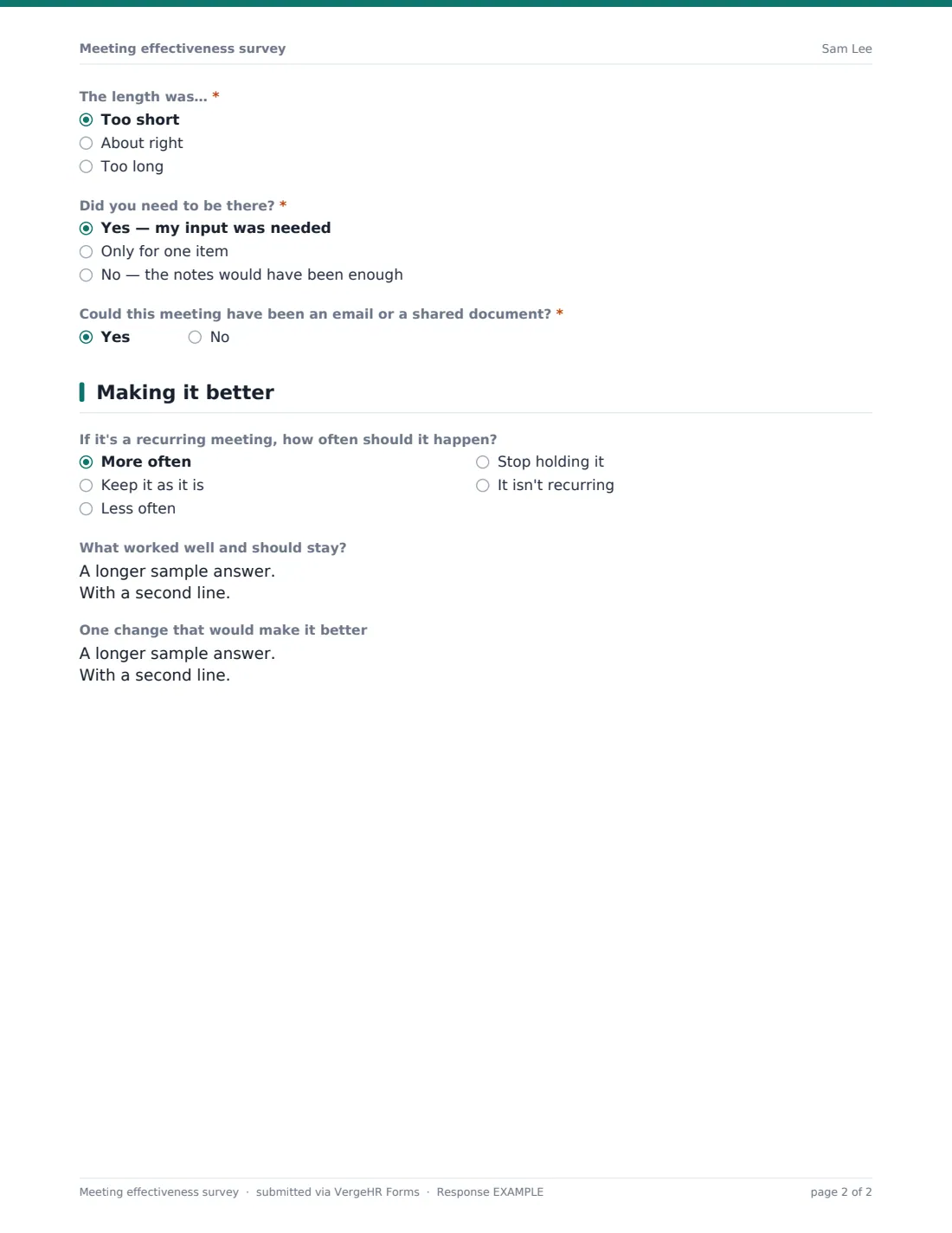
'Overall, how useful was this meeting?' is a five-star rating. A grid asks how much people agree that the meeting had a clear purpose, an agenda was shared beforehand, it started and finished on time, the right people were there, everyone had a chance to speak, decisions were clearly made, and next steps and owners were agreed. Three required questions follow: whether the length was too short, about right or too long; 'Did you need to be there?' — yes, only for one item, or no, the notes would have been enough; and a yes/no on whether it could have been an email or a shared document.
3 Making it better
For recurring meetings, people choose whether it should happen more often, stay as it is, happen less often, stop altogether, or say it isn't recurring. Two open boxes ask 'What worked well and should stay?' and for 'One change that would make it better'.
Make the Template Yours
- Replace the meeting name box with a dropdown of your regular meetings so results group neatly
- Edit the meeting types to match your own calendar
- Add a statement to the grid, such as 'Pre-reads were useful', if that's a habit you're building
- Drop the frequency question for one-off meetings
- Set a close date a couple of days after the meeting so late answers don't blur the picture
- Change the accent color and cover text to suit your team
Tips for a Better meeting effectiveness survey Form
- Post the link in the meeting chat in the last minute, while it's fresh
- Run it for three or four instances of a recurring meeting before deciding anything
- Share a summary of the results with attendees — and what you'll change
- If most people say they only needed to be there for one item, try a shorter core group with guests per item
- A 'could have been an email' majority is a signal to try an async update for a few weeks
- Keep it anonymous; named meeting feedback rarely tells you much
Every Response Becomes a PDF In Files
Each response is saved as a PDF titled with the date, in whichever Files folder you choose, and you can be notified by email as answers come in. No copy is emailed to respondents because the survey is anonymous.
Open the Responses tab to search by meeting name, read the open comments side by side, or export everything to CSV to chart scores across several weeks.
- Start from this template. It opens in the VergeHR Forms designer — change any question, add pages, set the rules for when questions appear.
- Share it. Turn on a public link, or send it to people by email, each with their own link. They don’t need a VergeHR login.
- Get the answers as PDFs. Each response is saved as a PDF in the Files folder you choose — and listed in a Responses table, with any uploaded files, that you can export to CSV.
Meeting effectiveness survey form: frequently asked questions
Is this meeting effectiveness survey free?
Yes. It's one of the starter templates in VergeHR's Forms app, which every account includes, and you can edit every question.
Is it anonymous?
Yes. The template doesn't ask for names or emails, and it ships set not to collect identity. You can switch identity collection on in Settings if you want named responses.
Can I reuse one form for every meeting?
Yes. People type which meeting they're rating, so one link can cover several. Many teams prefer one copy per recurring meeting to keep the results separate.
Does it connect to my calendar?
No. Share the link in the meeting chat, in the invitation or in the follow-up notes.
Do attendees need a VergeHR login?
No. Anyone with the link can answer. Only the person who owns the form needs an account.
Can I see results as a chart?
The Responses tab lists every answer and exports to CSV, which you can chart in a spreadsheet.