

What is a account access authorization?
Handing an agency the keys to your Instagram, ad account or website hosting is routine — and one of the most common sources of trouble when the relationship ends. Who owns the ad account they set up? Did they remove their access? Were they allowed to change the recovery email? An account access authorization answers those questions before anyone logs in.
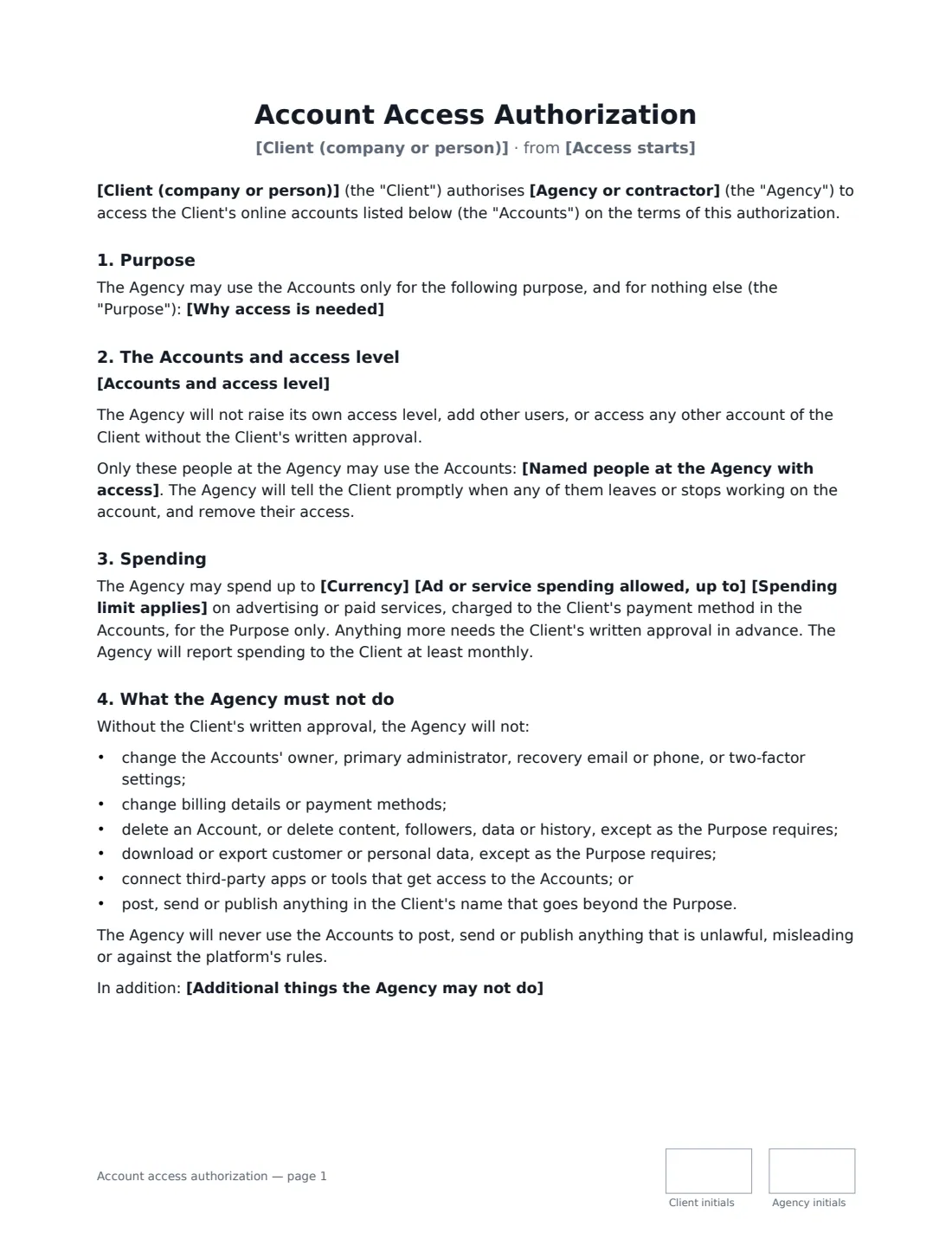
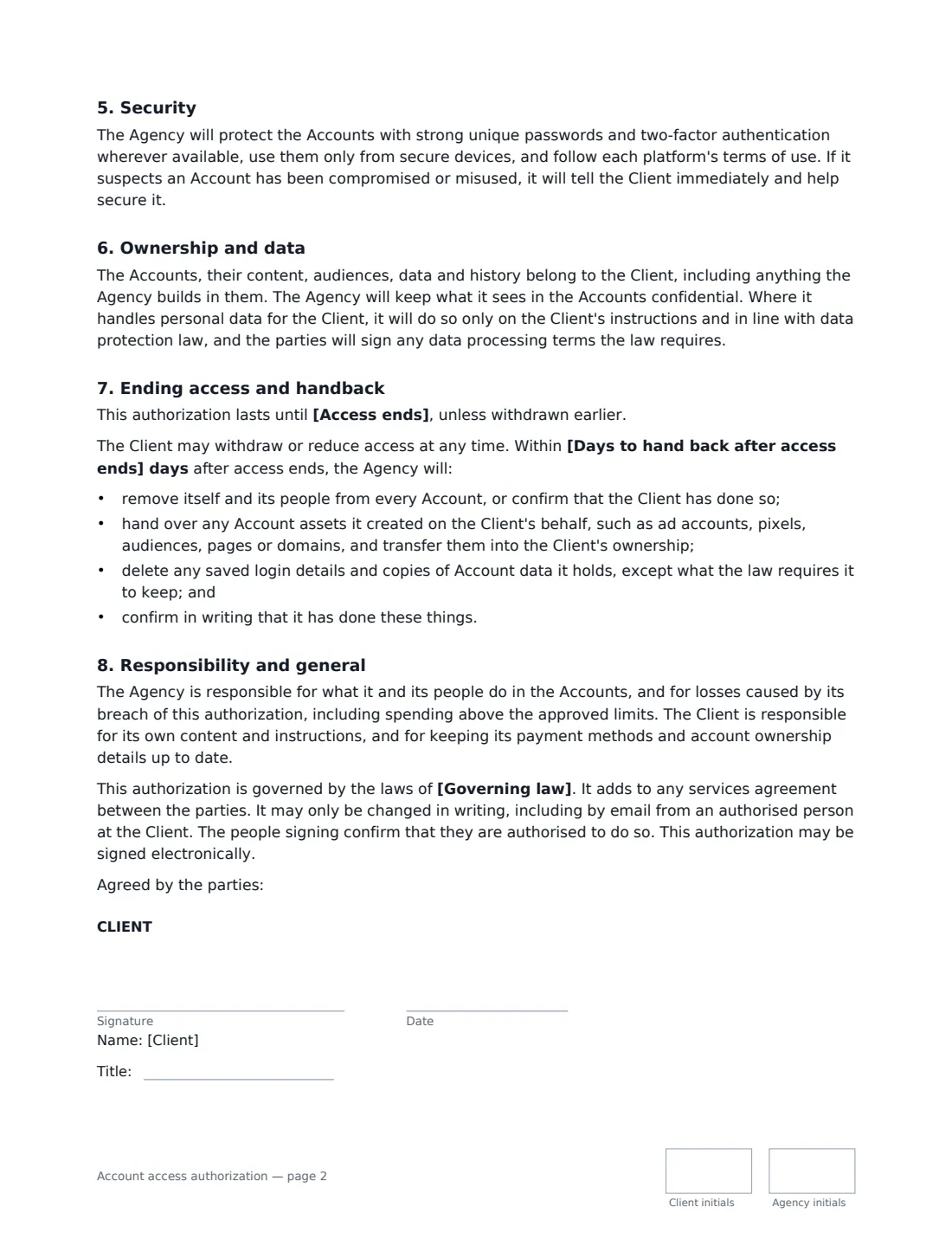
This template lists each account and its access level, prefers separate user or partner access over shared passwords, limits access to named people if you choose, sets an advertising spend cap per month, per campaign or in total, lists what the agency must never do (change owners, recovery details, two-factor or billing, delete accounts or data, connect third-party apps), requires strong security and prompt breach reporting, confirms that the accounts and everything built in them belong to the client, and sets a handback checklist within the days you choose.
- Best for
- Businesses hiring social media, ads, SEO, web or IT agencies and freelancers
- Signed by
- The client and the agency, each with a job title
- Handback
- Access removed, assets transferred and credentials deleted within the days you set
- Length
- About 2 to 3 pages, initialled on every page
When to Use a account access authorization
- Giving a social media agency access to Instagram, Facebook and LinkedIn pages
- Letting a paid-ads freelancer run campaigns in your ad accounts with a spend cap
- Adding a web developer to your hosting, domain or content management system
- Onboarding an SEO agency to analytics and search console
- Documenting access before switching agencies, so nothing is lost
What You Fill In
14 blanks, then the name and email of each person who signs: client, agency.
1 The parties
- Client (company or person)*
- Agency or contractor*
- Access starts*
- Access ends
2 Access
- Why access is needed*
- Accounts and access level*
- How access is given* Separate user or partner access · Shared login details, only where the platform offers no separate access
- Named people at the Agency with access
3 Spending
- Currency*
- Ad or service spending allowed, up to
- Spending limit applies* per calendar month · per campaign · in total
4 Limits
- Additional things the Agency may not do
- Days to hand back after access ends*
- Governing law*
5 Who signs
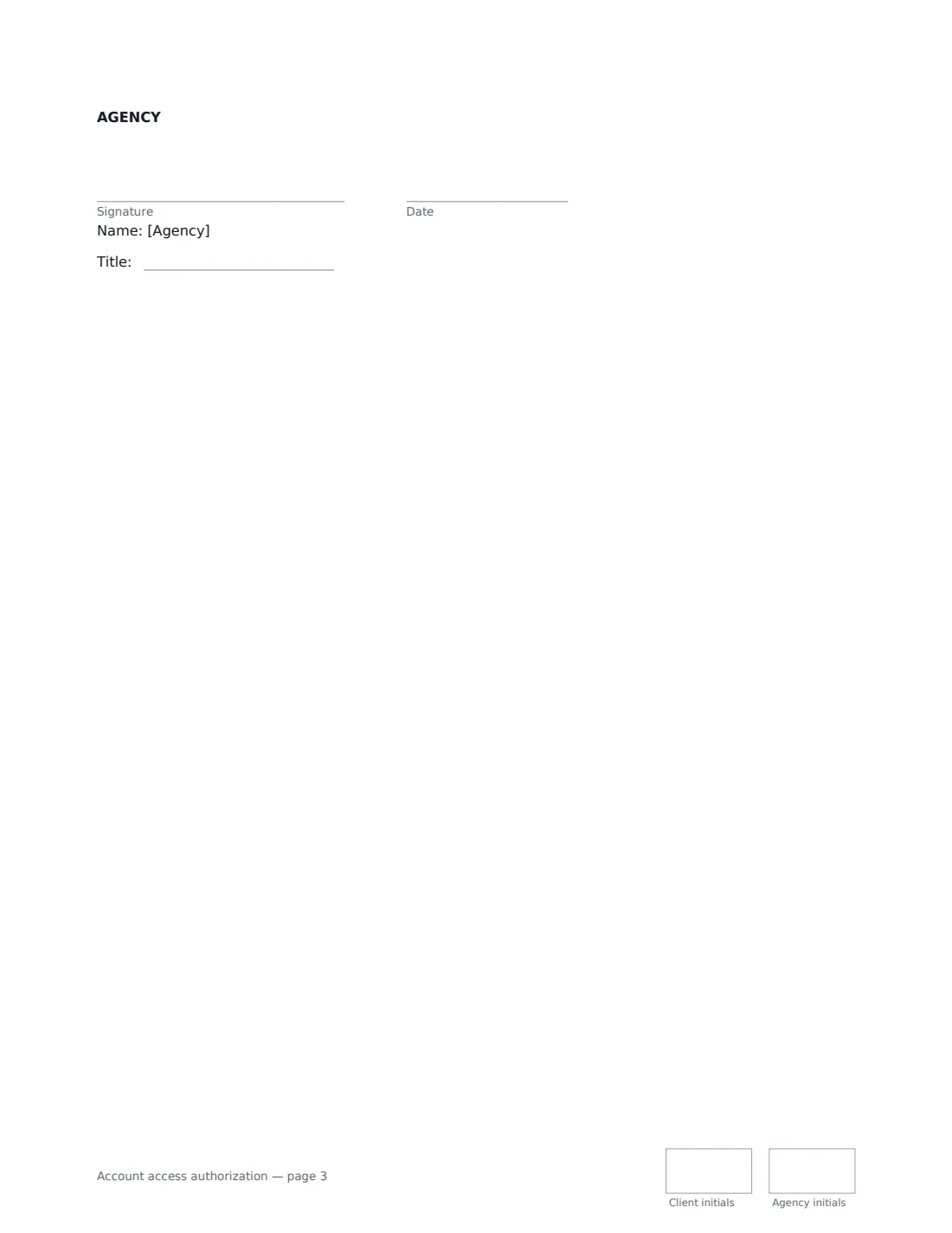
- Client signature and date, job title, initials on every page · The account owner, or someone at the client authorised to grant access.
- Agency signature and date, job title, initials on every page · The agency, freelancer or contractor being given access.
What the account access authorization Covers
- Purpose
- The Accounts and access level
- Spending
- What the Agency must not do
- Security
- Ownership and data
- Ending access and handback
- Responsibility and general
Using the account access authorization, step by step
1 State the purpose
Describe in a sentence why access is needed — for example "managing the Client's organic social media and paid campaigns under our services agreement". The agency may use the accounts for nothing else.
2 List the accounts
Write one account per line with its platform, name or ID, and access level — Admin, Editor, Advertiser, Viewer. Choose separate user access where the platform allows it, and name the agency people who may use them if you want to restrict it.
3 Cap the spending and add limits
Set a spending cap per month, per campaign or in total — or leave it empty so the agency can't spend anything without approval. Add anything else they must not do, such as changing DNS records.
4 Set the handback and send
Choose how many days the agency has to remove its access, transfer assets and delete credentials when it ends. Send it for signature, and the signed copy is filed in Files.
Tips Before You Send It
- Always keep at least one owner or primary admin login inside your own business — never let an agency be the only admin.
- Use partner or business-manager access where platforms offer it. It can be removed in one click and every action is traceable.
- If you had to share a password, change it as soon as the agency's access ends.
- If the agency will handle customer personal data, you may also need a data processing agreement.
Sign It Online In Minutes
- Fill in the blanks. Names, dates and amounts go straight into the agreement — the preview shows exactly where.
- Name who signs. Tick “This is me” for your own part. VergeHR builds the PDF with every signature, date and initials box on the right line, and you can check or move anything before sending.
- Send it. Each signer gets a secure link and signs from any device — no account needed. The signed PDF, with an audit trail and a Certificate of Completion, is filed in Files and emailed to everyone.
Account access authorization: frequently asked questions
Who owns an ad account the agency creates?
Under this authorization, the client. The accounts, content, audiences, data and history belong to the client, including anything the agency creates or builds in them, and the agency transfers any such assets at handback.
Can the agency spend money in our ad accounts?
Only up to the cap you set, for the stated purpose, with monthly reporting. If you leave the cap empty, the agency may not spend anything without your written approval in advance.
Can we revoke access early?
Yes. The client may withdraw or reduce access at any time. The handback steps then apply within the days you agreed.
Is an electronic signature valid?
In the US (ESIGN Act and UETA), the UK, the EU (eIDAS) and Canada, electronic signatures are generally valid for ordinary contracts like this one. VergeHR keeps an audit trail and a Certificate of Completion with the signed PDF as evidence of who signed and when.
Is this template free?
Yes. The template is free to use with the eSignature app in VergeHR. The other party doesn't need a VergeHR login to sign.