

What is a website design agreement?
Web projects go wrong in predictable ways: the client keeps asking for "one more round" of changes, content arrives weeks late, the scope quietly grows, the final invoice sits unpaid while the site is already live, and nobody agreed who owns the code. A website design agreement settles all of that up front.
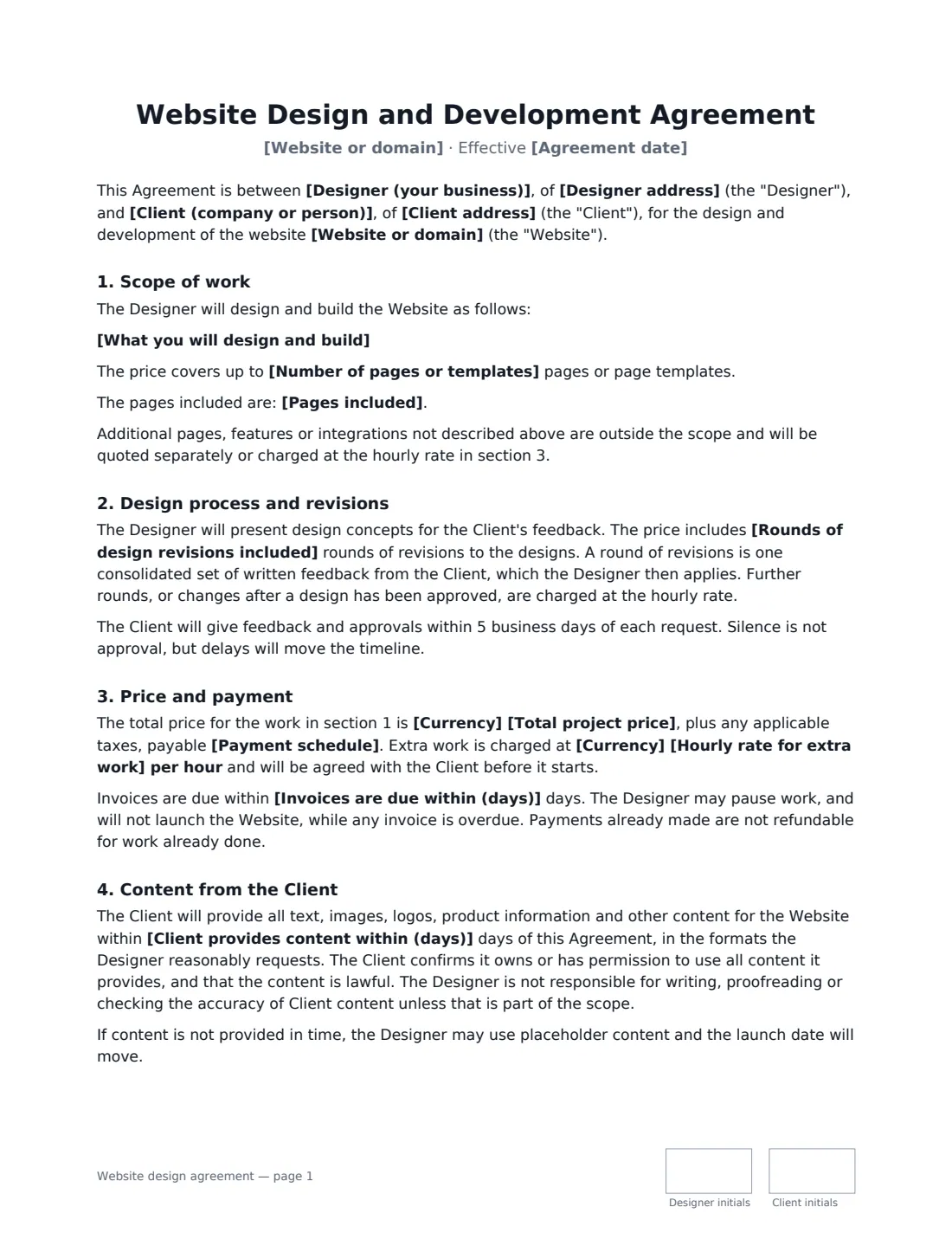
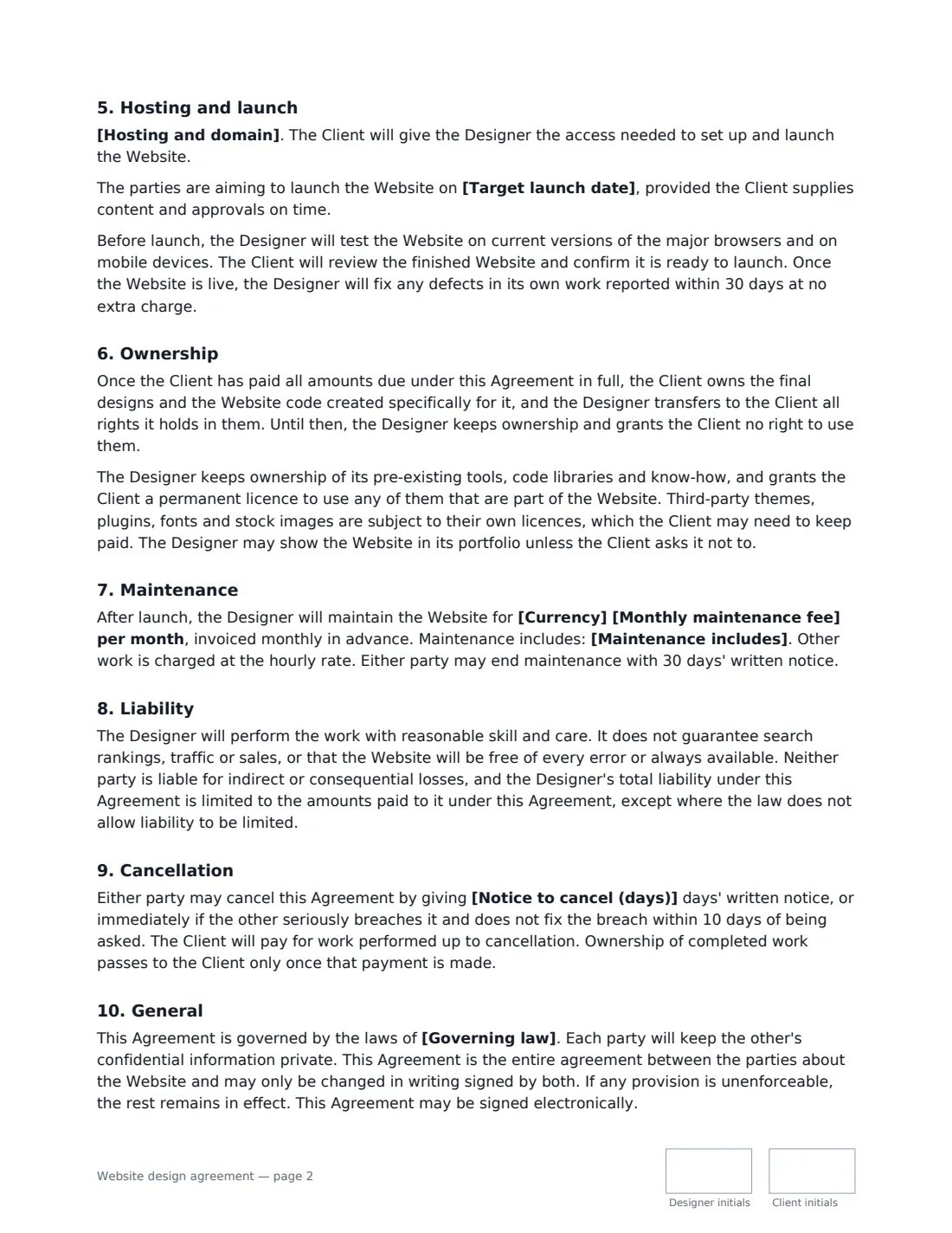
This template covers the scope and number of pages, a defined number of revision rounds (with what counts as a round), the total price and payment schedule, an hourly rate for extra work, invoice terms and the right to pause work or hold the launch while an invoice is overdue, the client's content deadline, hosting and the domain, pre-launch testing and a 30-day defect fix, ownership passing to the client on full payment, third-party licences, optional monthly maintenance, liability, cancellation and the governing law. It makes clear that search rankings, traffic and sales are not guaranteed.
- Best for
- Freelance web designers, developers and digital agencies
- Signed by
- Designer and client — with job titles
- Payment
- 50/50, 30/40/30, all upfront or all before launch, plus an hourly rate for extras
- Length
- About 3 pages, initialled on every page
When to Use a website design agreement
- A freelance designer building a small business website
- An agency redesigning a client's marketing site
- A WordPress, Shopify or Webflow build with a fixed number of pages
- A new site plus an ongoing monthly maintenance plan
- Rebuilding an existing site where the client supplies the content
What You Fill In
22 blanks, then the name and email of each person who signs: designer, client.
1 The parties
- Designer (your business)*
- Designer address
- Client (company or person)*
- Client address
2 The project
- Agreement date*
- Website or domain*
- What you will design and build*
- Number of pages or templates*
- Pages included
- Rounds of design revisions included*
- Target launch date
3 Price and payment
- Currency*
- Total project price*
- Payment schedule* 50% on signing and 50% before launch · 30% on signing, 40% on design approval and 30% before launch · 100% on signing · 100% before launch
- Hourly rate for extra work*
- Invoices are due within (days)*
4 Content and launch
- Client provides content within (days)*
- Hosting and domain* The Client arranges and pays for hosting and the domain · The Designer arranges hosting and the domain, billed to the Client
5 Maintenance
- Monthly maintenance fee
- Maintenance includes
6 Other terms
- Notice to cancel (days)*
- Governing law*
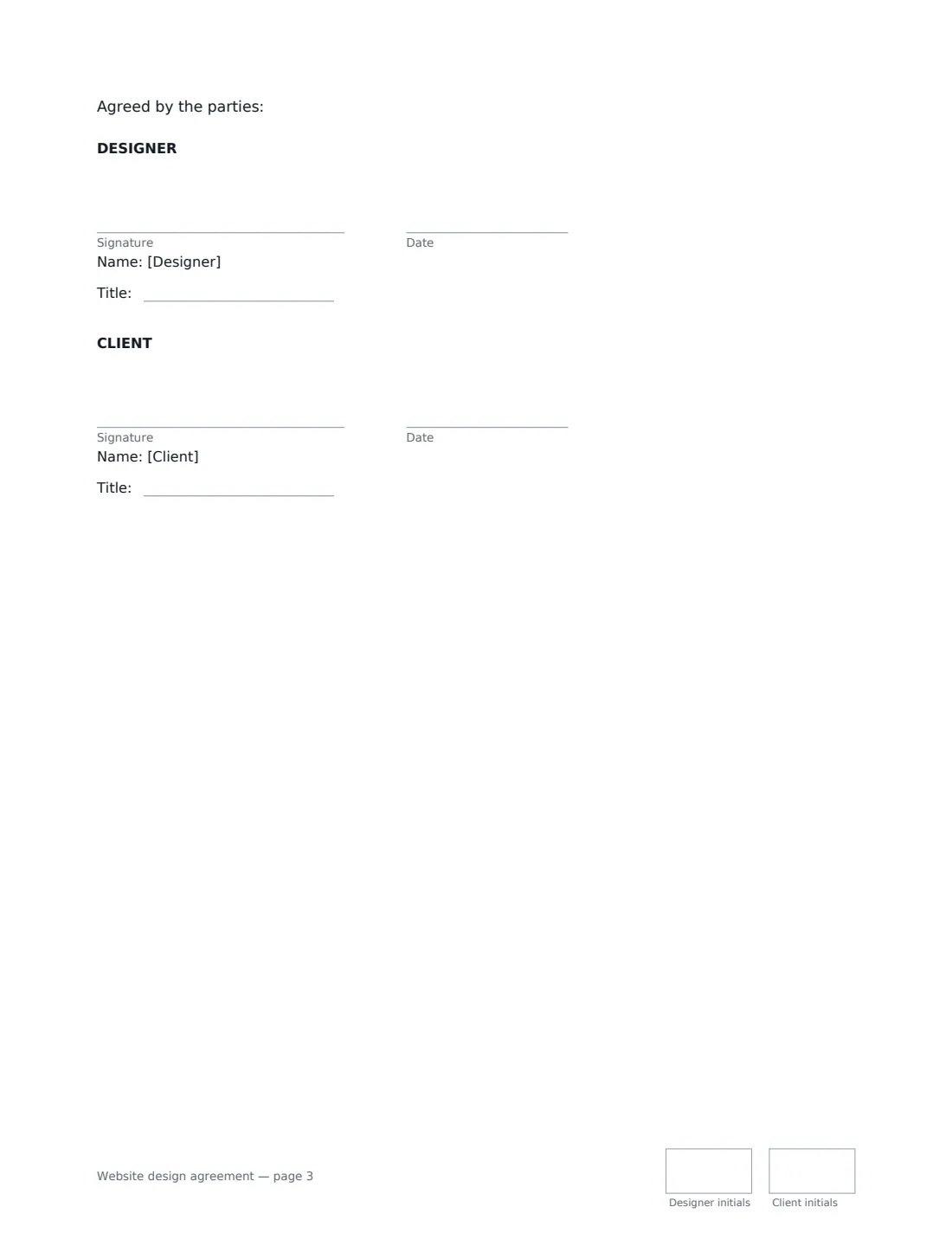
7 Who signs
- Designer signature and date, job title, initials on every page
- Client signature and date, job title, initials on every page
What the website design agreement Covers
- Scope of work
- Design process and revisions
- Price and payment
- Content from the Client
- Hosting and launch
- Ownership
- Maintenance
- After launch
- Liability
- Cancellation
- General
Using the website design agreement, step by step
1 Define the scope
Describe what you'll design and build — platform, features, integrations — and set the number of pages or templates, optionally listing them. Anything beyond this is quoted separately or charged at your hourly rate.
2 Set revisions and payment
Choose how many revision rounds are included; a round is one consolidated set of written feedback. Enter the total price, pick a payment schedule, and set your hourly rate for extra work and how many days invoices are due within.
3 Agree content, hosting and launch
Set how many days the client has to provide content, who arranges and pays for hosting and the domain, and an optional target launch date. Late content moves the launch date.
4 Add maintenance and send
Enter a monthly maintenance fee and what it includes, or leave it blank for no ongoing support. Choose the notice to cancel and the governing law, then send to the client; the signed agreement is filed in Files.
Tips Before You Send It
- Be concrete about the scope and page count. "A website" invites argument; "5 page templates on WordPress with a contact form and blog" doesn't.
- Tell the client that third-party themes, plugins, fonts and stock images have their own licences they may need to keep paying for.
- Get hosting and domain accounts in the client's name where you can, so they're never locked out if you part ways.
- Ownership only passes on full payment, and the agreement lets you hold the launch while an invoice is overdue — time the final invoice so it's paid before go-live.
Sign It Online In Minutes
- Fill in the blanks. Names, dates and amounts go straight into the agreement — the preview shows exactly where.
- Name who signs. Tick “This is me” for your own part. VergeHR builds the PDF with every signature, date and initials box on the right line, and you can check or move anything before sending.
- Send it. Each signer gets a secure link and signs from any device — no account needed. The signed PDF, with an audit trail and a Certificate of Completion, is filed in Files and emailed to everyone.
Website design agreement: frequently asked questions
Who owns the website under this agreement?
Once the client has paid everything due in full, the client owns the final designs and the code created specifically for it. The designer keeps its pre-existing tools, code libraries and know-how and gives the client a permanent licence to use any that are part of the site. Third-party themes and plugins stay under their own licences.
What happens if the client wants more changes?
The price includes the number of revision rounds you set. Further rounds, or changes after a design has been approved, are charged at the hourly rate, agreed with the client before the work starts.
Is a website design contract signed electronically binding?
In the US (ESIGN Act and UETA), the UK, the EU (eIDAS) and Canada, electronic signatures are generally valid for ordinary commercial contracts like this one. VergeHR keeps an audit trail and a Certificate of Completion with the signed PDF.
Is this template free?
Yes. The template is free to use with the eSignature app in VergeHR, and your client doesn't need a VergeHR login to sign.