

What is a statement of work?
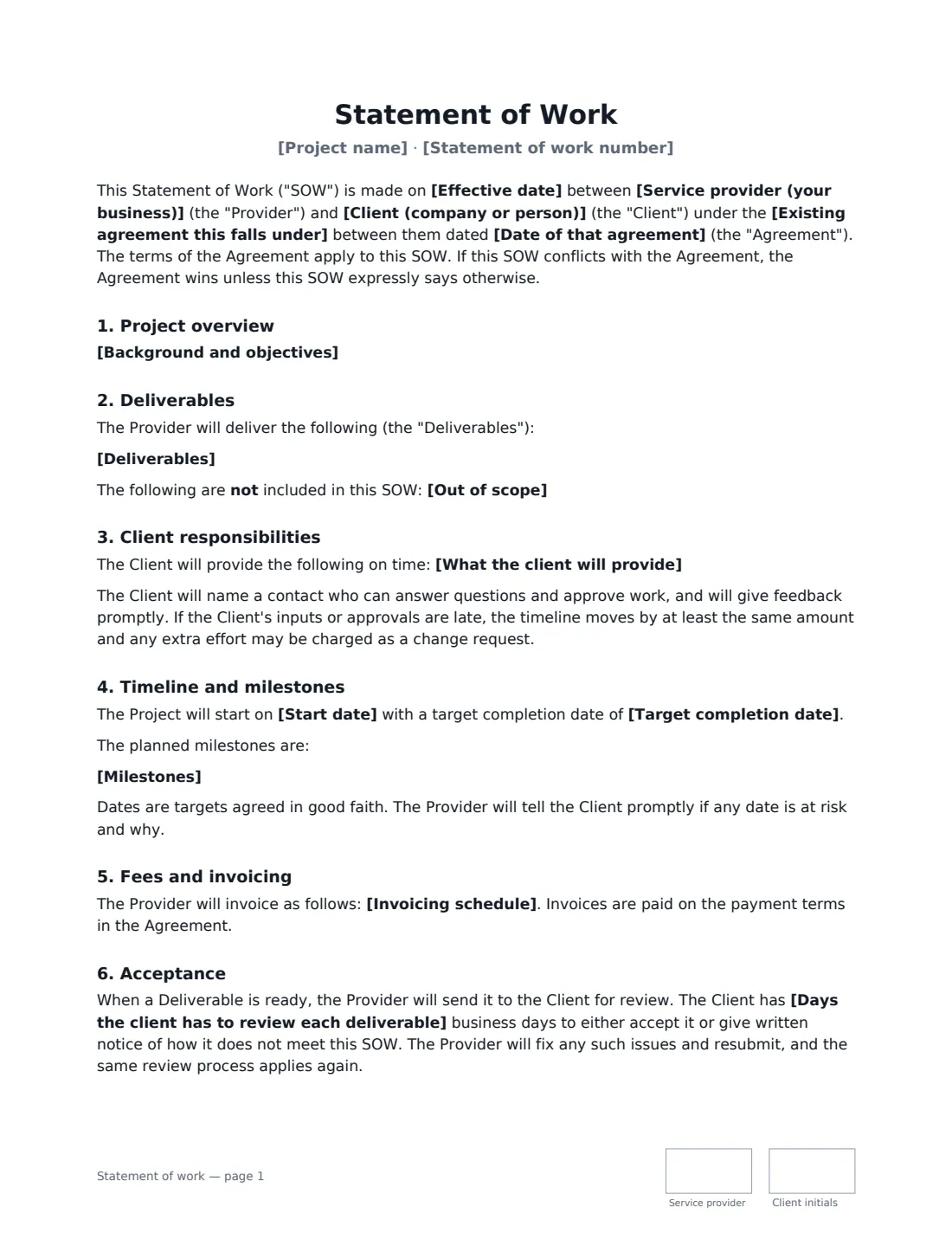
A statement of work (SOW) describes a single project inside an existing client relationship. The legal terms — ownership, confidentiality, liability, termination, governing law — already live in a master services agreement or similar contract. The SOW adds what's specific to this job: what will be delivered, by when, for how much, and how the client signs it off.
This template links the SOW to your existing agreement by name and date, then covers the project objectives, deliverables and what's out of scope, what the client must provide, start and target completion dates with milestones, a fixed fee or time and materials with an optional not-to-exceed cap, the invoicing schedule, a review-and-acceptance process, and change requests through a signed change order. If the SOW and the main agreement conflict, the main agreement wins unless the SOW expressly says otherwise.
- Best for
- Agencies, consultancies and developers running projects under a master agreement
- Signed by
- Service provider and client — with job titles
- Fees
- Fixed fee, or time and materials with an optional budget cap
- Length
- About 2 pages, initialled on every page
When to Use a statement of work
- Kicking off a new project with a client you already have a master services agreement with
- A software or web build with milestones and staged payments
- A consulting engagement billed on time and materials with a budget cap
- Phase two of a project that needs its own scope and price
- Any project where you want written acceptance of each deliverable
What You Fill In
20 blanks, then the name and email of each person who signs: service provider, client.
1 The parties
- Service provider (your business)*
- Client (company or person)*
- Existing agreement this falls under*
- Date of that agreement
2 The project
- Statement of work number
- Project name*
- Effective date*
- Background and objectives
- Deliverables*
- Out of scope
- What the client will provide
3 Timeline
- Start date*
- Target completion date*
- Milestones
4 Fees
- Currency*
- How the work is charged* A fixed fee · Time and materials
- Fixed fee or hourly rate*
- Not to exceed (time and materials)
- Invoicing schedule*
5 Acceptance
- Days the client has to review each deliverable*
6 Who signs
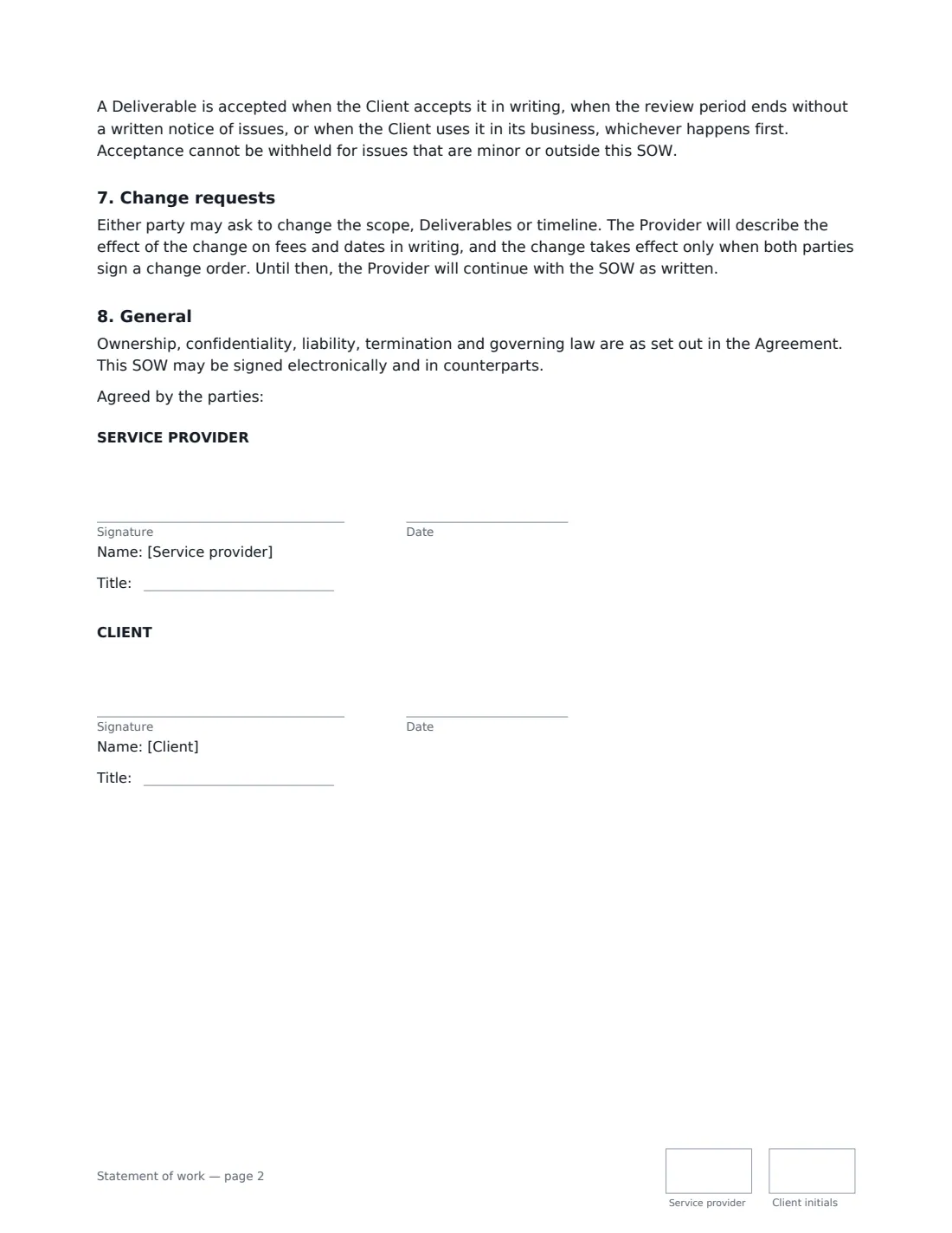
- Service provider signature and date, job title, initials on every page
- Client signature and date, job title, initials on every page
What the statement of work Covers
- Project overview
- Deliverables
- Client responsibilities
- Timeline and milestones
- Fees and invoicing
- Acceptance
- Change requests
- General
Using the statement of work, step by step
1 Link it to your agreement
Name the existing agreement (for example "Master Services Agreement") and its date, and give the SOW a number such as SOW-04 so you can refer to it in invoices and change orders.
2 List deliverables and timeline
Put one deliverable per line and add anything out of scope and anything the client must provide. Set the start date, the target completion date and milestones with target dates.
3 Set the fees
Choose a fixed fee or time and materials. For time and materials, enter the hourly rate and an optional cap — the provider warns the client at 80% and needs written approval to go over it. Describe when you'll invoice, such as 50% on signing and 50% on acceptance.
4 Set the review period and send
Choose how many business days the client has to review each deliverable — 5 by default. After that, silence counts as acceptance. Send it to the client's signer; the signed SOW is filed in Files.
Tips Before You Send It
- The SOW relies on your main agreement for payment terms, ownership and liability — make sure one is actually signed first.
- Write deliverables so it's obvious when each one is done. Vague deliverables make acceptance arguments likely.
- Record client dependencies. If inputs or approvals are late, the timeline moves and extra effort can be charged as a change request.
- Use a separate signed change order for any change to scope, fees or dates — the SOW continues as written until one is signed.
Sign It Online In Minutes
- Fill in the blanks. Names, dates and amounts go straight into the agreement — the preview shows exactly where.
- Name who signs. Tick “This is me” for your own part. VergeHR builds the PDF with every signature, date and initials box on the right line, and you can check or move anything before sending.
- Send it. Each signer gets a secure link and signs from any device — no account needed. The signed PDF, with an audit trail and a Certificate of Completion, is filed in Files and emailed to everyone.
Statement of work: frequently asked questions
Do I need a master services agreement to use a statement of work?
You need some existing agreement with the client — a master services agreement or similar — because this SOW relies on it for the legal terms and payment terms. If you don't have one, use a master services agreement first, or a standalone service agreement for a single job.
When is a deliverable accepted?
When the client accepts it in writing, when the review period ends without a written list of issues, or when the client starts using it in its business — whichever happens first. Acceptance can't be withheld for minor issues or things outside the SOW.
Is a statement of work signed electronically valid?
In the US (ESIGN Act and UETA), the UK, the EU (eIDAS) and Canada, electronic signatures are generally valid for ordinary commercial documents like an SOW. VergeHR keeps an audit trail and a Certificate of Completion with the signed PDF.
Is this template free?
Yes. The template is free to use with the eSignature app in VergeHR, and your client doesn't need a VergeHR login to sign.