

What is a service agreement?
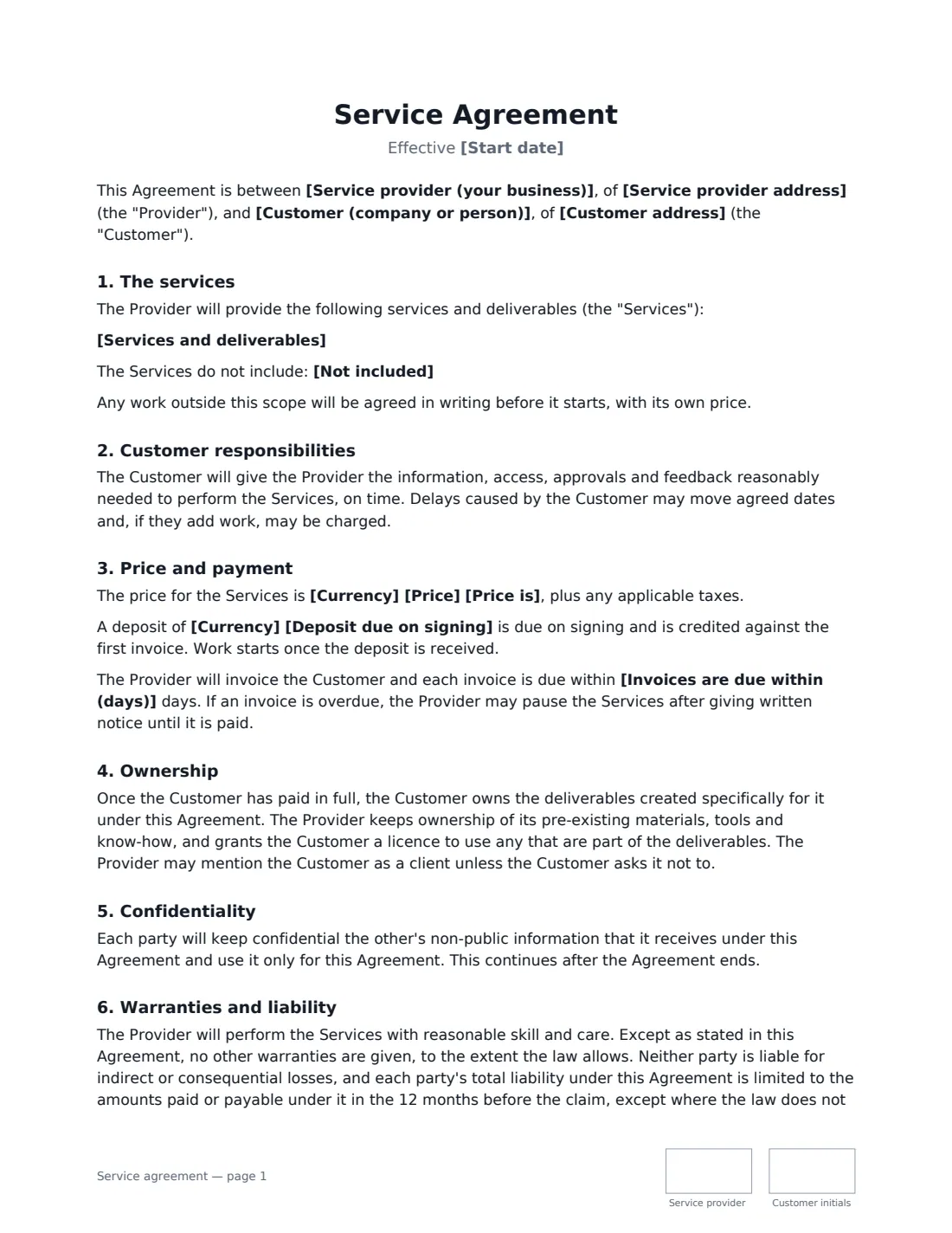
A service agreement is the everyday contract between a business and the customer it works for. Agencies, consultants, trades, freelancers, cleaners, coaches and IT providers all use one to pin down the same essentials before work begins: what's included, what isn't, the price, when invoices are due, who owns the work, and how the arrangement can end.
This template covers the services and deliverables, exclusions, the customer's responsibilities, the price (fixed, monthly, hourly or daily), an optional deposit, invoice terms and the right to pause work when an invoice is overdue, ownership of deliverables on full payment, confidentiality, reasonable skill and care with a liability cap, cancellation on notice, and the governing law. It works for a one-off project or an ongoing monthly service.
- Best for
- Agencies, consultants, freelancers, trades and service businesses
- Signed by
- Service provider and customer — with job titles for business signers
- Pricing
- Fixed price, per month, per hour or per day, with an optional deposit
- Length
- About 2 pages, initialled on every page
When to Use a service agreement
- A marketing agency taking on a new client project
- A consultant or freelancer agreeing a fixed-price piece of work
- A monthly service such as bookkeeping, IT support or cleaning
- A trade or repair business confirming a larger job in writing
- Any service where you want a deposit before starting
What You Fill In
14 blanks, then the name and email of each person who signs: service provider, customer.
1 The parties
- Service provider (your business)*
- Service provider address
- Customer (company or person)*
- Customer address
2 The services
- Start date*
- Services and deliverables*
- Not included
3 Price and payment
- Currency*
- Price*
- Price is* a fixed price for the services · per month · per hour · per day
- Deposit due on signing
- Invoices are due within (days)*
4 Other terms
- Notice to cancel (days)*
- Governing law*
5 Who signs
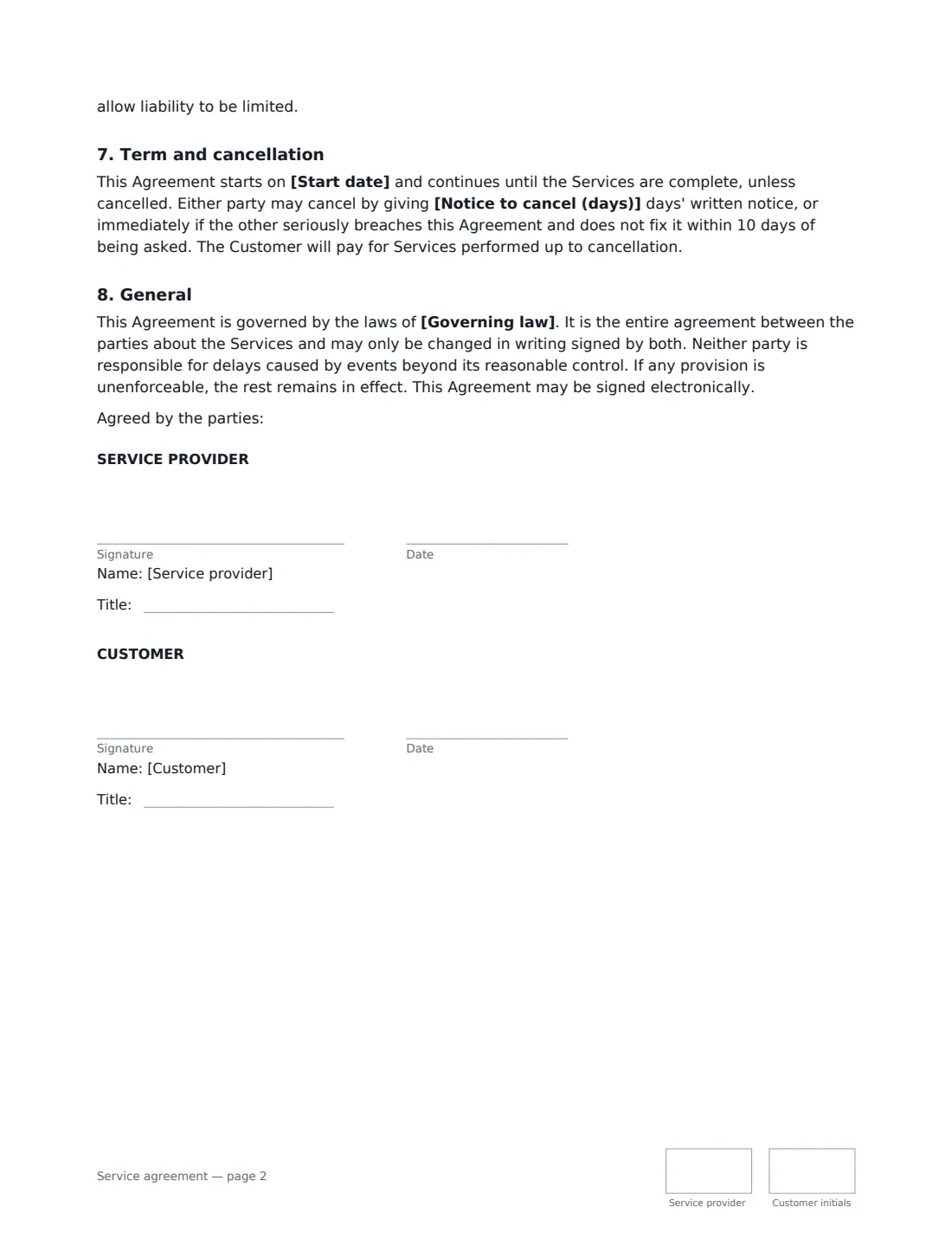
- Service provider signature and date, job title, initials on every page
- Customer signature and date, job title, initials on every page
What the service agreement Covers
- The services
- Customer responsibilities
- Price and payment
- Ownership
- Confidentiality
- Warranties and liability
- Term and cancellation
- General
Using the service agreement, step by step
1 Describe the services
Say what you'll do, what you'll deliver and when. Use "Not included" for anything the customer might assume is covered — it's the easiest way to prevent scope arguments. Anything extra is agreed in writing with its own price.
2 Set the price and payment
Enter the price and whether it's fixed, per month, per hour or per day, plus the currency. Add a deposit if you want one — work starts once it's received, and it's credited against the first invoice. Choose how many days customers have to pay invoices.
3 Choose the notice period and governing law
Thirty days' notice to cancel is the default. Either side can also end it immediately for a serious breach that isn't fixed within 10 days. The governing law is usually where your business is based.
4 Send for signature
Add the customer's signer and email. VergeHR places both signature blocks, job titles and initials; the signed copy is filed in Files and emailed to both of you.
Tips Before You Send It
- Make the scope specific enough that a stranger could tell whether it's been delivered.
- If the customer hasn't paid in full, they don't own the deliverables yet — this protects you if a project ends badly.
- For a big or repeating client relationship, sign a master services agreement once and add a statement of work for each project.
- The agreement lets you name the customer as a client unless they ask you not to. If they're likely to mind, raise it before they sign.
Sign It Online In Minutes
- Fill in the blanks. Names, dates and amounts go straight into the agreement — the preview shows exactly where.
- Name who signs. Tick “This is me” for your own part. VergeHR builds the PDF with every signature, date and initials box on the right line, and you can check or move anything before sending.
- Send it. Each signer gets a secure link and signs from any device — no account needed. The signed PDF, with an audit trail and a Certificate of Completion, is filed in Files and emailed to everyone.
Service agreement: frequently asked questions
What is the difference between a service agreement and a statement of work?
A service agreement contains both the legal terms and the scope for a piece of work. A statement of work describes one project — deliverables, timeline, fees and acceptance — under an agreement you've already signed with the client, such as a master services agreement.
Who owns the work under this agreement?
Once the customer has paid in full, it owns the deliverables created specifically for it. The provider keeps its pre-existing tools, materials and know-how, and gives the customer a licence to use any that are part of the deliverables.
Is a service agreement signed electronically legally binding?
In the US (ESIGN Act and UETA), the UK, the EU (eIDAS) and Canada, electronic signatures are generally valid for ordinary commercial contracts like this one. VergeHR keeps an audit trail and a Certificate of Completion with the signed PDF.
Is this template free?
Yes. The template is free to use with the eSignature app in VergeHR, and your customer doesn't need a VergeHR login to sign.