

What is a service level agreement?
A service level agreement (SLA) sets measurable standards for a service and says what happens when they are not met. It is common for software platforms, hosting, managed IT and outsourced support, and it usually sits alongside a main contract such as a subscription or services agreement.
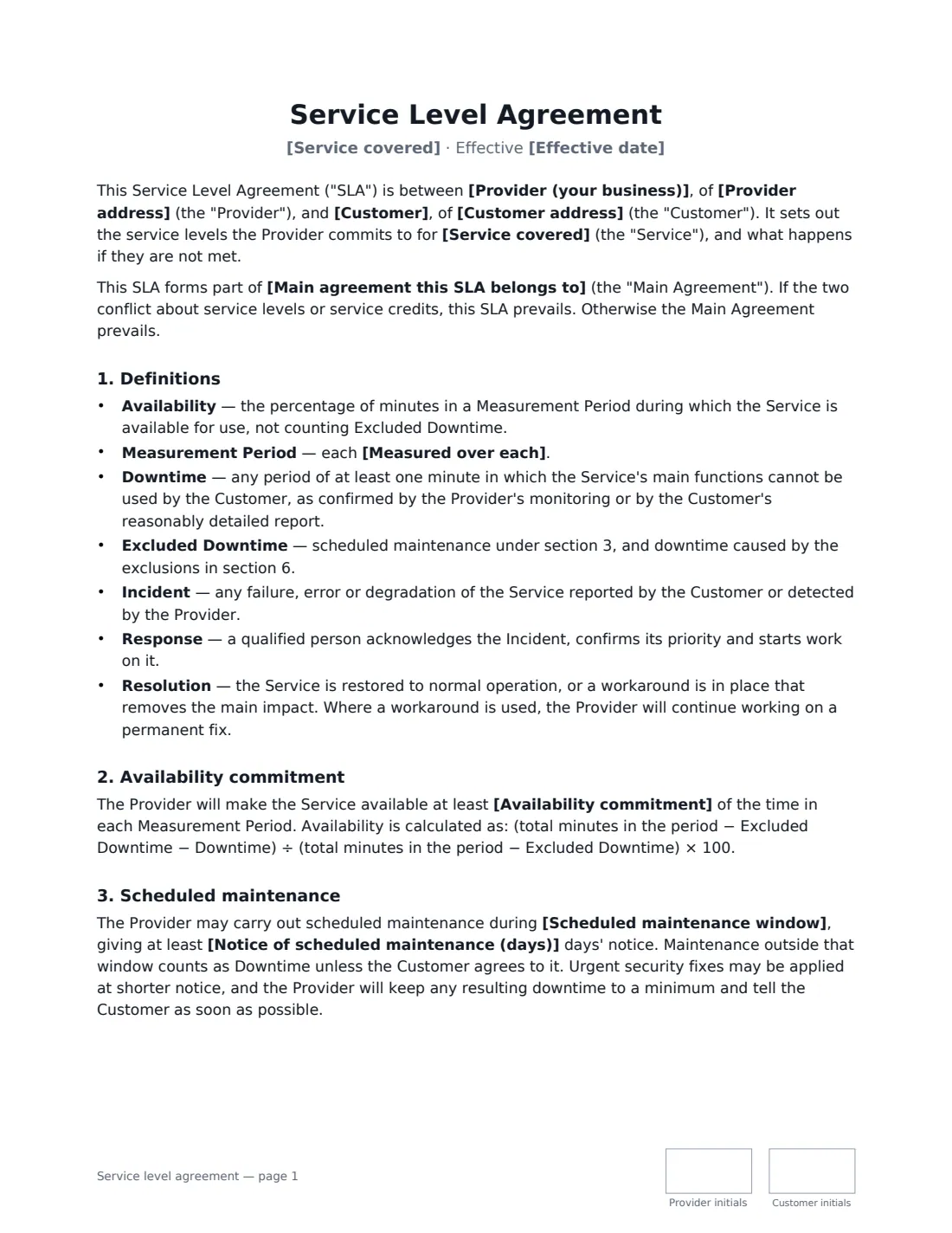
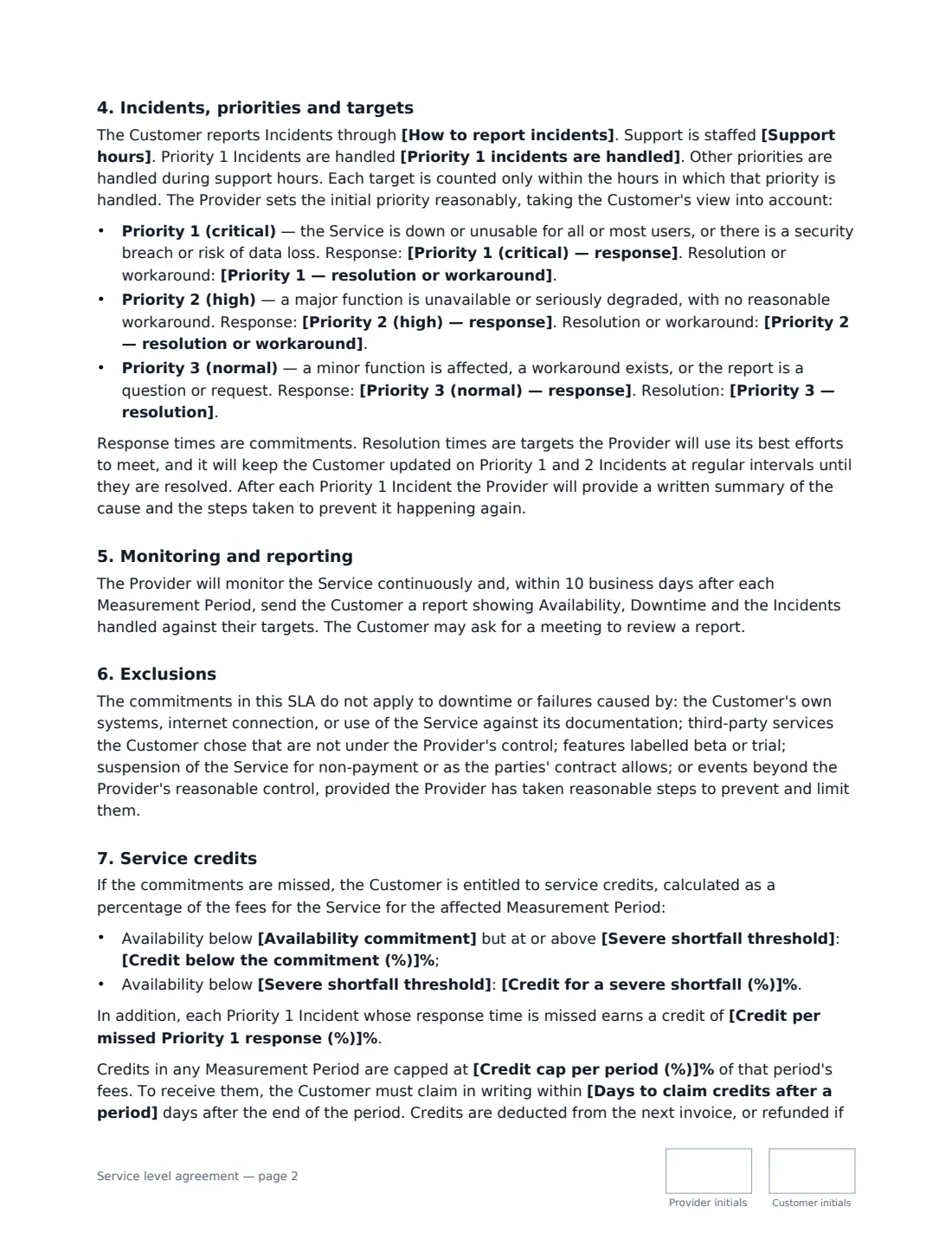
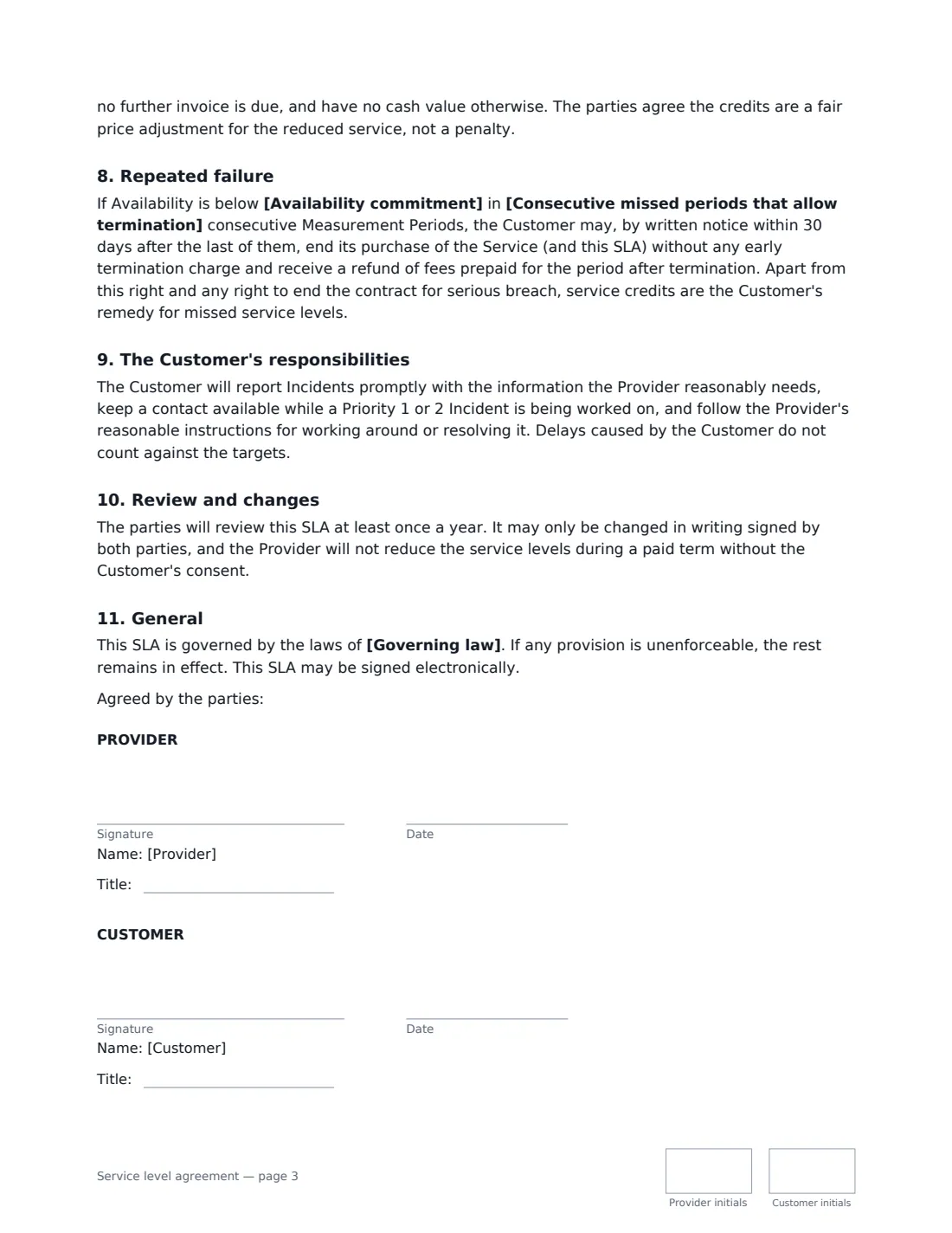
This template defines availability, downtime, excluded downtime, incidents, response and resolution, then commits the provider to an availability percentage over each month or quarter, with the calculation written out. It sets a scheduled maintenance window with notice, three incident priorities with response and resolution targets you choose, continuous monitoring and a report after each period, exclusions, two tiers of service credits with a cap and a claim deadline, and a right for the customer to leave after repeated misses. If it forms part of a main agreement, name it and the SLA takes priority on service levels.
- Best for
- SaaS, hosting, managed IT and support providers with business customers
- Signed by
- The provider and the customer, each with a job title
- Measures
- Availability (99.0% to 99.99%), response and resolution times for 3 priorities
- Length
- About 3 pages, initialled on every page
When to Use a service level agreement
- Adding uptime and support commitments to a SaaS subscription
- A managed IT provider formalising response times and credits for a client
- A hosting or infrastructure provider signing a business customer
- An outsourced helpdesk or support team agreeing targets with a client
- Replacing informal "best efforts" promises in an existing contract
What You Fill In
28 blanks, then the name and email of each person who signs: provider, customer.
1 The parties
- Provider (your business)*
- Provider address
- Customer*
- Customer address
2 The service
- Effective date*
- Service covered*
- Main agreement this SLA belongs to
- Support hours*
- How to report incidents*
3 Availability
- Availability commitment* 99.0% · 99.5% · 99.9% · 99.95% · 99.99%
- Measured over each* calendar month · calendar quarter
- Scheduled maintenance window*
- Notice of scheduled maintenance (days)*
4 Response and resolution targets
- Priority 1 incidents are handled* around the clock, every day · during support hours only
- Priority 1 (critical) — response* 15 minutes · 30 minutes · 1 hour · 2 hours · 4 hours
- Priority 1 — resolution or workaround* 2 hours · 4 hours · 8 hours · 24 hours
- Priority 2 (high) — response* 1 hour · 2 business hours · 4 business hours · 8 business hours
- Priority 2 — resolution or workaround* 1 business day · 2 business days · 3 business days · 5 business days
- Priority 3 (normal) — response* 8 business hours · 1 business day · 2 business days
- Priority 3 — resolution* 5 business days · 10 business days · 20 business days · the next scheduled release
5 Service credits
- Credit below the commitment (%)*
- Severe shortfall threshold*
- Credit for a severe shortfall (%)*
- Credit per missed Priority 1 response (%)
- Credit cap per period (%)*
- Days to claim credits after a period*
- Consecutive missed periods that allow termination*
- Governing law*
6 Who signs
- Provider signature and date, job title, initials on every page · Someone authorised to sign for the business providing the service.
- Customer signature and date, job title, initials on every page · Someone authorised to sign for the customer.
What the service level agreement Covers
- Definitions
- Availability commitment
- Scheduled maintenance
- Incidents, priorities and targets
- Monitoring and reporting
- Exclusions
- Service credits
- Repeated failure
- The Customer's responsibilities
- Review and changes
- General
Using the service level agreement, step by step
1 Name the service and main agreement
Describe the service covered and, if the SLA belongs to a main contract, name it — for example "the SaaS Subscription Agreement dated 1 October 2026". Enter support hours with the time zone and how incidents are reported.
2 Set the availability commitment
Choose the percentage and whether it is measured monthly or quarterly. Set the scheduled maintenance window and how many days' notice you give.
3 Choose response and resolution targets
Pick response and resolution times for Priority 1, 2 and 3 incidents, and whether Priority 1 is handled around the clock or in support hours only.
4 Set the service credits
Enter the credit for missing the commitment, a lower severe-shortfall level with a bigger credit, an optional credit for missed Priority 1 responses, the cap, the claim deadline and how many consecutive misses let the customer leave.
Tips Before You Send It
- Only commit to an availability level your monitoring can prove. The difference between 99.9% and 99.99% is roughly 43 minutes versus about 4 minutes of downtime a month.
- Make sure the severe-shortfall level is lower than the availability commitment, or the credit tiers won't make sense.
- Keep the maintenance window outside your customers' business hours, and give notice even when the SLA does not strictly require it.
- Use the same governing law as the main agreement so the two documents don't conflict.
Sign It Online In Minutes
- Fill in the blanks. Names, dates and amounts go straight into the agreement — the preview shows exactly where.
- Name who signs. Tick “This is me” for your own part. VergeHR builds the PDF with every signature, date and initials box on the right line, and you can check or move anything before sending.
- Send it. Each signer gets a secure link and signs from any device — no account needed. The signed PDF, with an audit trail and a Certificate of Completion, is filed in Files and emailed to everyone.
Service level agreement: frequently asked questions
What is a service credit?
A reduction in the fees for a period in which the provider missed its service levels, calculated as a percentage of that period's fees. Under this template credits are deducted from the next invoice, are capped, and must be claimed in writing within the deadline you set.
What does 99.9% uptime mean in practice?
It allows roughly 43 minutes of unplanned downtime in a 30-day month, not counting scheduled maintenance and the other exclusions in the SLA. The template writes out exactly how availability is calculated.
Can an SLA stand on its own?
Yes. Leave the main agreement blank and the SLA stands alone with its own governing law. When it does belong to a main contract, it takes priority on service levels and credits.
Is an SLA signed electronically valid?
In most countries, including the US (ESIGN Act and UETA), the UK, the EU (eIDAS) and Canada, an electronic signature is generally valid for an ordinary commercial contract like this one. VergeHR keeps an audit trail and a Certificate of Completion with the signed PDF as evidence of who signed and when.
Is this template free?
Yes. The template is free to use with the eSignature app in VergeHR. Signers don't need a VergeHR login.