

What is a independent contractor agreement?
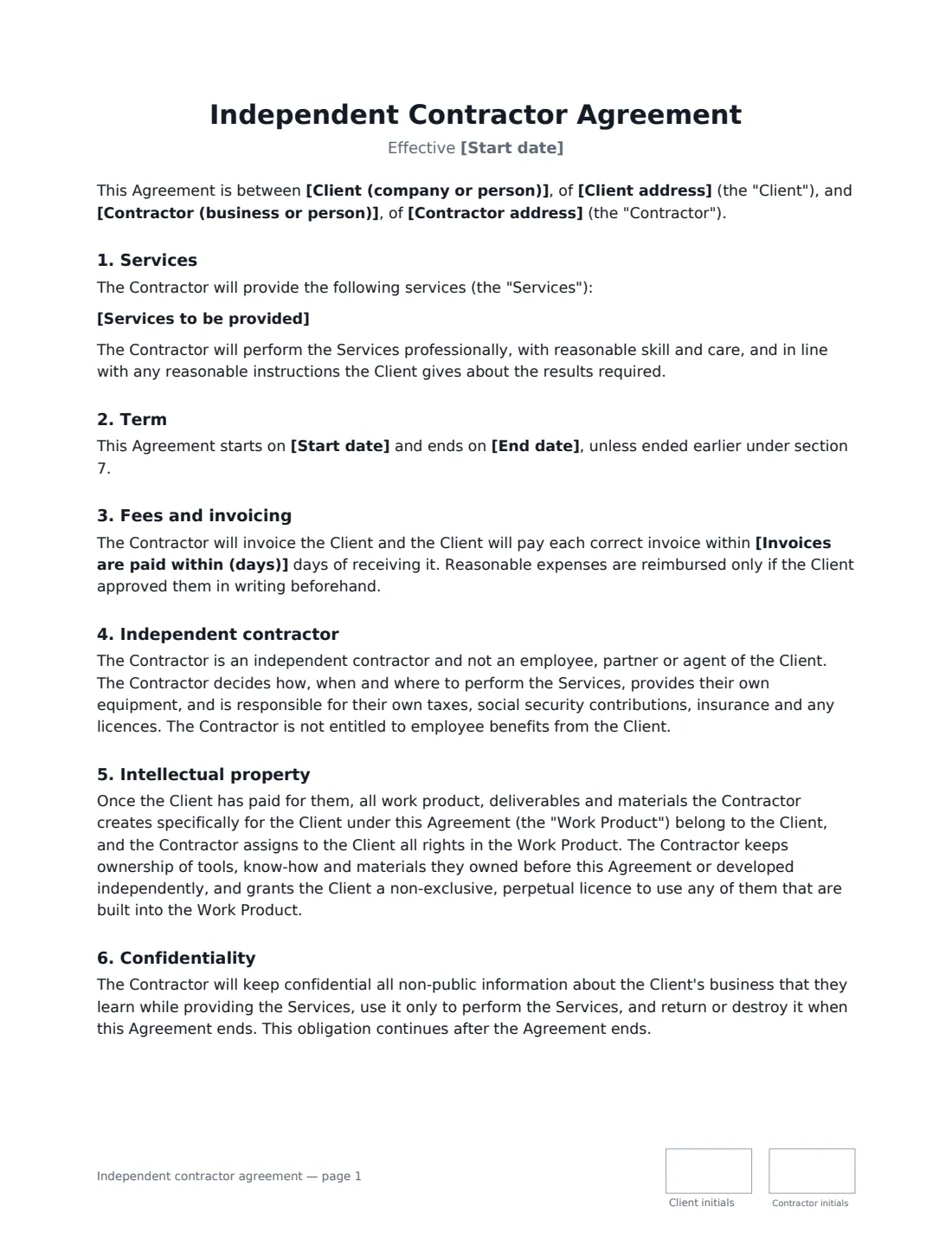
An independent contractor agreement is the contract between a business and a freelancer, contractor or self-employed professional who does work for it without becoming an employee. It describes the work, how and when the contractor is paid, and makes clear that the contractor runs their own business: they decide how to do the work, provide their own equipment and handle their own taxes and insurance. It also settles the question that matters most later — who owns what the contractor creates.
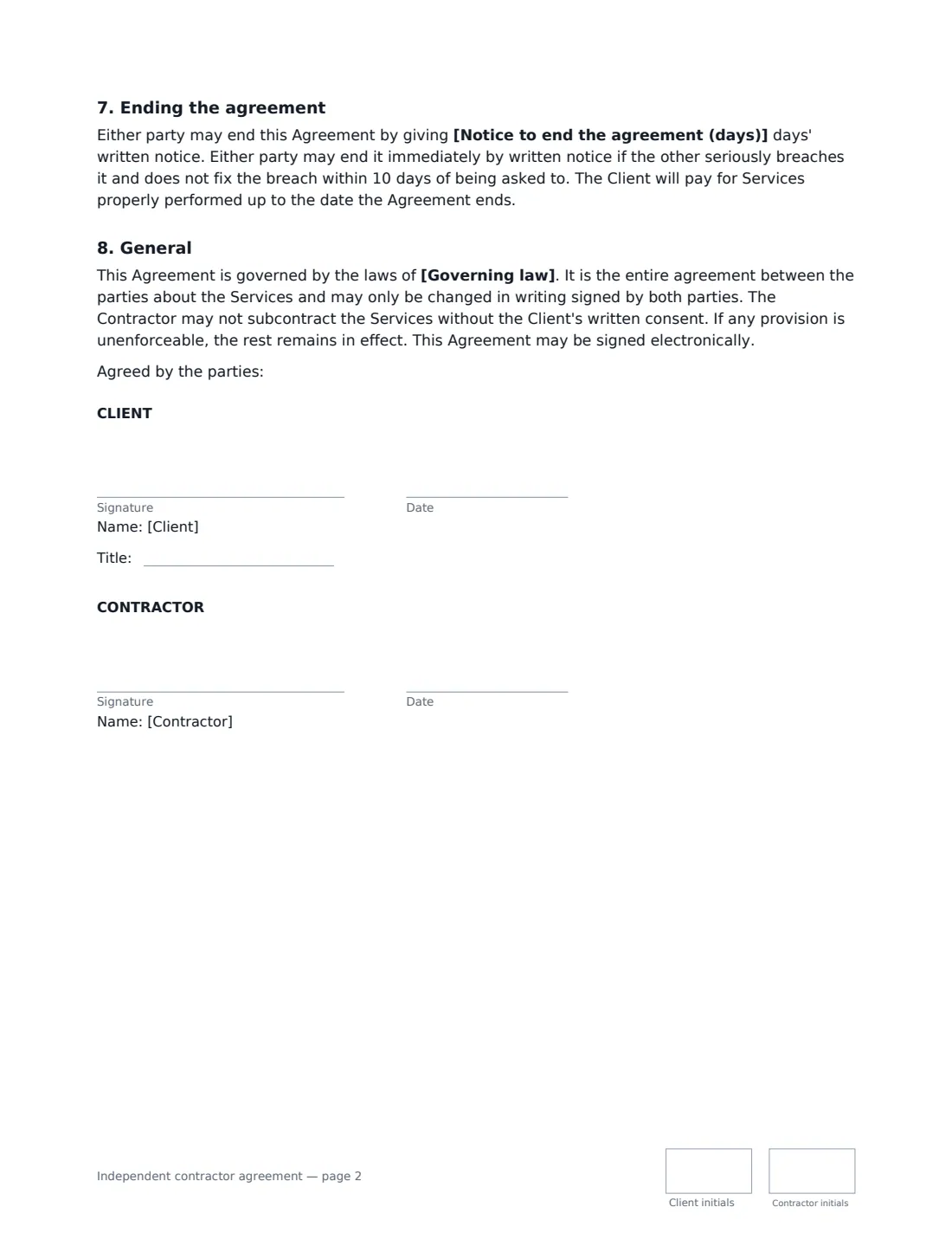
This template covers the services and any deliverables or milestones, the term (with an end date or open-ended), payment by the hour, the day, a fixed project fee or a monthly retainer, invoicing and payment days, pre-approved expenses, independent-contractor status, assignment of the work product to the client once paid for, confidentiality, notice and termination for breach, no subcontracting without consent, and the governing law. Both sides sign and initial each page.
- Best for
- Freelancers, contractors and self-employed professionals doing project or ongoing work
- Signed by
- The client (with a job title) and the contractor
- Pay
- Hourly, daily, a fixed project fee or a monthly retainer
- Length
- About 2 pages, initialled on every page
When to Use a independent contractor agreement
- Hiring a freelance designer, developer, writer or marketer
- Engaging a contractor for a fixed-price project with milestones
- Paying a specialist on a monthly retainer
- A freelancer and a new client putting the work, pay and IP ownership in writing
- Getting IP ownership in writing before paying for creative work
What You Fill In
13 blanks, then the name and email of each person who signs: client, contractor.
1 The parties
- Client (company or person)*
- Client address
- Contractor (business or person)*
- Contractor address
2 The work
- Start date*
- End date
- Services to be provided*
3 Payment
- How the contractor is paid* An hourly rate · A daily rate · A fixed fee for the project · A monthly retainer
- Currency*
- Amount*
- Invoices are paid within (days)*
4 Other terms
- Notice to end the agreement (days)*
- Governing law*
5 Who signs
- Client signature and date, job title, initials on every page
- Contractor signature and date, initials on every page
What the independent contractor agreement Covers
- Services
- Term
- Fees and invoicing
- Independent contractor
- Intellectual property
- Confidentiality
- Ending the agreement
- General
Using the independent contractor agreement, step by step
1 Name the parties
Use the full legal name of each side — the contractor's business name if they trade through one — and their addresses.
2 Describe the services
Set out the work, deliverables and any milestones. The clearer this is, the easier it is to agree when the work is done and what a fixed fee covers.
3 Choose how the contractor is paid
Pick an hourly rate, a daily rate, a fixed project fee or a monthly retainer, and enter the amount. A fixed fee is invoiced at agreed milestones or on completion; a retainer is invoiced monthly in advance. Set how many days the client has to pay each invoice.
4 Set the term, notice and law
Add an end date or leave it empty for an open-ended engagement. Choose the notice either side gives to end it (14 days by default) and the governing law.
5 Send for signature
Add the contractor's name and email. VergeHR places both signature and initials boxes; the signed agreement is filed in Files and emailed to both of you.
Tips Before You Send It
- Whether someone is legally a contractor or an employee depends on how the relationship works in practice — control, integration and who carries the risk — not just on the label. Check local rules, especially for long-term, full-time arrangements.
- Agree expenses before they are incurred: the agreement only reimburses expenses approved in writing beforehand.
- Work product transfers to the client once it's paid for, so pay on time if you need clean ownership.
- For bigger or repeat engagements, add a statement of work for each project.
- If the contractor will see highly sensitive information, consider a separate NDA as well.
Sign It Online In Minutes
- Fill in the blanks. Names, dates and amounts go straight into the agreement — the preview shows exactly where.
- Name who signs. Tick “This is me” for your own part. VergeHR builds the PDF with every signature, date and initials box on the right line, and you can check or move anything before sending.
- Send it. Each signer gets a secure link and signs from any device — no account needed. The signed PDF, with an audit trail and a Certificate of Completion, is filed in Files and emailed to everyone.
Independent contractor agreement: frequently asked questions
What is the difference between a contractor and an employee?
A contractor runs their own business, decides how to do the work, uses their own equipment and handles their own taxes and insurance. An employee works under the employer's direction and gets employee rights and benefits. The agreement records the intended relationship, but tax authorities and courts look at how it works in practice.
Who owns the work the contractor creates?
Once paid for, everything the contractor creates specifically for the client under the agreement belongs to the client. The contractor keeps tools, know-how and materials they already owned or developed independently, and gives the client a licence to use any built into the work.
Can either side end the agreement early?
Yes. Either side can end it with the agreed notice, or immediately if the other seriously breaches it and doesn't fix the breach within 10 days of being asked. The client pays for work properly performed up to that date.
Is a contractor agreement signed electronically valid?
Electronic signatures are generally valid for ordinary commercial contracts like this in the US (ESIGN Act and UETA), the UK, the EU (eIDAS) and Canada. VergeHR keeps an audit trail and a Certificate of Completion with the signed PDF.
Is this template free?
Yes. It is free to use with the eSignature app in VergeHR, and the contractor doesn't need a VergeHR login to sign.