


What is a change order?
A change order (also called a variation order) records a change to a contract that is already under way: extra work the client asked for, something taken out of the scope, a different material, or a problem discovered on site. It sets down exactly what changes, what it does to the price and what it does to the schedule, and both sides sign it before the changed work starts. Without one, a familiar dispute follows: the client remembers a small favour, the contractor remembers a paid extra.
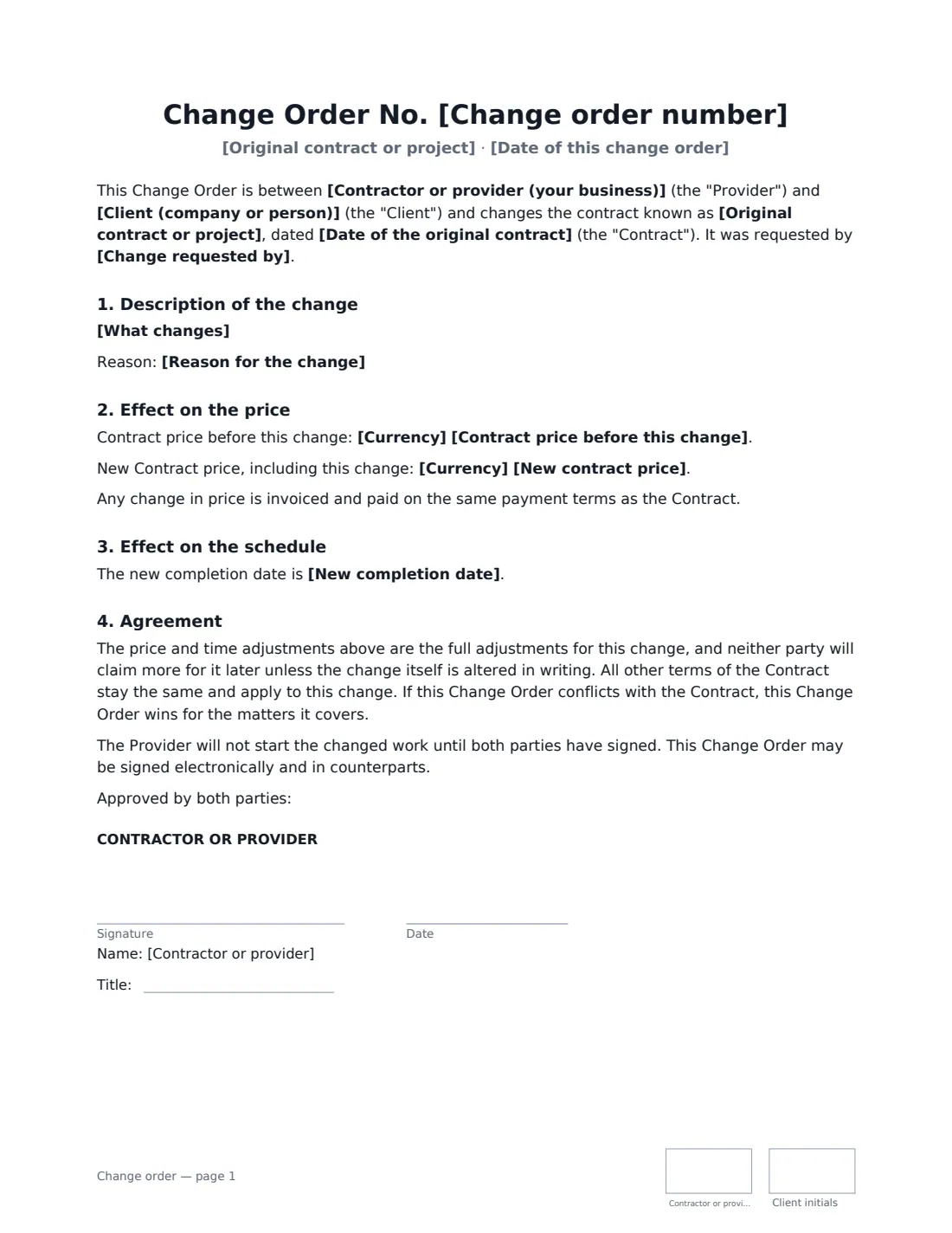
This template works for construction and renovation jobs as well as software, design and other service projects. It names the original contract, numbers each change order, says who asked for the change, and describes it. It then records whether the price goes up, down or stays the same, the old and new contract price, and whether the time for completion is extended or shortened. Both sides agree the adjustments are the full adjustment for that change, all other contract terms stay the same, and the provider does not start the changed work until both have signed.
- Best for
- Contractors, builders, trades, agencies and freelancers changing an existing contract or statement of work
- Signed by
- The contractor or provider and the client, each with a job title
- Records
- What changes, why, the price change and new total, and the schedule change and new completion date
- Length
- About 2 pages, initialled on every page
When to Use a change order
- A homeowner asks for extra lights, sockets or finishes during a renovation
- A client adds features to a software or website project mid-way
- Work is removed from the scope and the price should come down
- Hidden conditions on site mean extra work and more time
- A client wants a later or earlier completion date
What You Fill In
17 blanks, then the name and email of each person who signs: contractor or provider, client.
1 The contract
- Contractor or provider (your business)*
- Client (company or person)*
- Original contract or project*
- Date of the original contract
2 The change
- Change order number*
- Date of this change order*
- Change requested by* the Client · the Provider · both parties
- What changes*
- Reason for the change
3 Cost
- Currency*
- Effect on the price* Increase · Decrease · No change
- Amount of the change
- Contract price before this change
- New contract price
4 Schedule
- Effect on the schedule* Extends the schedule · Shortens the schedule · No change
- Number of days
- New completion date
5 Who signs
- Contractor or provider signature and date, job title, initials on every page
- Client signature and date, job title, initials on every page
What the change order Covers
- Description of the change
- Effect on the price
- Effect on the schedule
- Agreement
Using the change order, step by step
1 Identify the contract and number the change
Name the original contract or project the way both sides know it — "Kitchen renovation contract" or "SOW-04 Customer portal" — and its date if you have it. Number change orders in sequence (1, 2, 3…) so there is a clear record of every change over the project.
2 Describe the change precisely
Say exactly what is added, removed or changed, with quantities, locations and materials where they matter. Choose who requested it, and add the reason if it helps — for example, a hidden pipe discovered behind a wall.
3 Set the effect on the price
Choose whether the price increases, decreases or doesn't change, and enter the amount. Adding the price before and the new total makes the running contract value clear to everyone. Any change is invoiced on the contract's existing payment terms.
4 Set the effect on the schedule
Choose whether the change extends or shortens the time for completion and by how many days, or leave it unchanged. Add the new completion date if there is one.
5 Sign before the work starts
Send it to the client. The agreement says the provider won't start the changed work until both sides have signed, and the signed PDF is filed in Files.
Tips Before You Send It
- Check your original contract for a change procedure — some require change orders in a particular form or within a set time.
- Price the full effect of the change, including knock-on work and delays, because the change order says neither side will claim more for it later unless the change itself is altered in writing.
- Keep one change order per change. Bundling several makes it harder to agree, and harder to trace later.
- If the client asks for an urgent change on site, send the change order from your phone before starting rather than relying on a verbal OK.
Sign It Online In Minutes
- Fill in the blanks. Names, dates and amounts go straight into the agreement — the preview shows exactly where.
- Name who signs. Tick “This is me” for your own part. VergeHR builds the PDF with every signature, date and initials box on the right line, and you can check or move anything before sending.
- Send it. Each signer gets a secure link and signs from any device — no account needed. The signed PDF, with an audit trail and a Certificate of Completion, is filed in Files and emailed to everyone.
Change order: frequently asked questions
What is the difference between a change order and a contract amendment?
They are closely related. "Change order" is the usual term for changing the work, price or time on a construction or service project; "amendment" is often used for changes to the legal terms of a contract. This template is designed for changes to the work.
What if the change order and the original contract conflict?
The change order wins for the matters it covers. Everything else in the original contract stays the same and applies to the changed work.
Can the price go down?
Yes. Choose "Decrease" and enter the amount — the agreement says taxes are reduced to match.
Is a change order signed electronically binding?
Electronic signatures are generally valid for ordinary commercial contracts and their changes in the US (ESIGN Act and UETA), the UK, the EU (eIDAS) and Canada. The template also says it may be signed electronically and in counterparts. VergeHR keeps an audit trail and a Certificate of Completion with the signed PDF.
Is this template free?
Yes. It is free to use with the eSignature app in VergeHR, and your client doesn't need an account to sign.