

What is a home renovation contract?
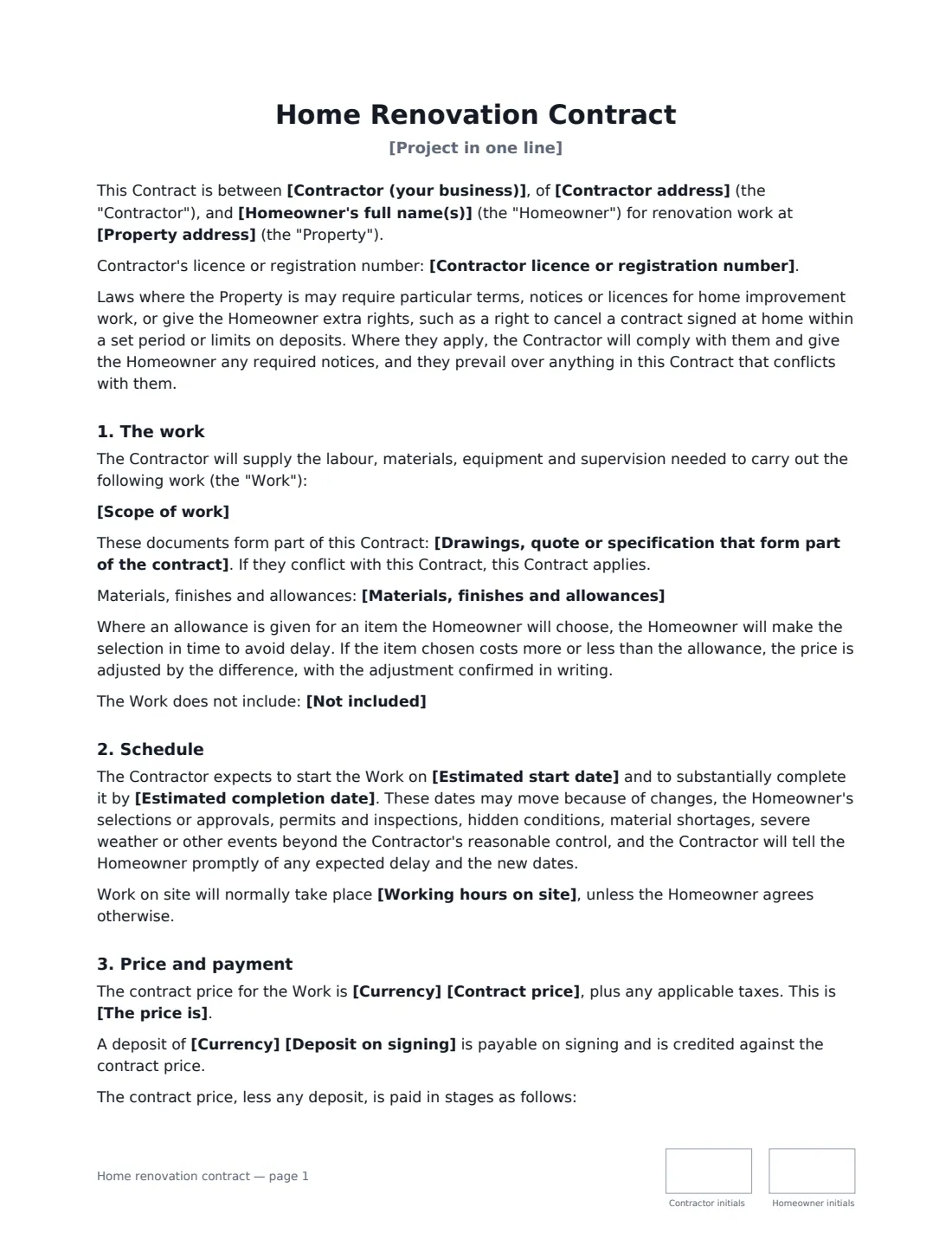
A home renovation contract (also called a remodeling or home improvement contract) is the agreement between a contractor and a homeowner for work on the home — a kitchen or bathroom remodel, a basement finish, an addition or a whole-house refurbishment. It's the document both sides go back to when a question comes up about what was included, what it costs, when money is due or who pays for the surprise behind the drywall.
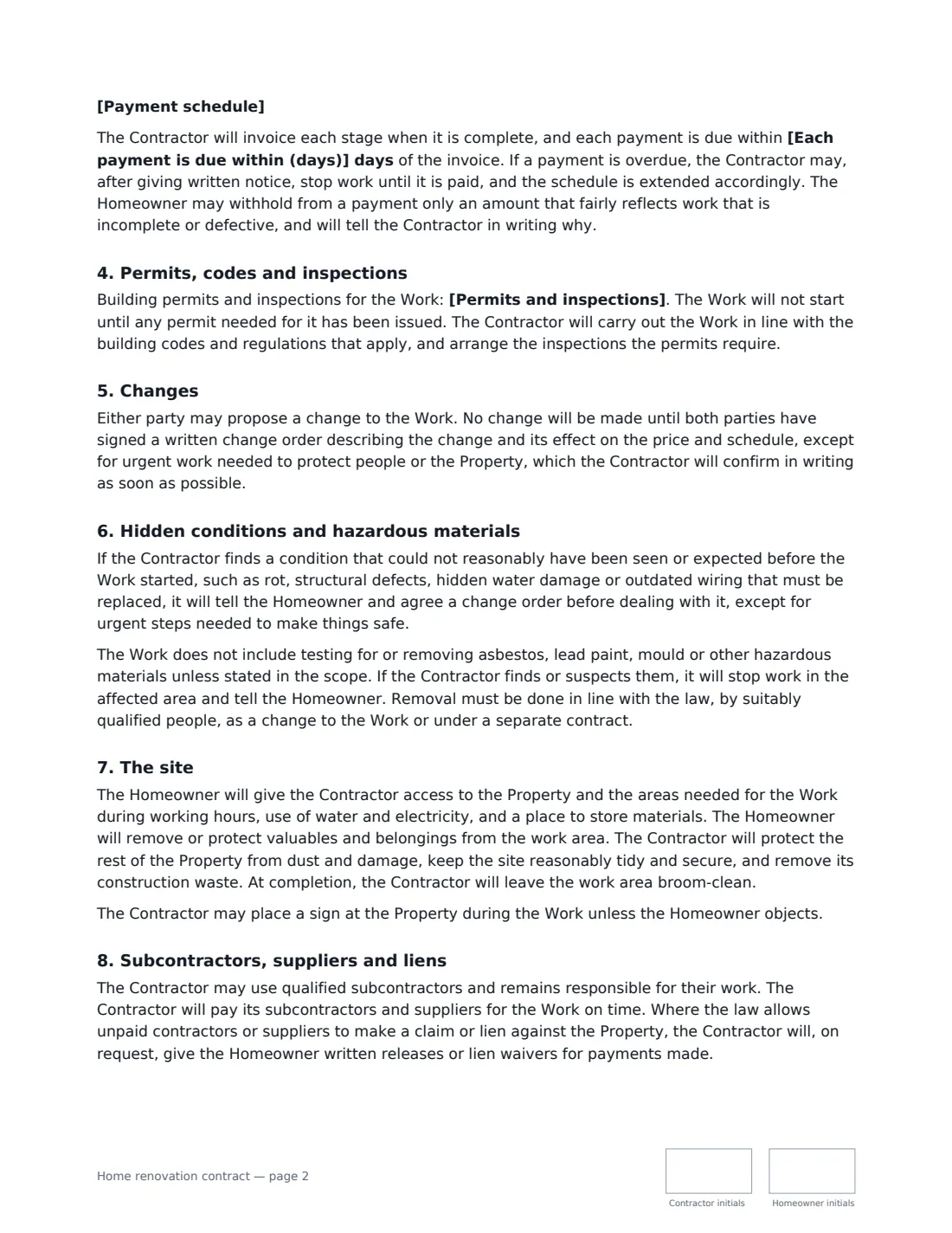
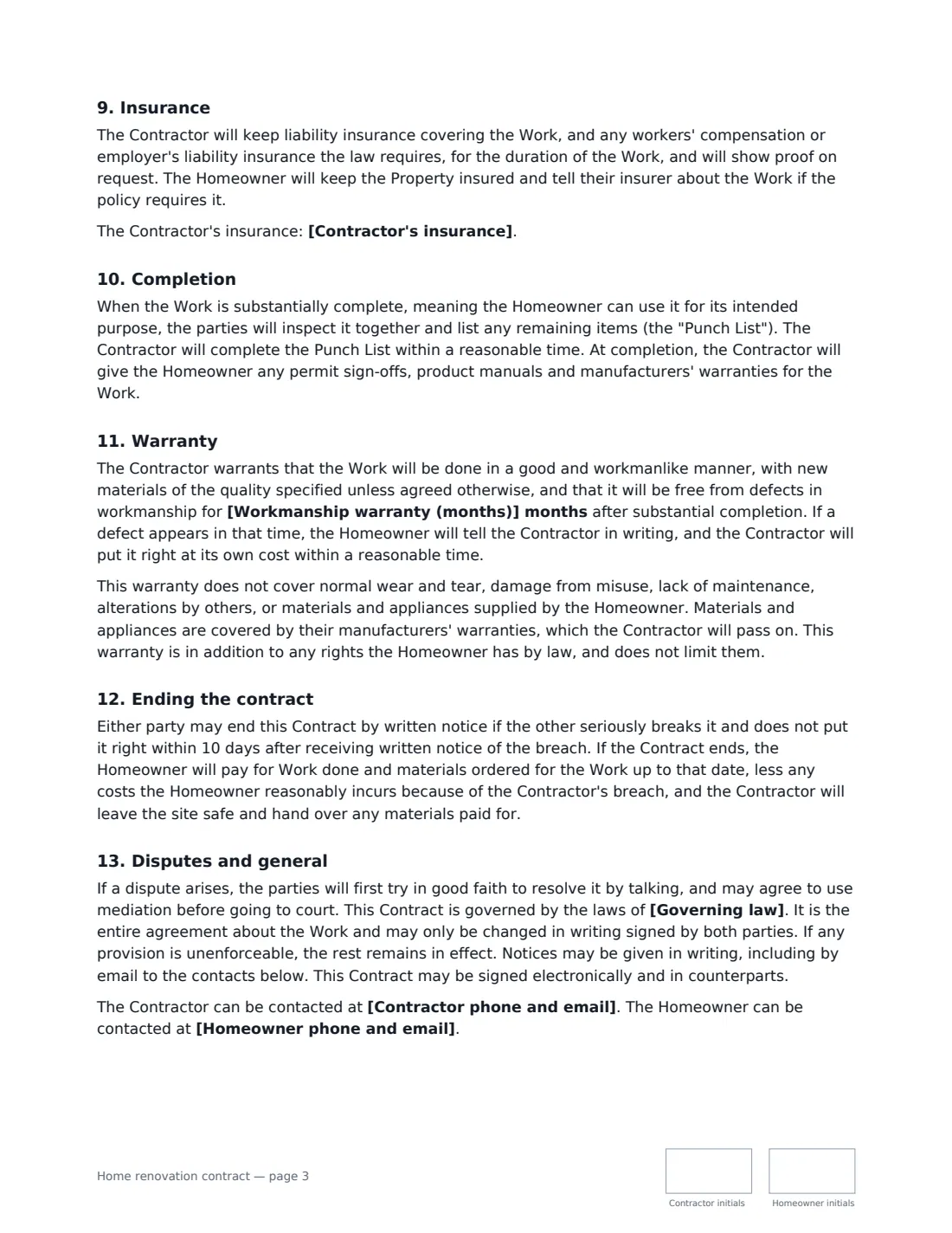
This template covers the full job: a detailed scope with referenced drawings or quotes, materials, finishes and allowances, exclusions, estimated start and completion dates, working hours, a fixed price or a cost-plus estimate, an optional deposit and a payment schedule tied to stages of work. It sets out who handles permits and inspections, written change orders, hidden conditions and hazardous materials like asbestos or lead paint, site protection and cleanup, subcontractors and lien waivers, insurance, the punch list at completion, a workmanship warranty and termination. Home improvement work is regulated in many places, so the contract says any required terms, notices and cancellation rights apply.
- Best for
- Kitchen and bathroom remodels, basements, additions, whole-home renovations
- Signed by
- The contractor and the homeowner
- Price
- Fixed price, or cost plus a fee with an estimate — paid in stages you set
- Length
- About 3-4 pages, initialled on every page
When to Use a home renovation contract
- A kitchen remodel with new cabinets, counters and relocated plumbing
- A bathroom renovation or a new half-bath
- Finishing a basement or converting an attic
- A small addition, sunroom or deck with permits and inspections
- A general contractor standardising contracts across residential jobs
What You Fill In
26 blanks, then the name and email of each person who signs: contractor, homeowner.
1 The parties
- Contractor (your business)*
- Contractor address*
- Contractor phone and email*
- Contractor licence or registration number
- Homeowner's full name(s)*
- Homeowner phone and email*
2 The project
- Property address*
- Project in one line*
- Scope of work*
- Drawings, quote or specification that form part of the contract
- Materials, finishes and allowances
- Not included
3 Schedule
- Estimated start date*
- Estimated completion date*
- Working hours on site
4 Price and payment
- Currency*
- Contract price*
- The price is* a fixed price · an estimate, charged at cost plus a fee
- Contractor's fee on costs (cost plus only)
- Deposit on signing
- Payment schedule*
- Each payment is due within (days)*
5 Other terms
- Permits and inspections* the Contractor obtains and pays for them · the Contractor obtains them and the Homeowner pays the fees · the Homeowner obtains and pays for them · none are expected to be required
- Workmanship warranty (months)*
- Contractor's insurance
- Governing law*
6 Who signs
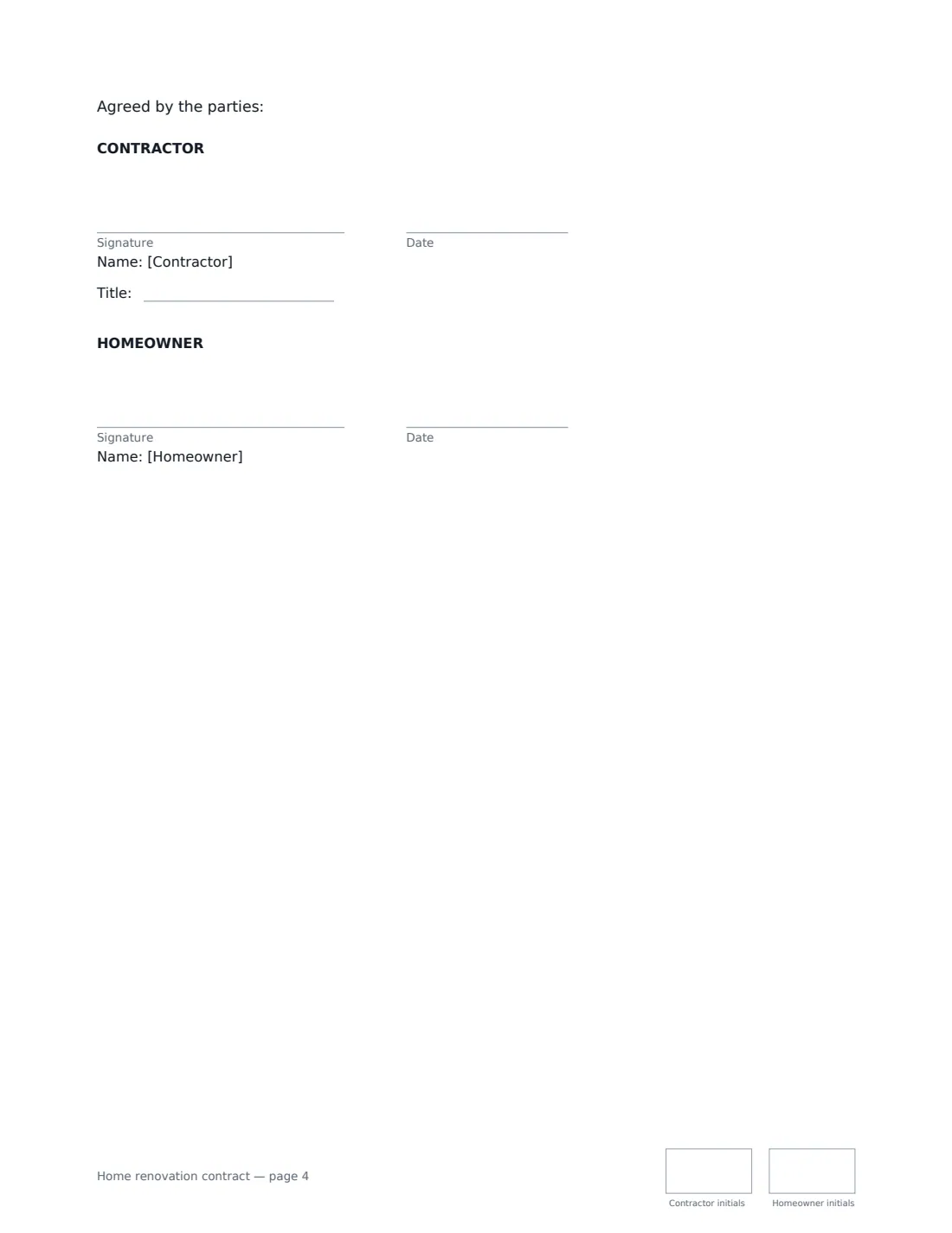
- Contractor signature and date, job title, initials on every page · The builder or renovation company.
- Homeowner signature and date, initials on every page · The owner of the home who is agreeing the work. Name any joint owners in the Homeowner blank.
What the home renovation contract Covers
- The work
- Schedule
- Price and payment
- Permits, codes and inspections
- Changes
- Hidden conditions and hazardous materials
- The site
- Subcontractors, suppliers and liens
- Insurance
- Completion
- Warranty
- Ending the contract
- Disputes and general
Using the home renovation contract, step by step
1 Describe the project
Give the project a one-line name, then set out the scope room by room. Reference any drawings, specification or quote by name and date, list materials, finishes and allowances, and add what isn't included.
2 Set dates and price
Enter estimated start and completion dates and site working hours. Choose a fixed price or an estimate charged at cost plus a fee (with your fee), and enter the amount and any deposit.
3 Build the payment schedule
Tie each payment to a stage of work — rough-in complete, cabinets installed, substantial completion, punch list done — and set how many days after each invoice payment is due.
4 Cover permits, warranty and send
Choose who obtains and pays for permits, set the workmanship warranty in months, and add your licence number and insurance. Send it to the homeowner; both sides initial every page and sign at the end.
Tips Before You Send It
- Many places require home improvement contractors to be licensed or registered, cap deposits, or give homeowners a right to cancel a contract signed at home. Check the rules where the property is and give any required notices.
- Tie payments to completed work, not dates — it keeps cash flow and progress aligned and builds trust.
- Use allowances for items the homeowner hasn't chosen yet (tile, fixtures, lighting) and adjust the price by the difference in writing.
- Use a signed change order for every change, however small — VergeHR has a change order template for exactly this.
Sign It Online In Minutes
- Fill in the blanks. Names, dates and amounts go straight into the agreement — the preview shows exactly where.
- Name who signs. Tick “This is me” for your own part. VergeHR builds the PDF with every signature, date and initials box on the right line, and you can check or move anything before sending.
- Send it. Each signer gets a secure link and signs from any device — no account needed. The signed PDF, with an audit trail and a Certificate of Completion, is filed in Files and emailed to everyone.
Home renovation contract: frequently asked questions
What happens if the contractor finds rot or asbestos?
For hidden conditions like rot or structural defects, the contractor tells the homeowner and agrees a change order before dealing with it, apart from urgent safety steps. Testing for or removing asbestos, lead paint or mould isn't included unless it's in the scope; if found, work stops in that area and removal is done by qualified people under the law.
Can the homeowner hold back payment?
Only an amount that fairly reflects incomplete or defective work, and the homeowner must tell the contractor in writing why. If a payment is overdue, the contractor may stop work after written notice and the schedule is extended.
What does the warranty cover?
Defects in workmanship for the number of months you set after substantial completion. It excludes wear and tear, misuse, lack of maintenance, alterations by others and homeowner-supplied materials; materials and appliances carry their manufacturers' warranties. It's in addition to the homeowner's legal rights.
Is an electronically signed renovation contract valid?
Electronic signatures are generally valid for ordinary contracts in the US (ESIGN Act and UETA), the UK, the EU (eIDAS) and Canada. Some places have specific form, notice or cancellation requirements for home improvement contracts, so check local rules. VergeHR keeps an audit trail and a Certificate of Completion with the signed PDF.
Is this template free?
Yes. The template is free to use with the eSignature app in VergeHR, and the homeowner doesn't need a VergeHR login to sign.