

What is a project completion acceptance?
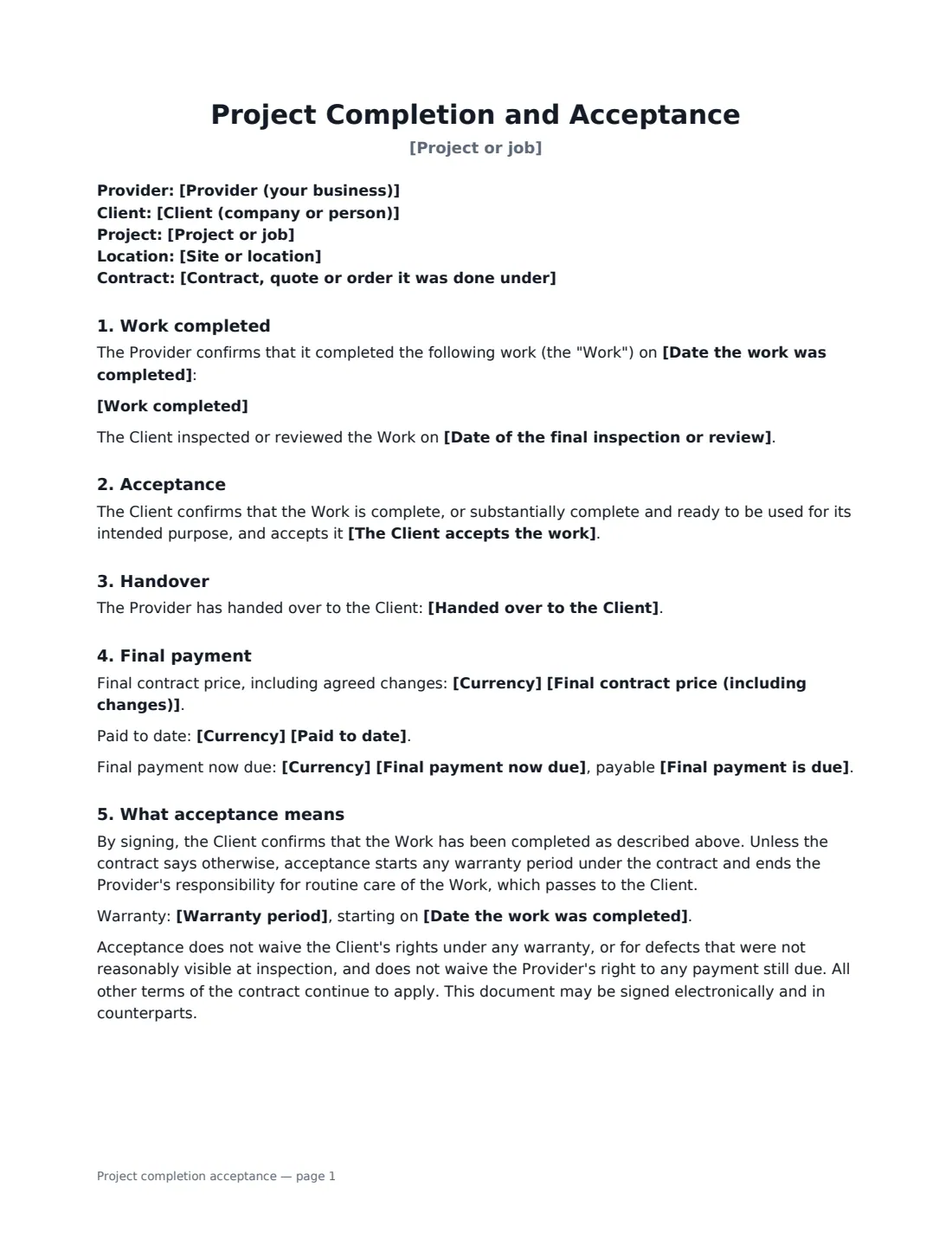
A project completion acceptance form (sometimes called a certificate of completion, job completion form or client sign-off) is the document a client signs to confirm that a project or job is finished. It closes out the work: it records the completion date, any small items still to be done, what was handed over, and the final payment now due. It works for construction and trades as well as agencies, IT projects and other service work.
In this template you summarise the work completed and the contract it was done under, give the completion and inspection dates, and choose whether the client accepts the work in full or subject to a punch list — with the items listed, a date to finish them and an optional amount the client may hold back until they're done. It records handover items like keys, manuals and warranties, the final contract price, the amount paid and the final payment due, and when the warranty starts. It also makes clear that acceptance doesn't waive warranty rights, rights for hidden defects, or the provider's right to payment.
- Best for
- Construction and renovation jobs, trades, fit-outs, agency and IT projects
- Signed by
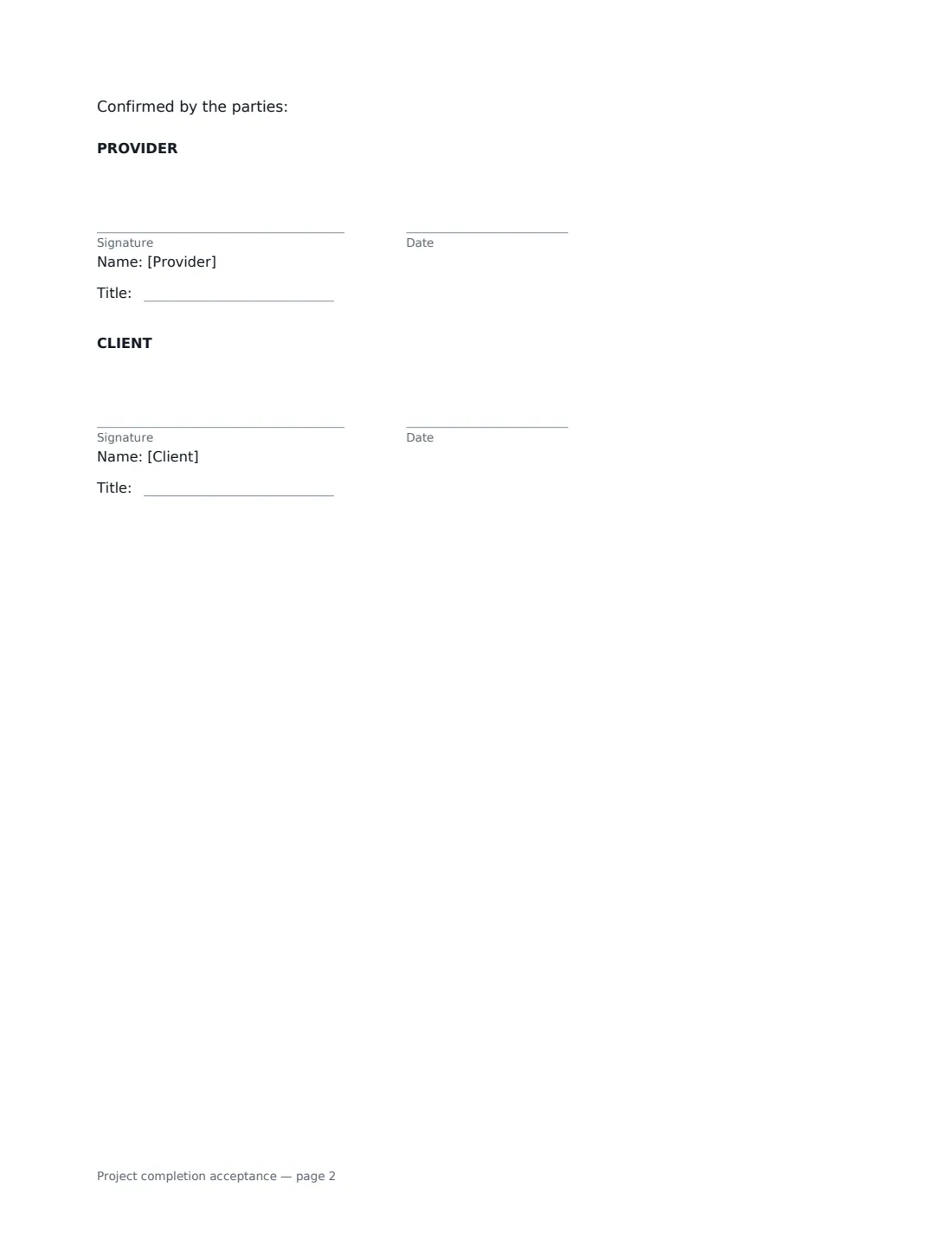
- The provider and the client, with job titles
- Acceptance
- In full, or subject to a punch list with an optional hold-back
- Length
- 1-2 pages
When to Use a project completion acceptance
- Closing out a home renovation before the final invoice
- Client sign-off on an office fit-out with a short punch list
- Confirming handover of a website or software project
- A trade confirming a completed installation so the warranty starts
- Releasing final payment or retention on a commercial job
What You Fill In
19 blanks, then the name and email of each person who signs: provider, client.
1 The parties
- Provider (your business)*
- Client (company or person)*
2 The project
- Project or job*
- Contract, quote or order it was done under
- Site or location
- Work completed*
3 Completion
- Date the work was completed*
- Date of the final inspection or review
- The Client accepts the work* in full, with no outstanding items · subject to the punch-list items below
- Punch-list items
- Punch list to be finished by
- Handed over to the Client
4 Final payment
- Currency*
- Final contract price (including changes)
- Paid to date
- Final payment now due
- Amount held back until the punch list is done
- Final payment is due
5 Warranty
- Warranty period
6 Who signs
- Provider signature and date, job title · The contractor, supplier or agency that did the work.
- Client signature and date, job title · The client accepting the work — for a business, someone authorised to sign for it.
What the project completion acceptance Covers
- Work completed
- Acceptance
- Handover
- Handover
- Final payment
- What acceptance means
Using the project completion acceptance, step by step
1 Identify the project
Enter the provider, the client, the project name, the site and the contract, quote or order the work was done under. Summarise what was delivered in a few lines.
2 Record completion and acceptance
Enter the completion date and the date of the final inspection or review. Choose whether the client accepts the work in full or subject to punch-list items, list them one per line and set the date they'll be finished.
3 Add handover and final payment
List what's been handed over — keys, manuals, warranties, permit sign-offs, passwords. Enter the final contract price including changes, the amount paid, the final payment due and when, and any hold-back until the punch list is done.
4 Note the warranty and send
Add the warranty period if there is one — it starts on the completion date. Sign as the provider and send to the client to confirm.
Tips Before You Send It
- Walk the site or review the deliverables with the client before sending, so the punch list is agreed rather than argued.
- Keep the hold-back proportionate to the punch-list items — it's there to secure small outstanding work, not the whole final payment.
- Attach photos or a separate punch-list document if items need more detail.
- Keep the signed acceptance with the contract; it's the start date for your warranty period.
Sign It Online In Minutes
- Fill in the blanks. Names, dates and amounts go straight into the agreement — the preview shows exactly where.
- Name who signs. Tick “This is me” for your own part. VergeHR builds the PDF with every signature, date box on the right line, and you can check or move anything before sending.
- Send it. Each signer gets a secure link and signs from any device — no account needed. The signed PDF, with an audit trail and a Certificate of Completion, is filed in Files and emailed to everyone.
Project completion acceptance: frequently asked questions
Does signing mean the client gives up claims for defects?
No. Acceptance confirms the work is complete as described, but it doesn't waive the client's warranty rights or rights for defects that weren't reasonably visible at inspection.
What is a punch list?
A punch list is a short list of minor items still to finish or fix when the work is otherwise complete and usable — touch-up paint, a cracked tile, missing documents. The provider completes them at no extra charge by the date you set.
Can the client hold back part of the final payment?
If the work is accepted subject to a punch list, you can set an amount the client may hold back until the items are done. The client pays it within 14 days after they are finished.
Is an electronically signed completion certificate valid?
Electronic signatures are generally valid for ordinary contract documents in the US (ESIGN Act and UETA), the UK, the EU (eIDAS) and Canada. VergeHR keeps an audit trail and a Certificate of Completion with the signed PDF.
Is this template free?
Yes. The template is free to use with the eSignature app in VergeHR, and your client doesn't need a VergeHR login to sign.