

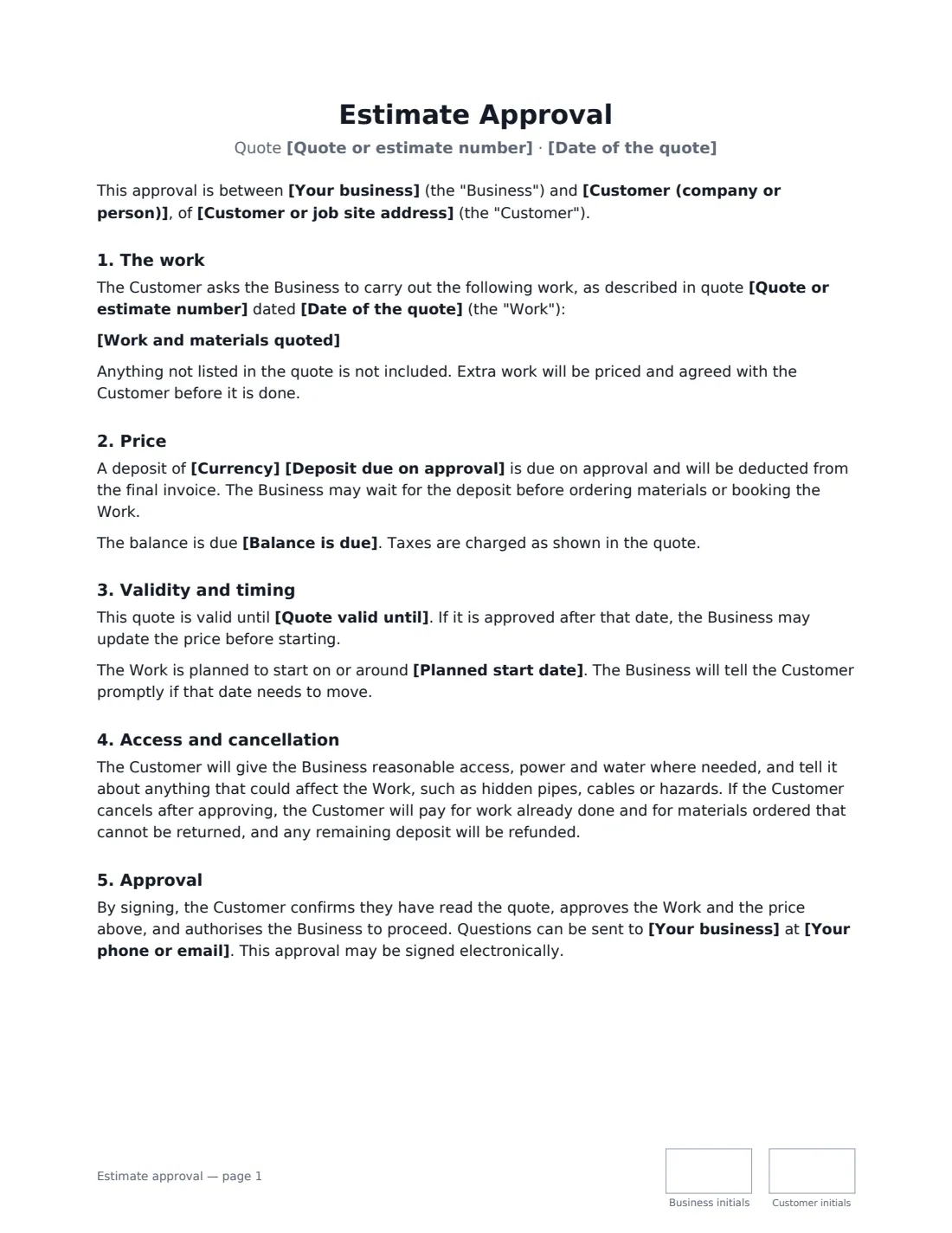
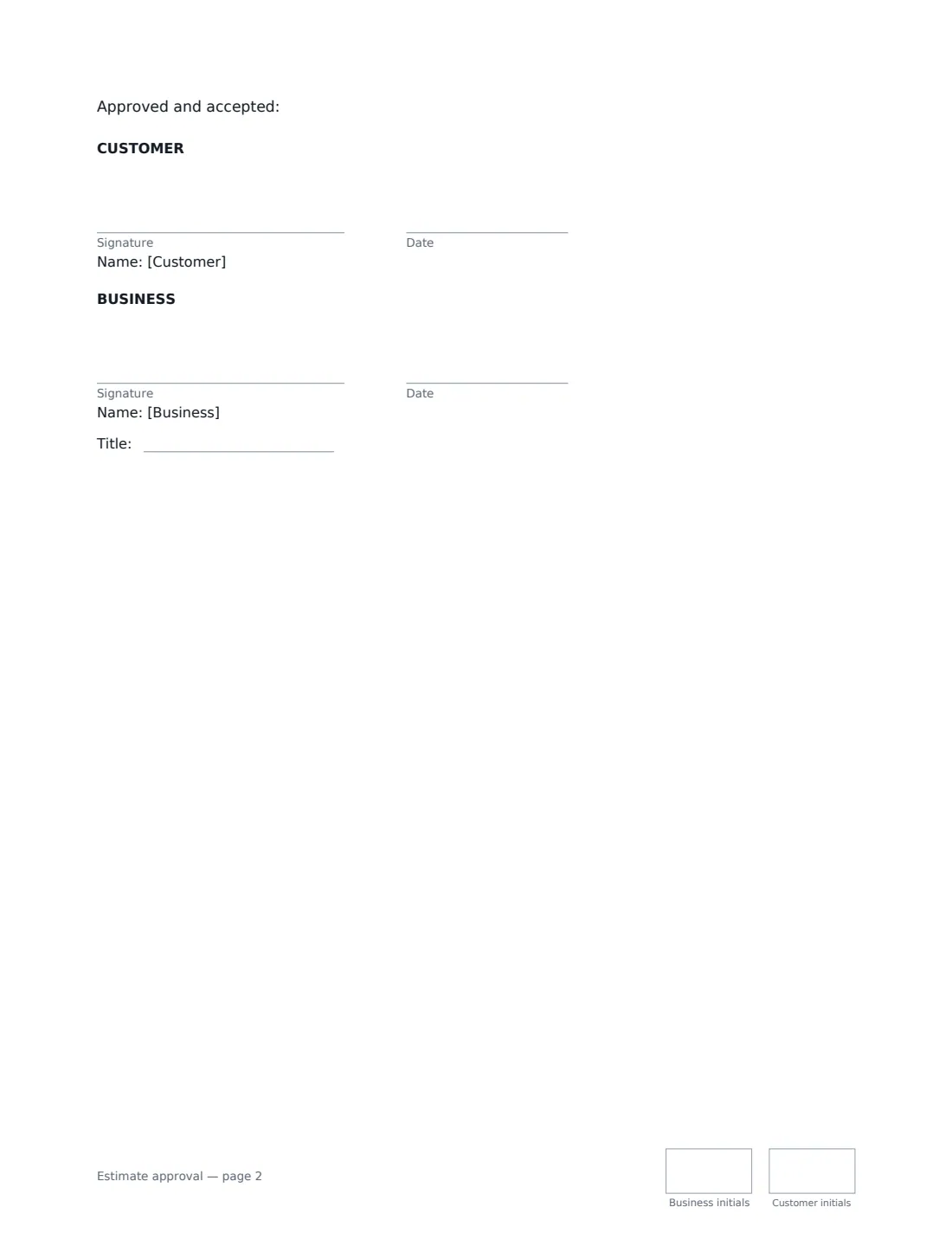
What is a estimate approval?
An estimate approval (or quote acceptance) is the customer's signed authorisation to go ahead with work you have quoted for. Trades, contractors, repair shops, cleaners, landscapers and many other service businesses quote first and start later; a signature on the quote turns a price on paper into an agreed job, confirms what is and isn't included, and gives you a clear basis to take a deposit, order materials and invoice at the end.
This template refers to your quote by number and date and summarises the work. It records whether the price is a fixed quote or an estimate — and, for an estimate, how far the final price may go over before you must ask the customer first. It sets an optional deposit, when the balance is due, how long the quote is valid and a planned start date, and covers access, cancellation and extra work. The customer signs to approve, and you countersign.
- Best for
- Plumbers, electricians, builders, repair shops, landscapers and any business that quotes before starting
- Signed by
- The customer and the business (with a job title)
- Price
- Fixed quote, or estimate with an overrun limit you choose (10% by default)
- Length
- About 2 pages, initialled on every page
When to Use a estimate approval
- A plumber or electrician getting sign-off before a repair
- A builder confirming a customer accepts a renovation quote
- A repair shop getting authorisation before starting work
- Taking a deposit before ordering materials
- Landscaping, cleaning and other services priced by quote
What You Fill In
15 blanks, then the name and email of each person who signs: business, customer.
1 The parties
- Your business*
- Your phone or email
- Customer (company or person)*
- Customer or job site address
2 The quote
- Quote or estimate number*
- Date of the quote*
- Work and materials quoted*
3 Price
- The price is* a fixed quote · an estimate
- Currency*
- Total price*
- Estimate may go over by up to (%)
- Deposit due on approval
- Balance is due* on completion of the work · within 7 days of the invoice · within 14 days of the invoice · within 30 days of the invoice
4 Dates
- Quote valid until*
- Planned start date
5 Who signs
- Business signature and date, job title, initials on every page
- Customer signature and date, initials on every page · The person or company approving the quote.
What the estimate approval Covers
- The work
- Price
- Validity and timing
- Access and cancellation
- Approval
Using the estimate approval, step by step
1 Reference the quote
Enter the quote number and date and summarise the work and materials. A short summary is fine — you can attach the detailed quote. The approval says anything not listed isn't included and extra work is priced and agreed first.
2 Fixed quote or estimate?
A fixed quote is the price, and only changes if the customer asks for changes or the job turns out different from what was described. An estimate is your best guess; the final price follows the work actually done, but you can't go more than the percentage you set over the estimate without the customer's approval.
3 Set the deposit and payment terms
Add a deposit if you take one — it's deducted from the final invoice, and you may wait for it before ordering materials or booking the work. Choose when the balance is due: on completion or within 7, 14 or 30 days of the invoice.
4 Set validity and start date
Enter how long the quote is valid. If it's approved later, you may update the price before starting. Add a planned start date, or leave it empty to agree one once approved.
5 Send it to the customer
Add the customer's name and email. They approve from their phone, and the signed approval is filed in Files.
Tips Before You Send It
- Say in the quote whether the price includes tax — the approval refers to taxes "as shown in the quote".
- Use an estimate when you can't see the full job yet, and a fixed quote when you can. The difference matters when the bill arrives.
- Rules on deposits, cancellation rights and work agreed at a customer's home can differ for consumers. Check local rules.
- If the scope changes once work has started, use a change order rather than re-quoting from scratch.
Sign It Online In Minutes
- Fill in the blanks. Names, dates and amounts go straight into the agreement — the preview shows exactly where.
- Name who signs. Tick “This is me” for your own part. VergeHR builds the PDF with every signature, date and initials box on the right line, and you can check or move anything before sending.
- Send it. Each signer gets a secure link and signs from any device — no account needed. The signed PDF, with an audit trail and a Certificate of Completion, is filed in Files and emailed to everyone.
Estimate approval: frequently asked questions
What is the difference between a quote and an estimate?
A quote is a fixed price for the described work. An estimate is a best guess that may change once the work is done. This approval handles both, with a cap on how far an estimate can go over without the customer agreeing first.
What if the customer cancels after approving?
The customer pays for work already done and for materials ordered that can't be returned, and any remaining deposit is refunded.
What if the customer approves after the quote has expired?
The approval says you may update the price before starting if it is approved after the valid-until date.
Is an electronically signed approval valid?
Electronic signatures are generally valid for ordinary contracts like this in the US (ESIGN Act and UETA), the UK, the EU (eIDAS) and Canada. VergeHR keeps an audit trail and a Certificate of Completion with the signed PDF.
Is this template free?
Yes. It is free to use with the eSignature app in VergeHR, and your customer doesn't need a VergeHR login to sign.