

What is a proof approval form?
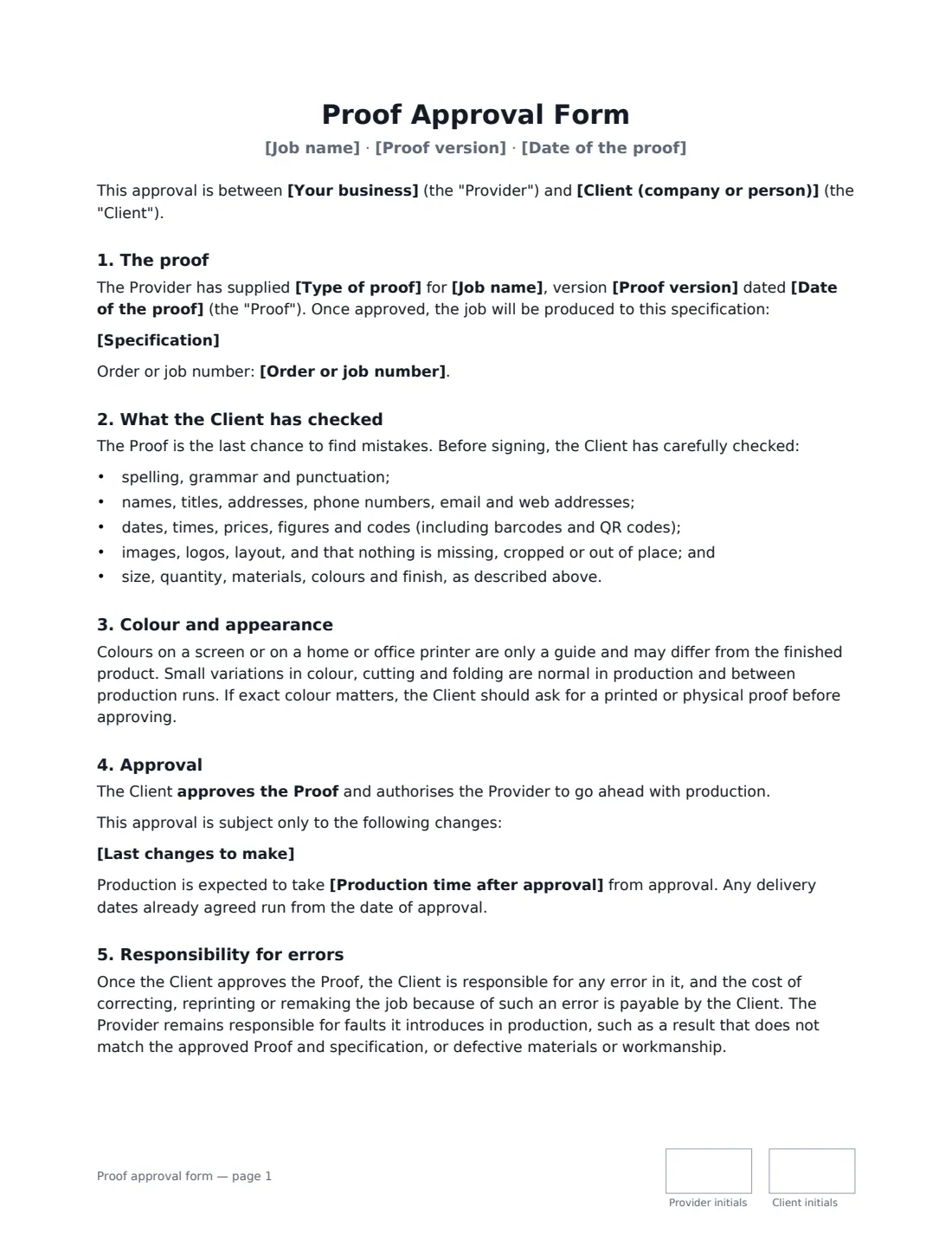
A proof approval form is the client's written sign-off on a design, print or artwork proof. Printers, designers, sign makers, engravers and packaging suppliers use it so there is no argument later about a misspelled name, a wrong phone number or a colour that looked different on screen. Once the client signs, the proof is final and production can start.
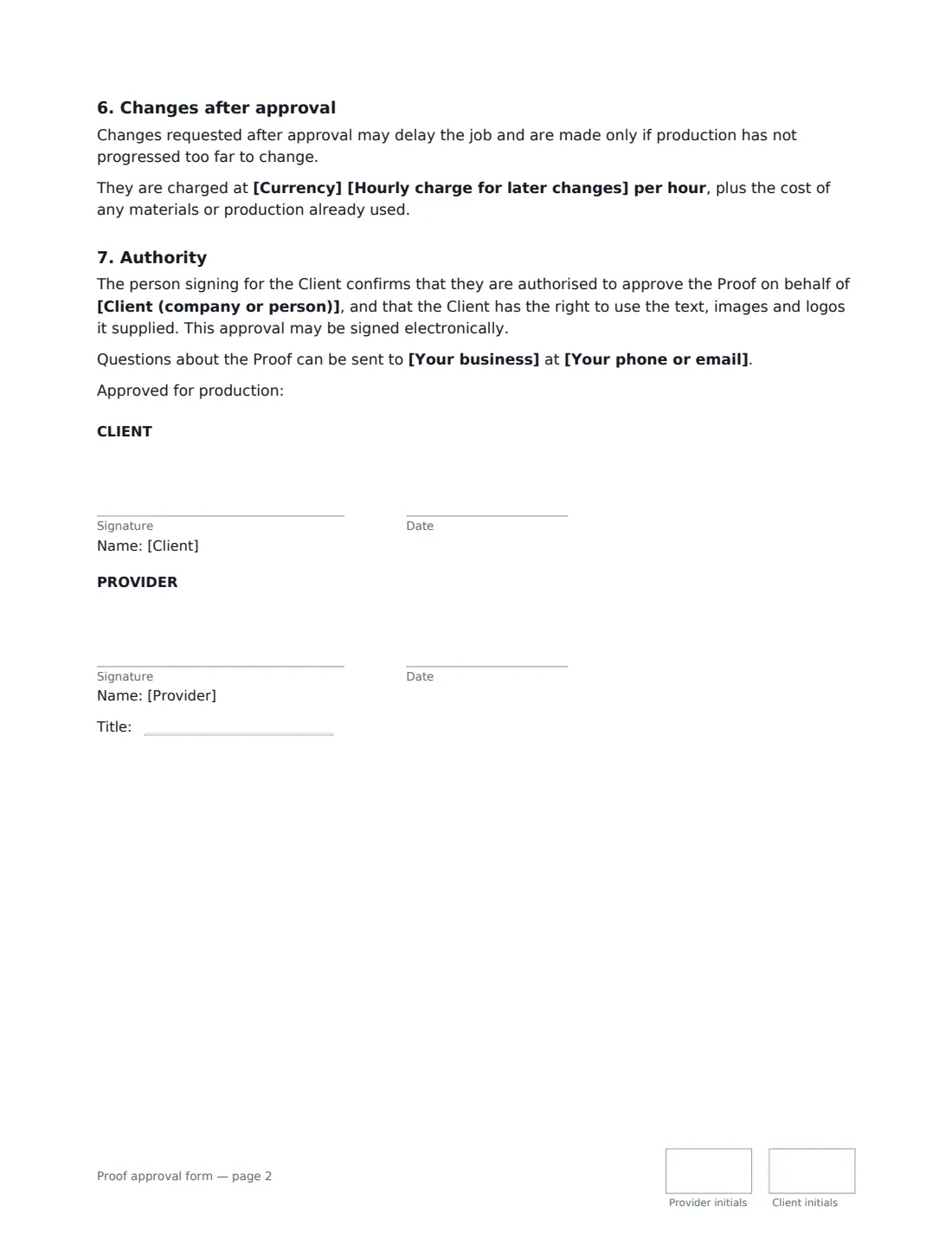
This template names the job, the exact proof version and date, and the specification that will be produced (size, quantity, materials, finish). The client confirms what they checked — spelling, contact details, prices, codes, images and layout — and acknowledges that screen colours are only a guide. They can approve the proof as it is or with a short list of last changes, and you choose whether those changes go straight to production or need one more proof. It then says who pays when an approved proof turns out to contain an error, and how changes after approval are charged.
- Best for
- Print jobs, graphic design, signage, engraving, packaging, custom merchandise
- Signed by
- The client first, then the provider
- Approval options
- Approved as is, or with listed changes — straight to production or after a final proof
- Length
- About 2 pages, initialled on every page
When to Use a proof approval form
- A print shop getting sign-off on business cards, flyers or a menu before running thousands of copies
- A graphic designer closing out a logo or brochure before sending final files to the printer
- A sign maker confirming wording and dimensions before cutting vinyl or metal
- An engraver or custom merchandise supplier confirming names, dates and spelling
- A packaging or label supplier confirming artwork, barcodes and regulatory text before a production run
What You Fill In
14 blanks, then the name and email of each person who signs: provider, client.
1 The parties
- Your business*
- Your phone or email
- Client (company or person)*
2 The proof
- Job name*
- Order or job number
- Proof version*
- Date of the proof*
- Type of proof* a PDF proof · an on-screen digital proof · a printed hard-copy proof · a physical sample or prototype
- Specification*
3 Approval
- Last changes to make
- After those changes* go straight to production · send a final proof for approval first
- Production time after approval
- Currency*
- Hourly charge for later changes
4 Who signs
- Provider signature and date, job title, initials on every page · The designer, printer, sign maker or studio that prepared the proof.
- Client signature and date, initials on every page · The person with authority to approve the proof for the client.
What the proof approval form Covers
- The proof
- What the Client has checked
- Colour and appearance
- Approval
- Responsibility for errors
- Changes after approval
- Authority
Using the proof approval form, step by step
1 Identify the proof exactly
Enter the job name and the proof version as it appears on the file — "menu_v3_final.pdf" or "Proof 3". If there are several rounds, this is what proves which one was approved.
2 Describe what will be produced
The specification should match your quote: size, quantity, stock or material, colours and finish. The client is approving the proof and the specification together.
3 Add any last changes
If the client has a couple of small corrections, list them in "Last changes to make" and choose whether you go straight to production or send a final proof. Leave the box empty if the proof is approved exactly as it is.
4 Send it to the client
Add the client's name and email and send. They sign first; you countersign. The signed PDF, with its audit trail, is filed in VergeHR Files next to the job.
Tips Before You Send It
- Attach the proof file itself to the envelope so the signed approval and the artwork stay together.
- If colour is critical (brand colours, product photos), offer a printed or physical proof — the form already warns that screens are only a guide.
- Keep "last changes" to small corrections. Anything bigger deserves a new proof and a new approval.
- Put your rate for changes after approval in the form, so a late request doesn't turn into a dispute over price.
Sign It Online In Minutes
- Fill in the blanks. Names, dates and amounts go straight into the agreement — the preview shows exactly where.
- Name who signs. Tick “This is me” for your own part. VergeHR builds the PDF with every signature, date and initials box on the right line, and you can check or move anything before sending.
- Send it. Each signer gets a secure link and signs from any device — no account needed. The signed PDF, with an audit trail and a Certificate of Completion, is filed in Files and emailed to everyone.
Proof approval form: frequently asked questions
Who is responsible for mistakes after a proof is approved?
Under this form, the client is responsible for errors in the approved proof, such as a typo they didn't catch, and pays for reprinting because of it. The provider stays responsible for production faults, such as a result that doesn't match the approved proof or defective materials.
Can the client approve with changes?
Yes. List the changes, and choose whether the provider makes them and goes straight to production, or sends a final proof for one more approval before anything is produced.
Is an electronic signature on a proof approval valid?
Electronic signatures are generally valid for ordinary business documents like this in the US (ESIGN Act and UETA), the UK, the EU (eIDAS) and Canada. VergeHR keeps an audit trail and a Certificate of Completion with the signed PDF.
Is this template free?
Yes. It's free to use with VergeHR eSignature, and your client doesn't need a VergeHR login to sign.