

What is a expense policy acknowledgement?
Most expense problems are not fraud; they are misunderstandings. Someone claims their commute, loses a receipt, books a hotel over the limit or submits three months of claims at once. An expense policy acknowledgement makes sure each employee has seen the rules and agreed to follow them, so that when a claim is queried both sides are working from the same page.
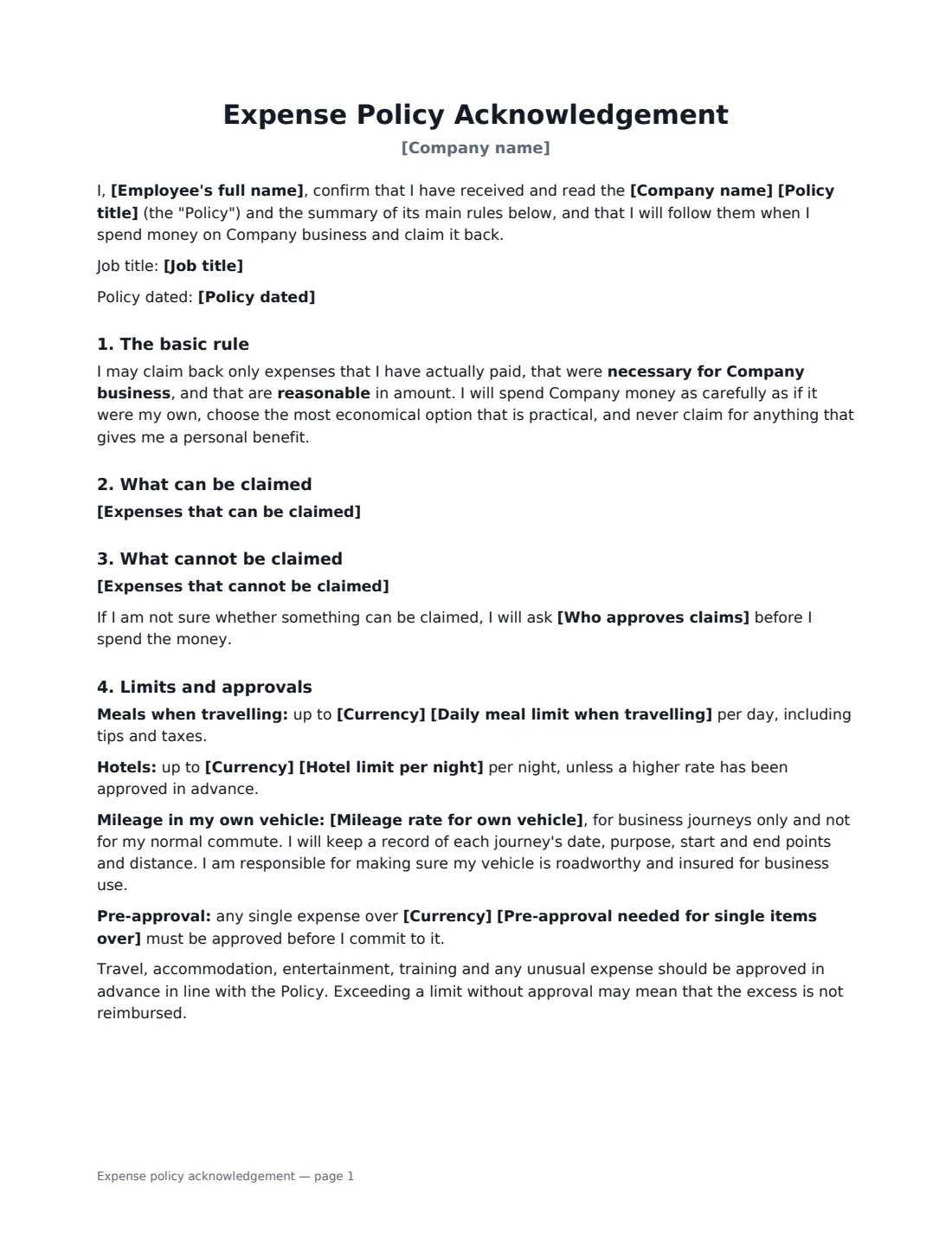
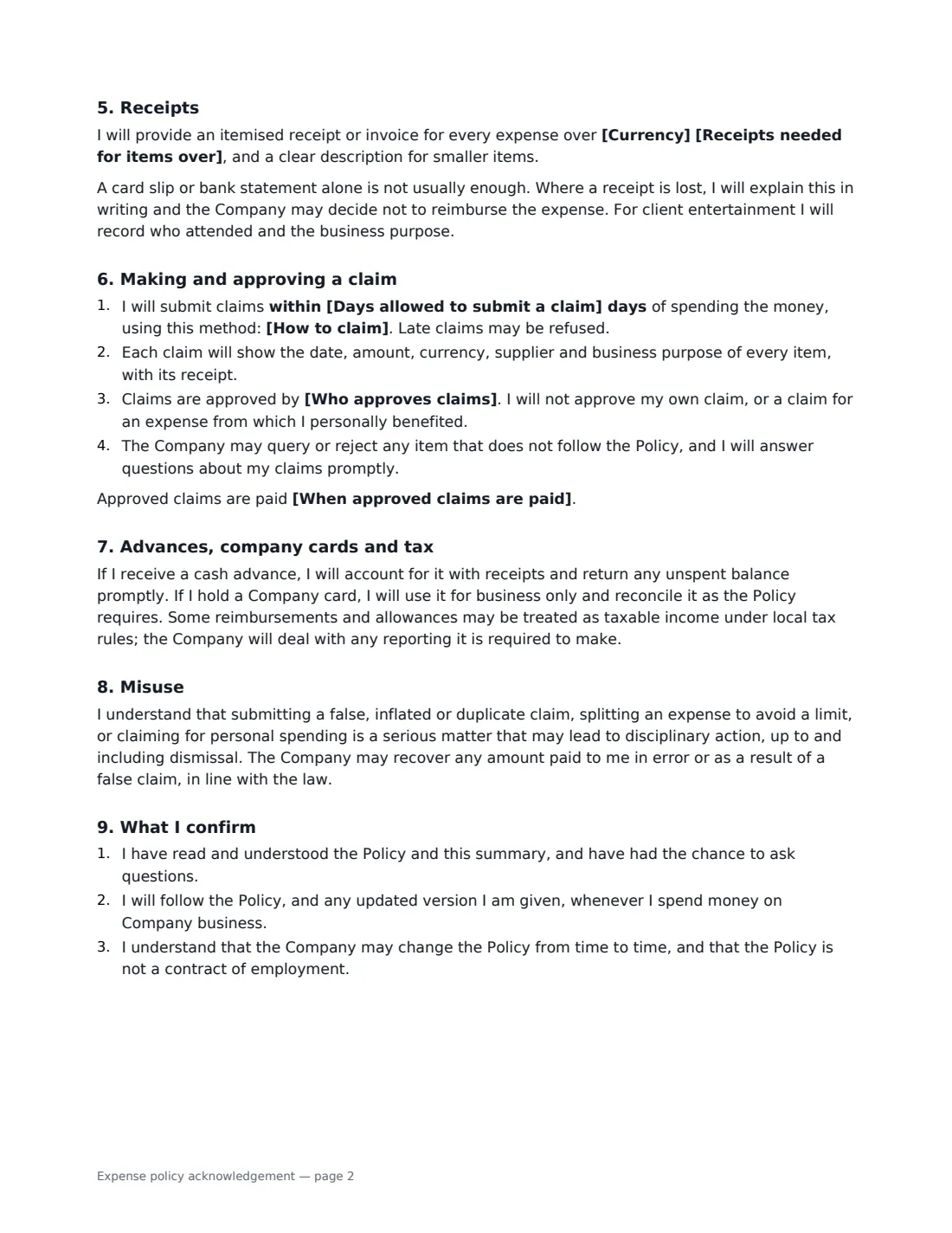
This template summarises your policy in plain language: the basic rule (actually paid, necessary for business, reasonable), a list of what can be claimed and what cannot — both pre-filled with common examples you can edit — optional daily meal, nightly hotel, mileage and pre-approval limits, receipt rules, how and within how many days to claim, who approves, when claims are paid, advances and company cards, a note that some reimbursements may be taxable, and the consequences of false or inflated claims.
- Best for
- Any business that reimburses employees for money spent on its behalf
- Signed by
- The employee and a manager, HR or finance
- Limits you can set
- Daily meals, hotel per night, mileage rate, pre-approval threshold, receipt threshold
- Length
- 2–3 pages
When to Use a expense policy acknowledgement
- Onboarding a new hire who will travel, entertain clients or buy supplies
- Rolling out a new or updated expenses policy to the whole team
- Resetting expectations after late, missing or over-limit claims
- Giving part-time and remote employees the same clear reimbursement rules
- Pairing with a company credit card or travel policy acknowledgement
What You Fill In
17 blanks, then the name and email of each person who signs: employee, employer.
1 Details
- Company name*
- Employee's full name*
- Job title
- Policy title*
- Policy dated
2 What is covered
- Expenses that can be claimed*
- Expenses that cannot be claimed*
3 Limits
- Currency
- Daily meal limit when travelling
- Hotel limit per night
- Mileage rate for own vehicle
- Pre-approval needed for single items over
4 Claiming
- Receipts needed for items over
- How to claim* Through the Company's expenses system · On the Company's expense claim form · By email to the finance team
- Days allowed to submit a claim*
- Who approves claims*
- When approved claims are paid
5 Who signs
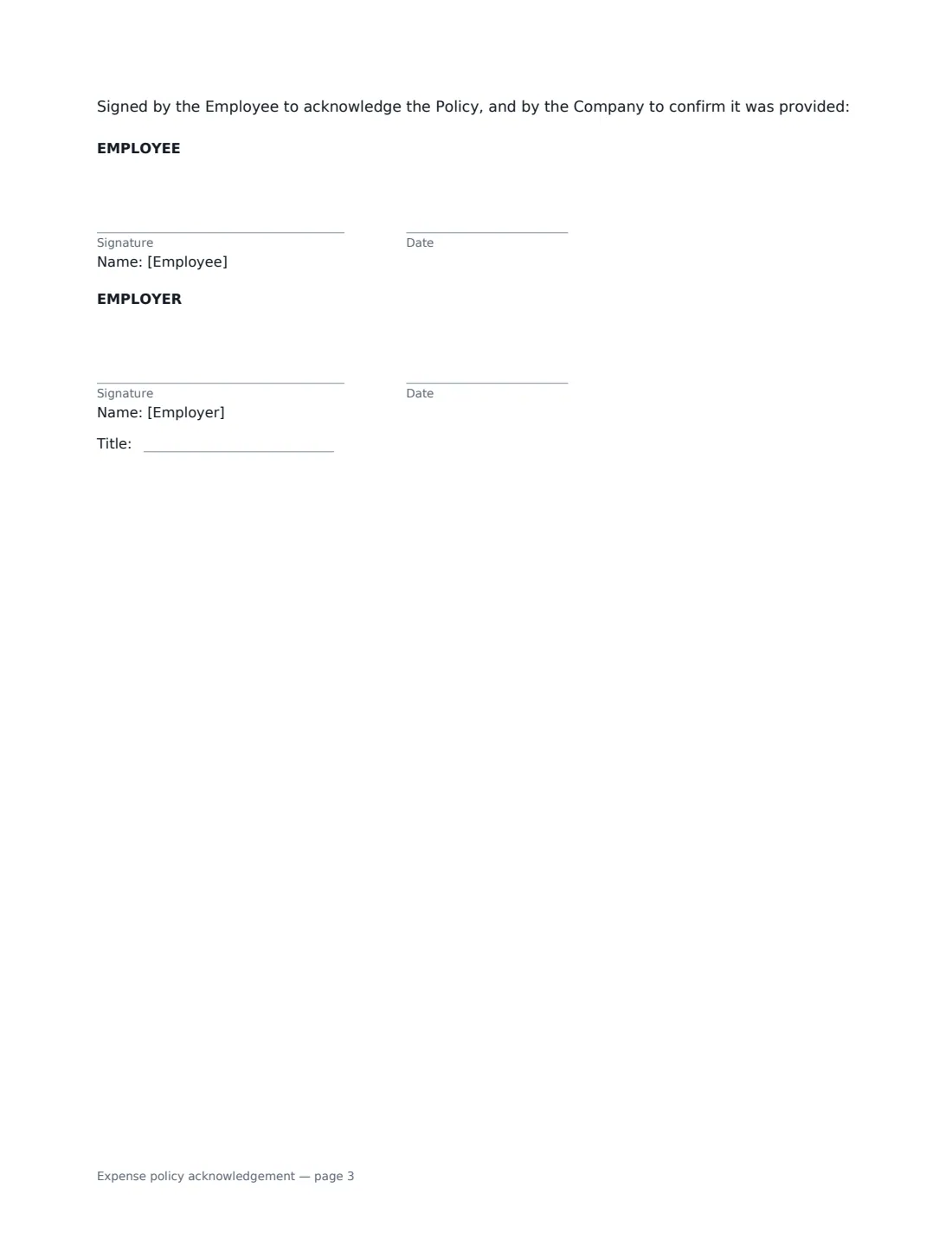
- Employee signature and date · The employee who will claim expenses.
- Employer signature and date, job title · A manager, HR or finance person signing for the company.
What the expense policy acknowledgement Covers
- The basic rule
- What can be claimed
- What cannot be claimed
- Limits and approvals
- Receipts
- Making and approving a claim
- Advances, company cards and tax
- Misuse
- What I confirm
Using the expense policy acknowledgement, step by step
1 Name the policy
Enter the policy title and date so the acknowledgement points to the exact version the employee read.
2 Edit what is and is not covered
Both lists come pre-filled with typical items — business travel, hotels and meals when away overnight, approved client entertainment; not commuting, fines, personal items or minibar extras. Change them to match your policy, one item per line.
3 Set the limits you use
Fill in only the limits you actually have: a daily meal limit, a hotel limit per night, your mileage rate and a pre-approval threshold. Empty limits are left out of the document.
4 Set receipts, deadline and approver
Choose whether every expense needs a receipt or only those above an amount, how claims are submitted, how many days employees have to claim, who approves, and when approved claims are paid.
5 Send for signature
The employee signs to acknowledge the policy and you sign to confirm it was provided. The signed acknowledgement is filed in Files with the employee's other records.
Tips Before You Send It
- Check the mileage rate your tax authority publishes before you set yours — paying above it can create taxable income.
- A clear deadline for claims, such as 30 days, makes month-end much easier and cuts down on lost receipts.
- Make sure nobody approves their own claim — the template says so explicitly.
- Re-send the acknowledgement whenever you change limits, so each employee has signed the version in force.
Sign It Online In Minutes
- Fill in the blanks. Names, dates and amounts go straight into the agreement — the preview shows exactly where.
- Name who signs. Tick “This is me” for your own part. VergeHR builds the PDF with every signature, date box on the right line, and you can check or move anything before sending.
- Send it. Each signer gets a secure link and signs from any device — no account needed. The signed PDF, with an audit trail and a Certificate of Completion, is filed in Files and emailed to everyone.
Expense policy acknowledgement: frequently asked questions
Is an expense policy acknowledgement a contract?
No. The template states that the policy is not a contract of employment and that the company may update it. It records that the employee received, read and agreed to follow the policy.
Do I have to attach the full policy?
The acknowledgement summarises the key rules and refers to your policy by name and date. You can attach the full policy to the same envelope or share it on your intranet.
Are expense reimbursements taxable?
Genuine business expenses repaid at cost usually are not, but allowances, mileage above approved rates and some benefits can be. Rules differ by country, so the template simply notes that some reimbursements may be taxable and the company will handle any reporting.
Is it valid to sign this electronically?
Generally, yes. Electronic signatures are generally valid for workplace documents like this in the US (ESIGN Act and UETA), the UK, the EU (eIDAS) and Canada, and VergeHR keeps an audit trail of who signed and when.