

What is a employee handbook acknowledgement?
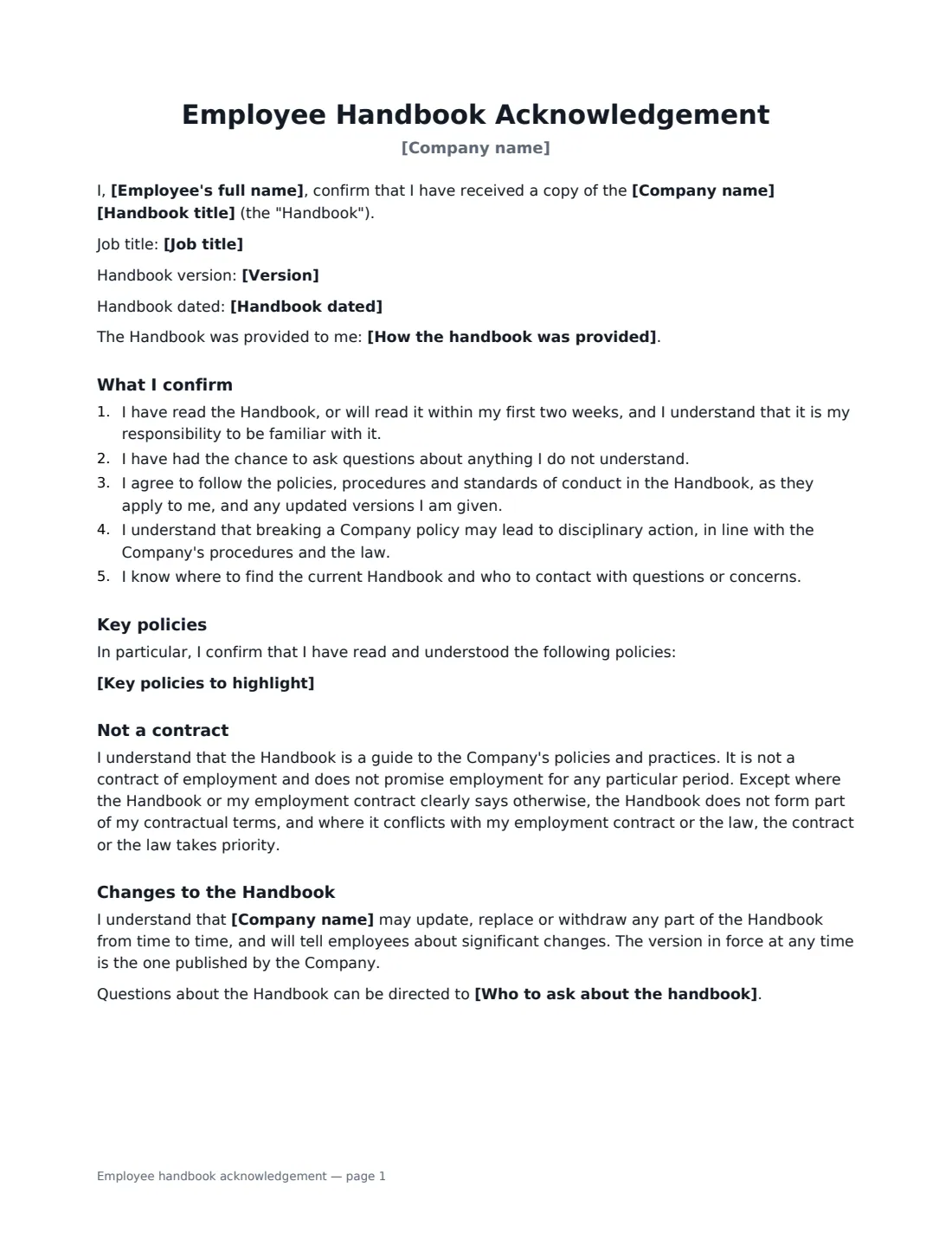
An employee handbook acknowledgement is a short form each employee signs to confirm they have received the company handbook, read it (or will within their first two weeks), had the chance to ask questions, and agree to follow its policies. It is the record that shows a policy was actually communicated — useful when you need to rely on a policy later, and a standard step in onboarding and whenever the handbook is updated.
This template names the handbook, its version and date, and how it was provided — on the intranet, by email, as a printed copy or attached. You can highlight key policies the employee confirms they have read in particular, such as the code of conduct, anti-harassment, health and safety, IT use and data protection. It states that the handbook is a guide rather than a contract of employment, that the company can update it, and who to ask with questions. The employee signs, and so does the employer.
- Best for
- Onboarding new staff and re-confirming after a handbook update
- Signed by
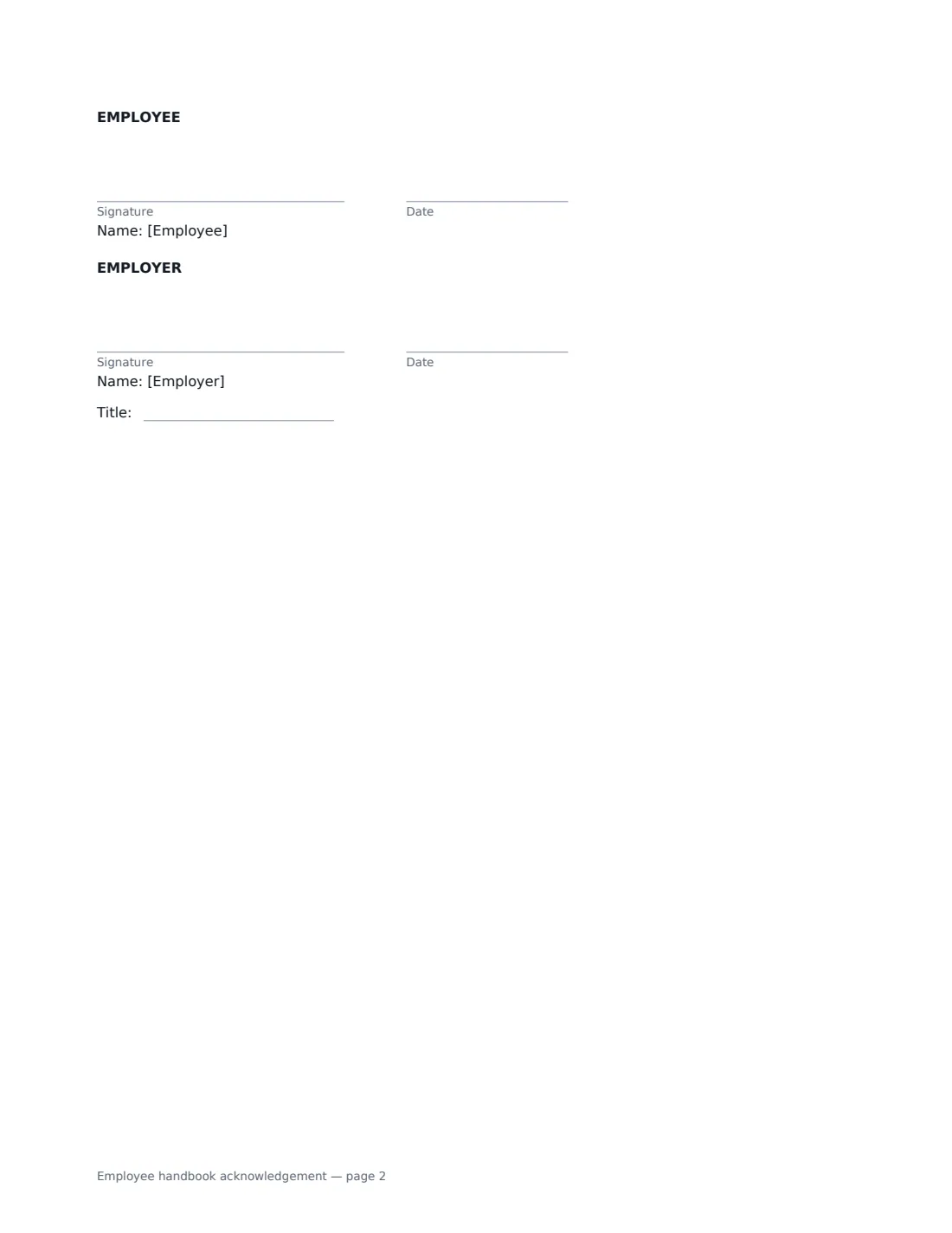
- The employee and the employer (with a job title)
- Records
- Handbook title, version and date, how it was provided, and key policies read
- Length
- About 2 pages
When to Use a employee handbook acknowledgement
- New starters confirming they received the handbook on day one
- All staff confirming a new version of the handbook
- Highlighting a new or changed policy, such as remote work or data protection
- Keeping signed records for every employee in one place
- Small businesses introducing their first handbook
What You Fill In
9 blanks, then the name and email of each person who signs: employee, employer.
1 Details
- Company name*
- Employee's full name*
- Job title
2 The handbook
- Handbook title*
- Version
- Handbook dated
- How the handbook was provided* Electronically, on the company intranet · Electronically, by email · As a printed copy · Attached to this acknowledgement
3 Policies
- Key policies to highlight
- Who to ask about the handbook
4 Who signs
- Employee signature and date
- Employer signature and date, job title
What the employee handbook acknowledgement Covers
- What I confirm
- Key policies
- Not a contract
- Changes to the Handbook
Using the employee handbook acknowledgement, step by step
1 Identify the handbook
Enter the handbook's title, and its version and date if you use them — that way the signed form records which version the employee received. Choose how it was provided.
2 Highlight key policies
Optionally list the policies you want the employee to confirm they have read in particular, one per line. Use this for policies that carry the most risk or have just changed.
3 Say who to ask
Add a person or team employees can contact about the handbook — for example, "the People team at [email protected]".
4 Send to each employee
Add the employee's name and email and send. Each signed acknowledgement is filed in Files; repeat when you publish a new version.
Tips Before You Send It
- Make sure the employee can actually get the handbook before they sign — share the link, email it or hand over a printed copy.
- When you update the handbook, send a fresh acknowledgement with the new version number rather than relying on the old one.
- Keep the handbook consistent with employment contracts. Where they conflict, the form says the contract or the law takes priority.
- Whether handbook terms are contractual differs between countries and states. Check local law if you intend any policy to be binding.
Sign It Online In Minutes
- Fill in the blanks. Names, dates and amounts go straight into the agreement — the preview shows exactly where.
- Name who signs. Tick “This is me” for your own part. VergeHR builds the PDF with every signature, date box on the right line, and you can check or move anything before sending.
- Send it. Each signer gets a secure link and signs from any device — no account needed. The signed PDF, with an audit trail and a Certificate of Completion, is filed in Files and emailed to everyone.
Employee handbook acknowledgement: frequently asked questions
Does signing make the handbook a contract?
The form says it doesn't. It describes the handbook as a guide to the company's policies, not a contract of employment, and doesn't promise employment for any period — except where the handbook or the employment contract clearly says a part is contractual. How a court treats a handbook can also depend on its own wording and on local law.
What if the employee hasn't read it yet?
The employee confirms they have read it or will read it within their first two weeks, and that they are responsible for being familiar with it.
Can we change the handbook after they sign?
Yes. The form says the company may update, replace or withdraw parts of it and will tell employees about significant changes. The version in force is the one the company publishes.
Is an electronic signature valid for this?
Electronic signatures are generally valid for workplace acknowledgements like this in the US (ESIGN Act and UETA), the UK, the EU (eIDAS) and Canada. VergeHR keeps an audit trail and a Certificate of Completion with the signed PDF.
Is this template free?
Yes. It is free to use with the eSignature app in VergeHR, and employees don't need a VergeHR login to sign.