

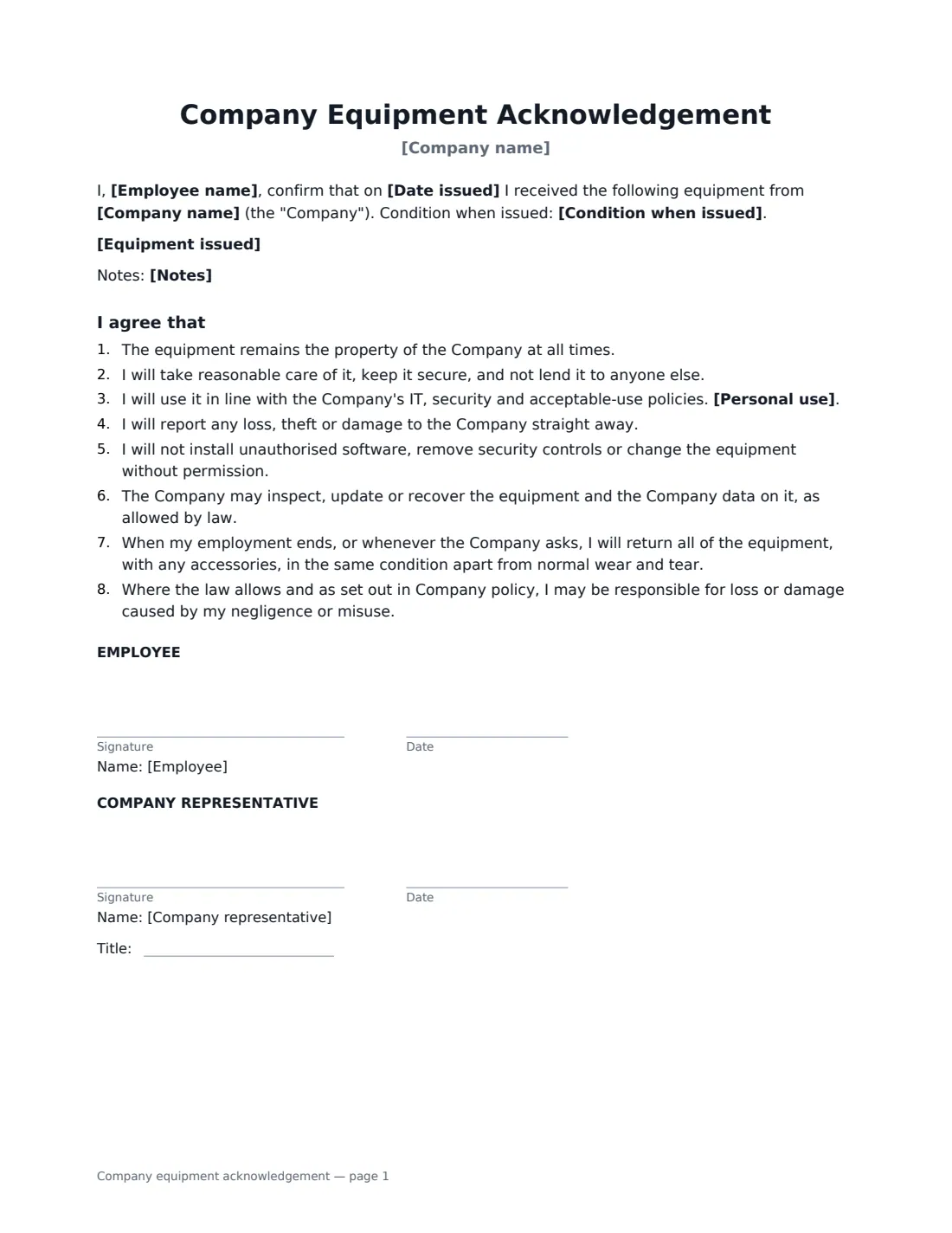
What is a company equipment acknowledgement?
A company equipment acknowledgement is a one-page form an employee signs when they are given company property — a laptop, phone, tablet, keys, access cards, tools or a vehicle. It records exactly what was handed over, the serial or asset numbers and the condition, and the employee's agreement to take care of it, use it within company policy and return it. When someone leaves, it is the checklist for getting everything back; if something goes missing, it is the record of who had it.
This template lists the equipment issued, the date, and its condition (new, good, or fair with notes). The employee agrees that the equipment stays company property, that they will keep it secure and not lend it out, follow your IT and security policies, report loss or damage straight away, not install unauthorised software or remove security controls, allow the company to inspect or recover it, and return it when employment ends. You choose whether reasonable personal use is allowed. The employee and a company representative both sign.
- Best for
- Handing out laptops, phones, tablets, keys, access cards, tools or vehicles to staff
- Signed by
- The employee and a company representative (with a job title)
- Personal use
- You choose: reasonable personal use, or business use only
- Length
- 1 page
When to Use a company equipment acknowledgement
- Issuing a laptop and phone to a new starter
- Handing a remote employee a home-office kit
- Replacing or upgrading an employee's device
- Issuing keys, fobs or access cards to premises
- Keeping an asset register your IT or office team can rely on
What You Fill In
7 blanks, then the name and email of each person who signs: employee, company representative.
1 Details
- Company name*
- Employee name*
- Date issued*
2 Equipment
- Equipment issued*
- Condition when issued* New · Good · Fair — see notes
- Notes
3 Rules
- Personal use* Reasonable personal use is allowed · Business use only
4 Who signs
- Employee signature and date
- Company representative signature and date, job title
What the company equipment acknowledgement Covers
- I agree that
Using the company equipment acknowledgement, step by step
1 List the equipment
Put one item per line with its serial or asset number — "MacBook Pro 14-inch — serial C02XK1ABMD6M". Include accessories such as chargers or docks if you want them back too.
2 Record the condition
Choose New, Good, or Fair and describe any existing scratches, dents or faults in the notes. This helps protect the employee from being blamed for damage that was already there, and gives you a baseline when it comes back.
3 Choose personal use
Pick whether reasonable personal use is allowed or the equipment is for business use only. The rest of the rules point to your IT, security and acceptable-use policies.
4 Send for signature
Add the employee's name and email and sign for the company. The signed form is filed in Files — handy to pull out when the employee leaves.
Tips Before You Send It
- Complete it at handover, while you can both check the serial numbers and condition.
- Make sure your IT and acceptable-use policies exist and the employee has access to them, since the form refers to them.
- Many places limit when an employer can deduct the cost of lost or damaged equipment from wages. Check local law and your policy before making any deduction.
- When equipment is returned or replaced, record that too — a new acknowledgement for the replacement keeps the record straight.
Sign It Online In Minutes
- Fill in the blanks. Names, dates and amounts go straight into the agreement — the preview shows exactly where.
- Name who signs. Tick “This is me” for your own part. VergeHR builds the PDF with every signature, date box on the right line, and you can check or move anything before sending.
- Send it. Each signer gets a secure link and signs from any device — no account needed. The signed PDF, with an audit trail and a Certificate of Completion, is filed in Files and emailed to everyone.
Company equipment acknowledgement: frequently asked questions
Can the employee be charged if they lose or break the equipment?
The form says the employee may be responsible for loss or damage caused by their negligence or misuse, where the law allows and as set out in company policy. Normal wear and tear is excluded. Whether and how you can recover costs from pay depends on local law.
Can the company look at what's on the device?
The form says the company may inspect, update or recover the equipment and the company data on it, as allowed by law. If you monitor devices, a separate monitoring or acceptable-use policy should explain how.
What about employees using their own devices?
This form is for company-owned equipment. For personal phones or laptops used for work, use a bring-your-own-device agreement instead.
Is an electronic signature valid for this form?
Electronic signatures are generally valid for workplace acknowledgements like this in the US (ESIGN Act and UETA), the UK, the EU (eIDAS) and Canada. VergeHR keeps an audit trail and a Certificate of Completion with the signed PDF.
Is this template free?
Yes. It is free to use with the eSignature app in VergeHR, and the employee doesn't need a VergeHR login to sign.