

What is a new hire onboarding checklist?
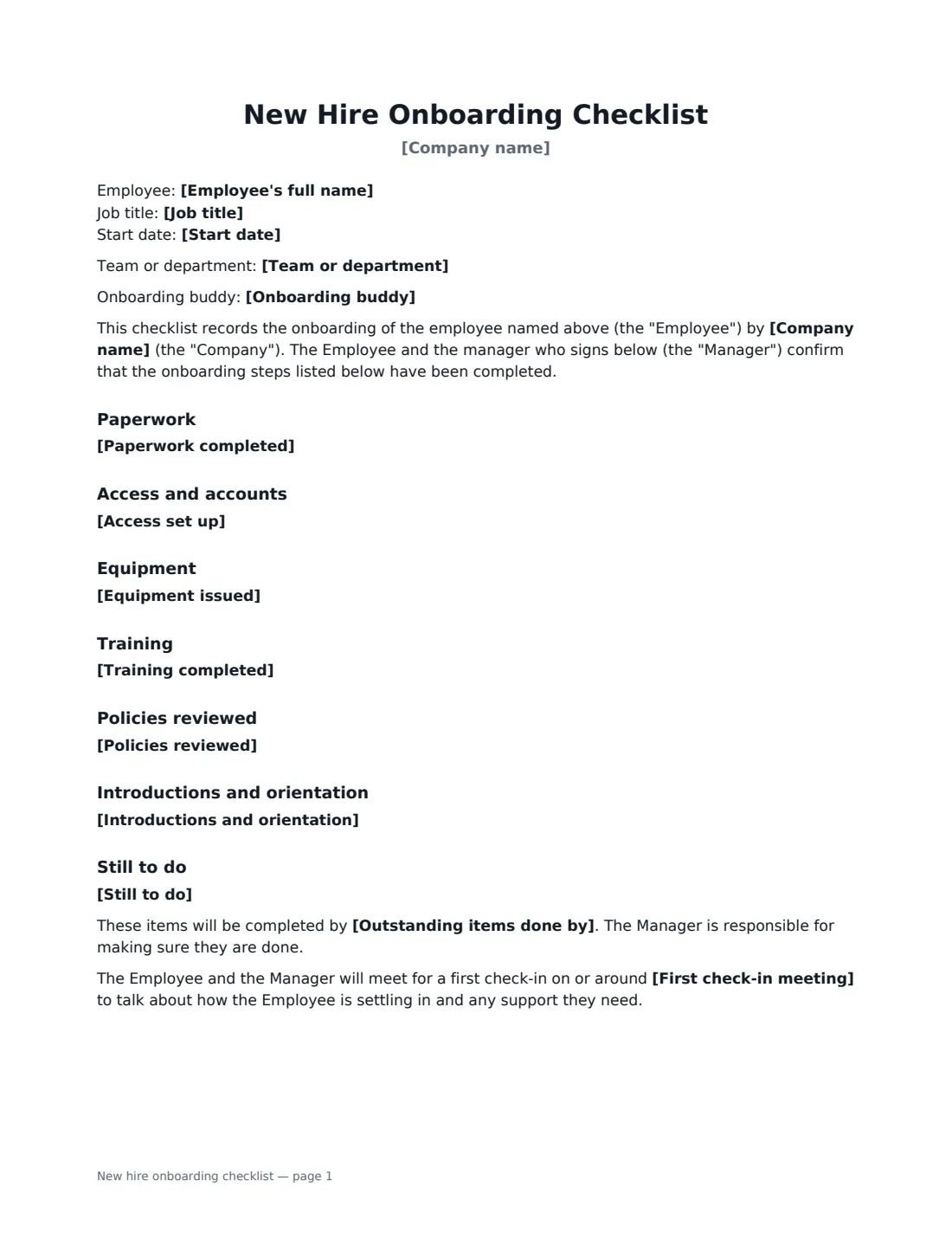
An onboarding checklist makes sure nothing falls through the cracks in a new employee's first days: the contract and payroll forms, the right-to-work check, building access and accounts, a laptop, the health and safety induction, the handbook, and meeting the team. Having both the new hire and their manager sign it off turns a to-do list into a record — useful if a question later comes up about whether someone was shown a policy or given a piece of equipment.
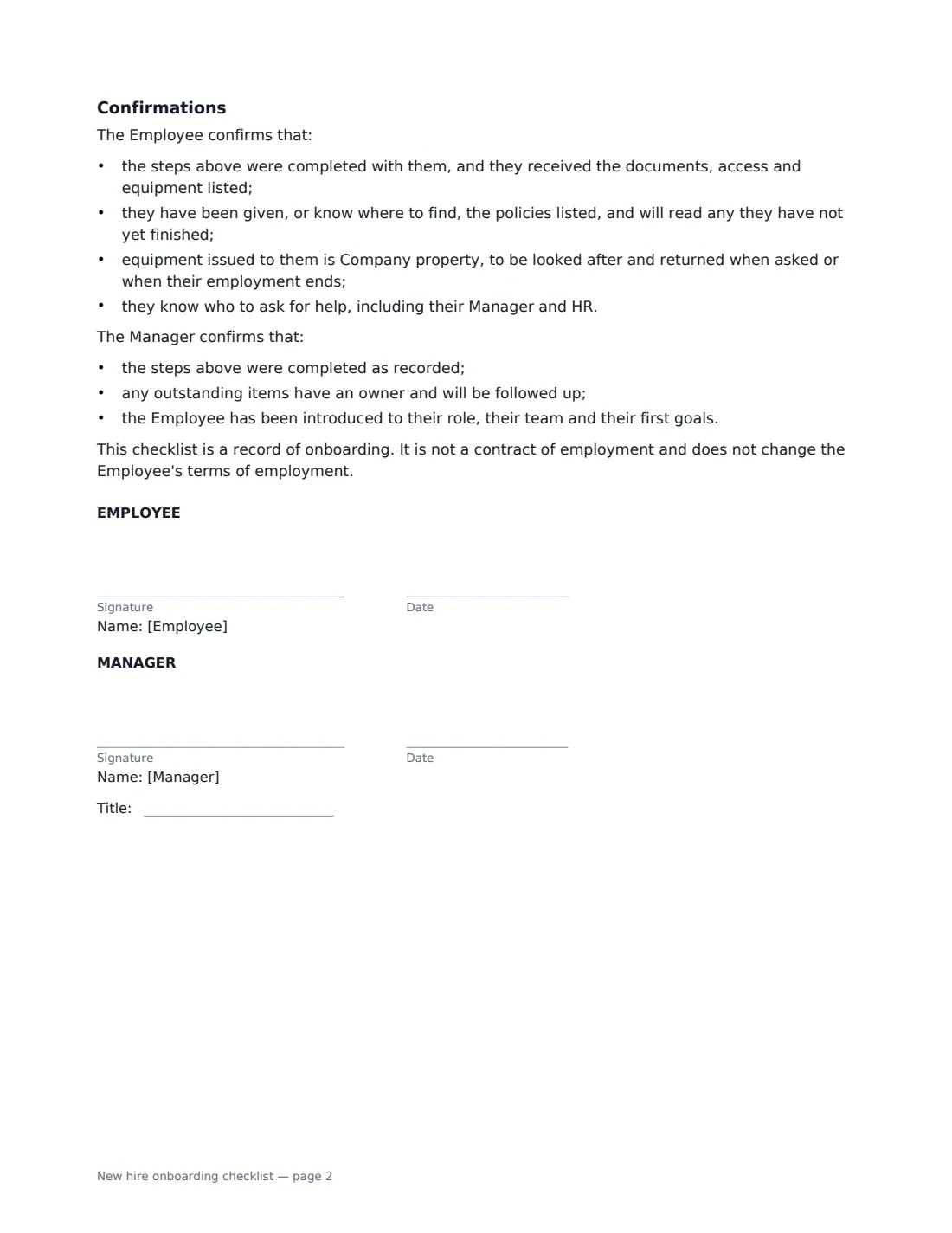
This template comes pre-filled with sensible lists for six areas — paperwork, access and accounts, equipment, training, policies reviewed, and introductions and orientation — which you edit to match what you actually did; clear a list and that section disappears. It records anything still outstanding with a completion date, an optional first check-in date, and confirmations from both the employee and the manager. It says clearly that the checklist is a record, not a contract.
- Best for
- The end of a new hire's first day or first week
- Signed by
- The new employee and their manager
- Sections
- Paperwork, access, equipment, training, policies, introductions, still to do
- Length
- 2 pages
When to Use a new hire onboarding checklist
- Signing off a new employee's first week with their manager
- Giving every new starter a consistent onboarding experience across teams or sites
- Keeping evidence that policies, training and equipment were provided
- Onboarding a seasonal or temporary worker quickly but properly
- Handing over onboarding between HR, IT and the hiring manager
What You Fill In
15 blanks, then the name and email of each person who signs: employee, manager.
1 The new hire
- Company name*
- Employee's full name*
- Job title*
- Team or department
- Start date*
- Onboarding buddy
2 Steps completed
- Paperwork completed
- Access set up
- Equipment issued
- Training completed
- Policies reviewed
- Introductions and orientation
3 Still to do
- Still to do
- Outstanding items done by
- First check-in meeting
4 Who signs
- Employee signature and date · The new hire.
- Manager signature and date, job title · The hiring manager or the person who ran onboarding.
What the new hire onboarding checklist Covers
- Paperwork
- Access and accounts
- Equipment
- Training
- Policies reviewed
- Introductions and orientation
- Still to do
- Confirmations
Using the new hire onboarding checklist, step by step
1 Enter the new hire's details
Name, job title and start date, plus the team and an onboarding buddy if they have one.
2 Edit the lists to match reality
Each section starts with a typical list, one item per line. Delete what you didn't do, add what you did — asset numbers for equipment, the names of specific systems or courses. Clear a section completely to leave it out.
3 Record what's still outstanding
List anything not yet done and the date it will be finished by; the manager is responsible for following up. Add a first check-in date, such as a 30-day review.
4 Sign it together
Sign as the manager and send it to the new hire. The signed checklist is filed in Files alongside their other onboarding documents.
Tips Before You Send It
- Pair it with the handbook acknowledgement and company equipment acknowledgement for a complete onboarding file.
- Only list items that were actually completed — the employee confirms they received them.
- Keep right-to-work documents and tax forms themselves in a secure place; the checklist only records that they were done.
- Revisit the "still to do" list at the first check-in.
Sign It Online In Minutes
- Fill in the blanks. Names, dates and amounts go straight into the agreement — the preview shows exactly where.
- Name who signs. Tick “This is me” for your own part. VergeHR builds the PDF with every signature, date box on the right line, and you can check or move anything before sending.
- Send it. Each signer gets a secure link and signs from any device — no account needed. The signed PDF, with an audit trail and a Certificate of Completion, is filed in Files and emailed to everyone.
New hire onboarding checklist: frequently asked questions
What should a new hire onboarding checklist include?
Typically: employment paperwork and payroll forms, the right-to-work check, access and accounts, equipment, health and safety and role training, key policies, and introductions to the team and workplace. This template has a section for each, pre-filled with common items you can edit.
Is the onboarding checklist part of the employment contract?
No. The template says it is a record of onboarding and doesn't change the employee's terms of employment.
Can I leave out a section that doesn't apply?
Yes. Clear the text in that section on the setup page and its heading is left out of the document.
Is an electronically signed checklist valid?
Electronic signatures are generally valid for ordinary employment documents in the US (ESIGN Act and UETA), the UK, the EU (eIDAS) and Canada. VergeHR keeps an audit trail and a Certificate of Completion with the signed PDF.
Is this template free?
Yes. It is free to use with the eSignature app in VergeHR, and the new hire doesn't need a VergeHR login to sign.