

What is a employment offer letter?
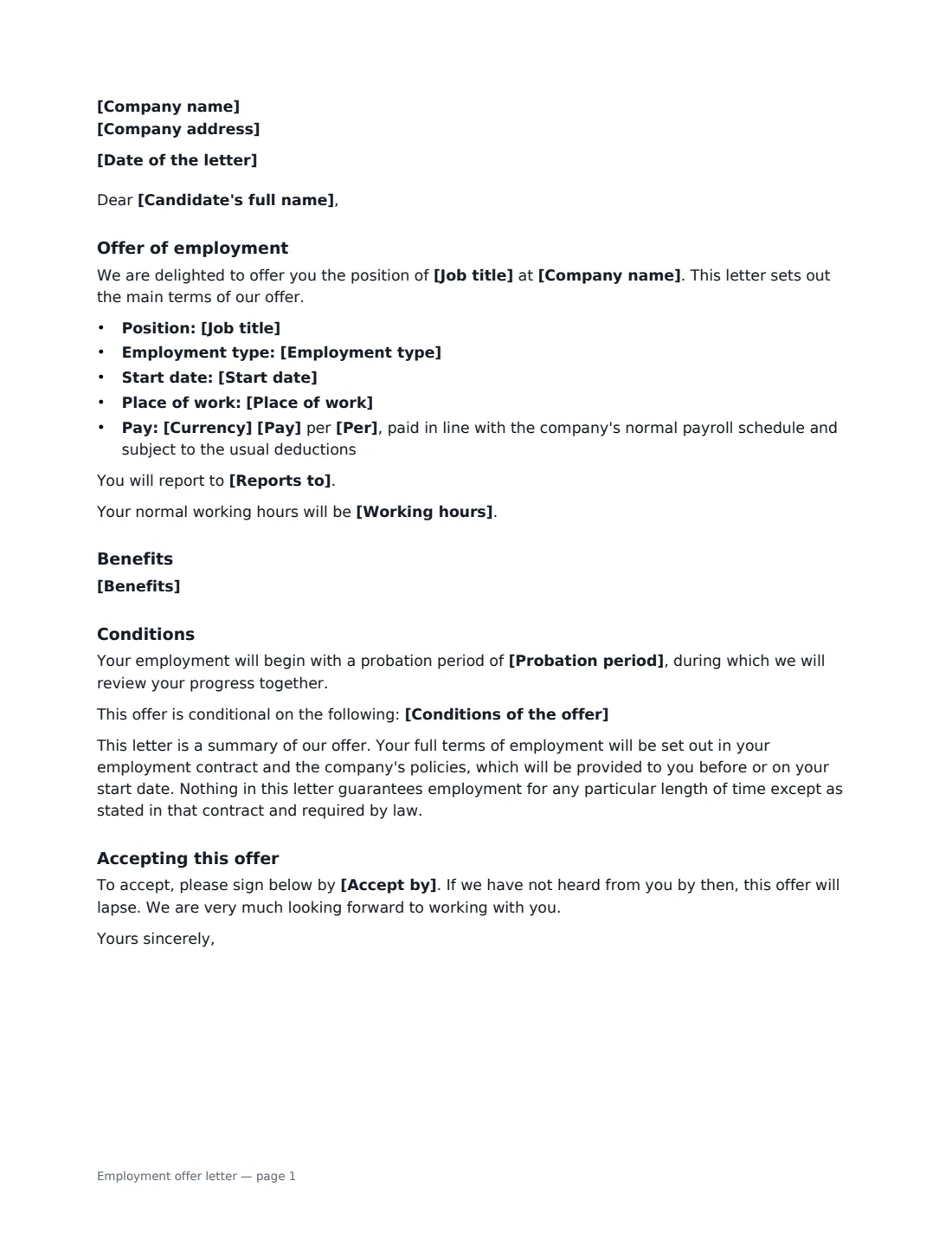
An employment offer letter is the written offer a company sends once it has chosen a candidate. It confirms the essentials — the job title, when they start, where they'll work, what they'll be paid and any benefits — and sets out any conditions the offer depends on, such as references or proof of the right to work. When the candidate signs the acceptance at the bottom, both sides have a clear record of what was agreed, and the hiring process can move on to onboarding.
This template is laid out as a letter on your company's details. It covers the position, employment type (full- or part-time, permanent or fixed-term), start date, place of work, pay per year, month or hour, who the person reports to, working hours, benefits, an optional probation period and conditions, and the date by which the offer must be accepted. It makes clear the letter is a summary and that the full terms follow in the employment contract. You sign the offer, and the candidate signs the acceptance.
- Best for
- Offering a permanent or fixed-term, full- or part-time job to a chosen candidate
- Signed by
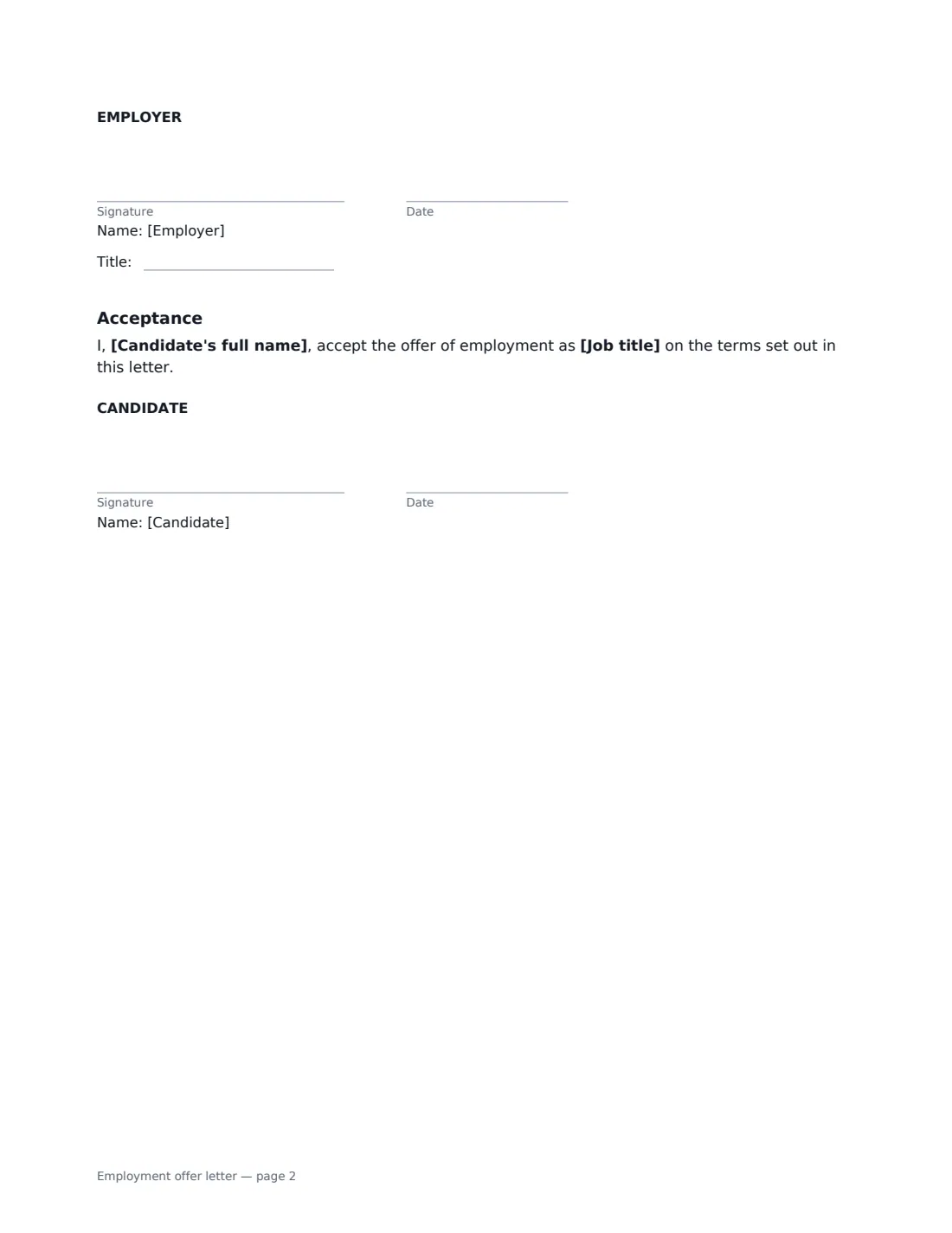
- The employer (with a job title) signs the offer; the candidate signs the acceptance
- Includes
- Pay, start date, place of work, hours, benefits, probation, conditions and an accept-by date
- Length
- About 2 pages
When to Use a employment offer letter
- Confirming a verbal offer in writing after the final interview
- Offering a fixed-term or part-time role with clear dates and hours
- Making an offer conditional on references, checks or the right to work
- Small businesses hiring their first employees
- Getting a signed acceptance quickly from a remote candidate
What You Fill In
17 blanks, then the name and email of each person who signs: employer, candidate.
1 The company
- Date of the letter*
- Company name*
- Company address
2 The offer
- Candidate's full name*
- Job title*
- Reports to
- Employment type* Full-time, permanent · Part-time, permanent · Full-time, fixed-term · Part-time, fixed-term
- Start date*
- Place of work*
- Working hours
3 Pay and benefits
- Currency*
- Pay*
- Per* year · month · hour
- Benefits
4 Conditions
- Probation period
- Conditions of the offer
- Accept by*
5 Who signs
- Employer signature and date, job title
- Candidate signature and date
What the employment offer letter Covers
- Offer of employment
- Benefits
- Conditions
- Accepting this offer
- Acceptance
Using the employment offer letter, step by step
1 Add your company and the candidate
Enter your company name and address for the letterhead, the date, and the candidate's full name.
2 Set out the role
Enter the job title, employment type, start date and place of work. Add who they report to and their normal working hours if you want them in the letter.
3 Set pay and benefits
Enter the pay and whether it's per year, month or hour. List the main benefits — paid leave, health cover, pension or retirement contributions — in plain words. The letter says pay follows your normal payroll schedule and is subject to the usual deductions.
4 Add conditions and the accept-by date
Add a probation period if you use one, and any conditions the offer depends on. Choose the date by which the candidate must accept — if they haven't signed by then, the offer lapses.
5 Sign and send
Tick "This is me" for the employer signature and add the candidate's name and email. They sign the acceptance online, and the signed letter is filed in Files.
Tips Before You Send It
- Only include conditions you will actually check — and do the checks before the start date.
- Keep the letter consistent with the employment contract that follows; if they differ, it causes confusion about which applies.
- Give the candidate a reasonable time to accept — a few working days is common.
- Minimum pay, paid leave and probation rules depend on local law. Check the offer meets them where the person will work.
- Send the employment contract and any confidentiality agreement soon after acceptance, so everything is signed before day one.
Sign It Online In Minutes
- Fill in the blanks. Names, dates and amounts go straight into the agreement — the preview shows exactly where.
- Name who signs. Tick “This is me” for your own part. VergeHR builds the PDF with every signature, date box on the right line, and you can check or move anything before sending.
- Send it. Each signer gets a secure link and signs from any device — no account needed. The signed PDF, with an audit trail and a Certificate of Completion, is filed in Files and emailed to everyone.
Employment offer letter: frequently asked questions
Is an offer letter the same as an employment contract?
Not in this template. It is a summary of the offer; it says the full terms will be set out in the employment contract and company policies, provided before or on the start date. Depending on local law, a signed offer can still create obligations, so make sure it's accurate.
What happens if the candidate doesn't sign by the deadline?
The letter says the offer lapses if you haven't heard from the candidate by the accept-by date. You can always send a new offer.
Can I make the offer conditional?
Yes. List the conditions — for example satisfactory references, background checks or proof of the right to work — and the letter says the offer depends on them.
Is an offer accepted by e-signature valid?
Electronic signatures are generally valid for employment documents like offer letters in the US (ESIGN Act and UETA), the UK, the EU (eIDAS) and Canada. VergeHR keeps an audit trail and a Certificate of Completion with the signed PDF.
Is this template free?
Yes. It is free to use with the eSignature app in VergeHR, and the candidate doesn't need a VergeHR login to sign.