


What is a workplace monitoring acknowledgement?
Most workplaces monitor something: security tools on laptops, email systems, CCTV at the entrance, GPS in company vans, or access cards on the doors. Employees should know about it, and in many places the law expects employers to be open about monitoring — some US states, for example, require written notice of electronic monitoring and the employee's acknowledgement, and privacy laws in the UK, the EU and elsewhere require employers to explain how personal information is collected and used.
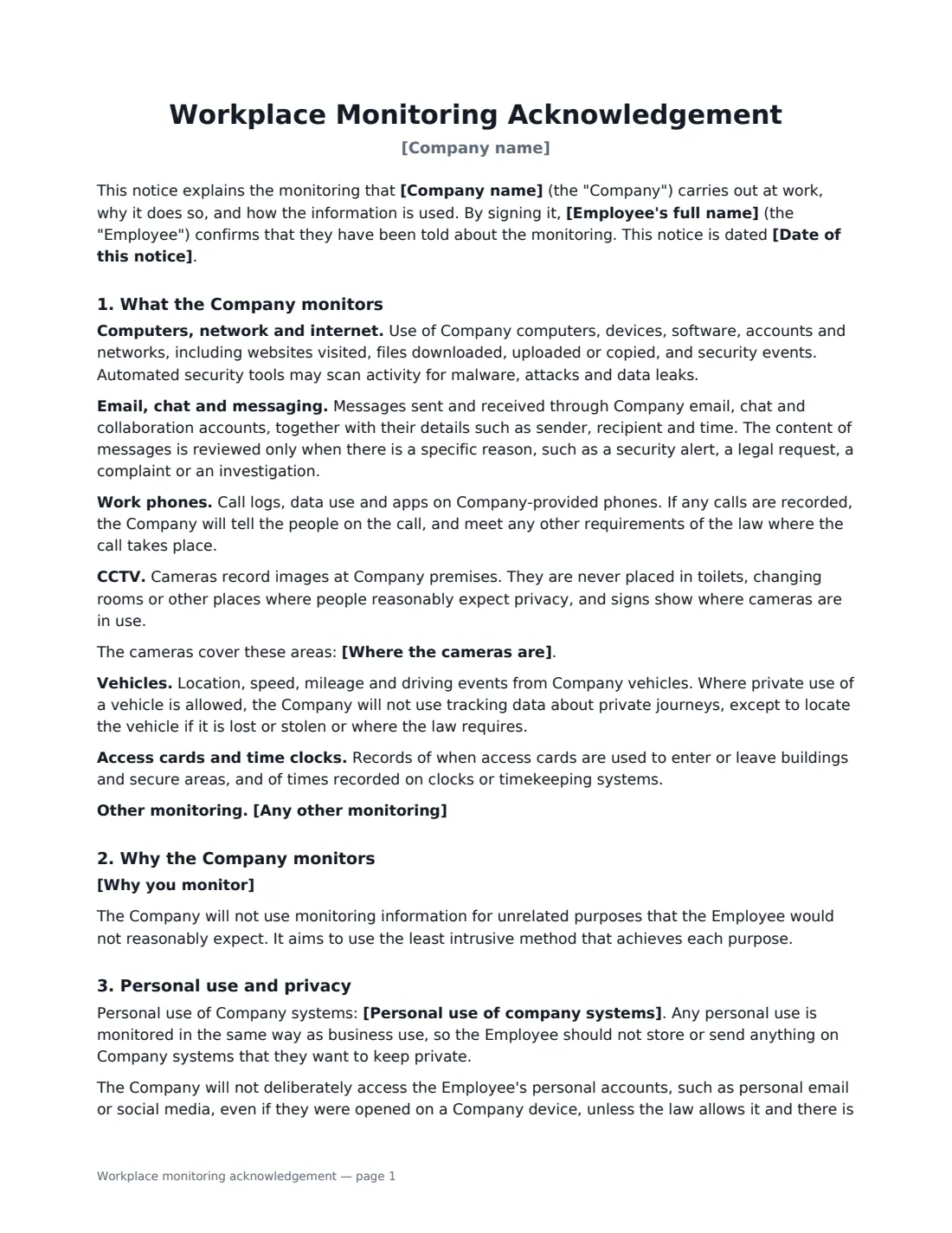
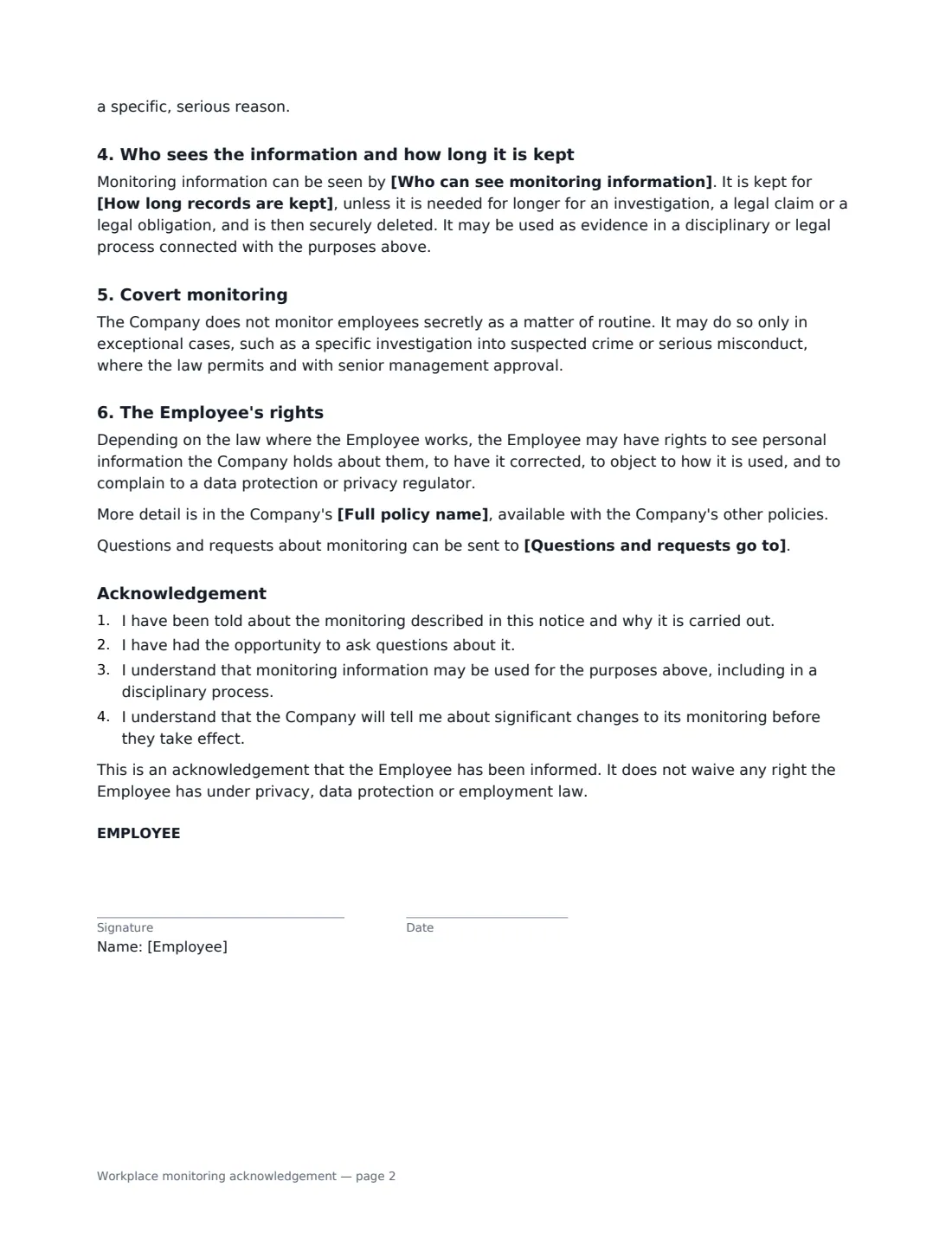
This template is a plain-English monitoring notice with an acknowledgement at the end. You choose which of six common types of monitoring apply — computers and network, email and messaging, work phones, CCTV, vehicles, access cards and time clocks — and only those appear, each with a short description. You add any other monitoring, your purposes, whether personal use is allowed, who can see the information and how long it is kept. The notice also covers covert monitoring, the employee's privacy rights and where to ask questions, and makes clear that signing is an acknowledgement, not a waiver of rights.
- Best for
- Onboarding, introducing new monitoring, or refreshing notices for existing staff
- Signed by
- The employee, and an HR, IT or management representative
- Covers
- Computers, email, phones, CCTV, vehicles, access cards — plus anything you add
- Length
- 2 pages
When to Use a workplace monitoring acknowledgement
- Giving new hires a clear monitoring notice alongside the employee handbook
- Introducing GPS or telematics in company vehicles
- Installing or extending CCTV at a site
- Rolling out new security or data-loss-prevention software on company laptops
- Documenting that every employee has been told about monitoring, for audits or disputes
What You Fill In
17 blanks, then the name and email of each person who signs: employee, employer.
1 Details
- Company name*
- Employee's full name*
- Date of this notice*
2 What is monitored
- Computers, network and internet use Monitored
- Work email, chat and messaging Monitored
- Work phones and call records Monitored
- CCTV cameras Monitored
- Where the cameras are
- Company vehicles (GPS or telematics) Monitored
- Door access cards and time clocks Monitored
- Any other monitoring
3 Why and how
- Why you monitor*
- Personal use of company systems* Reasonable personal use is allowed, in line with Company policy · Business use only — personal use is not allowed
- Who can see monitoring information*
- How long records are kept*
4 Policy and contact
- Full policy name
- Questions and requests go to
5 Who signs
- Employee signature and date
- Employer signature and date, job title · Usually HR, IT or the manager who explained the monitoring.
What the workplace monitoring acknowledgement Covers
- What the Company monitors
- Why the Company monitors
- Personal use and privacy
- Who sees the information and how long it is kept
- Covert monitoring
- The Employee's rights
- Acknowledgement
Using the workplace monitoring acknowledgement, step by step
1 Choose what you monitor
For each type, choose "Monitored" or leave it blank. Computers and email are selected by default; add CCTV locations if you use cameras, and describe anything else — such as body-worn cameras — in the last box.
2 Explain why
Edit the list of purposes so it only contains reasons you actually rely on. The notice promises not to use the information for unrelated purposes and to use the least intrusive method, so keep the list honest and specific.
3 Say who sees it and how long it is kept
Name the teams that can access monitoring information and your retention periods, for example "CCTV for 30 days, email and system logs for 12 months". Use your own policy — privacy law in many places requires information to be kept no longer than needed.
4 Send it to each employee
Add the employee as a signer and sign as the employer. Each signed acknowledgement is filed in Files, so you can show who was told and when.
Tips Before You Send It
- Give the notice before monitoring starts, not after — and again when you introduce a new type of monitoring.
- Keep monitoring proportionate: in many places, intrusive or secret monitoring needs a strong justification.
- Check local law if you record phone calls, monitor personal devices, or track vehicles outside working hours.
- Link to your full IT or monitoring policy by name so employees can find the detail.
- A signed acknowledgement doesn't make unlawful monitoring lawful — it records that the employee was informed.
Sign It Online In Minutes
- Fill in the blanks. Names, dates and amounts go straight into the agreement — the preview shows exactly where.
- Name who signs. Tick “This is me” for your own part. VergeHR builds the PDF with every signature, date box on the right line, and you can check or move anything before sending.
- Send it. Each signer gets a secure link and signs from any device — no account needed. The signed PDF, with an audit trail and a Certificate of Completion, is filed in Files and emailed to everyone.
Workplace monitoring acknowledgement: frequently asked questions
Do employers have to tell employees about monitoring?
Often, yes. Some US states require written notice of electronic monitoring and the employee's acknowledgement, and privacy and data protection laws in the UK, the EU, Canada and elsewhere generally require employers to explain what personal information they collect and why. The exact rules depend on where your employees work.
Is this the same as asking employees to consent to monitoring?
No. This is a notice and an acknowledgement that the employee has been told. In some places consent is not considered freely given in employment, so employers rely on other legal grounds. The document says that signing does not waive any of the employee's rights.
Can we monitor employees secretly?
The template says the company does not monitor secretly as a matter of routine, and only does so in exceptional cases, such as a specific investigation into suspected crime or serious misconduct, where the law permits and with senior approval. Check local law before doing so.
Is an electronically signed acknowledgement valid?
Electronic signatures are generally valid for ordinary employment documents in the US (ESIGN Act and UETA), the UK, the EU (eIDAS) and Canada. VergeHR keeps an audit trail and a Certificate of Completion with the signed PDF.
Is this template free?
Yes. It is free to use with the eSignature app in VergeHR, and employees don't need a VergeHR login to sign.