

What is a remote and hybrid work agreement?
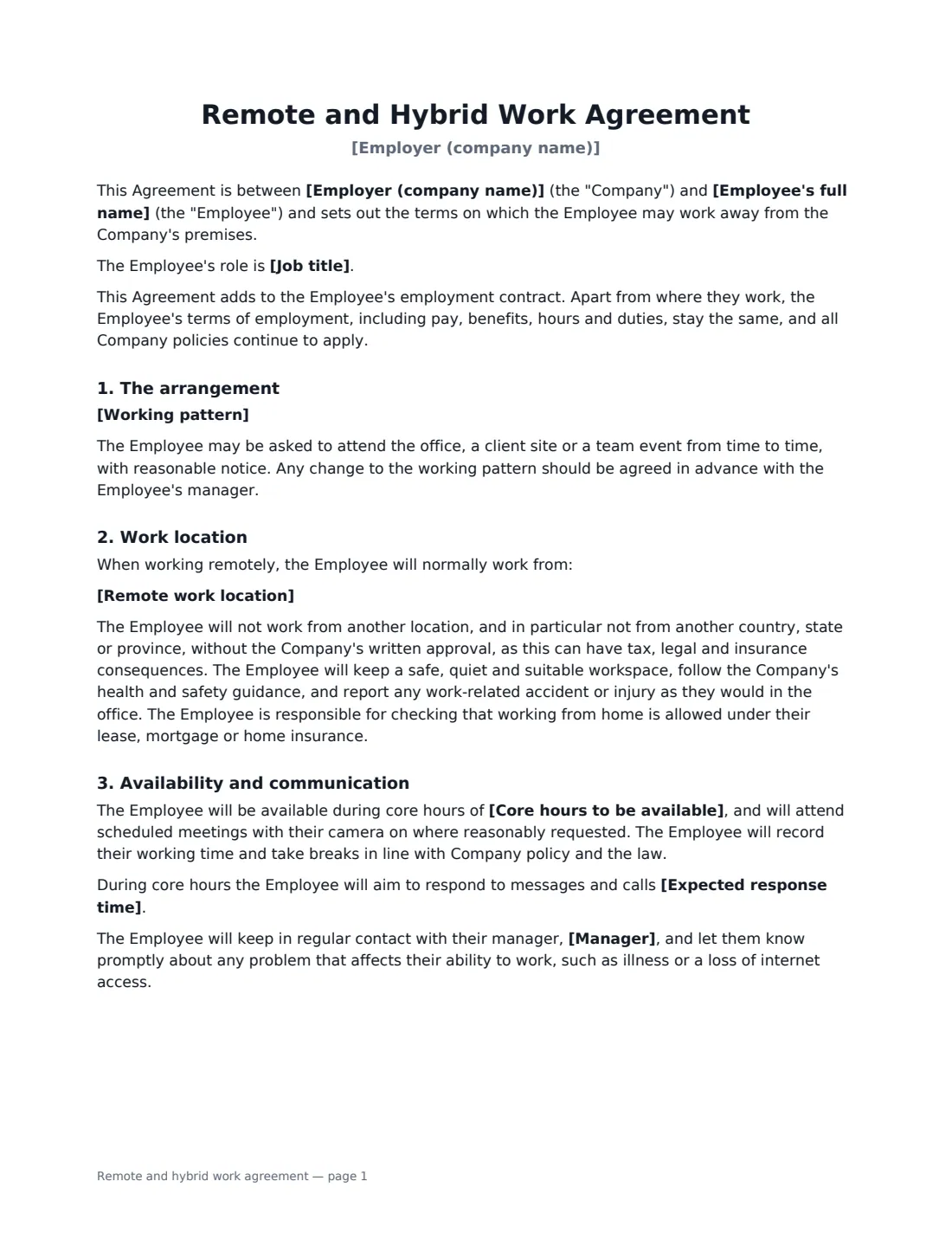
When an employee works from home all or part of the week, a short written agreement saves a lot of confusion later. It records the working pattern, when they need to be reachable, what equipment the company provides, how company data is kept safe outside the office, which costs are covered, and how the arrangement can be changed or ended — while making clear that pay, hours and duties stay the same.
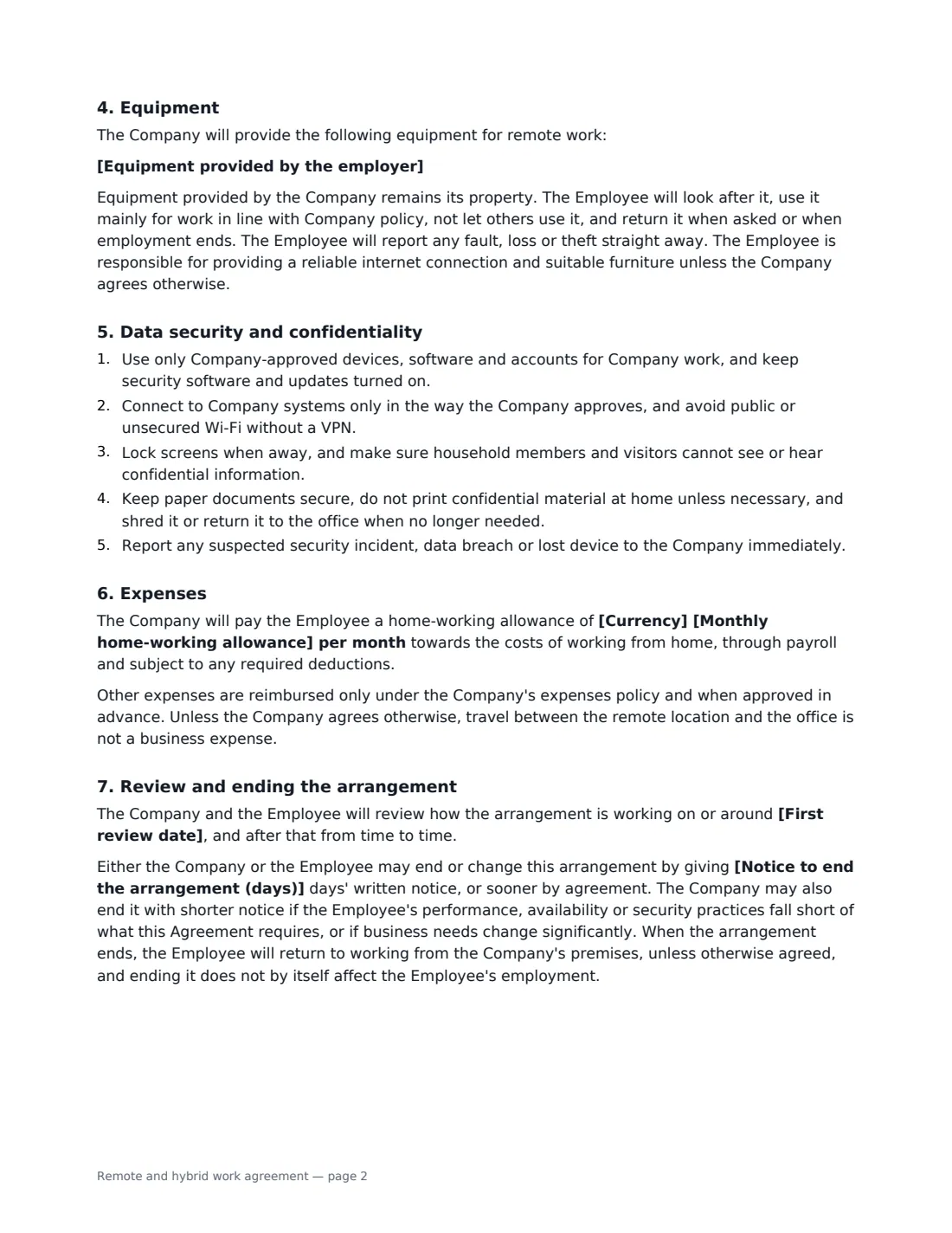
This template works for both hybrid and fully remote arrangements. It sets out the schedule and office location, the remote work location (with no moving to another country, state or province without approval), core hours and an optional response time, the equipment you provide and how it must be looked after, five practical data security rules, an optional monthly home-working allowance, and an optional review date. Either side can end or change the arrangement on the notice you choose, and it states plainly that remote work is not a permanent right. The employer signs with a job title and the employee signs.
- Best for
- Employers agreeing hybrid or fully remote work with an employee
- Signed by
- The employer and the employee
- Arrangement
- Hybrid or fully remote
- Relationship to the contract
- Adds to the employment contract — pay, hours and duties don't change
- Length
- 3 pages
When to Use a remote and hybrid work agreement
- Agreeing a two-days-at-home hybrid pattern for an office employee
- Hiring someone to work fully remotely from the start
- Formalising remote working that started informally
- Approving a flexible working request that includes home working
- Putting every remote employee on the same equipment and security rules
What You Fill In
16 blanks, then the name and email of each person who signs: employer, employee.
1 The parties
- Employer (company name)*
- Employee's full name*
- Job title
- Manager
2 The arrangement
- Type of arrangement* Hybrid · Fully remote
- Arrangement starts*
- First review date
- Working pattern*
- Office location
- Remote work location*
3 Availability
- Core hours to be available*
- Expected response time
4 Equipment and expenses
- Equipment provided by the employer
- Currency
- Monthly home-working allowance
5 Ending the arrangement
- Notice to end the arrangement (days)*
6 Who signs
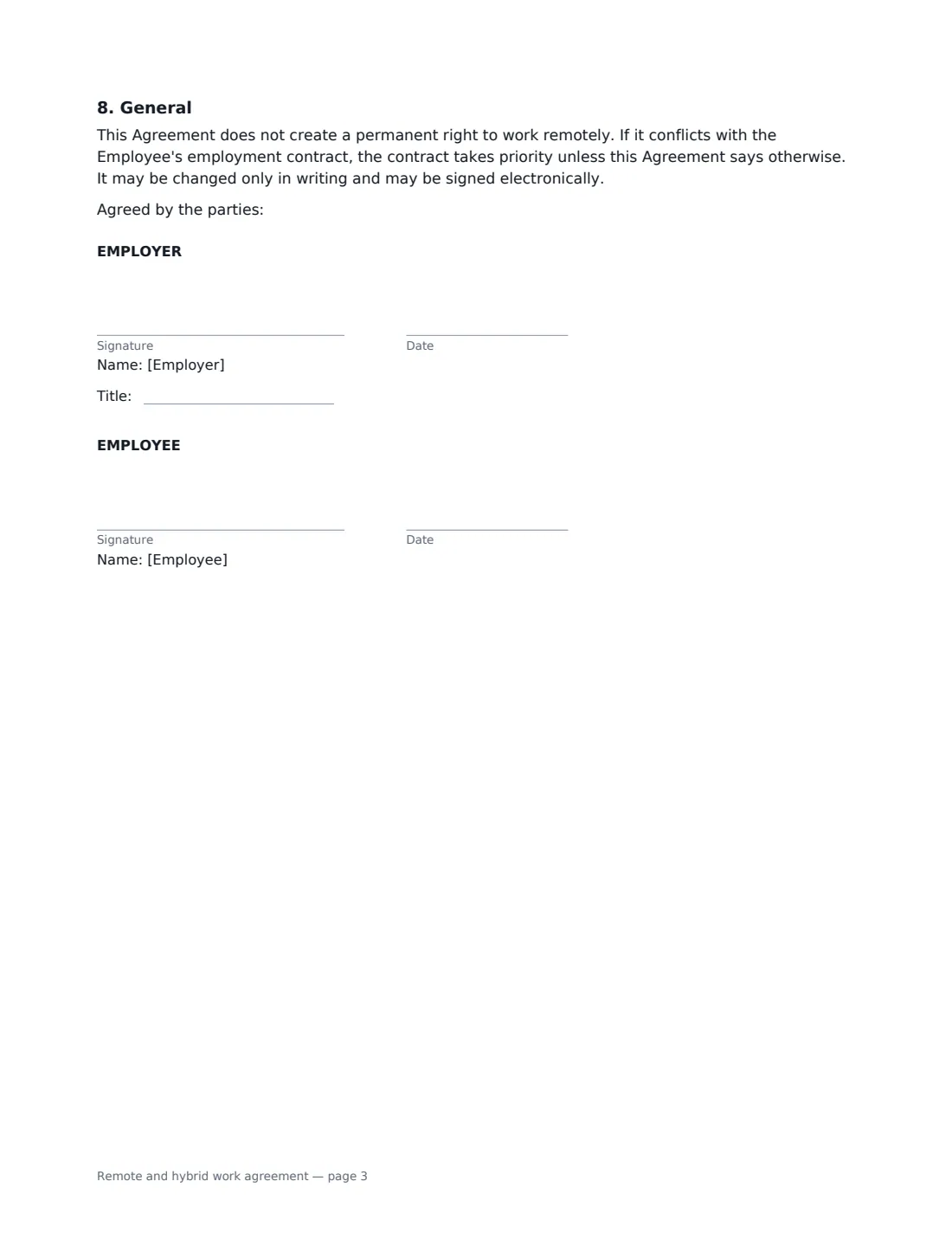
- Employer signature and date, job title
- Employee signature and date
What the remote and hybrid work agreement Covers
- The arrangement
- Work location
- Availability and communication
- Equipment
- Data security and confidentiality
- Expenses
- Review and ending the arrangement
- General
Using the remote and hybrid work agreement, step by step
1 Choose hybrid or fully remote
Pick the type of arrangement and the start date, and describe the working pattern — for example "Remote on Monday and Friday, in the office Tuesday to Thursday". For hybrid, add the office location the employee attends.
2 Set the location and availability
Enter where the employee will normally work when remote, usually their home address. Set the core hours they must be available and, optionally, how quickly they should respond to messages, and name their manager.
3 List equipment and any allowance
List the equipment you provide, one item per line. If you pay a monthly home-working allowance, enter it — it is paid through payroll. Leave it empty if there is none.
4 Set review and notice, then send
Add an optional first review date and the notice either side must give to end or change the arrangement. Send it to the employee; the signed copy is filed in Files.
Tips Before You Send It
- An employee working from a different country, state or province can create tax, payroll, employment law and insurance obligations. Approve any change of location in writing first.
- Some places require employers to reimburse certain home-working costs or to assess home workstations. Check the rules where the employee works.
- The agreement makes the employee responsible for checking that home working is allowed under their lease, mortgage or home insurance — mention this when you send it.
- Set a review date for new arrangements — it gives both sides a natural point to adjust what isn't working.
- Keep an inventory of equipment issued so it's easy to recover when the arrangement or employment ends.
- Make sure the remote arrangement is consistent with your written policies on expenses, IT use and working time.
Sign It Online In Minutes
- Fill in the blanks. Names, dates and amounts go straight into the agreement — the preview shows exactly where.
- Name who signs. Tick “This is me” for your own part. VergeHR builds the PDF with every signature, date box on the right line, and you can check or move anything before sending.
- Send it. Each signer gets a secure link and signs from any device — no account needed. The signed PDF, with an audit trail and a Certificate of Completion, is filed in Files and emailed to everyone.
Remote and hybrid work agreement: frequently asked questions
Does a remote work agreement change the employment contract?
It adds to it. Apart from where the employee works, their pay, benefits, hours and duties stay the same, and company policies continue to apply. If the two conflict, the employment contract takes priority unless this agreement says otherwise.
Can the employer end remote working?
Either side can end or change the arrangement with the notice you choose, or sooner by agreement. The employer may also end it with shorter notice if performance, availability or security practices fall short, or business needs change significantly. Local law or a flexible working right may affect this, so check what applies.
Who pays for home-working costs?
The employee provides internet and furniture unless you agree otherwise, the company provides the equipment listed, and you can add a monthly allowance. Other expenses follow your expenses policy. Some places require employers to cover certain costs, so check local rules.
Is a remote work agreement signed electronically valid?
In the US (ESIGN Act and UETA), the UK, the EU (eIDAS) and Canada, electronic signatures are generally valid for employment documents like this one. VergeHR keeps an audit trail and a Certificate of Completion with the signed PDF.
Can I change the wording?
You fill in the arrangement, schedule, locations, hours, equipment, allowance and notice. If you need different clauses, draft your own document and upload it to VergeHR eSignature; you can still place the signature boxes in the editor.
Is this template free?
Yes. The template is free to use with the eSignature app in VergeHR. Employees don't need a VergeHR login to sign.