

What is a iT acceptable use agreement?
An IT acceptable use agreement (often called an AUP) sets out how staff may use the technology their employer provides. It is a simple, low-cost security control: many incidents start with a shared password, a clicked phishing link or company files in a personal account, and a signed agreement makes the rules clear before anyone gets access.
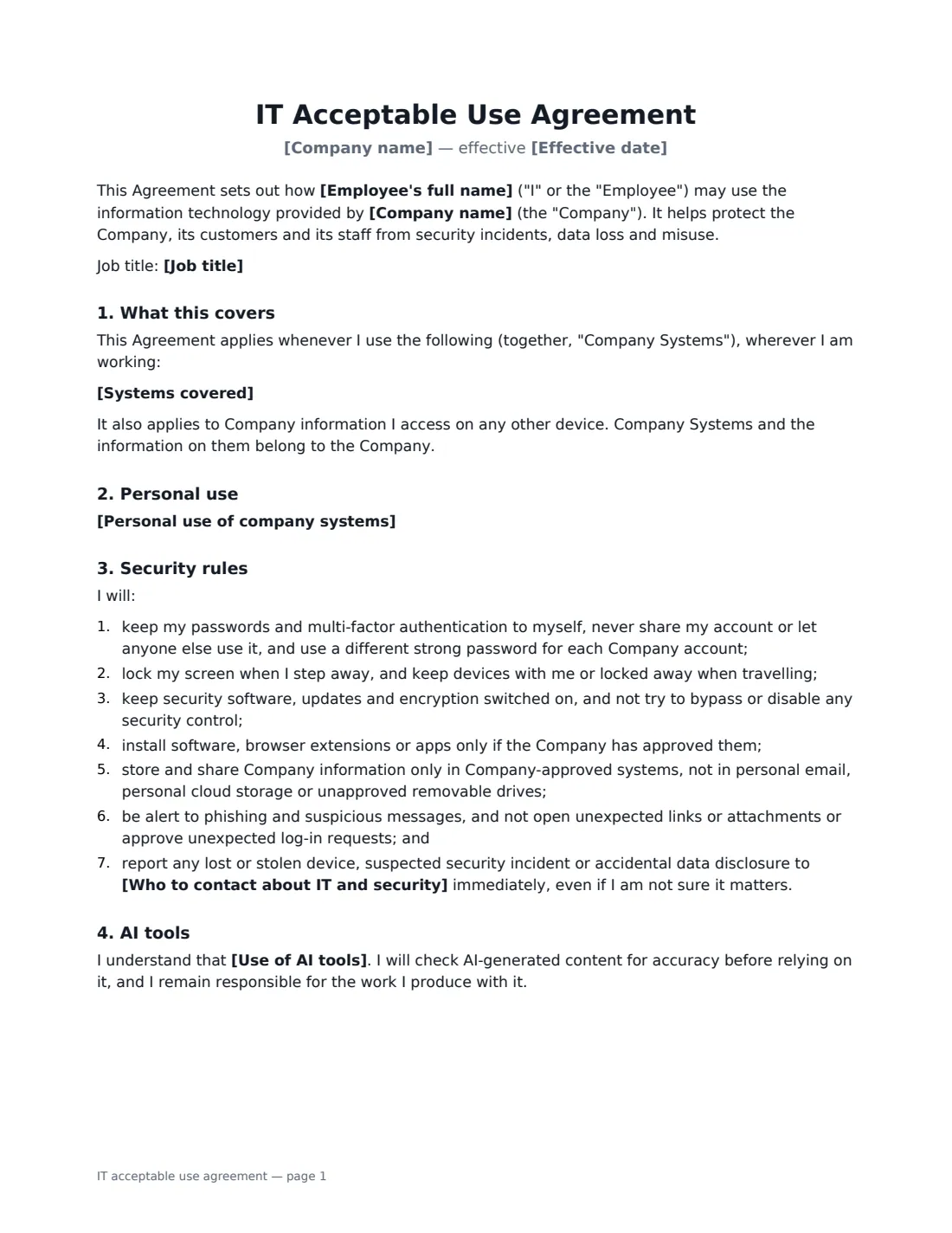
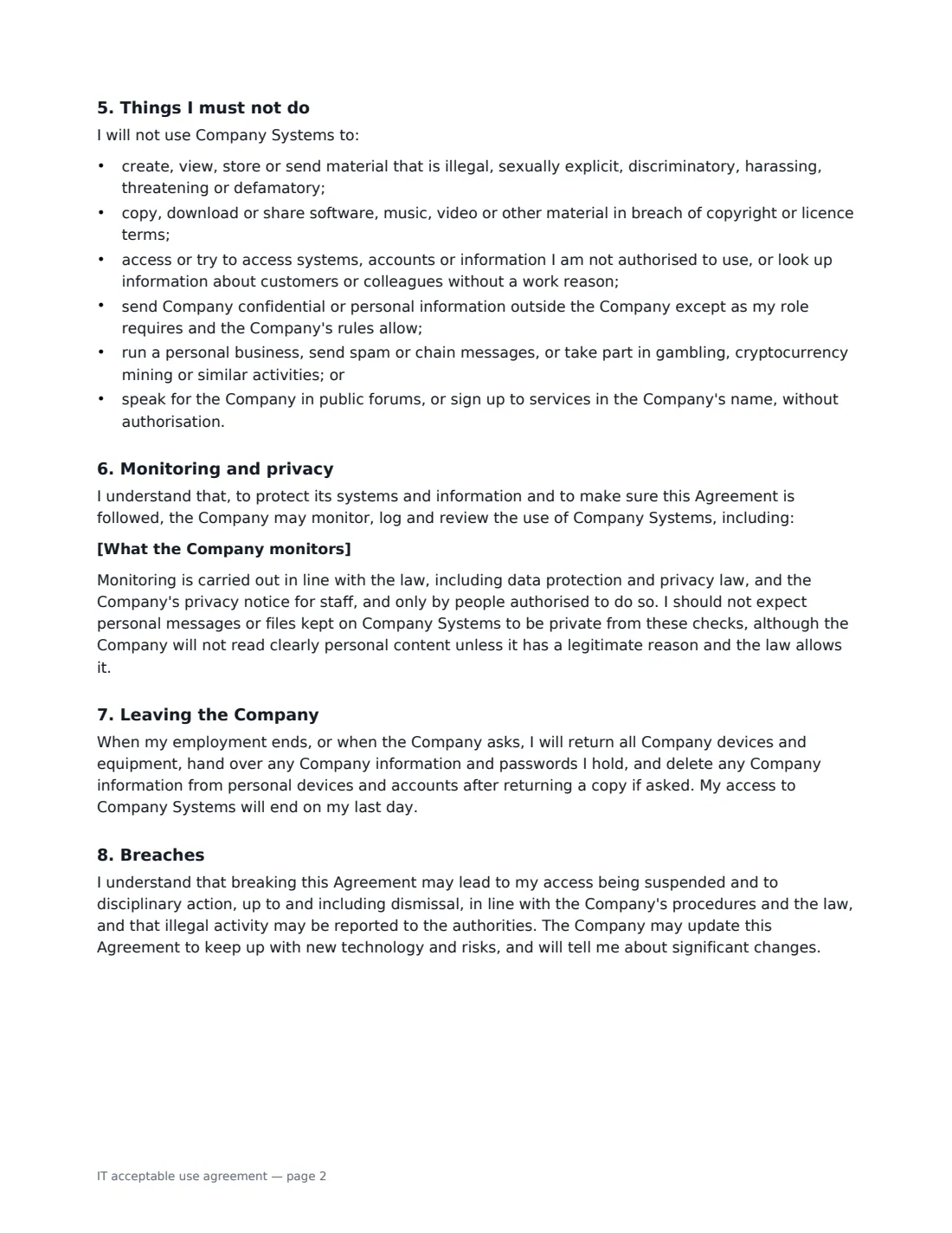
This template lists the systems covered and lets you choose whether limited personal use is allowed or systems are for business use only. It sets seven security rules — passwords and multi-factor authentication, screen locking, keeping security controls on, approved software only, approved storage only, phishing awareness, and reporting incidents immediately to the IT contact you name. A section on AI tools lets you allow approved tools only, or require written approval for any use. It lists prohibited uses, explains what the company monitors and that monitoring follows data protection and privacy law, covers returning devices and data on leaving, and sets out the consequences of a breach.
- Best for
- Every employee given access to company computers, accounts and systems
- Signed by
- The employee, then the employer (with job title)
- Choices
- Personal use allowed or not; AI tools approved-only or by written approval
- Covers
- Security rules, AI tools, prohibited uses, monitoring, leaving
- Length
- 2-3 pages
When to Use a iT acceptable use agreement
- Onboarding new starters before their accounts are switched on
- Introducing rules for generative AI tools at work
- Meeting a customer's, insurer's or certification's requirement for a signed IT policy
- Giving staff clear notice of what the company monitors on its systems
- Refreshing IT rules for everyone after a security incident
What You Fill In
9 blanks, then the name and email of each person who signs: employee, employer.
1 Details
- Company name*
- Employee's full name*
- Job title
2 Scope
- Systems covered*
- Personal use of company systems* Occasional, limited personal use is allowed, for example during breaks, as long as it does not interfere with work, does not cost the Company anything significant, and follows every other rule in this Agreement. · Company systems are for business use only. Personal use is not allowed, except briefly for genuine emergencies.
- Use of AI tools* only the AI tools the Company has approved may be used for work, and confidential, personal or customer information may be entered only into approved tools · no AI tools may be used for work without written approval from the Company
3 Monitoring
- What the Company monitors*
- Who to contact about IT and security*
4 Details
- Effective date*
5 Who signs
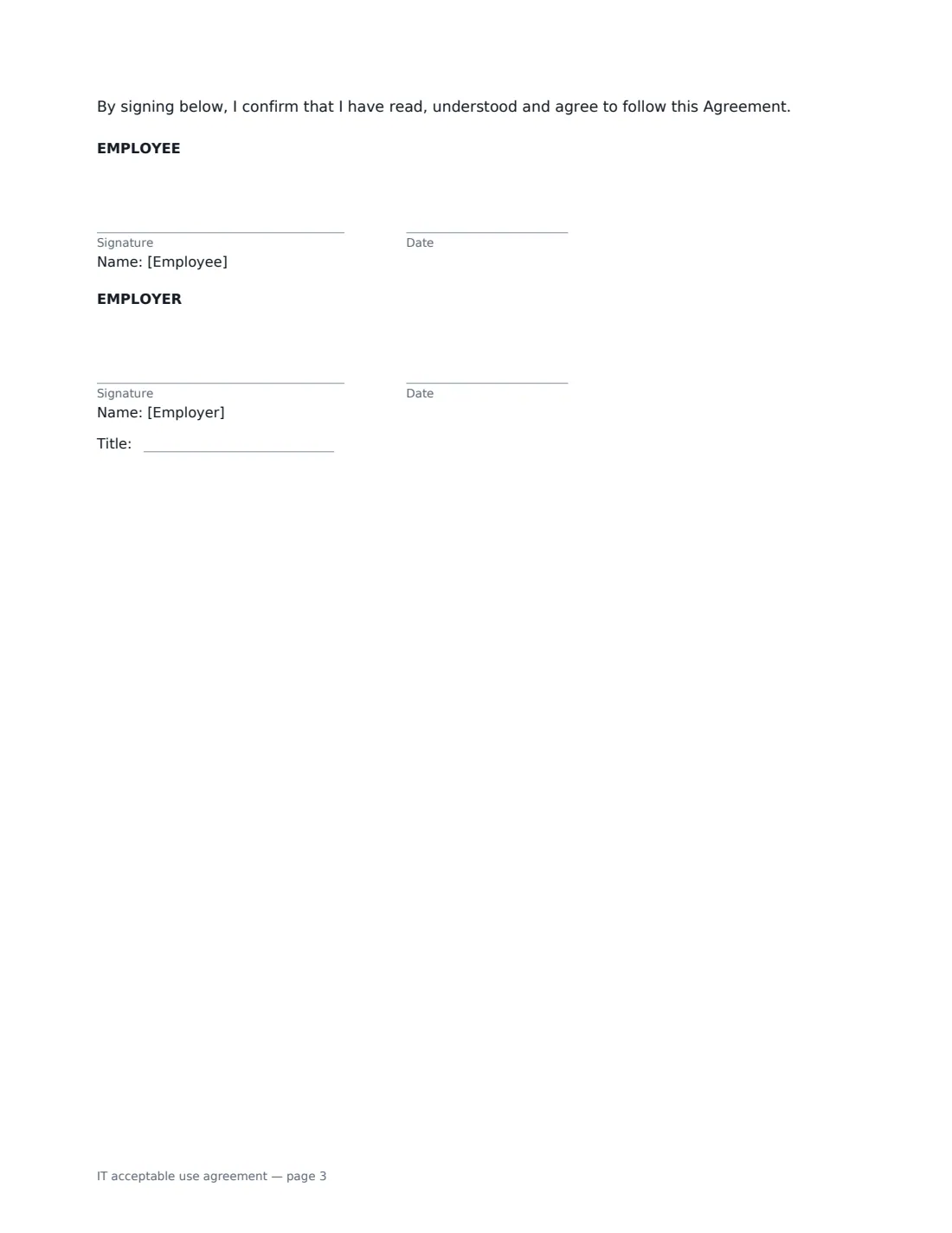
- Employee signature and date · The member of staff being given access.
- Employer signature and date, job title · HR or the IT manager.
What the iT acceptable use agreement Covers
- What this covers
- Personal use
- Security rules
- AI tools
- Things I must not do
- Monitoring and privacy
- Leaving the Company
- Breaches
Using the iT acceptable use agreement, step by step
1 List the systems
The default list covers devices, email and chat, the network and internet, and business software and cloud accounts. Edit it to match what you provide.
2 Choose the personal-use and AI rules
Decide whether occasional personal use is allowed or company systems are for business use only. Then choose whether staff may use approved AI tools, or need written approval before using any.
3 Describe monitoring accurately
List what the company actually monitors — email and files on company accounts, websites and downloads, log-ins and security alerts. Be accurate: monitoring and notice rules differ between countries and states.
4 Name your IT contact and send
Enter who staff report incidents to and the effective date, then send. Each signed agreement is filed in Files.
Tips Before You Send It
- Get the agreement signed before accounts are issued, as part of onboarding.
- Keep an up-to-date list of approved AI tools and software, and tell staff where to find it.
- Encourage staff to report mistakes — like clicking a phishing link — straight away. Fast reporting limits the damage, so treat an honest, prompt report as the right thing to do.
- Check local privacy and employment law before monitoring personal content or using keystroke or screen monitoring.
- Pair this with a bring-your-own-device agreement for anyone who uses a personal phone or laptop for work.
Sign It Online In Minutes
- Fill in the blanks. Names, dates and amounts go straight into the agreement — the preview shows exactly where.
- Name who signs. Tick “This is me” for your own part. VergeHR builds the PDF with every signature, date box on the right line, and you can check or move anything before sending.
- Send it. Each signer gets a secure link and signs from any device — no account needed. The signed PDF, with an audit trail and a Certificate of Completion, is filed in Files and emailed to everyone.
IT acceptable use agreement: frequently asked questions
Can an employer monitor employees' work email and internet use?
In many places, yes, within limits set by data protection, privacy and employment law, which often require telling employees what is monitored and why. This agreement lists what is monitored and says it is done in line with the law and the company's privacy notice.
Does the agreement cover AI tools like chatbots?
Yes. You choose whether only company-approved AI tools may be used, with confidential, personal or customer information entered only into approved tools, or whether any AI use needs written approval. Staff remain responsible for checking AI-generated work.
What happens if someone breaks the agreement?
Their access may be suspended and they may face disciplinary action, up to and including dismissal, in line with the company's procedures and the law. Illegal activity may be reported to the authorities.
Is an electronically signed IT policy agreement valid?
Electronic signatures are generally valid for workplace agreements like this in the US (ESIGN Act and UETA), the UK, the EU (eIDAS) and Canada. VergeHR keeps an audit trail and a Certificate of Completion with each signed copy.
Is this template free?
Yes. It is free with the eSignature app in VergeHR, and staff sign without an account.