

What is a social media policy acknowledgement?
Most employees post about their work at some point: a new job on LinkedIn, a team photo, a product they are proud of. A social media policy acknowledgement makes sure they know where the lines are — what is confidential, when to say they work for the company, and who speaks for the business — without trying to control their private lives.
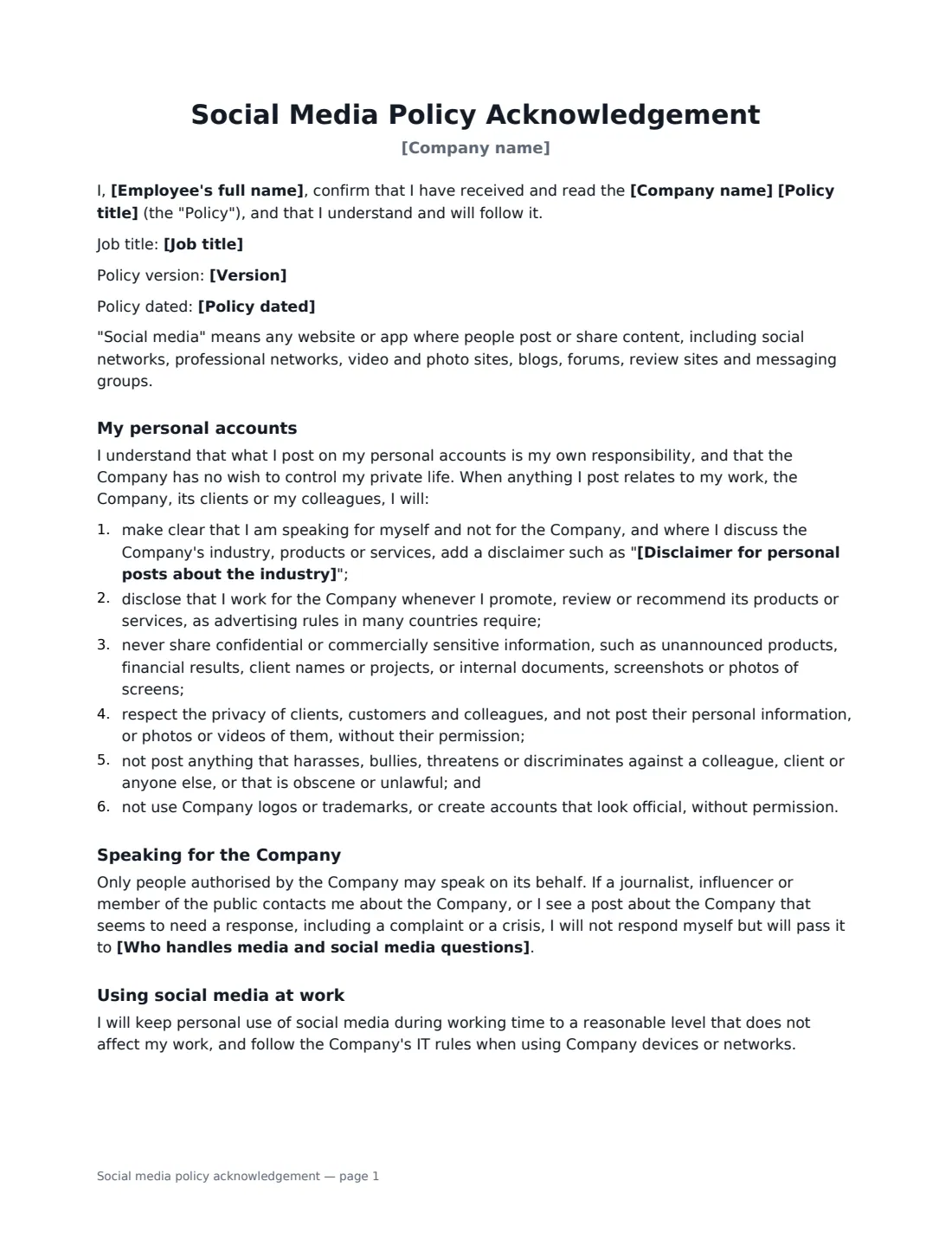
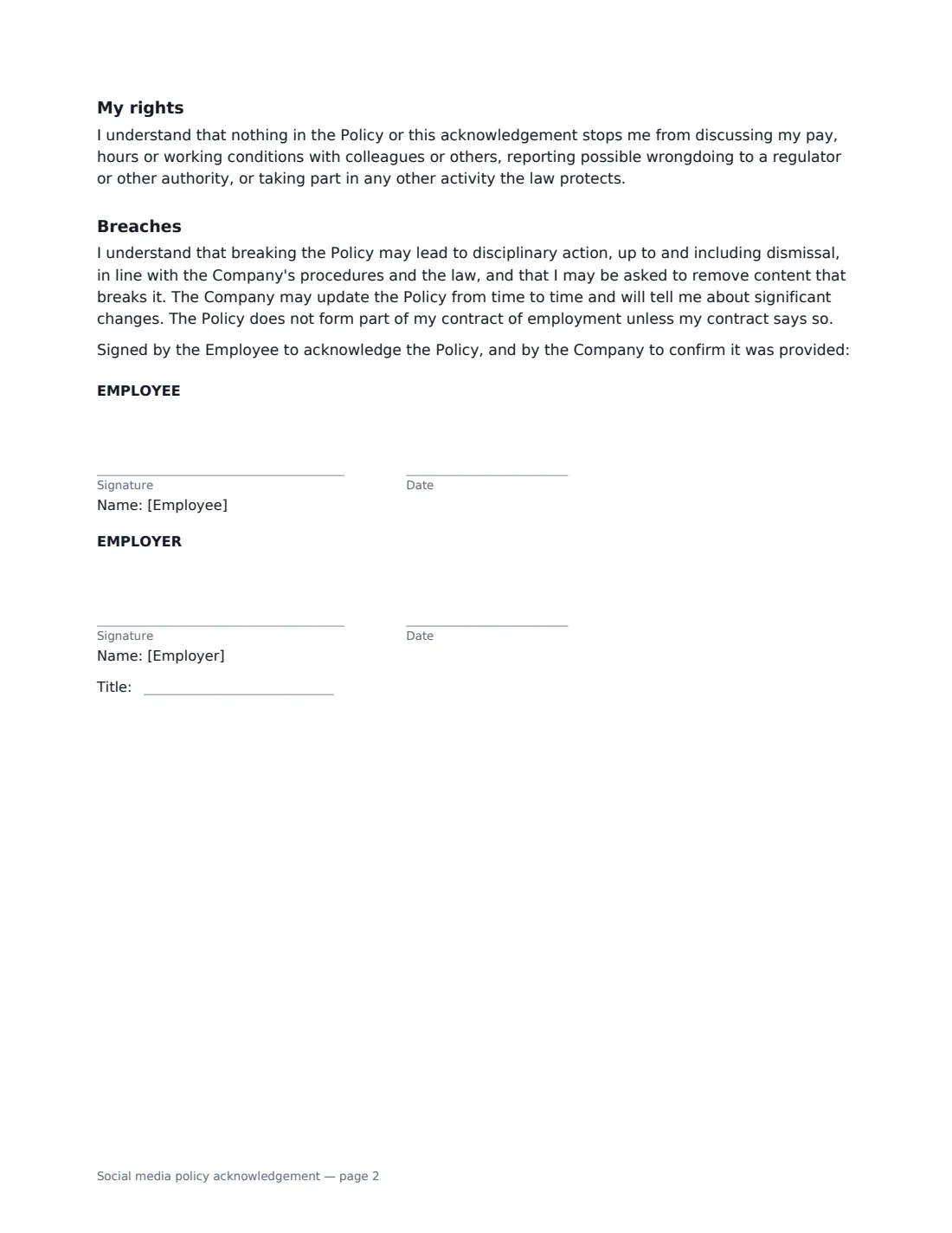
This form records the policy title, version and date. For personal accounts, the employee agrees to make clear they speak for themselves (with the disclaimer you choose), disclose their employment when promoting the company's products, keep confidential information and screenshots offline, respect the privacy of clients and colleagues, never harass or discriminate, and not use company logos or create official-looking accounts. It says only authorised people speak for the company and names who handles media enquiries and complaints. If the employee runs company accounts, choose "Yes" to add rules on account ownership, handover of passwords, approvals and security. It also confirms that nothing stops employees discussing pay and working conditions or using other rights the law protects.
- Best for
- All employees, and especially marketing, sales and customer-facing staff
- Signed by
- The employee, then the employer (with job title)
- Brand accounts
- Choose "Yes" to add rules for people who run company accounts
- Length
- About 2 pages
When to Use a social media policy acknowledgement
- Onboarding new employees alongside the handbook
- Handing a company Instagram, LinkedIn or TikTok account to a new marketing hire
- Reminding staff about confidentiality before a product launch
- Making sure staff disclose their employment when they post about your products
- Rolling out an updated social media policy to the whole team
What You Fill In
10 blanks, then the name and email of each person who signs: employee, employer.
1 Details
- Company name*
- Employee's full name*
- Job title
2 The policy
- Policy title*
- Version
- Policy dated
- Disclaimer for personal posts about the industry*
- Who handles media and social media questions*
3 Company accounts
- Does the employee run company social media accounts?* No · Yes
- Company accounts they run
4 Who signs
- Employee signature and date
- Employer signature and date, job title · HR, the manager or the communications lead.
What the social media policy acknowledgement Covers
- My personal accounts
- Speaking for the Company
- Company accounts
- Using social media at work
- My rights
- Breaches
Using the social media policy acknowledgement, step by step
1 Enter the employee and the policy
Add the employee's name and job title and the policy's title, version and date.
2 Set the disclaimer and contact
Edit the disclaimer employees add when they discuss the industry or your products, and name who handles media enquiries and social media questions.
3 Add company-account rules if needed
If the employee runs company accounts, choose "Yes" and list the accounts. The form adds rules on ownership, handover, approvals and security.
4 Send for signature
The employee signs first and you countersign. The signed form is filed in Files with their other HR documents.
Tips Before You Send It
- Keep the policy focused on real risks — confidentiality, harassment, speaking for the company — rather than banning all posts about work.
- Store company account passwords in a shared password manager owned by the company, not in one person's head.
- Give employees a simple way to ask "can I post this?" before they post.
- Advertising rules in many countries require people to disclose a connection to a brand they promote — the form reminds employees of that.
- Avoid rules that stop employees discussing pay or working conditions; many places protect that right.
Sign It Online In Minutes
- Fill in the blanks. Names, dates and amounts go straight into the agreement — the preview shows exactly where.
- Name who signs. Tick “This is me” for your own part. VergeHR builds the PDF with every signature, date box on the right line, and you can check or move anything before sending.
- Send it. Each signer gets a secure link and signs from any device — no account needed. The signed PDF, with an audit trail and a Certificate of Completion, is filed in Files and emailed to everyone.
Social media policy acknowledgement: frequently asked questions
Can an employer control what employees post on personal accounts?
Only to a limited extent. Employers can usually set rules about confidential information, harassment, and appearing to speak for the company, but not about lawful private life, and many places protect employees discussing pay and working conditions. This form says so.
Who owns a company social media account the employee runs?
Under the form, company accounts, their followers, content and log-in details belong to the company, and the employee hands them over with passwords when asked or when they leave.
What if a journalist or influencer contacts an employee?
The employee does not respond themselves but passes the enquiry to the contact named in the form, as they would for complaints or a crisis on social media.
Is an electronically signed acknowledgement valid?
Electronic signatures are generally valid for workplace documents like this in the US (ESIGN Act and UETA), the UK, the EU (eIDAS) and Canada. VergeHR keeps an audit trail and a Certificate of Completion with each signed form.
Is this form free?
Yes. It is free with the eSignature app in VergeHR, and employees sign without an account.