

What is a anti-harassment policy acknowledgement?
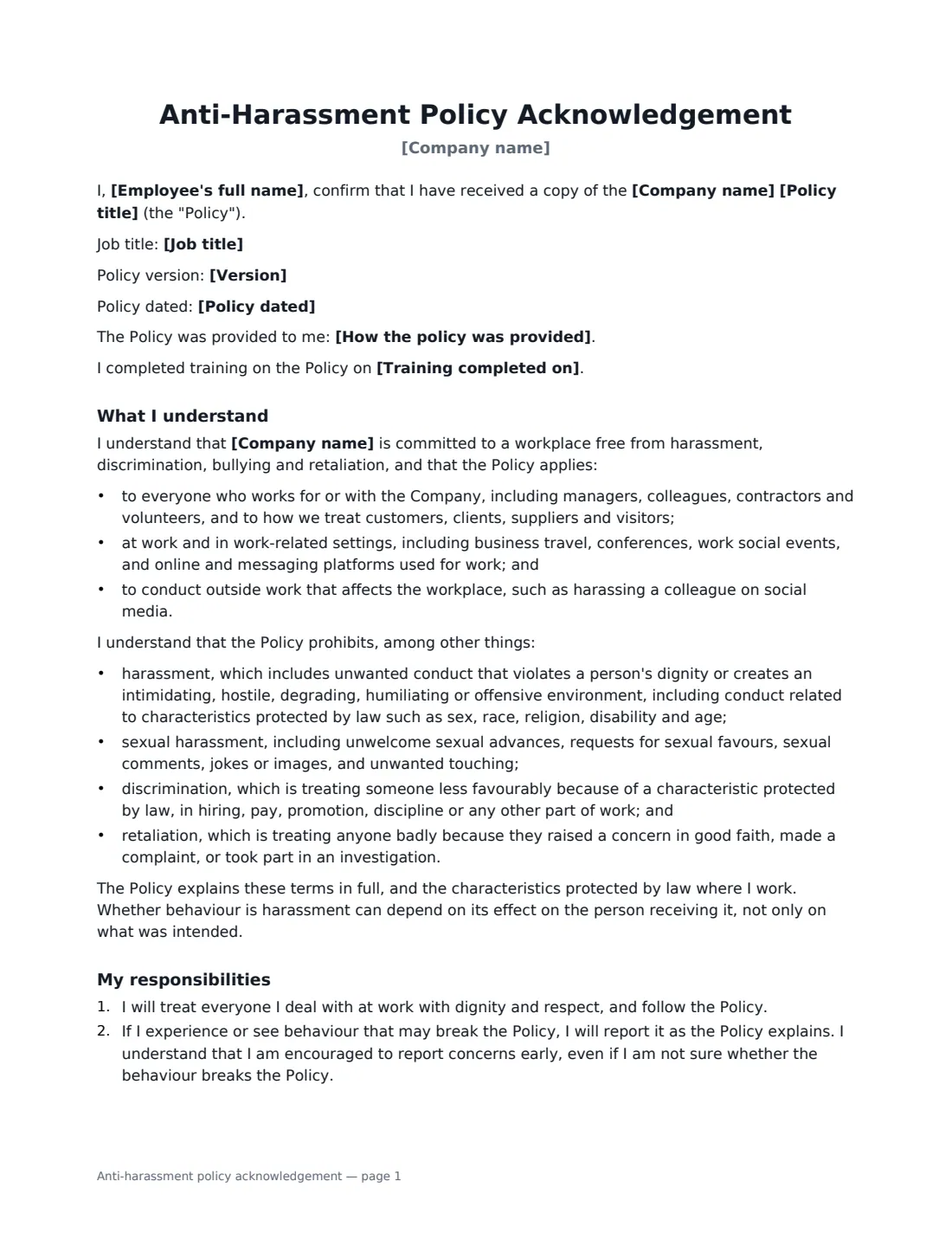
An anti-harassment policy only works if everyone knows it exists and knows what to do when something goes wrong. An acknowledgement form gives each employee a short, plain-English summary of the policy and a record that they received it — useful when onboarding, when the policy is updated, and after training.
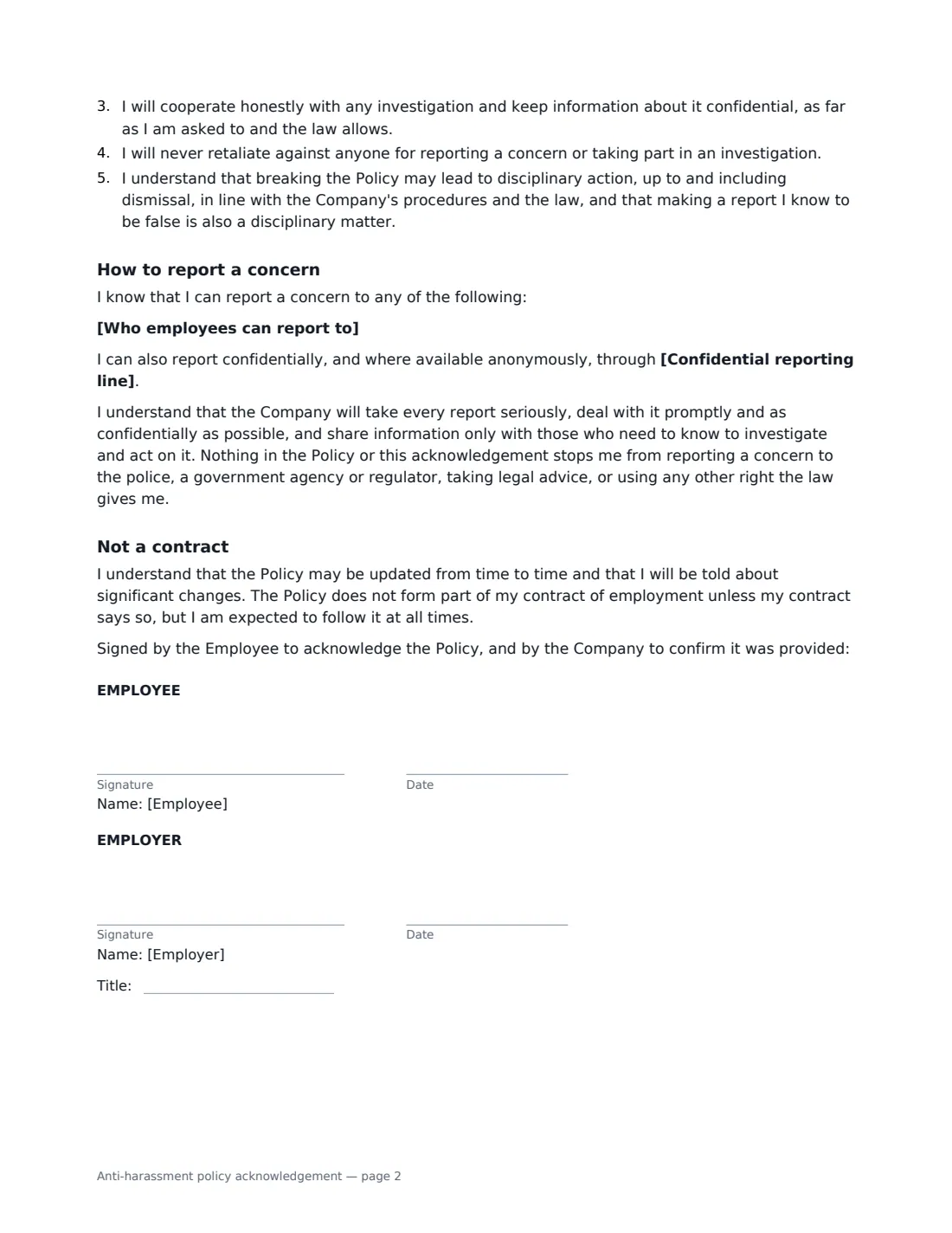
This form records the policy title, version and date, how it was provided, and optionally the date the employee completed training. It summarises who and where the policy covers (including work events, business travel and online platforms), what it prohibits — harassment, sexual harassment, discrimination and retaliation — and the employee's responsibilities: treat everyone with respect, report concerns early, cooperate with investigations and never retaliate. It lists the people employees can report to, with an optional confidential reporting line, and confirms that nothing stops them going to the police, a regulator or a lawyer. For managers and supervisors, an extra paragraph sets out their duty to act on concerns and protect people who raise them.
- Best for
- Onboarding, policy updates and annual training sign-off
- Signed by
- The employee, then the employer (with job title)
- Covers
- Harassment, sexual harassment, discrimination, retaliation, reporting routes
- Manager version
- Choose "Yes" to add a manager's extra duties
- Length
- About 2 pages
When to Use a anti-harassment policy acknowledgement
- Onboarding new employees, alongside the handbook acknowledgement
- Rolling out a new or updated anti-harassment policy to all staff
- Recording that an employee completed harassment-prevention training
- Confirming supervisors understand their duty to act on concerns
- Keeping a signed record for each employee in one place
What You Fill In
11 blanks, then the name and email of each person who signs: employee, employer.
1 Details
- Company name*
- Employee's full name*
- Job title
- Does the employee manage or supervise others?* No · Yes
2 The policy
- Policy title*
- Version
- Policy dated
- How the policy was provided* Electronically, on the company intranet · Electronically, by email · As a printed copy · Attached to this acknowledgement
- Training completed on
3 Reporting
- Who employees can report to*
- Confidential reporting line
4 Who signs
- Employee signature and date
- Employer signature and date, job title · HR or the manager recording the acknowledgement.
What the anti-harassment policy acknowledgement Covers
- What I understand
- My responsibilities
- How to report a concern
- Not a contract
Using the anti-harassment policy acknowledgement, step by step
1 Enter the employee and the policy
Add the employee's name and job title, and choose whether they manage or supervise others. Enter the policy title, version and date, and how it was provided. If they have completed training, add the date.
2 Set the reporting routes
List who employees can report to — always more than one person, so no one has to report to the person they are complaining about. Add a confidential or anonymous reporting line if you have one.
3 Send it with the policy
Share the policy itself (on your intranet, by email, or attached) and send the acknowledgement. The employee signs first and HR countersigns. Each signed form is filed in Files.
Tips Before You Send It
- Send the acknowledgement again whenever the policy changes significantly, with the new version number.
- Some places require harassment-prevention training or specific policy content — check what applies where your employees work.
- Make sure the reporting routes on the form match the policy exactly.
- Use the manager option for everyone who supervises others, including team leads.
- An acknowledgement is not a substitute for training and a culture where people feel safe speaking up.
Sign It Online In Minutes
- Fill in the blanks. Names, dates and amounts go straight into the agreement — the preview shows exactly where.
- Name who signs. Tick “This is me” for your own part. VergeHR builds the PDF with every signature, date box on the right line, and you can check or move anything before sending.
- Send it. Each signer gets a secure link and signs from any device — no account needed. The signed PDF, with an audit trail and a Certificate of Completion, is filed in Files and emailed to everyone.
Anti-harassment policy acknowledgement: frequently asked questions
Why ask employees to sign an anti-harassment policy acknowledgement?
It shows the employee received the policy, had the chance to read it and knows how to report concerns. If a complaint is made later, a signed acknowledgement can help show the employer communicated its policy, though it counts for most alongside training and prompt action on complaints.
Does signing stop an employee going to an outside agency?
No. The form states that nothing in the policy or acknowledgement stops the employee from reporting a concern to the police, a government agency or regulator, taking legal advice or using any other legal right.
Is the policy part of the employment contract?
The form says the policy does not form part of the employment contract unless the contract says so, but employees are expected to follow it at all times.
Is an e-signed acknowledgement valid?
Electronic signatures are generally valid for workplace documents like this in the US (ESIGN Act and UETA), the UK, the EU (eIDAS) and Canada. VergeHR records an audit trail and a Certificate of Completion with each signed form.
Is this form free?
Yes. It is free with the eSignature app in VergeHR, and employees sign without an account.