

What is a drug and alcohol policy acknowledgement?
A drug and alcohol policy protects employees, customers and the public by making sure everyone is fit to work safely. The acknowledgement form gives each employee a clear summary of the rules and records that they received and understood the policy — especially important in workplaces with driving, machinery or care duties.
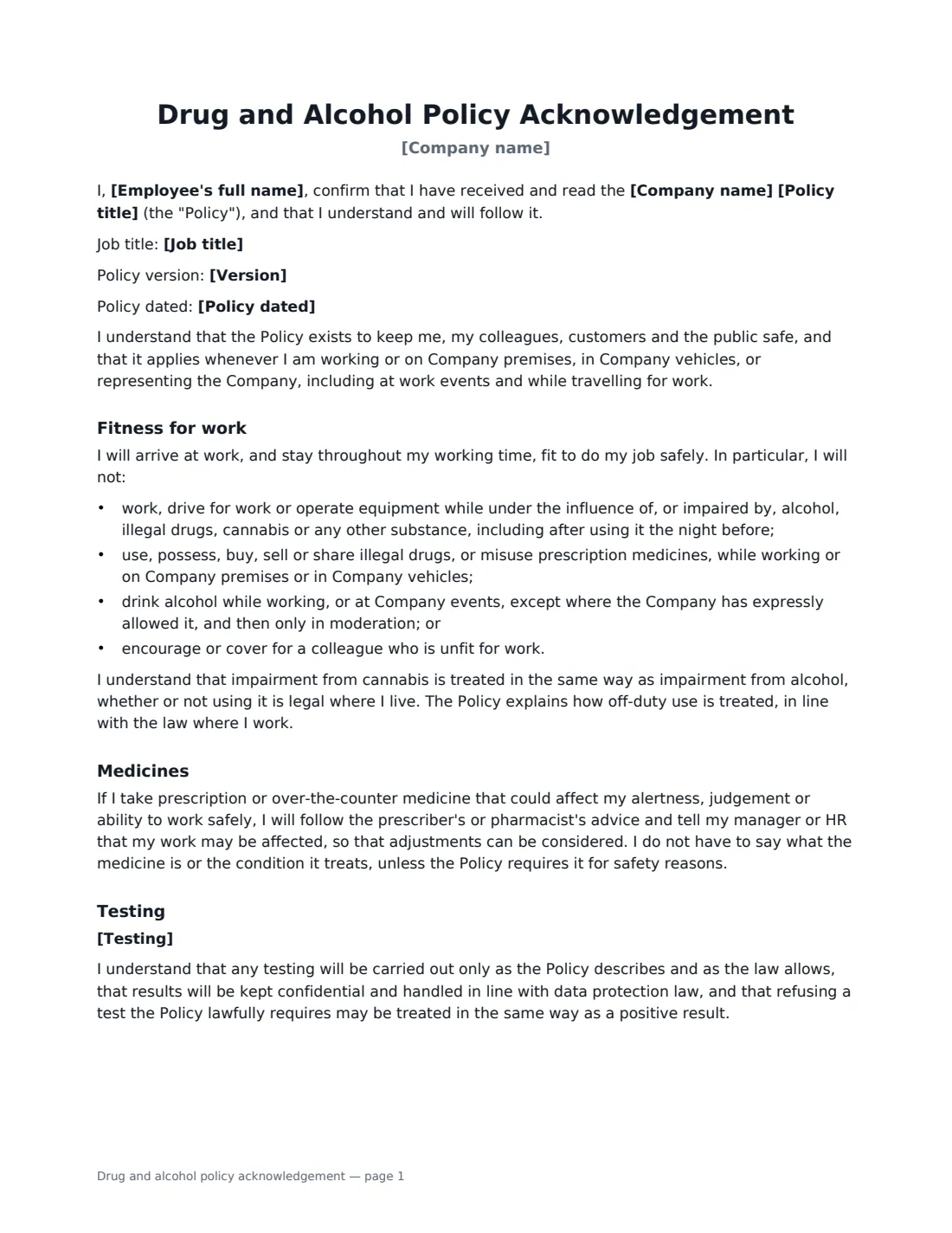
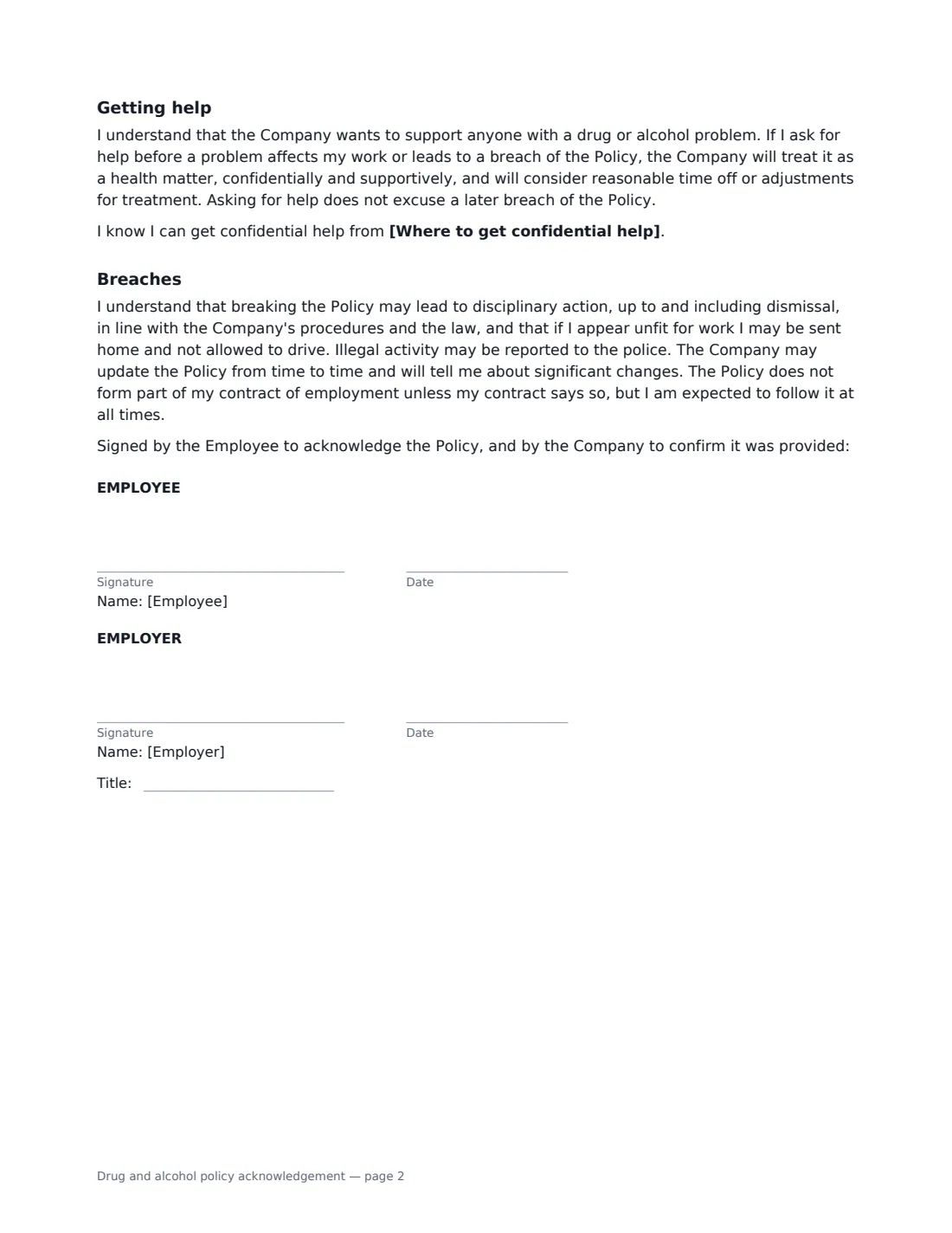
This form records the policy title, version and date and where it applies: at work, on company premises and in vehicles, at work events and while travelling. It sets out the fitness-for-work rules — no working while impaired (including the morning after), no illegal drugs or misuse of medicines, alcohol at work events only when allowed — and treats cannabis impairment like alcohol, while leaving off-duty use to the policy and local law. Employees agree to tell their manager when medicine may affect their work, without having to say what it is. You choose the testing statement that matches your policy: no routine testing, testing for reasonable cause and after accidents, or testing before employment, at random, for cause and after accidents — always only as the law allows. It explains that asking for help early is treated as a health matter, names an optional confidential support contact, and adds stricter rules for safety-sensitive roles.
- Best for
- All employees, and especially drivers, operators, healthcare and construction roles
- Signed by
- The employee, then the employer (with job title)
- Testing
- Choose: no routine testing, cause and post-accident, or full programme
- Safety-sensitive roles
- Choose "Yes" to add stricter rules
- Length
- About 2 pages
When to Use a drug and alcohol policy acknowledgement
- Onboarding drivers, warehouse staff, machine operators and site workers
- Rolling out a new or updated drug and alcohol policy
- Introducing a testing programme, with employees acknowledging it in advance
- Reminding staff of the rules before a company event with alcohol
- Meeting a client's or contractor-safety programme's requirements
What You Fill In
9 blanks, then the name and email of each person who signs: employee, employer.
1 Details
- Company name*
- Employee's full name*
- Job title
- Is this a safety-sensitive role?* No · Yes
2 The policy
- Policy title*
- Version
- Policy dated
- Testing* The Company does not carry out routine drug or alcohol testing. If it has reasonable grounds to think someone is unfit for work, it will follow the process in the Policy. · The Company may ask employees to take a drug or alcohol test where it has reasonable cause, or after an accident or near miss, as set out in the Policy. · The Company may ask employees to take a drug or alcohol test before starting work, at random, where it has reasonable cause, and after an accident or near miss, as set out in the Policy.
- Where to get confidential help
3 Who signs
- Employee signature and date
- Employer signature and date, job title · HR or the manager recording the acknowledgement.
What the drug and alcohol policy acknowledgement Covers
- Fitness for work
- Medicines
- Testing
- Getting help
- Breaches
Using the drug and alcohol policy acknowledgement, step by step
1 Enter the employee and the policy
Add the employee's name and job title and choose whether the role is safety-sensitive, such as driving, operating machinery or caring for others. Enter the policy's title, version and date.
2 Choose the testing statement
Pick the option that matches your policy. Testing rules vary widely between countries, states and industries, and some need consent or a specific legal basis — check local law and make sure the policy and the form say the same thing.
3 Add where to get help
Enter your Employee Assistance Programme or another confidential source of support, if you have one.
4 Send for signature
Share the policy and send the form. The employee signs first and you countersign. The signed form is filed in Files.
Tips Before You Send It
- Make getting help easy and confidential — people who ask for help early are far easier to support than those found out after an incident.
- Train managers on how to recognise and respond to someone who appears unfit for work, including not letting them drive home.
- Never test without a clear, lawful policy behind it that employees have seen in advance.
- Review the policy if cannabis laws change where you operate.
- Keep test results and health information separate from general HR files and share them only with those who need to know.
Sign It Online In Minutes
- Fill in the blanks. Names, dates and amounts go straight into the agreement — the preview shows exactly where.
- Name who signs. Tick “This is me” for your own part. VergeHR builds the PDF with every signature, date box on the right line, and you can check or move anything before sending.
- Send it. Each signer gets a secure link and signs from any device — no account needed. The signed PDF, with an audit trail and a Certificate of Completion, is filed in Files and emailed to everyone.
Drug and alcohol policy acknowledgement: frequently asked questions
Can an employer test employees for drugs and alcohol?
It depends on the country, state and industry. Some places allow testing only with reasonable cause or in safety-sensitive roles; some regulated industries require it. The form states that any testing is carried out only as the policy describes and as the law allows.
What about cannabis where it is legal?
The form treats impairment from cannabis at work the same as impairment from alcohol, whether or not using it is legal where the employee lives. How off-duty use is treated is left to the policy, in line with local law.
Do employees have to tell the employer about their medication?
Only that a medicine may affect their work, so adjustments can be considered. They do not have to say what the medicine is or what it treats, unless the policy requires it for safety reasons.
Is an electronically signed acknowledgement valid?
Electronic signatures are generally valid for workplace documents like this in the US (ESIGN Act and UETA), the UK, the EU (eIDAS) and Canada. VergeHR keeps an audit trail and a Certificate of Completion with each signed form.
Is this form free?
Yes. It is free with the eSignature app in VergeHR, and employees sign without an account.