

What is a photo and video release?
Before you put a customer, employee, model or event guest in an advert, on your website or on social media, it makes sense to have their written permission. A photo and video release (sometimes called a model release or media consent form) records that the person agreed, what you may use the material for, and for how long.
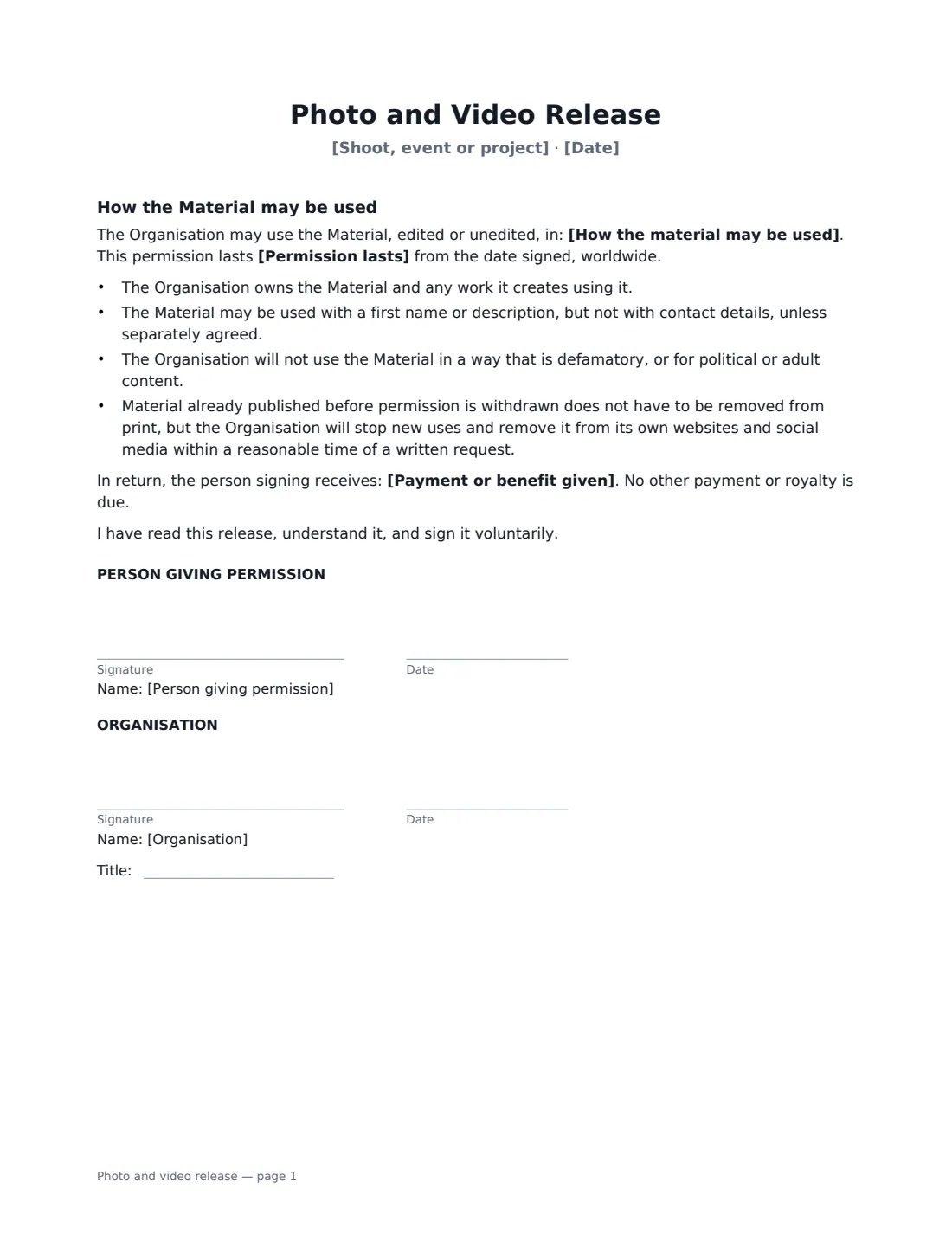
This one-page release covers photographs, video and audio recordings made at a shoot, event or project you name. You list how the material may be used — edited or unedited, worldwide — choose how long the permission lasts (no time limit, or 1, 2 or 5 years), and record any payment or benefit; otherwise it says the permission is given free with no royalty due. It confirms your organisation owns the material, limits identification to a first name or description, rules out defamatory, political or adult uses, and explains what happens if permission is withdrawn. If the person is under 18, one switch changes the wording so a parent or guardian signs on their behalf. The person giving permission and your organisation both sign.
- Best for
- Photo shoots, events, testimonials, staff photos, social media content
- Signed by
- The person photographed (or their parent or guardian) and your organisation
- Permission lasts
- No time limit, or 1, 2 or 5 years
- Under 18s
- Built in — a parent or legal guardian signs
- Length
- 1 page
When to Use a photo and video release
- A business photo shoot with customers, staff or freelance models
- Filming customer testimonials or case-study videos
- Photographing guests at a conference, launch or community event
- A school, club or charity featuring young people in its newsletter (signed by a parent)
- Recording a podcast guest or interviewee whose voice will be published
- Using team photos on your website and recruitment pages
What You Fill In
8 blanks, then the name and email of each person who signs: person giving permission, organisation.
1 Details
- Organisation name*
- Name of the person photographed or filmed*
- Is that person under 18?* No · Yes
- Shoot, event or project*
- Date*
2 Use
- How the material may be used*
- Permission lasts* with no time limit · for 1 year · for 2 years · for 5 years
- Payment or benefit given
3 Who signs
- Person giving permission signature and date · The person photographed or filmed — or their parent or guardian if they are under 18.
- Organisation signature and date, job title
What the photo and video release Covers
- How the Material may be used
Using the photo and video release, step by step
1 Name the shoot or event
Enter the shoot, event or project and the date so it is clear which material the release covers — "Spring product launch photo shoot" rather than "photos".
2 Say whether the person is under 18
Choose "Yes" if the person photographed or filmed is under 18. The wording changes so their parent or legal guardian confirms their authority and signs for them.
3 Set the uses, duration and any payment
The template starts with common uses — websites, social media, print and digital marketing, presentations, newsletters and press. Remove any you don't need. Choose how long the permission lasts and enter any payment or benefit, or leave it empty for free permission.
4 Send it for signature
Send the release to the person (or their parent) — they can sign on their phone on the day. You countersign for the organisation, and the signed copy is filed in Files.
Tips Before You Send It
- Get the release signed before or on the day of the shoot, while it's easy to reach everyone.
- Use one release per person, and keep a note of which images each release covers.
- Keep the listed uses realistic. People are more comfortable signing when they know where their image will appear.
- If someone withdraws permission, stop new uses and take the material off your own website and social channels within a reasonable time, as the release promises.
- Privacy and image rights laws differ between countries. Some treat photos of identifiable people as personal data with extra rules, so check what applies to you.
Sign It Online In Minutes
- Fill in the blanks. Names, dates and amounts go straight into the agreement — the preview shows exactly where.
- Name who signs. Tick “This is me” for your own part. VergeHR builds the PDF with every signature, date box on the right line, and you can check or move anything before sending.
- Send it. Each signer gets a secure link and signs from any device — no account needed. The signed PDF, with an audit trail and a Certificate of Completion, is filed in Files and emailed to everyone.
Photo and video release: frequently asked questions
Do I need a release to post photos of people?
It depends on where you are and how the photo is used. Commercial uses such as advertising commonly need permission, and in some places images of identifiable people are personal data. A signed release is a clear record that the person agreed — it is a sensible habit even where it isn't strictly required.
Can a parent sign for a child?
Yes. Choose "Yes" for under 18 and the parent or legal guardian confirms they have authority to sign on the child's behalf.
Can the person withdraw permission later?
The release explains what happens if they do: material already printed doesn't have to be recalled, but the organisation stops new uses and removes it from its own websites and social media within a reasonable time of a written request. Local privacy laws may give people further rights.
Is a release signed electronically valid?
In the US (ESIGN Act and UETA), the UK, the EU (eIDAS) and Canada, electronic signatures are generally valid for consents and releases like this one. VergeHR keeps an audit trail and a Certificate of Completion with the signed PDF.
Can I change the wording?
You fill in the organisation, person, event, uses, duration and payment. If you need different clauses, draft your own release and upload it to VergeHR eSignature; you can still place the signature boxes in the editor.
Is this template free?
Yes. The template is free to use with the eSignature app in VergeHR. The person signing doesn't need a VergeHR login.