

What is a photo licensing agreement?
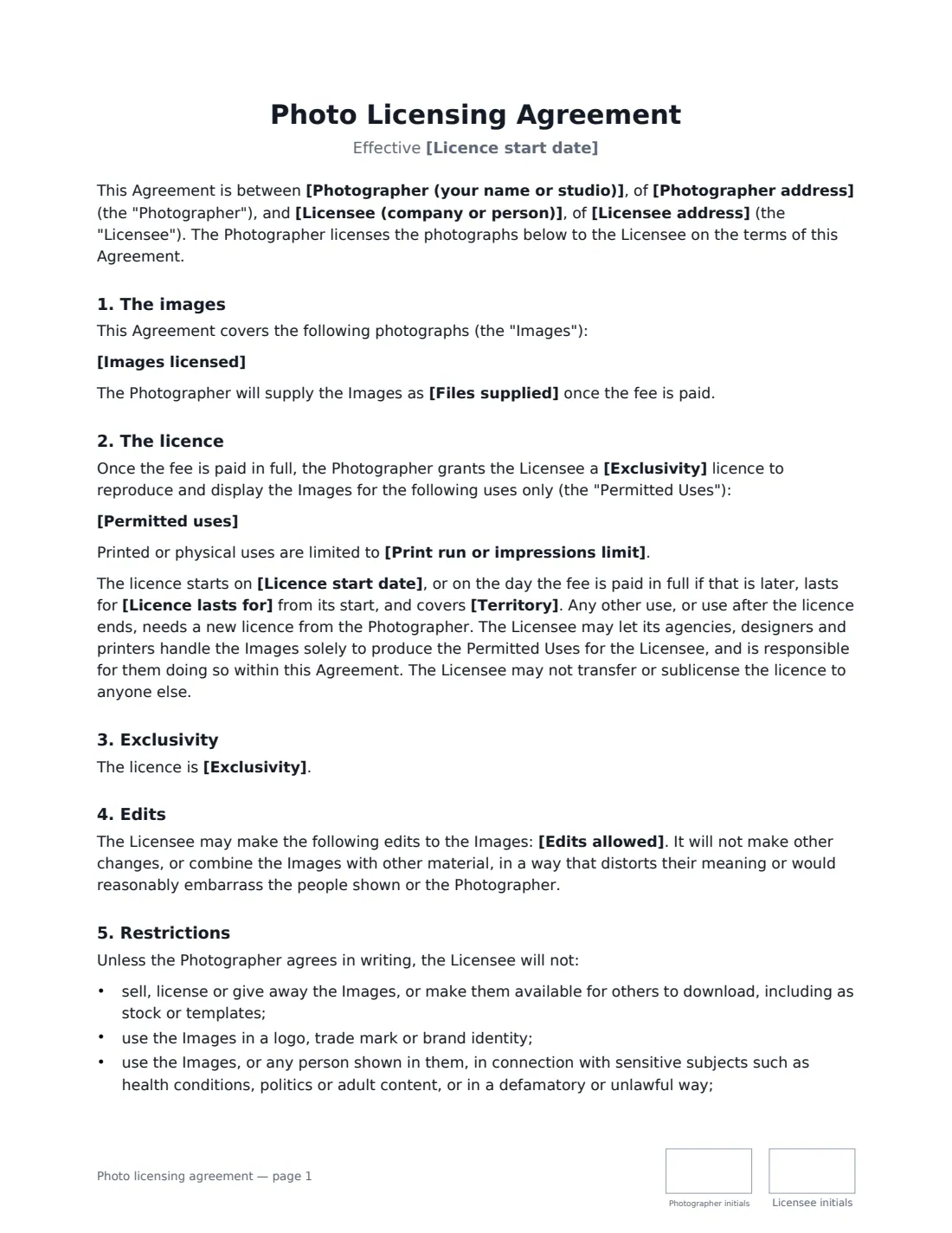
A photo licensing agreement lets a business use photographs that already exist — from a photographer's portfolio, an earlier shoot or a personal project — without buying the copyright. The photographer stays the owner and grants permission for specific uses, for a set time, in a set territory, for a fee. Anything not listed stays unlicensed.
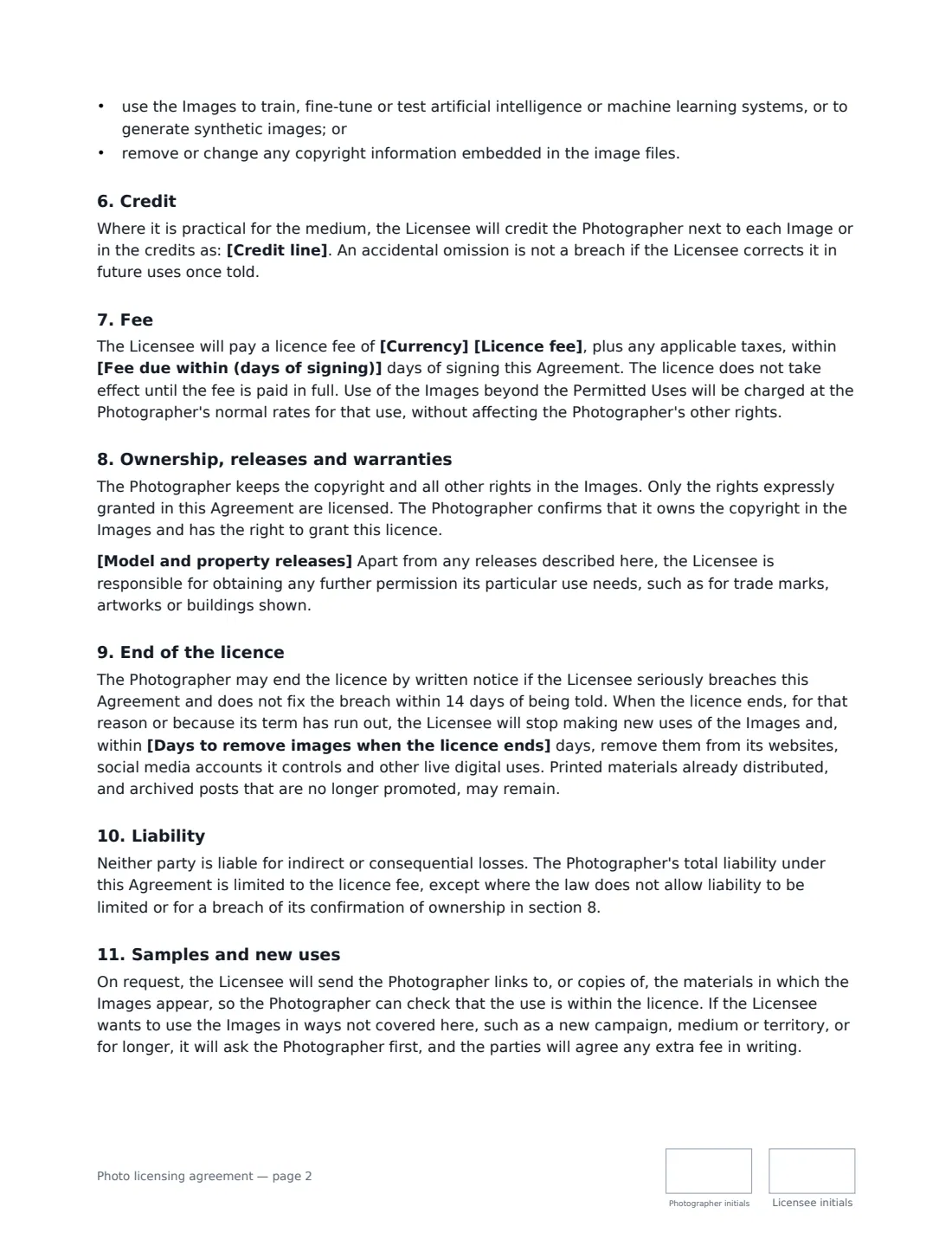
This template identifies the images and the files supplied, then sets the permitted uses, an optional print-run limit, the duration (one to five years or perpetual), the territory, and whether the licence is exclusive or non-exclusive. It covers the edits allowed, restrictions (no resale or stock, no logos or trade marks, no sensitive or unlawful contexts, no training AI models, no removing embedded copyright data), a credit line or none, the fee, the status of model and property releases, what happens when the licence ends, samples of use on request, and liability.
- Best for
- Photographers licensing existing images to businesses, publishers and agencies
- Signed by
- The photographer and the licensee (with a job title)
- Licence terms
- Uses, duration, territory and exclusive or non-exclusive — all chosen by you
- Length
- About 3 pages, initialled on every page
When to Use a photo licensing agreement
- A hotel or tourism board licensing landscape images for its website and brochures
- A magazine, book or website publisher licensing photos for an article or cover
- A company licensing an image exclusively for an advertising campaign
- An agency licensing images on behalf of its client
- Renewing or extending an earlier licence for a new period or territory
What You Fill In
20 blanks, then the name and email of each person who signs: photographer, licensee.
1 The parties
- Photographer (your name or studio)*
- Photographer address
- Licensee (company or person)*
- Licensee address
2 The images
- Licence start date*
- Images licensed*
- Files supplied*
3 The licence
- Permitted uses*
- Print run or impressions limit
- Licence lasts for* one year · two years · three years · five years · an unlimited period (perpetual)
- Territory*
- Exclusivity* non-exclusive · exclusive
- Edits allowed* cropping and resizing only · cropping, resizing, colour adjustment and adding text or logos alongside the image · any edits, provided the result does not misrepresent the subject
- Credit line
- Model and property releases* The images do not show identifiable people or private property that would need a release. · The Photographer holds signed model and property releases for the people and property shown, and will provide copies on request. · No releases are held. The Licensee must not use the images in a way that needs one, such as advertising or endorsement featuring an identifiable person.
4 Fee
- Currency*
- Licence fee*
- Fee due within (days of signing)*
- Days to remove images when the licence ends*
- Governing law*
5 Who signs
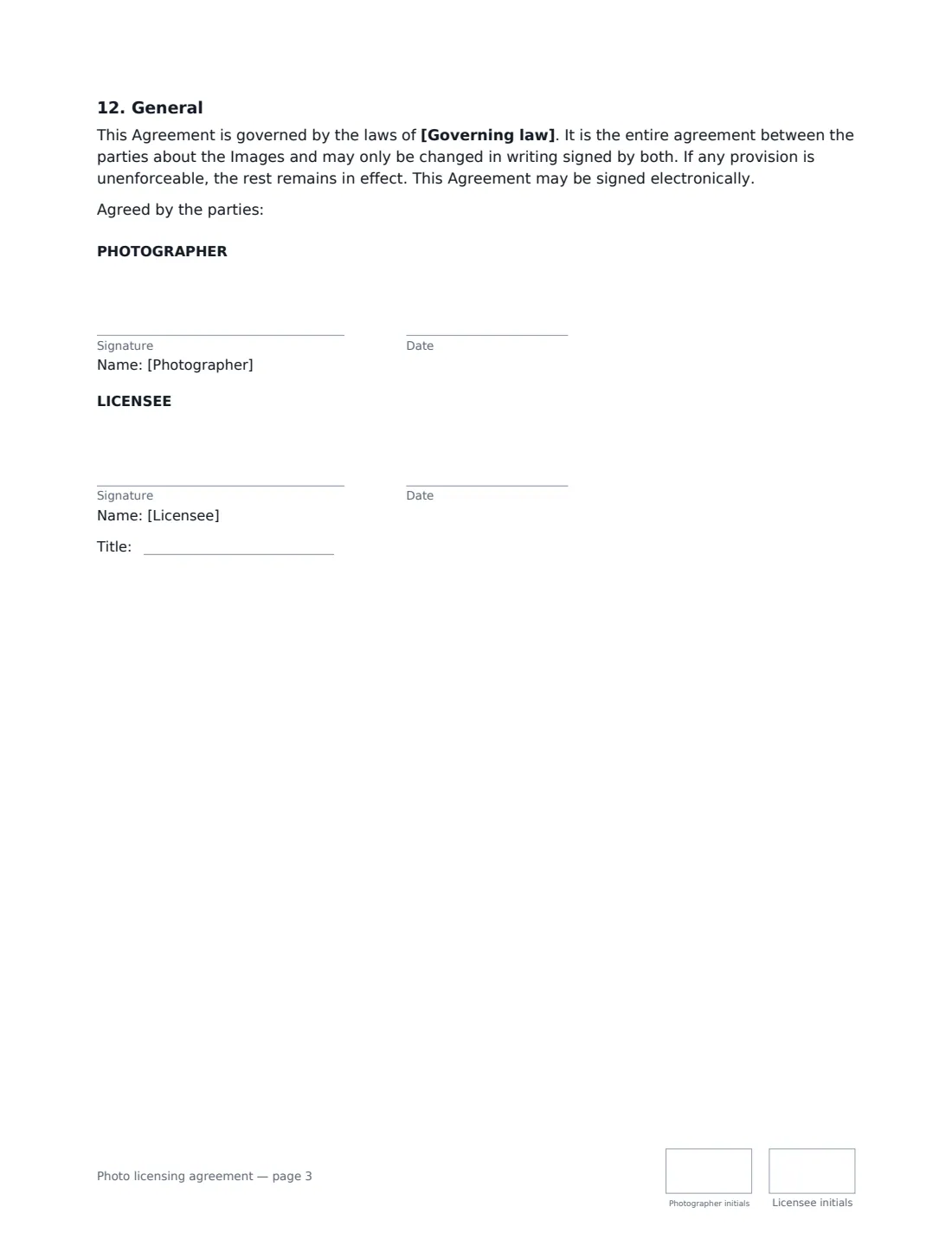
- Photographer signature and date, initials on every page · You, the photographer who owns the copyright, or the person who signs for your studio.
- Licensee signature and date, job title, initials on every page · Someone authorised to sign for the business licensing the images.
What the photo licensing agreement Covers
- The images
- The licence
- Exclusivity
- Edits
- Restrictions
- Credit
- Fee
- Ownership, releases and warranties
- End of the licence
- Liability
- Samples and new uses
- General
Using the photo licensing agreement, step by step
1 Identify the images
List each image by file name or number, and say what files you supply — for example high-resolution JPEGs by download link. You can attach contact sheets to the envelope.
2 Define the permitted uses
Be specific about the media and purpose — website, social media, brochures, advertising — because anything not listed is not licensed. Optionally add a print-run limit.
3 Set term, territory and exclusivity
Choose how long the licence lasts, where it applies, and whether it is exclusive. Choose which edits are allowed and whether a credit line is required.
4 Releases, fee and send
Choose the release status that matches the images, enter the fee, payment days and how long the licensee has to take images down when the licence ends. Add the licensee's signer and send.
Tips Before You Send It
- Exclusive licences are usually priced higher, because you can't license the same images to anyone else in the territory while the licence lasts.
- Be honest about releases. If you don't hold model releases, choose the option that stops the licensee using identifiable people in advertising or endorsements.
- Whether a release is needed depends on the use and on local law — editorial use is often treated differently from advertising.
- Keep the embedded copyright and contact information in your files; the agreement forbids removing it.
Sign It Online In Minutes
- Fill in the blanks. Names, dates and amounts go straight into the agreement — the preview shows exactly where.
- Name who signs. Tick “This is me” for your own part. VergeHR builds the PDF with every signature, date and initials box on the right line, and you can check or move anything before sending.
- Send it. Each signer gets a secure link and signs from any device — no account needed. The signed PDF, with an audit trail and a Certificate of Completion, is filed in Files and emailed to everyone.
Photo licensing agreement: frequently asked questions
What is the difference between licensing and selling a photo?
Licensing gives permission to use the photo in agreed ways while the photographer keeps the copyright. Selling (assigning) the copyright transfers ownership. This template is a licence; the photographer stays the owner.
What happens when the licence ends?
The licensee stops making new uses and removes the images from its websites, social media and other live digital uses within the number of days you set. Printed materials already distributed, and archived posts that are no longer promoted, may remain.
Can the licensee use the photos to train AI?
Not under this template. Using the images to train, fine-tune or test AI or machine-learning systems, or to generate synthetic images, is prohibited unless the photographer agrees in writing.
Is a photo licence signed electronically valid?
In most countries, including the US (ESIGN Act and UETA), the UK, the EU (eIDAS) and Canada, an electronic signature is generally valid for an ordinary commercial contract like this one. VergeHR keeps an audit trail and a Certificate of Completion with the signed PDF as evidence of who signed and when.
Is this template free?
Yes. The template is free to use with the eSignature app in VergeHR. Signers don't need a VergeHR login.