

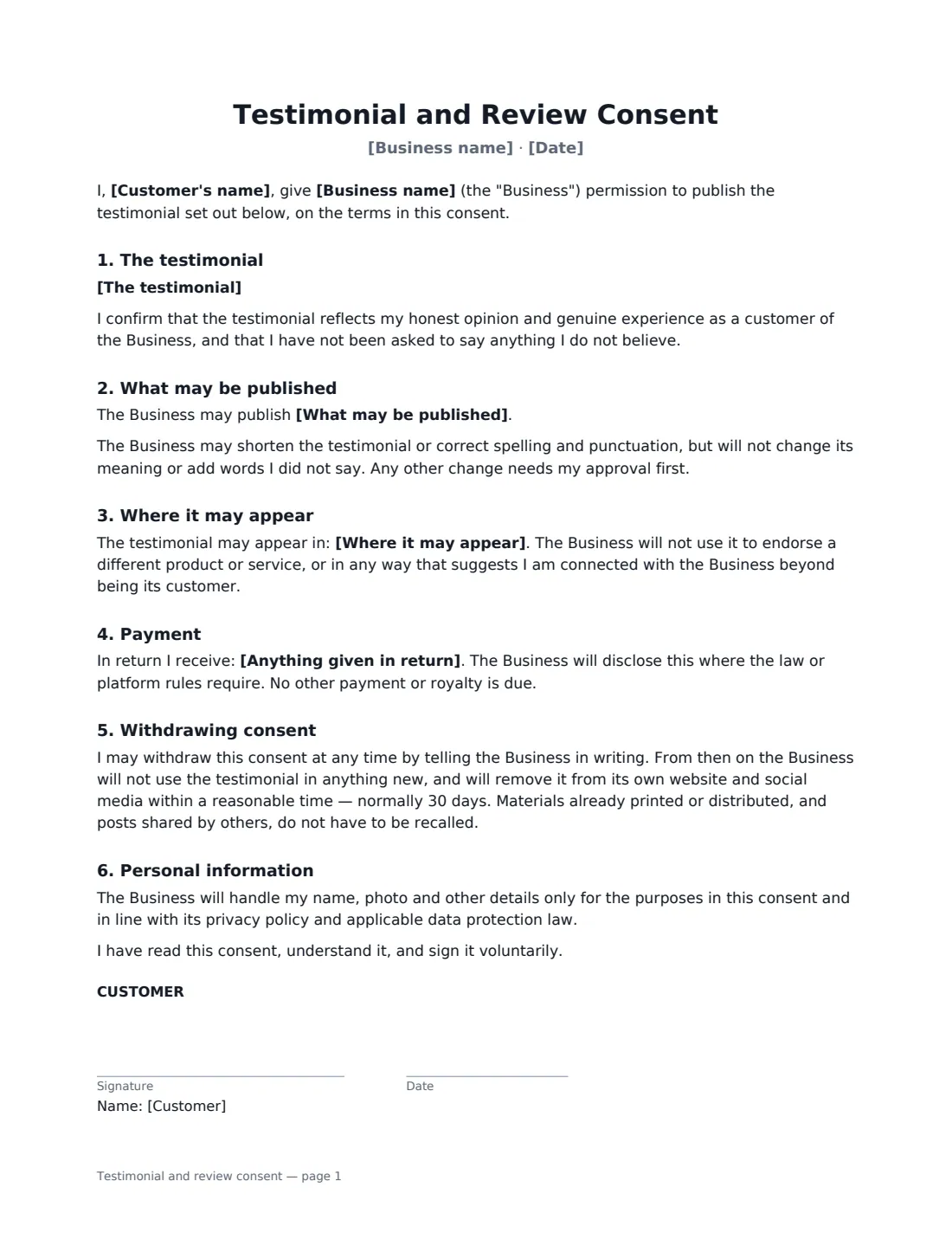

What is a testimonial and review consent?
A glowing email from a happy customer is not the same as permission to put it on your homepage. A testimonial consent form records exactly what the customer approved: the wording, whether their name, photo, job title and company appear, where you may use it, and whether they received anything in return. It gives you a clear record if a question comes up later, sets out what happens if the customer withdraws consent, and helps you show that your reviews are genuine.
This template includes the exact approved testimonial, the customer's confirmation that it reflects their honest experience, what may be published (full name, name and photo, first name and initial, or anonymous), whether the job title and company are shown, where it may appear, light-editing limits, any incentive given, how the customer can withdraw consent, and how their personal information is handled.
- Best for
- Website testimonials, case studies, ads, proposals and social media
- Signed by
- The customer, and the business
- Name shown
- You choose: full name, name and photo, first name and initial, or no name
- Length
- About 2 pages
When to Use a testimonial and review consent
- Putting a customer quote on your website or landing pages
- Publishing a B2B case study with the client's name, title and company
- Using a customer's photo alongside their review in ads or social posts
- Featuring an anonymous or first-name-only testimonial for a sensitive service
- Recording that a discount or gift was given in return for a review
What You Fill In
9 blanks, then the name and email of each person who signs: customer, business.
1 Details
- Business name*
- Customer's name*
- Customer's job title and company
- Date*
2 The testimonial
- The testimonial*
3 Use
- What may be published* the testimonial with my full name · the testimonial with my full name and photo · the testimonial with my first name and initial only · the testimonial without my name
- Show job title and company?* Yes · No
- Where it may appear*
- Anything given in return
4 Who signs
- Customer signature and date · The person whose words, name or photo will be published.
- Business signature and date, job title
What the testimonial and review consent Covers
- The testimonial
- What may be published
- Where it may appear
- Payment
- Withdrawing consent
- Personal information
Using the testimonial and review consent, step by step
1 Paste the exact wording
Paste the testimonial exactly as the customer approved it. You may shorten it or fix spelling and punctuation later, but you can't change its meaning or add words without their approval.
2 Choose how they're named
Pick full name, full name and photo, first name and initial only, or no name. If you choose to show their job title and company, fill them in — otherwise set that option to No.
3 List where it may appear
A default list covers your website, social media, newsletters, proposals, brochures and online ads — edit it to suit. If you gave anything in return, such as a discount, record it so it can be disclosed where required.
4 Send to the customer
Add the customer's name and email and send. The customer and your business both sign online. The signed consent is filed in Files, so you can find it if a question ever comes up.
Tips Before You Send It
- Always disclose incentives. In many places, and on many review platforms, a review given in exchange for a discount, gift or payment must be disclosed as such.
- Only use the testimonial for the product or service the customer actually used — the consent doesn't cover endorsing something else.
- Keep a list of where each testimonial is published so you can remove it quickly if consent is withdrawn.
- For photos or video you've taken yourself of a person, a photo and video release is a better fit.
Sign It Online In Minutes
- Fill in the blanks. Names, dates and amounts go straight into the agreement — the preview shows exactly where.
- Name who signs. Tick “This is me” for your own part. VergeHR builds the PDF with every signature, date box on the right line, and you can check or move anything before sending.
- Send it. Each signer gets a secure link and signs from any device — no account needed. The signed PDF, with an audit trail and a Certificate of Completion, is filed in Files and emailed to everyone.
Testimonial and review consent: frequently asked questions
Can a customer withdraw their consent?
Yes, at any time, in writing. You then stop using the testimonial in anything new and remove it from your own website and social media within a reasonable time — normally 30 days. Printed or already distributed materials, and posts others have shared, don't have to be recalled.
Do I need consent to use a customer testimonial?
Using someone's name, words or photo to promote your business without clear permission can break privacy, data protection or advertising rules in many places, and can damage trust. Written consent is the simplest way to show you had permission.
Is a consent form signed electronically valid?
In the US (ESIGN Act and UETA), the UK, the EU (eIDAS) and Canada, electronic signatures are generally valid for consents like this one. VergeHR keeps an audit trail and a Certificate of Completion with the signed PDF.
Is this template free?
Yes. The template is free to use with the eSignature app in VergeHR, and your customer doesn't need a VergeHR login to sign.