

What is a influencer agreement?
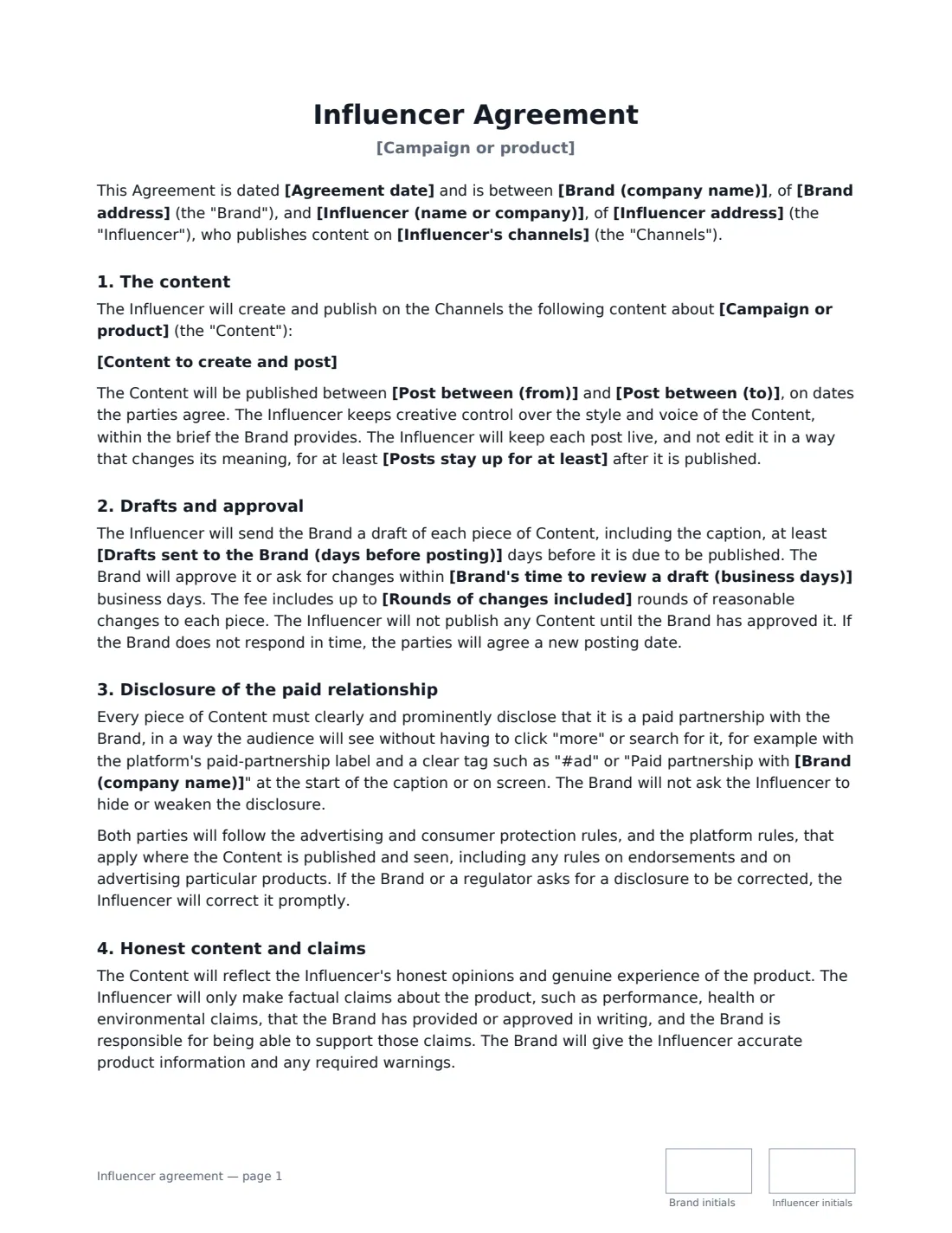
An influencer agreement (or creator agreement) is the contract between a brand and a content creator for sponsored posts, videos or stories. It turns a DM conversation into clear terms: exactly what will be posted and when, who approves it, how the paid relationship is disclosed, what the creator is paid, and what the brand may do with the content afterwards.
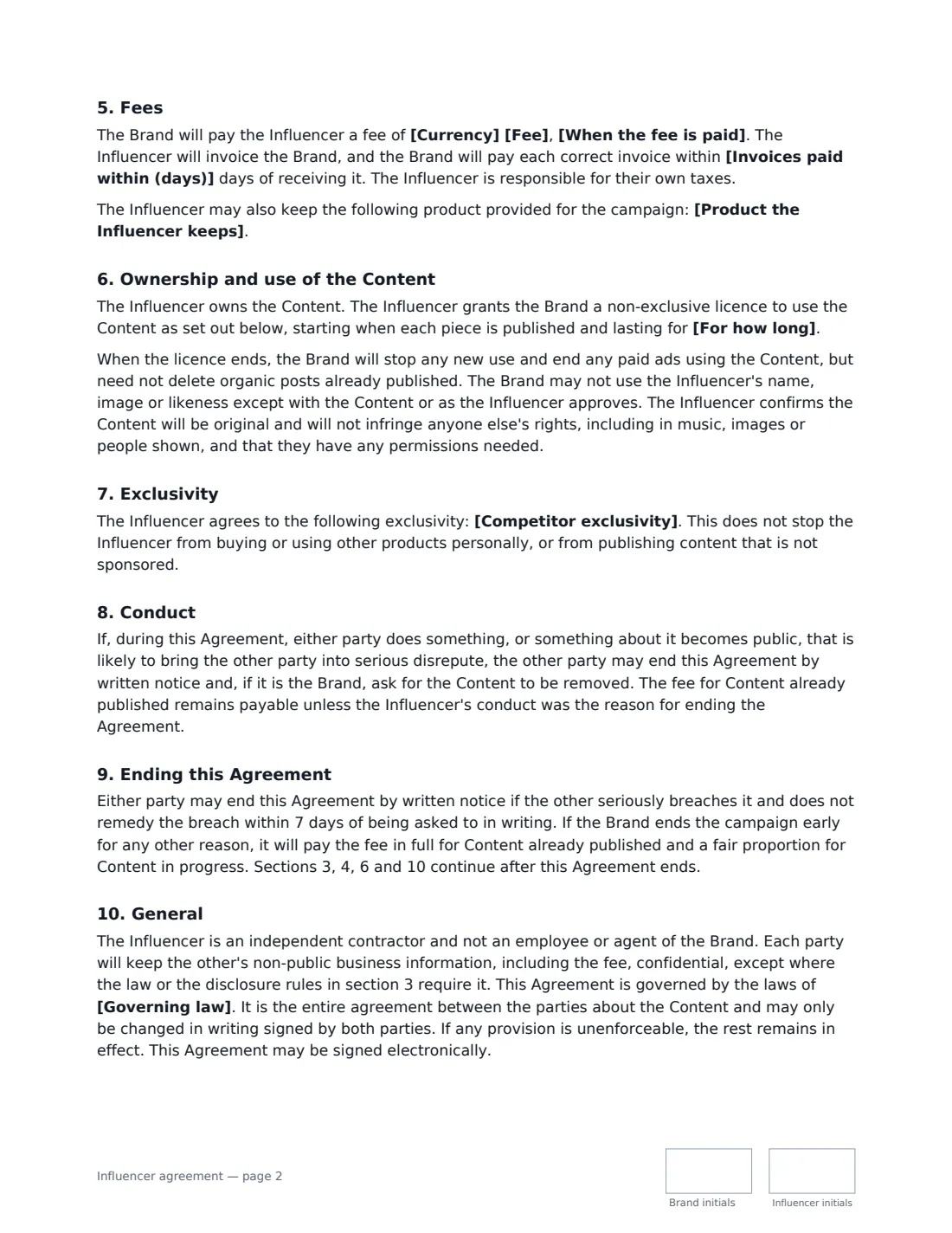
This template covers the channels and deliverables, the posting window and how long posts stay live, drafts and approval rounds, clear and prominent disclosure of the paid partnership, honest content and approved product claims, the fee and payment timing, any product the creator keeps, content ownership with a licence to the brand for organic reposts or also paid ads for a set period, optional competitor exclusivity, conduct, termination and confidentiality.
- Best for
- Sponsored Instagram, TikTok, YouTube and other social content
- Signed by
- The brand and the influencer (or their company)
- Usage rights
- Organic reposts, or organic plus paid ads — for 3 to 24 months
- Length
- 3 pages, initialled on every page
When to Use a influencer agreement
- A sportswear brand paying a running creator for a Reel and Stories about a new shoe
- A skincare company gifting product plus a fee for a TikTok review
- A software company sponsoring a YouTube tutorial with a link and discount code
- A restaurant inviting a local food creator to post about a new menu
- A brand licensing a creator's content to run as paid ads for six months
What You Fill In
23 blanks, then the name and email of each person who signs: brand, influencer.
1 The parties
- Agreement date*
- Brand (company name)*
- Brand address
- Influencer (name or company)*
- Influencer address
- Influencer's channels*
2 The campaign
- Campaign or product*
- Content to create and post*
- Post between (from)*
- Post between (to)*
- Drafts sent to the Brand (days before posting)*
- Brand's time to review a draft (business days)*
- Rounds of changes included*
- Posts stay up for at least* 30 days · 90 days · 6 months · 12 months
3 Payment
- Currency*
- Fee*
- When the fee is paid* 50% on signing and 50% once all content is live · in full once all content is live · in full on signing
- Invoices paid within (days)*
- Product the Influencer keeps
4 Usage and exclusivity
- How the Brand may reuse the content* Organic reposts only · Organic reposts and paid ads
- For how long* 3 months · 6 months · 12 months · 24 months
- Competitor exclusivity
5 Other terms
- Governing law*
6 Who signs
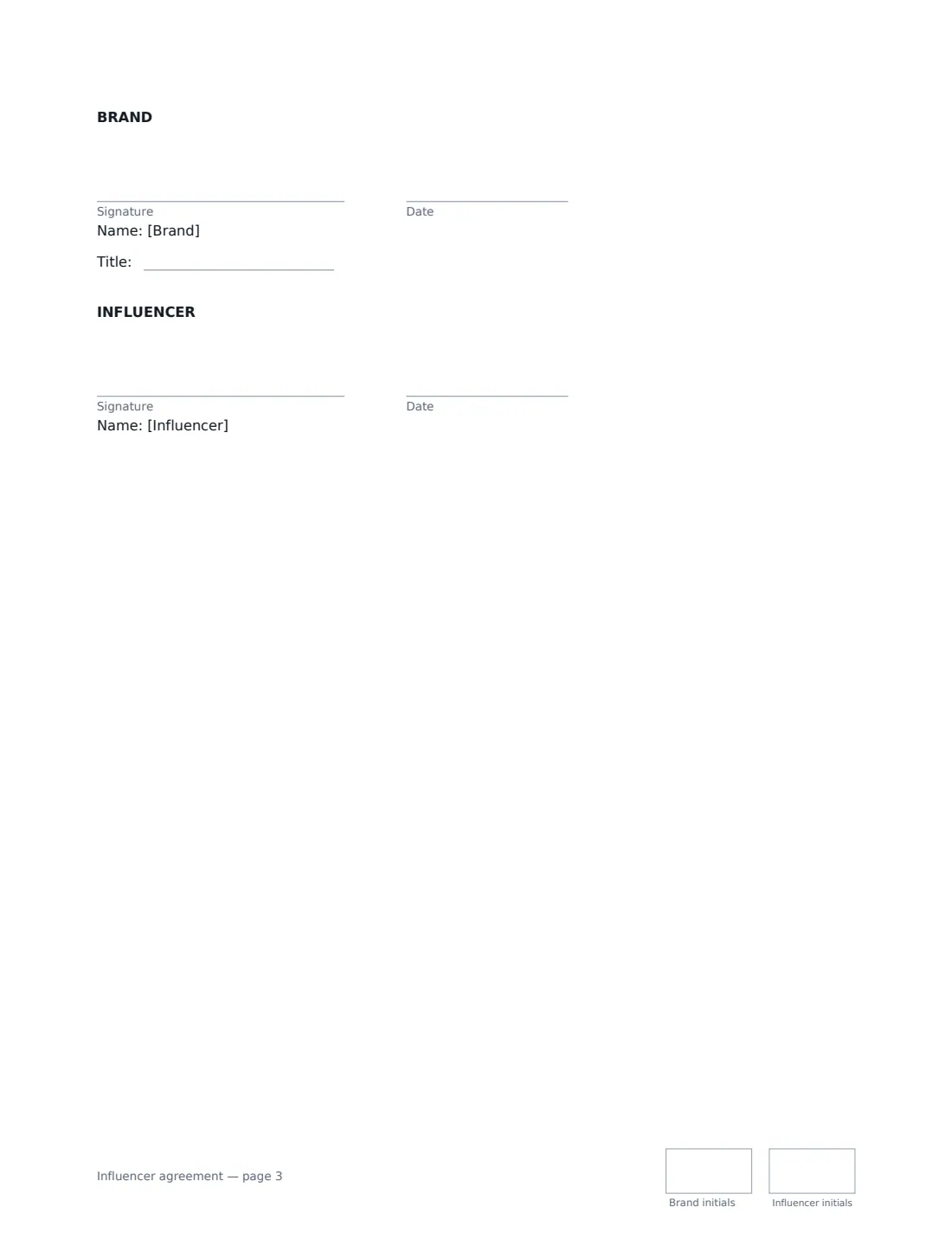
- Brand signature and date, job title, initials on every page · The company paying for the content.
- Influencer signature and date, initials on every page · The creator, or the person signing for their company.
What the influencer agreement Covers
- The content
- Drafts and approval
- Disclosure of the paid relationship
- Honest content and claims
- Fees
- Ownership and use of the Content
- Exclusivity
- Conduct
- Ending this Agreement
- General
Using the influencer agreement, step by step
1 Name the creator and channels
Enter the creator's name (or their company) and their handles on each platform the content will appear on.
2 Spell out the deliverables
List the platform, format, number and length of each post, required tags, links and any must-mention points. Set the posting window and how long posts must stay up.
3 Set approvals and the fee
Choose how many days before posting drafts arrive, how long you have to review, and how many rounds of changes are included. Enter the fee and payment timing, and any product the creator keeps.
4 Choose usage rights and exclusivity
Organic reposts let you share the posts on your own channels with credit; organic plus paid ads also lets you boost them or run them as ads, including through the creator's account. Set the period, add any competitor exclusivity, and send.
Tips Before You Send It
- Disclosure isn't optional: advertising regulators in many countries — for example the FTC in the US and the ASA in the UK — expect paid posts to be clearly labelled.
- Free product given in exchange for a post usually still needs to be disclosed as a paid relationship.
- Send the creator only product claims you can back up — the template makes the brand responsible for them.
- Paid-ad usage and long usage periods are worth more to you; expect to pay more for them.
- Keep exclusivity narrow: one product category and a defined period.
Sign It Online In Minutes
- Fill in the blanks. Names, dates and amounts go straight into the agreement — the preview shows exactly where.
- Name who signs. Tick “This is me” for your own part. VergeHR builds the PDF with every signature, date and initials box on the right line, and you can check or move anything before sending.
- Send it. Each signer gets a secure link and signs from any device — no account needed. The signed PDF, with an audit trail and a Certificate of Completion, is filed in Files and emailed to everyone.
Influencer agreement: frequently asked questions
How must sponsored posts be disclosed?
The template requires a clear, prominent disclosure that the audience sees without clicking "more" — for example the platform's paid-partnership label plus "#ad" or "Paid partnership with [brand]" at the start of the caption or on screen — and requires both sides to follow the advertising and platform rules that apply where the content is seen.
Who owns the content?
The influencer does. The brand gets a non-exclusive licence for the period you choose, either for organic reposts only or for organic reposts and paid ads. When it ends, the brand stops new use and paid ads, but needn't delete organic posts already published.
Can the brand change the content?
Only through the draft approval process before posting. With paid-ad usage, the brand may crop, resize and add captions, but not change the meaning or the creator's words.
Can the agreement be signed electronically?
In most countries, including the US (ESIGN Act and UETA), the UK, the EU (eIDAS) and Canada, an electronic signature is generally valid for an ordinary commercial contract like this one. VergeHR keeps an audit trail and a Certificate of Completion with the signed PDF as evidence of who signed and when.
Is this template free?
Yes. The template is free to use with the eSignature app in VergeHR, and the people you send it to don't need a VergeHR login to sign.