

What is a recording consent?
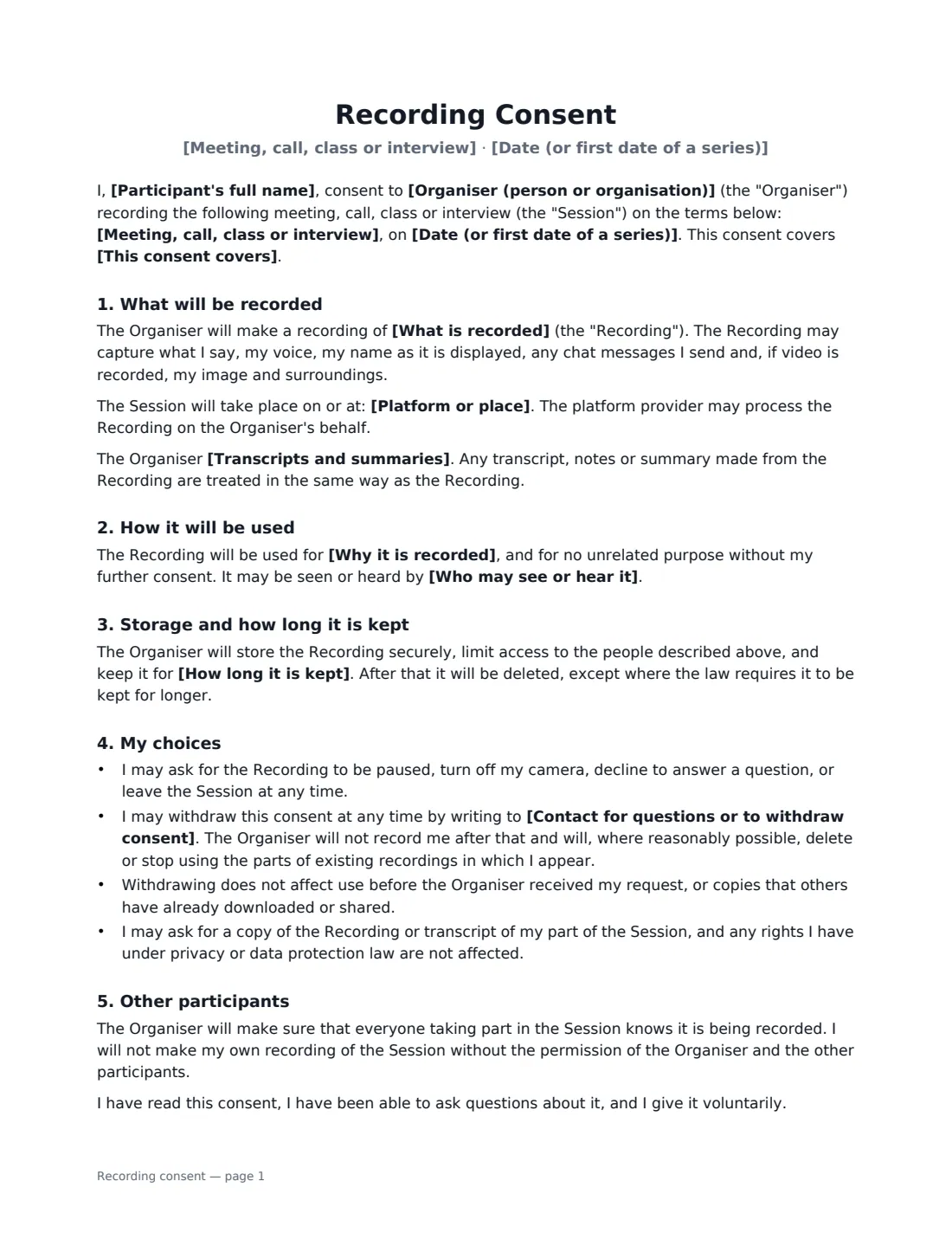
A recording consent form records that a person agreed to be recorded, and on what terms. It is useful whenever you record people who are not simply your own staff in a routine meeting: customer and expert interviews, coaching and consulting calls, recorded classes and webinars, podcast guests, or advisory boards. Recording rules differ from place to place — in some, everyone on a call must agree — so written consent is the simplest way to be sure.
This template says what will be captured (audio only, audio and video, or also anything shared on screen), whether it will be transcribed or summarised and whether automated or AI tools may be used, why it is being recorded, who may see or hear it — internal only, the other participants, or the public — and how long it is kept. The participant can ask to pause, turn off their camera or leave, and withdraw consent later by writing to the contact you name. The organiser promises to tell everyone in the session that it is being recorded. One form can cover a single session or a whole series.
- Best for
- Interviews, client calls, recorded classes and webinars, podcast guests, advisory boards
- Signed by
- The participant and the organiser
- Covers
- One session, or every session in a series until withdrawn
- Length
- 1–2 pages
When to Use a recording consent
- Recording customer or expert interviews for research and notes
- Using an AI note-taker on calls with clients or partners
- Recording a class, workshop or coaching session to share with the group
- Publishing a podcast or video interview with a guest
- Recording a board or committee meeting that includes outside members
What You Fill In
12 blanks, then the name and email of each person who signs: participant, organiser.
1 The recording
- Organiser (person or organisation)*
- Participant's full name*
- Meeting, call, class or interview*
- Date (or first date of a series)*
- This consent covers* this session only · every session in this series until I withdraw consent
- What is recorded* audio only · audio and video · audio, video and anything shared on screen
- Platform or place
- Transcripts and summaries* may make a transcript, notes or a summary of the Recording, including with automated transcription or AI tools · may have a person make a transcript, notes or a summary of the Recording, but will not use automated or AI tools · will not transcribe or summarise the Recording, apart from brief notes of decisions and actions
2 How it is used
- Why it is recorded*
- Who may see or hear it* people within the Organiser's organisation who need it for the purpose above · the other participants and people within the Organiser's organisation · the public — it may be published, for example online, as a podcast or on social media
- How long it is kept* 30 days · 90 days · 6 months · 12 months · 3 years · as long as it is needed for the purpose above
- Contact for questions or to withdraw consent*
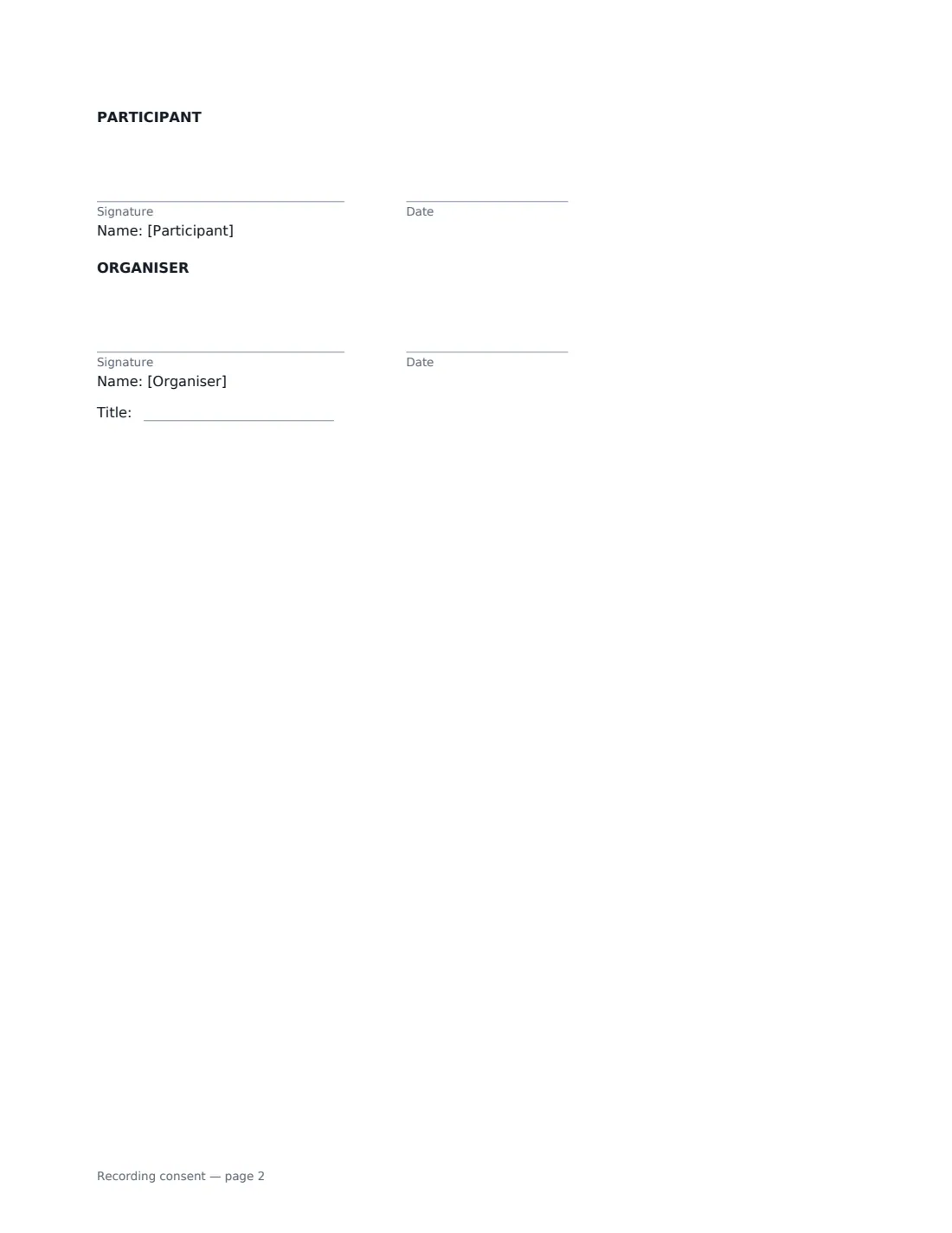
3 Who signs
- Participant signature and date · The person being recorded.
- Organiser signature and date, job title · The person or organisation making the recording.
What the recording consent Covers
- What will be recorded
- How it will be used
- Storage and how long it is kept
- My choices
- Other participants
Using the recording consent, step by step
1 Describe the session
Name the meeting, call, class or interview and its date, choose whether consent covers one session or the whole series, and say where it happens — Zoom, Teams, phone or an address.
2 Say what is captured
Choose audio only, audio and video, or also the shared screen. Then choose how transcripts and summaries are made: with automated or AI tools, by a person only, or not at all.
3 Set the use and retention
Write why you are recording it, choose who may see or hear it, and how long you keep it. If you choose public use, the form adds that you may edit it (without misrepresenting the participant) and show their name.
4 Send before you record
Name a contact for questions and withdrawals, then send it to the participant to sign before the session. You countersign, and the signed copy is filed in Files.
Tips Before You Send It
- Still say "this session is being recorded" at the start, even if everyone has signed — it reminds people and captures anyone who joins late.
- If you use an AI transcription or summary tool, pick the first transcription option so participants know.
- Choose the shortest retention period that works for you and delete recordings on time.
- For children, get consent from a parent or guardian using a parental consent form.
Sign It Online In Minutes
- Fill in the blanks. Names, dates and amounts go straight into the agreement — the preview shows exactly where.
- Name who signs. Tick “This is me” for your own part. VergeHR builds the PDF with every signature, date box on the right line, and you can check or move anything before sending.
- Send it. Each signer gets a secure link and signs from any device — no account needed. The signed PDF, with an audit trail and a Certificate of Completion, is filed in Files and emailed to everyone.
Recording consent: frequently asked questions
Do I need consent to record a call?
It depends on where the participants are. Some places allow recording if one person on the call agrees; others require everyone to agree, and privacy laws may add further duties. Getting everyone's written consent avoids the question.
Does this cover AI note-takers and transcripts?
Yes, if you choose that option. Transcripts, notes and summaries are then treated in the same way as the recording itself.
Can the participant change their mind?
Yes. They can withdraw consent at any time by writing to your contact. You stop recording them and, where reasonably possible, delete or stop using the parts where they appear. Use before withdrawal is not affected.
Is an electronic signature valid for this consent?
Generally, yes. Electronic signatures are valid for ordinary documents like this in the US (ESIGN Act and UETA), the UK, the EU (eIDAS) and Canada, and VergeHR's audit trail records when the participant signed.