

What is a user research consent?
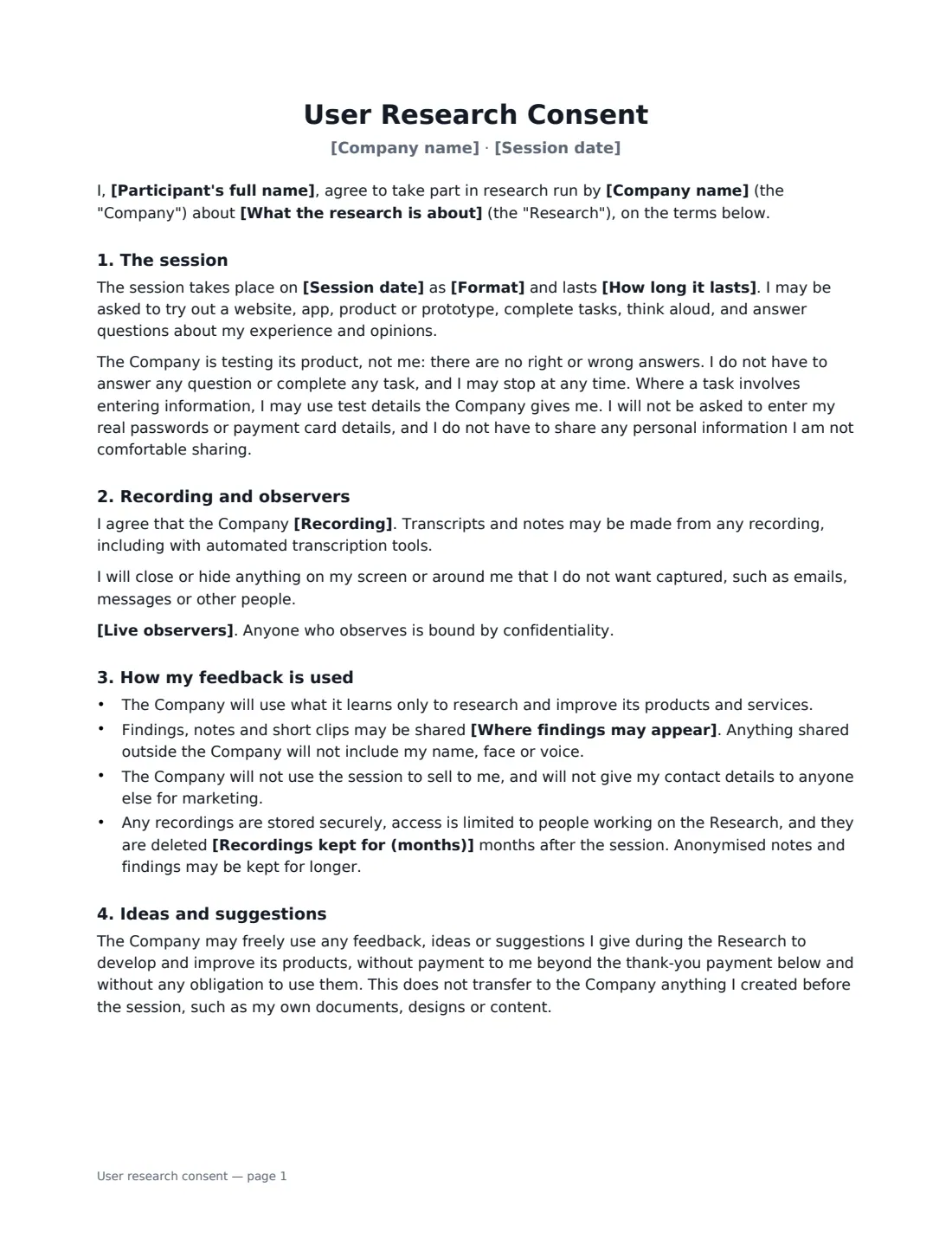
UX researchers, designers and product teams talk to users all the time: moderated usability tests, unmoderated tasks, customer interviews and prototype reviews. A user research consent form tells the participant what will happen and gets their agreement to be recorded, to the company using their feedback, and to keeping unreleased designs confidential. It also sets the thank-you payment so there is no confusion afterwards.
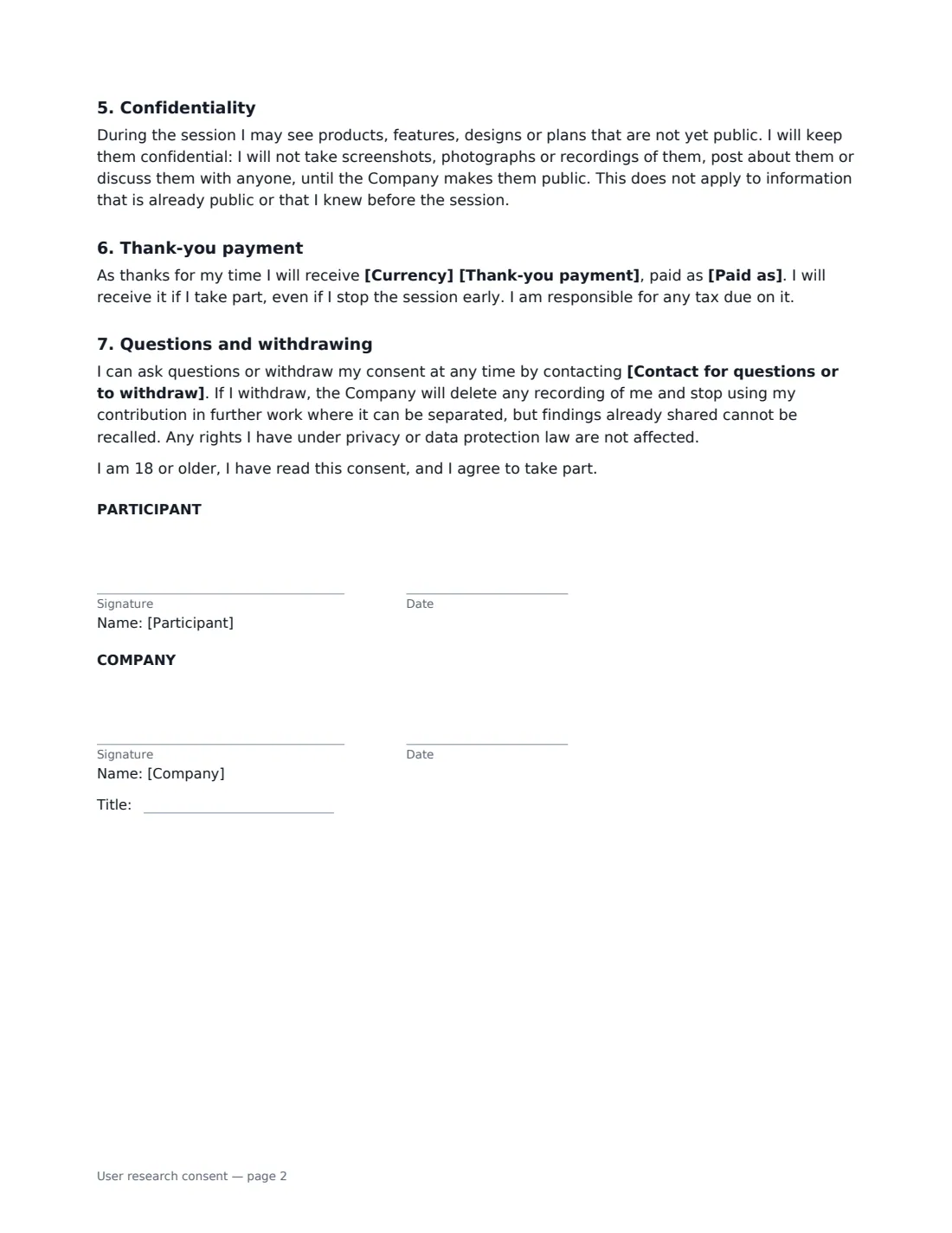
In this template you describe the research, the date, the format (video call, in person or an unmoderated test) and the length. You choose whether the company records the participant's screen, voice and face, screen and voice only, or nothing, and whether colleagues may watch live. The participant is told there are no wrong answers, can stop at any time, will not be asked for their real passwords or payment card details, and need not share personal information they are not comfortable sharing. Findings stay inside the company, or may also appear as anonymous quotes in public material, and recordings are deleted after the number of months you choose. The company may use ideas and suggestions freely, the participant keeps anything they made before, and they agree to keep unreleased products confidential.
- Best for
- Usability tests, customer and user interviews, prototype and concept testing
- Signed by
- The participant and the company
- Recording
- Screen, voice and face; screen and voice; or notes only
- Length
- About 2 pages
When to Use a user research consent
- Moderated usability tests over a video call
- In-person testing of an app, device or website
- Unmoderated online tests where the participant's screen is recorded
- Customer interviews about needs, workflows and pain points
- Showing unreleased prototypes or concepts to target users
What You Fill In
14 blanks, then the name and email of each person who signs: participant, company.
1 The session
- Company name*
- Participant's full name*
- What the research is about*
- Session date*
- Format* a video call with a researcher · an in-person session with a researcher · an unmoderated online test I complete on my own
- How long it lasts*
2 Recording and use
- Recording* will record my screen, my voice and my face · will record my screen and my voice, but not my face · will not record the session and will take written notes only
- Live observers* Members of the Company's product, design and research teams may watch the session live · No one other than the researcher running the session will watch it live
- Where findings may appear* inside the Company only · inside the Company, and as anonymous quotes in public material such as blog posts or talks
- Recordings kept for (months)*
3 Thank-you payment
- Currency
- Thank-you payment
- Paid as
4 Questions and withdrawal
- Contact for questions or to withdraw*
5 Who signs
- Participant signature and date · The person taking part in the research session.
- Company signature and date, job title · The company running the research, usually a researcher or designer on the team.
What the user research consent Covers
- The session
- Recording and observers
- How my feedback is used
- Ideas and suggestions
- Confidentiality
- Thank-you payment
- Questions and withdrawing
Using the user research consent, step by step
1 Describe the research
Say in plain words what you are testing — "a new way to book appointments in our mobile app" — and set the date, format and length.
2 Choose what is recorded and shared
Choose the recording option and whether teammates watch live. Decide whether findings stay internal or may also be quoted anonymously in public, such as a blog post or conference talk, and how long recordings are kept.
3 Set the thank-you payment
Enter the amount, currency and how it is paid. Leave the amount empty if there is none. The form says it is paid even if the participant stops early.
4 Send before the session
Add a contact for questions and withdrawals and send it to the participant. They sign, you countersign, and the signed copy is filed in Files — link it to your research notes.
Tips Before You Send It
- Give participants a test account and dummy data for any task that involves entering details.
- Ask participants to close personal emails and messages before screen sharing — the form reminds them too.
- Clips of a participant's face or voice should stay internal; share anonymous quotes outside the company instead.
- Delete recordings when the retention period ends, and keep only anonymised findings.
Sign It Online In Minutes
- Fill in the blanks. Names, dates and amounts go straight into the agreement — the preview shows exactly where.
- Name who signs. Tick “This is me” for your own part. VergeHR builds the PDF with every signature, date box on the right line, and you can check or move anything before sending.
- Send it. Each signer gets a secure link and signs from any device — no account needed. The signed PDF, with an audit trail and a Certificate of Completion, is filed in Files and emailed to everyone.
User research consent: frequently asked questions
Who owns the feedback participants give?
The company may freely use feedback, ideas and suggestions to improve its products without further payment. The participant keeps ownership of anything they created before the session, such as their own documents or designs.
Is this a non-disclosure agreement?
It includes a confidentiality promise covering unreleased products, features and designs seen during the session. For a longer engagement, such as a beta programme, use a beta test agreement.
Can participants withdraw after the session?
Yes. They can contact you at any time; you delete their recording and stop using their contribution where it can be separated, though findings already shared cannot be recalled.
Is an electronic signature valid for research consent?
Generally, yes. Electronic signatures are valid for ordinary documents like this in the US (ESIGN Act and UETA), the UK, the EU (eIDAS) and Canada. Academic or medical research may have its own ethics-review consent requirements.