

What is a fitness readiness declaration?
Before a new member starts at a gym, joins a class or books a personal trainer, it is good practice to ask whether anything about their health means they should talk to a doctor first. A fitness readiness declaration (also called a pre-exercise questionnaire or health screening form) asks that question in a structured way, records the answer, and records what the client and trainer agreed to do about it.
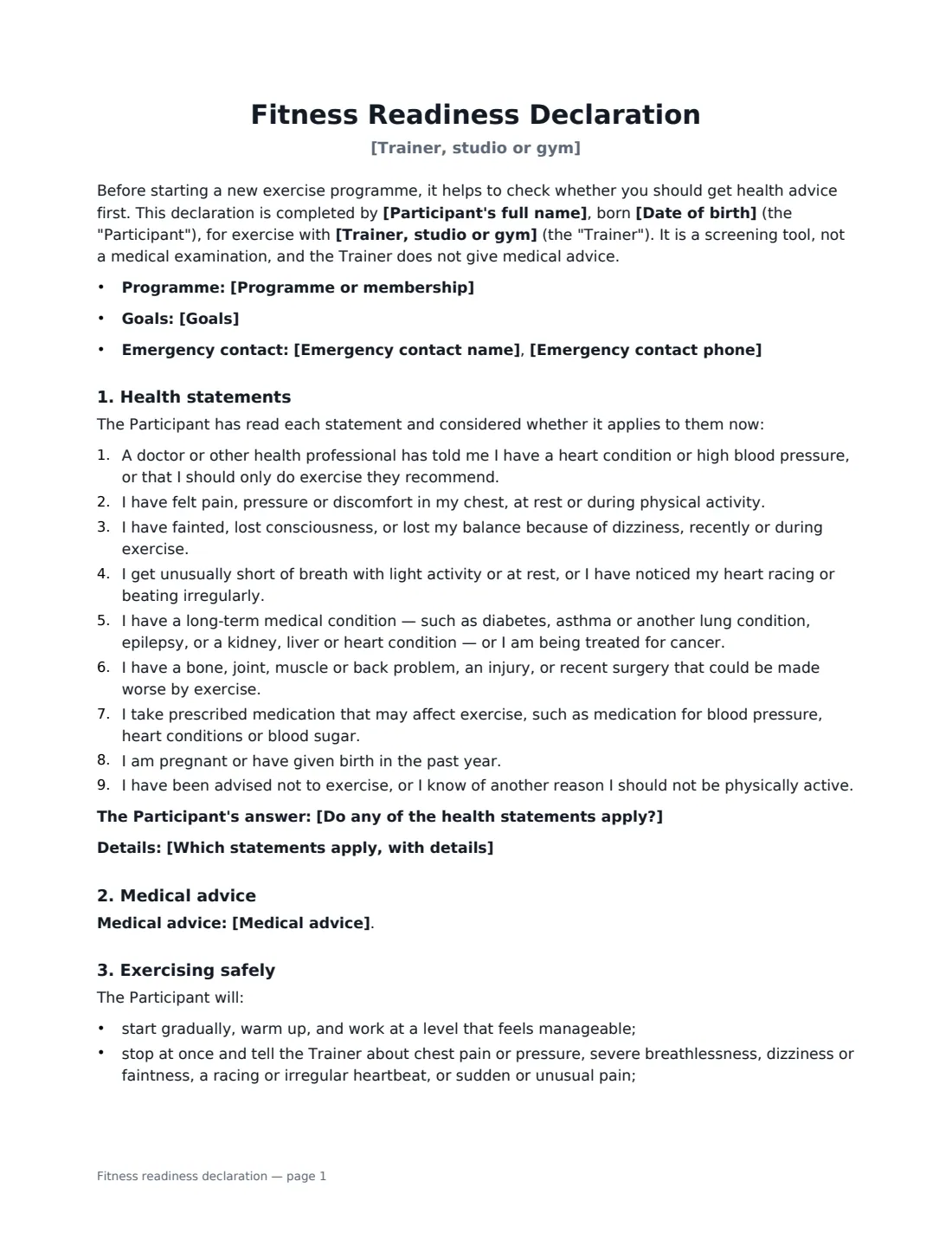
This template lists nine plain-English health statements — covering heart conditions and blood pressure, chest pain, fainting or dizziness, unusual breathlessness, long-term conditions, injuries or recent surgery, relevant medication, pregnancy or recent birth, and any advice not to exercise. The participant says whether any apply and gives details. You then record the medical advice position: not needed, already obtained, to be obtained before starting, or the participant choosing to start without it — each with its own clause. It adds safe-exercise commitments (including stopping at once for chest pain or dizziness), an emergency contact, a privacy section for health information, and a declaration that the answers are true. It is a screening tool, not a medical examination.
- Best for
- Gyms, personal trainers, fitness studios, boot camps, yoga and Pilates instructors
- Signed by
- The participant and the trainer or gym
- Health statements
- Nine, answered as none apply or one or more apply, with details
- Length
- 2 pages
When to Use a fitness readiness declaration
- New gym members completing their induction
- Personal training clients before the first assessment
- Group classes, boot camps and running clubs
- Clients returning to exercise after an injury, illness or pregnancy
- Re-screening existing clients once a year or when their health changes
What You Fill In
10 blanks, then the name and email of each person who signs: participant, trainer or gym.
1 The trainer or gym
- Trainer, studio or gym*
- Programme or membership
2 The participant
- Participant's full name*
- Date of birth*
- Goals
3 Emergency contact
- Emergency contact name*
- Emergency contact phone*
4 Health screening
- Do any of the health statements apply?* No — none of them apply · Yes — one or more apply
- Which statements apply, with details
- Medical advice* Not needed — no statement applies · Already obtained from a health professional · Will be obtained before starting · Participant chooses to start without it
5 Who signs
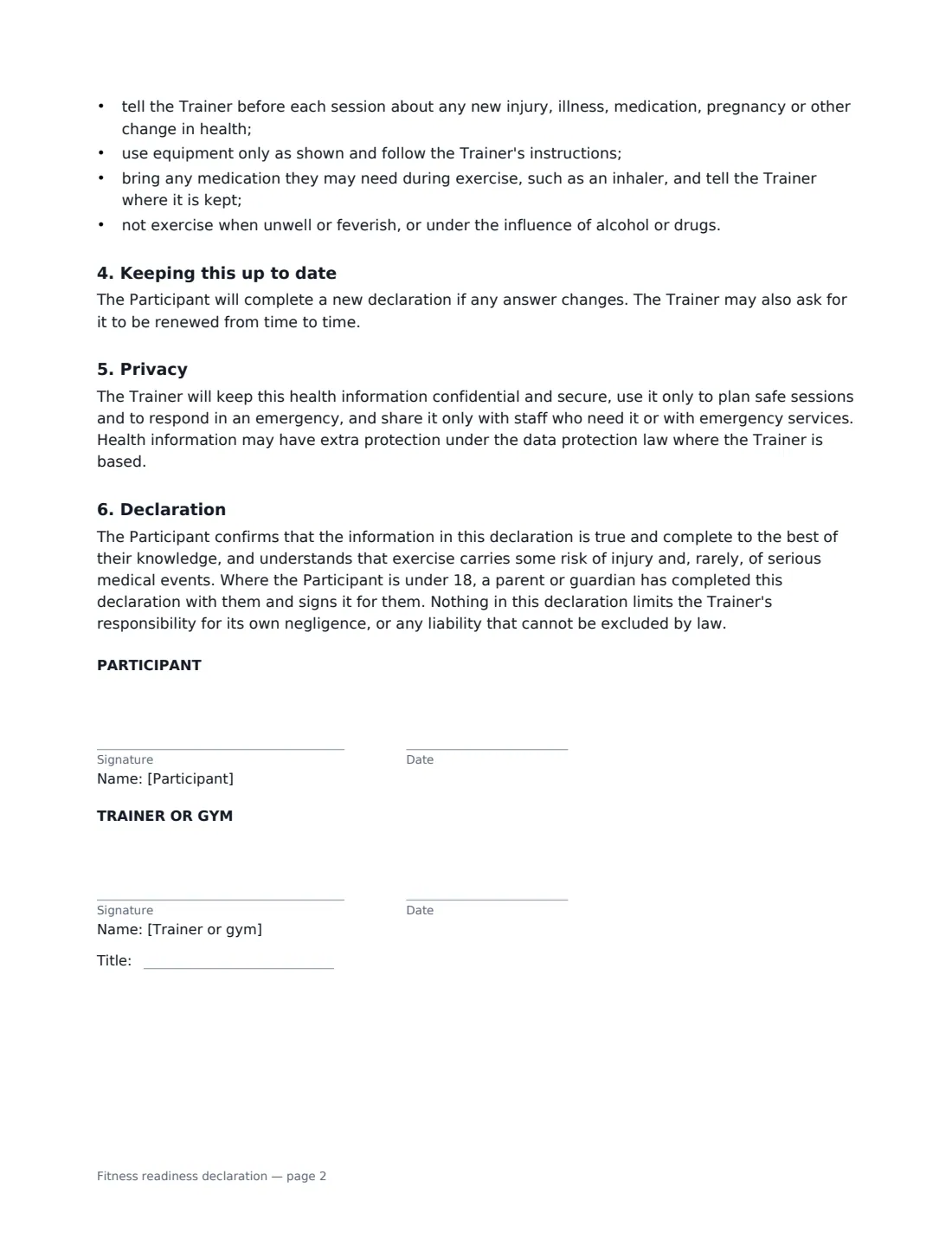
- Participant signature and date · The member or client who will be exercising — or, for a participant under 18, their parent or guardian.
- Trainer or gym signature and date, job title · The personal trainer, instructor or gym staff member who reviews the declaration.
What the fitness readiness declaration Covers
- Health statements
- Medical advice
- Exercising safely
- Keeping this up to date
- Privacy
- Declaration
Using the fitness readiness declaration, step by step
1 Add the participant and an emergency contact
Enter the participant's name, date of birth and, optionally, their programme and goals, plus an emergency contact who can be reached during sessions.
2 Record the answers
Go through the nine statements with the participant. Choose whether none apply or one or more apply, and note which ones and any details — for example "Statement 6 — knee surgery in March, cleared by physiotherapist".
3 Record the medical advice position
Choose not needed, already obtained, will be obtained before starting, or starting without it. Each choice prints its own clause; if the participant starts without advice, the trainer keeps the right to decline, postpone or adapt the programme.
4 Sign and keep it safe
The participant signs, and the trainer signs to confirm they have reviewed it. The signed declaration is filed in Files. Ask for a new one whenever the participant's health changes.
Tips Before You Send It
- Screen before the first session or any fitness assessment, not after.
- If someone answers yes, ask what their health professional said and plan within it; don't try to interpret medical conditions yourself.
- For participants under 18, have a parent or guardian complete the form with them and sign it in the participant role.
- Treat the answers as sensitive health data: store them securely and share them only with staff who need them.
Sign It Online In Minutes
- Fill in the blanks. Names, dates and amounts go straight into the agreement — the preview shows exactly where.
- Name who signs. Tick “This is me” for your own part. VergeHR builds the PDF with every signature, date box on the right line, and you can check or move anything before sending.
- Send it. Each signer gets a secure link and signs from any device — no account needed. The signed PDF, with an audit trail and a Certificate of Completion, is filed in Files and emailed to everyone.
Fitness readiness declaration: frequently asked questions
Is this the same as the PAR-Q?
No. It is VergeHR's own plain-English screening form covering similar ground. If your insurer, governing body or employer requires a specific questionnaire, use that one instead or alongside.
What if a participant answers yes?
The form recommends they get advice from a doctor or other qualified health professional before starting or increasing activity, and records whether they have already done so, will do so, or have chosen to start without it.
Does it replace a waiver?
No. It records health screening. If you also want participants to acknowledge the risks of the activity more broadly, use a liability waiver alongside it.
Is an electronic signature valid for a health declaration?
Electronic signatures are generally valid for declarations and agreements like this in the US (ESIGN Act and UETA), the UK, the EU (eIDAS) and Canada. VergeHR keeps an audit trail and a Certificate of Completion.