

What is a gym membership agreement?
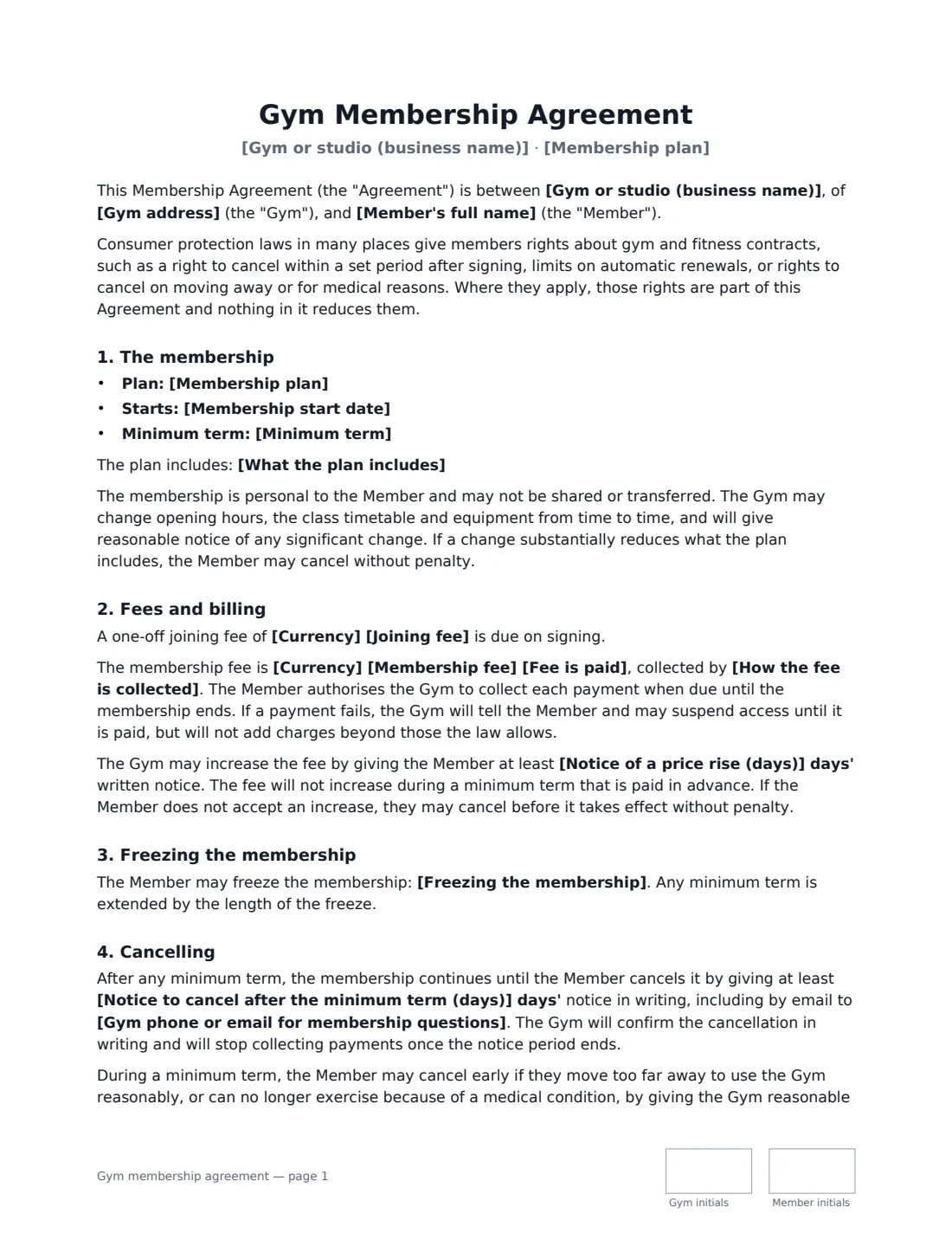
A gym membership agreement is the contract between a gym, studio or fitness club and a member. It sets out what the plan includes, what it costs and how it is billed, whether there is a minimum term, how to freeze or cancel, and the rules members follow. Clear, fair terms reduce disputes — and gym contracts are an area where consumer protection laws often apply.
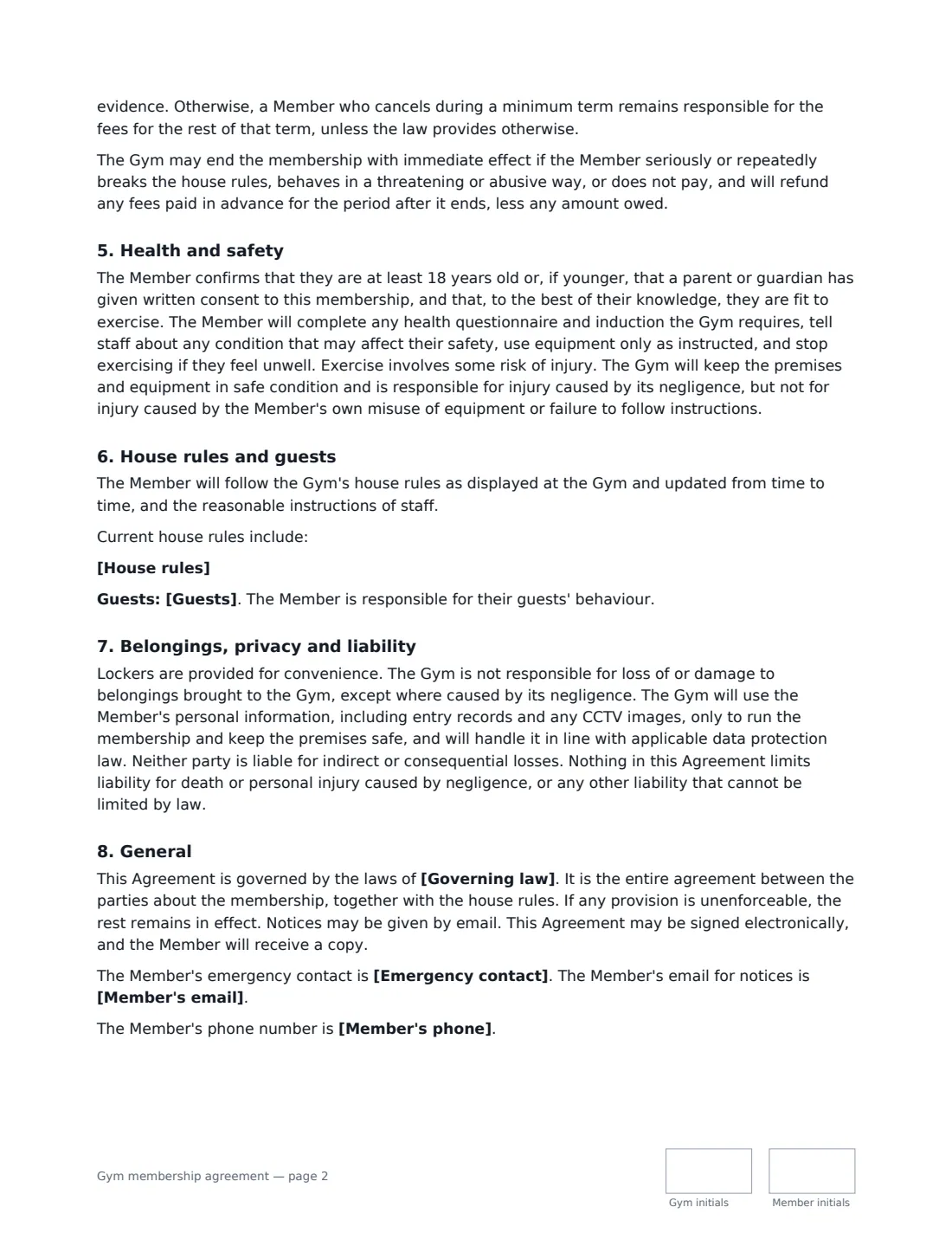
This template covers the plan and what it includes, a minimum term (or rolling monthly), joining fee, membership fee and billing authority, failed payments, price rises with notice and the right to cancel, freezing, cancelling after the minimum term, early cancellation for moving away or medical reasons, the gym ending the membership, health, safety and inductions, house rules and guests, lockers and belongings, privacy and CCTV, and liability. It states up front that local consumer rights apply and are not reduced. VergeHR places both signatures, dates and initials.
- Best for
- Independent gyms, yoga and pilates studios, boxing and CrossFit-style boxes, fitness clubs
- Signed by
- A staff member for the gym (with a job title) and the member
- Minimum term
- None (rolling monthly), 3, 6 or 12 months
- Length
- About 3 pages, initialled on every page
When to Use a gym membership agreement
- A new member joining an independent gym on a monthly plan
- A studio selling a 12-month membership with a minimum term
- A class-pack or off-peak plan with set access hours
- A club moving members onto written terms for the first time
- A gym sending the agreement to sign before a member's first visit
What You Fill In
22 blanks, then the name and email of each person who signs: gym, member.
1 The parties
- Gym or studio (business name)*
- Gym address*
- Gym phone or email for membership questions*
2 The member
- Member's full name*
- Member's email*
- Member's phone
- Emergency contact*
3 The plan
- Membership plan*
- What the plan includes*
- Membership start date*
- Minimum term* none (rolling monthly) · 3 months · 6 months · 12 months
4 Fees and billing
- Currency*
- Joining fee
- Membership fee*
- Fee is paid* per month · every four weeks · per year · once, for the whole term
- How the fee is collected*
5 Freezing and cancelling
- Freezing the membership
- Notice to cancel after the minimum term (days)*
- Notice of a price rise (days)*
6 House rules
- House rules
- Guests
7 Other terms
- Governing law*
8 Who signs
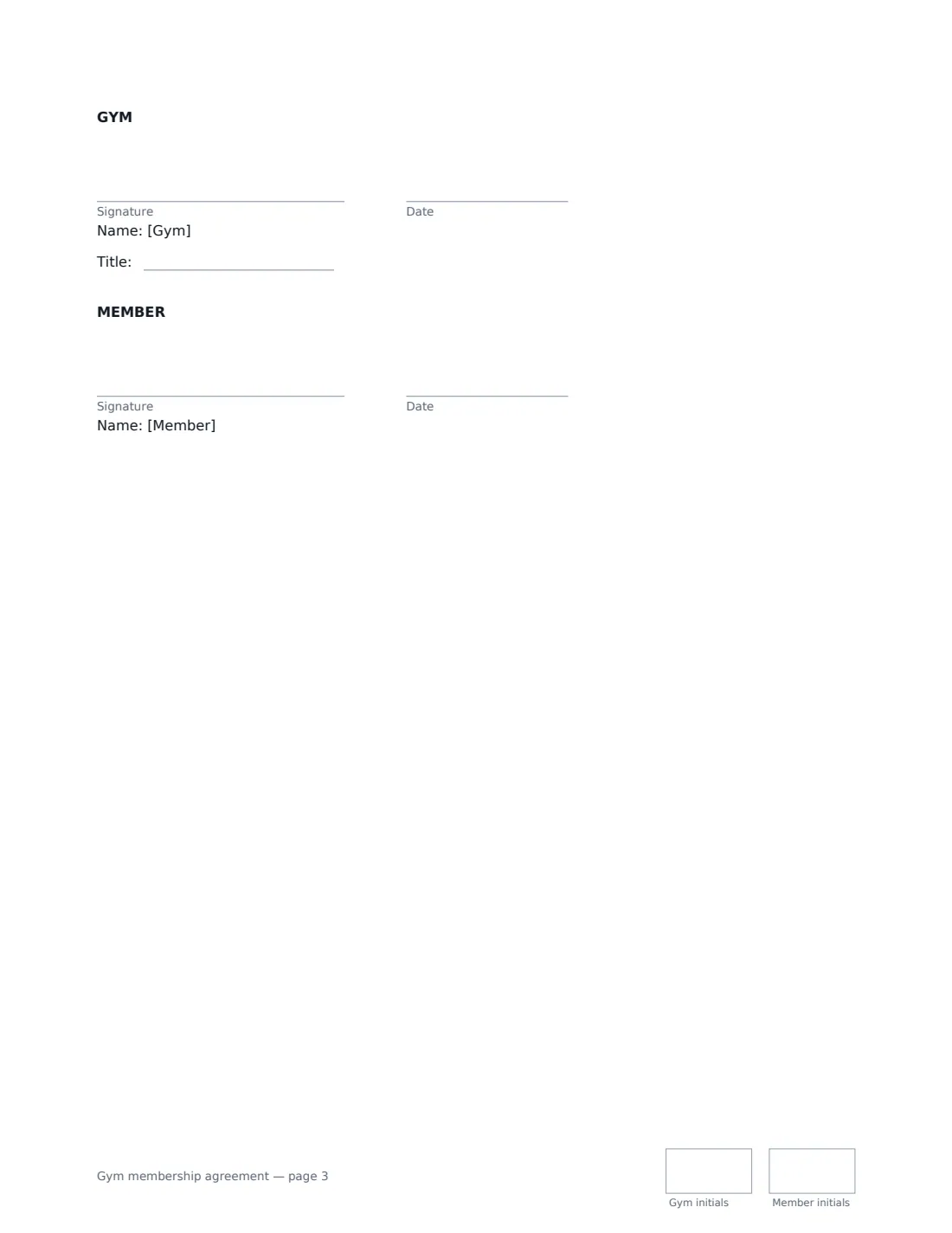
- Gym signature and date, job title, initials on every page · The gym, studio or club — signed by the owner or a staff member.
- Member signature and date, initials on every page · The adult joining. For a member under 18, a parent or guardian should sign a consent form as well.
What the gym membership agreement Covers
- The membership
- Fees and billing
- Freezing the membership
- Cancelling
- Health and safety
- House rules and guests
- Belongings, privacy and liability
- General
Using the gym membership agreement, step by step
1 Enter the gym and the member
Add your business name, address and the contact members use for membership questions and cancellations, then the member's name, email and emergency contact.
2 Describe the plan
Name the plan, list what it includes, choose the start date and the minimum term.
3 Set fees and billing
Enter any joining fee, the membership fee and how often it's paid, and how it's collected. Set the notice period for price rises.
4 Freezing, cancelling and rules, then send
Describe freeze terms if you offer them, set the cancellation notice after the minimum term, add house rules and a guest policy, then send it to the member to sign.
Tips Before You Send It
- Check your local consumer law before choosing a minimum term and notice period. Some places set cooling-off periods, cap notice periods or require easy online cancellation.
- Make cancelling simple: the template lets members cancel by email to the contact you give.
- Keep house rules short and specific, and display the full set at the gym — the template refers to the displayed rules.
- For members under 18, also have a parent or guardian sign a consent form.
Sign It Online In Minutes
- Fill in the blanks. Names, dates and amounts go straight into the agreement — the preview shows exactly where.
- Name who signs. Tick “This is me” for your own part. VergeHR builds the PDF with every signature, date and initials box on the right line, and you can check or move anything before sending.
- Send it. Each signer gets a secure link and signs from any device — no account needed. The signed PDF, with an audit trail and a Certificate of Completion, is filed in Files and emailed to everyone.
Gym membership agreement: frequently asked questions
Can a member cancel during the minimum term?
Under this template, yes, if they move too far away to use the gym reasonably or can no longer exercise for medical reasons, with reasonable evidence. Otherwise they remain responsible for the rest of the term unless the law provides otherwise. Local consumer rights, such as a cooling-off period, always apply.
Can the gym raise prices?
Yes, with the written notice you set, but not during a minimum term paid in advance. A member who doesn't accept an increase may cancel before it takes effect without penalty.
Is a gym membership signed online binding?
In most countries, including the US (ESIGN Act and UETA), the UK, the EU (eIDAS) and Canada, an electronic signature is generally valid for an ordinary services contract like this one. VergeHR keeps an audit trail and a Certificate of Completion with the signed PDF as evidence of who signed and when. Some places have specific rules for gym contracts, such as giving the member a copy — VergeHR emails every signer the signed PDF.
Does this replace a liability waiver?
It includes basic health and safety terms. If you want members to sign a fuller release of liability for higher-risk activities, use a liability waiver as well.
Can I change the wording?
You fill in the blanks and choose the options on the setup page; optional clauses appear only when you fill them in. If you need different clauses, draft your own document and upload it to VergeHR eSignature instead — you can still place the signature boxes in the editor.
Is this template free?
Yes. The template is free to use with the eSignature app in VergeHR. The person you send it to doesn't need a VergeHR login to sign.