


What is a host family agreement?
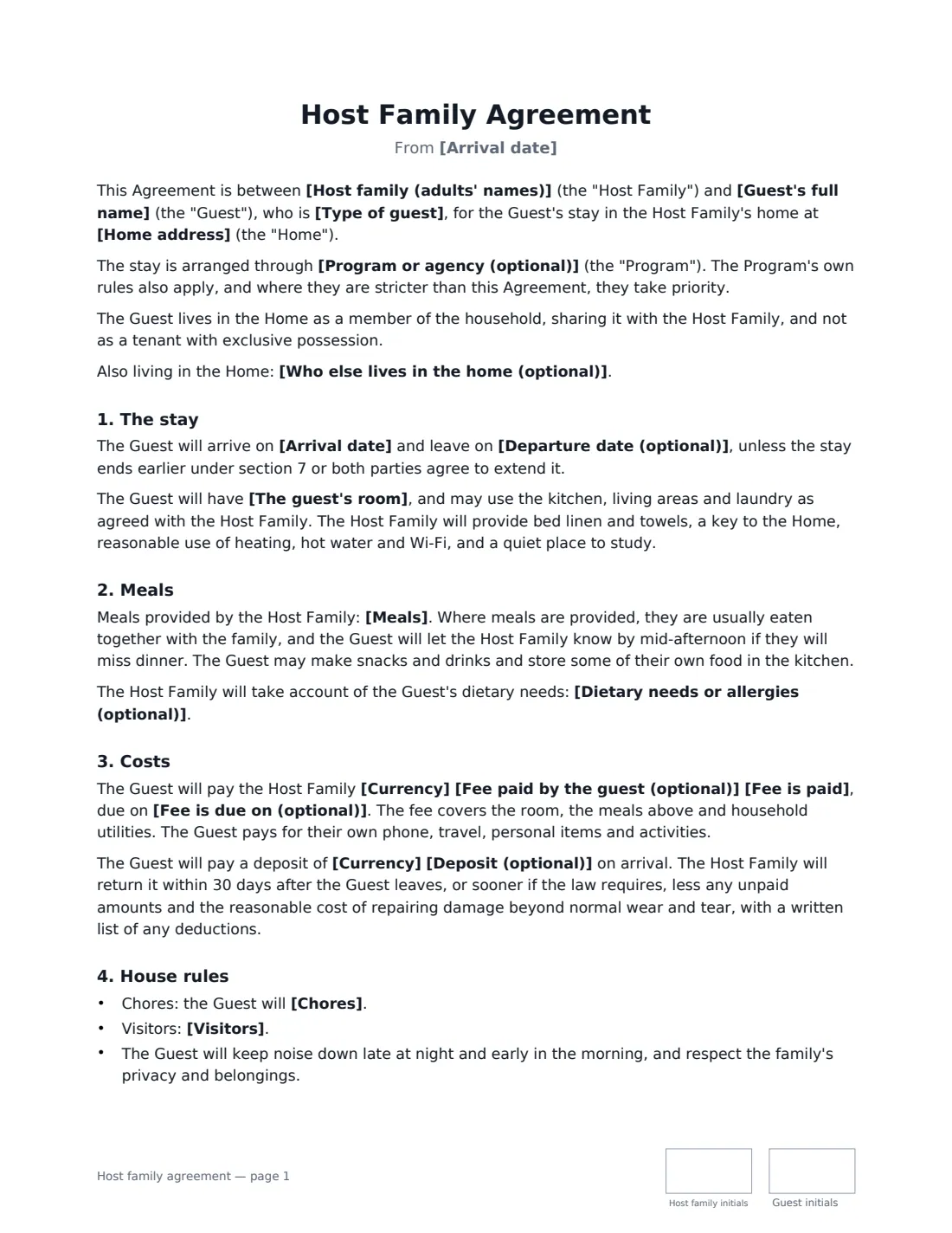
A host family agreement — sometimes called a homestay agreement or house rules contract — sets out how a student or lodger will live with a family. Most problems in a homestay are not dramatic; they come from different expectations about dinner times, coming home late, guests, showers, chores and money. Agreeing these in writing at the start, and signing them together, gives both sides something to point back to when a conversation is needed.
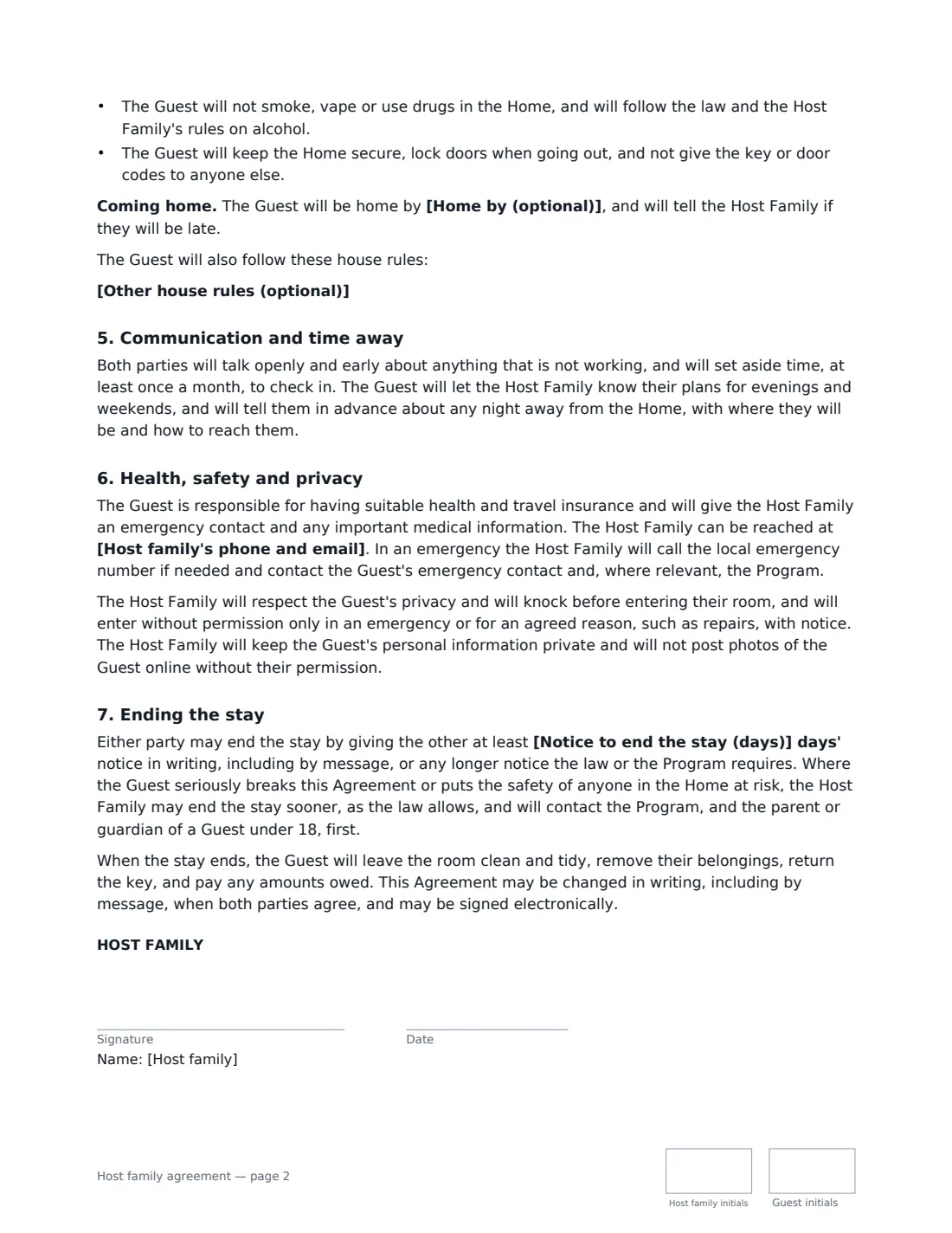
This template records the host family, the guest and the room, and whether the guest is an exchange student, an international student or a lodger. You choose the meals provided, note any dietary needs, and set a fee and deposit if the guest pays — or leave the fee empty when a program covers the stay. House rules cover chores, visitors, a "home by" time, noise, smoking and alcohol, and your own rules. It includes regular check-ins, telling the family about nights away, health insurance and emergencies, the guest's privacy, and notice to end the stay. If the guest is under 18, extra wording covers supervision and the parent or guardian's consent to overnight stays and travel, and a program's stricter rules take priority.
- Best for
- Exchange students, international students, homestays and lodgers living with a family
- Signed by
- The host family and the guest (plus a parent or guardian for under-18s)
- Covers
- Room, meals, costs, house rules, curfew, visitors, check-ins, privacy and notice
- Length
- About 2-3 pages, initialled by both on every page
When to Use a host family agreement
- Hosting a high-school exchange student for a semester or a year
- An international university student in a paid homestay
- Taking in a lodger who shares family life and meals
- A language-school student staying for a few weeks
- Adding written house rules to a stay arranged by an exchange program or agency
What You Fill In
24 blanks, then the name and email of each person who signs: host family, guest.
1 The host family
- Host family (adults' names)*
- Home address*
- Host family's phone and email*
- Who else lives in the home (optional)
2 The guest
- Guest's full name*
- Type of guest* an exchange student · an international student · a lodger
- Is the guest under 18?* No · Yes
- Guest's parent or guardian (name and contact)
- Program or agency (optional)
3 The stay
- Arrival date*
- Departure date (optional)
- The guest's room*
- Meals* breakfast and dinner every day · all meals · breakfast only · none — the Guest cooks for themselves in the kitchen
- Dietary needs or allergies (optional)
4 Costs
- Currency
- Fee paid by the guest (optional)
- Fee is paid per month · every four weeks · per week
- Fee is due on (optional)
- Deposit (optional)
5 House rules
- Home by (optional)
- Chores*
- Visitors* Visitors are welcome during the day with notice; no overnight visitors · Visitors only with the host family's agreement each time · No visitors in the home
- Other house rules (optional)
6 Ending the stay
- Notice to end the stay (days)*
7 Who signs
- Host family signature and date, initials on every page · An adult in the host family who is responsible for the home.
- Guest signature and date, initials on every page · The student or lodger. If they are under 18, their parent or guardian should also sign — add them as an extra signer in the editor.
What the host family agreement Covers
- The stay
- Meals
- Costs
- House rules
- Communication and time away
- Health, safety and privacy
- Ending the stay
Using the host family agreement, step by step
1 Add the family and the guest
Enter the host family's names, address and contact details, and who else lives in the home. Add the guest, choose whether they are an exchange student, international student or lodger, and whether they are under 18. Name the program or agency if there is one.
2 Describe the stay
Enter the arrival date and, if known, the departure date, describe the guest's room, choose which meals are provided, and note any dietary needs or allergies.
3 Set costs and house rules
Enter a fee and deposit if the guest pays — leave the fee empty if they don't. Set a "home by" time if you want one, edit the chores, choose the visitors rule and add your own house rules, one per line.
4 Agree notice and sign together
Choose the notice either side must give to end the stay. Add the guest as a signer — and for an under-18, add their parent or guardian as an extra signer in the editor — then go through the agreement together before everyone signs.
Tips Before You Send It
- Read the agreement through with the guest when they arrive rather than just sending it. Some guests are new to the language and the culture.
- If an exchange program is involved, check its rules first — they may already set curfews, travel limits or notice periods that take priority.
- A paying lodger may have legal rights under local housing law. Check what notice and deposit rules apply where you live.
- Keep the house rules short and specific. "Showers no longer than 10 minutes" works better than "be considerate with hot water".
- Schedule the monthly check-in in the calendar — small issues are easier to fix early.
Sign It Online In Minutes
- Fill in the blanks. Names, dates and amounts go straight into the agreement — the preview shows exactly where.
- Name who signs. Tick “This is me” for your own part. VergeHR builds the PDF with every signature, date and initials box on the right line, and you can check or move anything before sending.
- Send it. Each signer gets a secure link and signs from any device — no account needed. The signed PDF, with an audit trail and a Certificate of Completion, is filed in Files and emailed to everyone.
Host family agreement: frequently asked questions
Is a host family agreement a tenancy?
The agreement says the guest lives in the home as a member of the household, sharing it with the family, not as a tenant with exclusive possession. Whether local housing law gives a paying guest extra rights depends on where you live, so check before relying on short notice periods.
Who signs for a guest under 18?
The guest signs, and their parent or guardian should sign too — add them as an extra signer in the eSignature editor before sending. The template's under-18 wording requires the parent's agreement before overnight stays or travel.
Can we set a curfew?
Yes. Enter a "home by" time, such as 10 pm on school nights, and the agreement asks the guest to be home by then and to tell you if they'll be late. Leave it empty if you prefer not to set one.
Is an electronically signed host family agreement valid?
Electronic signatures are generally valid for ordinary agreements like this in the US (ESIGN Act and UETA), the UK, the EU (eIDAS) and Canada. VergeHR keeps an audit trail and a Certificate of Completion with the signed PDF.
Is this template free?
Yes. It is free to use with the eSignature app in VergeHR, and the guest doesn't need a VergeHR login to sign.