

What is a lease addendum?
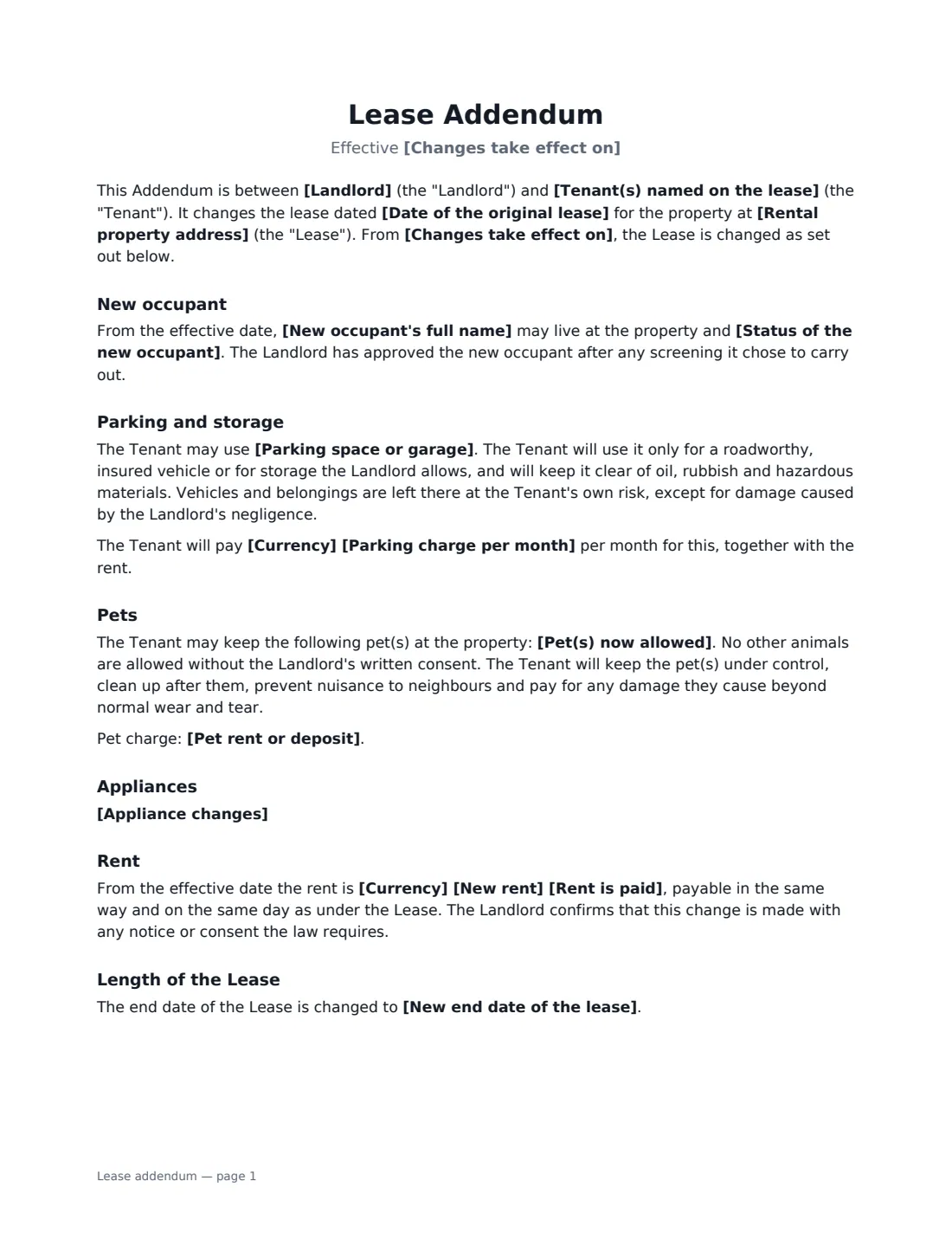
A lease addendum (also called a lease amendment or variation) changes an existing lease without replacing it. Landlord and tenant both sign, and it sits alongside the original lease. It's the clean way to record that a partner has moved in, a parking space has been added, a pet is now allowed or the rent is changing on renewal.
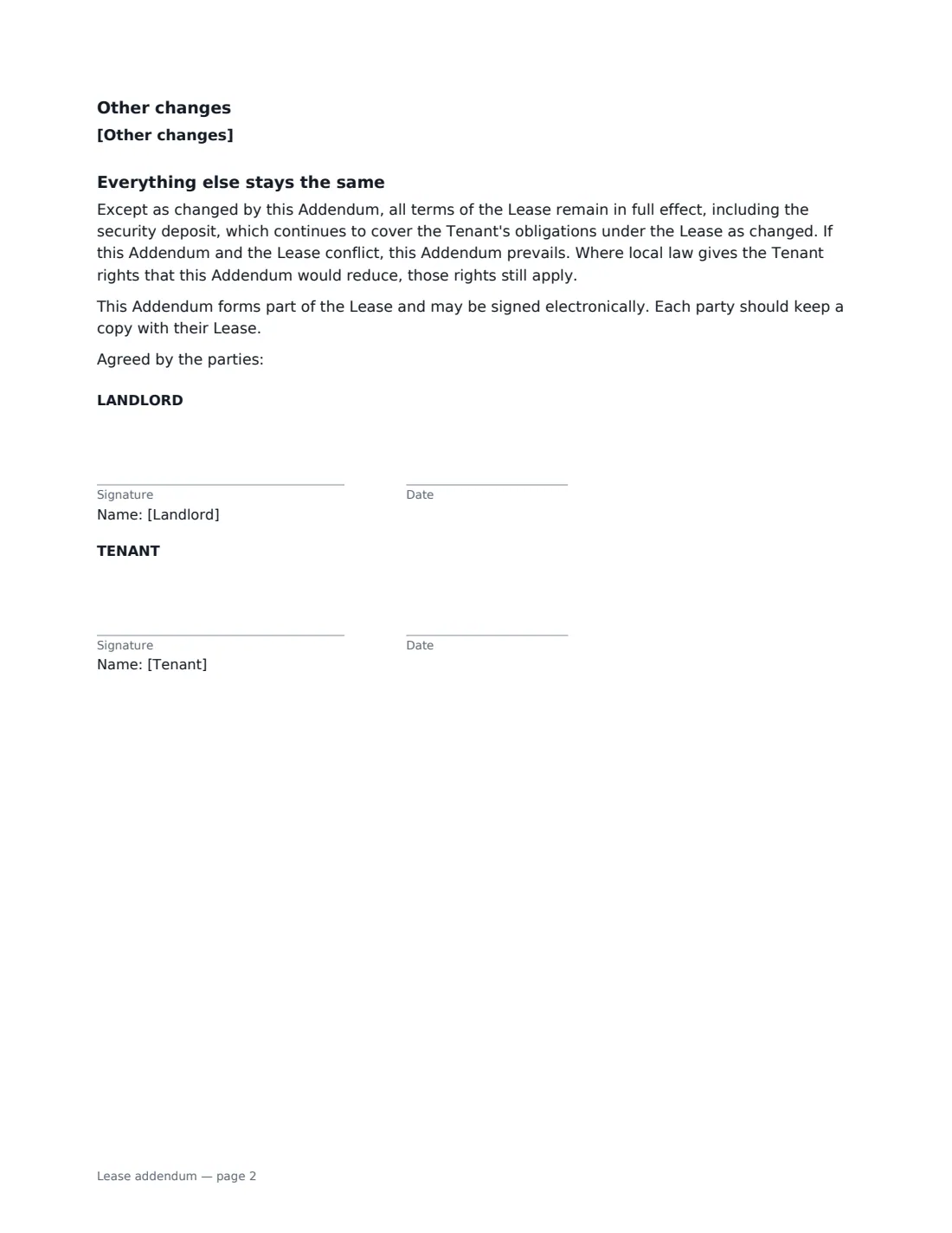
This template only prints the sections you fill in. Choose from: a new occupant (as an authorised occupant, or as a joint tenant, whom you add as a signer), parking or storage with an optional monthly charge, pets with any pet charge, a no-smoking rule or a designated smoking area, appliance changes, a new rent, a new end date, and any other changes you write yourself. It finishes with a clause confirming that everything else in the lease stays the same, that the addendum wins where the two conflict, and that the tenant keeps any rights the law gives them.
- Best for
- Landlords, property managers and tenants changing a lease mid-tenancy
- Signed by
- The landlord and the tenant
- Changes covered
- Occupant, parking, pets, smoking, appliances, rent, end date and your own
- Length
- 1 to 2 pages, depending on the changes
When to Use a lease addendum
- A tenant's partner moving in part-way through the lease
- Adding a parking space or storage unit for an extra monthly charge
- Allowing a pet that the original lease didn't permit
- Making a unit smoke-free, or setting a designated outdoor smoking area
- Recording a rent change or a new end date when a lease is extended
What You Fill In
19 blanks, then the name and email of each person who signs: landlord, tenant.
1 The lease
- Landlord*
- Tenant(s) named on the lease*
- Rental property address*
- Date of the original lease*
- Changes take effect on*
2 New occupant
- New occupant's full name
- Status of the new occupant* is an authorised occupant only, not a tenant · becomes a joint tenant under the lease
3 Parking and storage
- Parking space or garage
- Parking charge per month
4 Pets
- Pet(s) now allowed
- Pet rent or deposit
5 Smoking
- Smoking and vaping* No change · Not allowed anywhere in the property, including balconies and patios · Allowed only outdoors, in the area described below
- Where smoking is allowed
6 Appliances
- Appliance changes
7 Rent
- New rent
- Currency*
- Rent is paid* per month · every four weeks · per week
- New end date of the lease
8 Other changes
- Other changes
9 Who signs
- Landlord signature and date · The landlord, or the agent authorised to sign for them.
- Tenant signature and date · The tenant named on the lease. To have more tenants, or a new joint tenant, sign too, add them as signers in the editor and place their boxes.
What the lease addendum Covers
- New occupant
- Parking and storage
- Pets
- Smoking
- Smoking
- Appliances
- Rent
- Length of the Lease
- Other changes
- Everything else stays the same
Using the lease addendum, step by step
1 Identify the lease
Enter the landlord, the tenant(s) named on the lease, the property address, the date of the original lease, and the date the changes take effect.
2 Fill in only the changes you need
Each section prints only if you fill it in. Add a new occupant's name and choose their status, a parking space and charge, pets and any pet charge, a smoking rule, appliance changes, a new rent or end date, or write any other change one per line.
3 Check the result
Preview the PDF to make sure it says exactly what you agreed. The closing clause keeps everything else in the lease unchanged.
4 Sign and file it with the lease
Send it to the tenant to sign online. The signed addendum is filed in Files — keep it with the original lease, since the two are read together.
Tips Before You Send It
- If the new occupant becomes a joint tenant, they need to sign too — add them as a signer in the editor before you send the addendum.
- Rent increases and new charges may require a minimum notice period or the tenant's consent under local law, and some places cap them.
- Some places limit or prohibit pet deposits and pet fees. Check before adding a pet charge.
- Screen a new occupant the same way you screened the original tenant, and apply the same criteria to everyone.
Sign It Online In Minutes
- Fill in the blanks. Names, dates and amounts go straight into the agreement — the preview shows exactly where.
- Name who signs. Tick “This is me” for your own part. VergeHR builds the PDF with every signature, date box on the right line, and you can check or move anything before sending.
- Send it. Each signer gets a secure link and signs from any device — no account needed. The signed PDF, with an audit trail and a Certificate of Completion, is filed in Files and emailed to everyone.
Lease addendum: frequently asked questions
What's the difference between a lease addendum and a new lease?
An addendum changes specific terms and leaves the rest of the original lease in place. A new lease replaces the old one entirely. For a few changes, an addendum is simpler and avoids re-signing everything.
Is an authorised occupant responsible for the rent?
Not under this addendum. An authorised occupant may live there but isn't a tenant — the tenant remains fully responsible for the rent and for the occupant following the lease. Choose "becomes a joint tenant" if you want the new person to share responsibility.
Can a landlord make these changes without the tenant agreeing?
An addendum is an agreement, so both sides sign it. Some changes, such as a rent increase at renewal, may be possible by notice under local law instead, but they usually have their own rules.
Is an e-signed addendum valid?
In the US (ESIGN Act and UETA), the UK, the EU (eIDAS) and Canada, electronic signatures are generally valid for ordinary contracts like this one. VergeHR keeps an audit trail and a Certificate of Completion with the signed PDF as evidence of who signed and when.
Is this template free?
Yes. The template is free to use with the eSignature app in VergeHR. The other party doesn't need a VergeHR login to sign.