

What is a mobile home lot rental agreement?
A mobile home lot (or pitch) agreement is different from a normal lease: the resident owns the home but rents the ground it stands on. That affects upkeep, selling, moving the home and ending the arrangement — and many places have special laws protecting park-home residents.
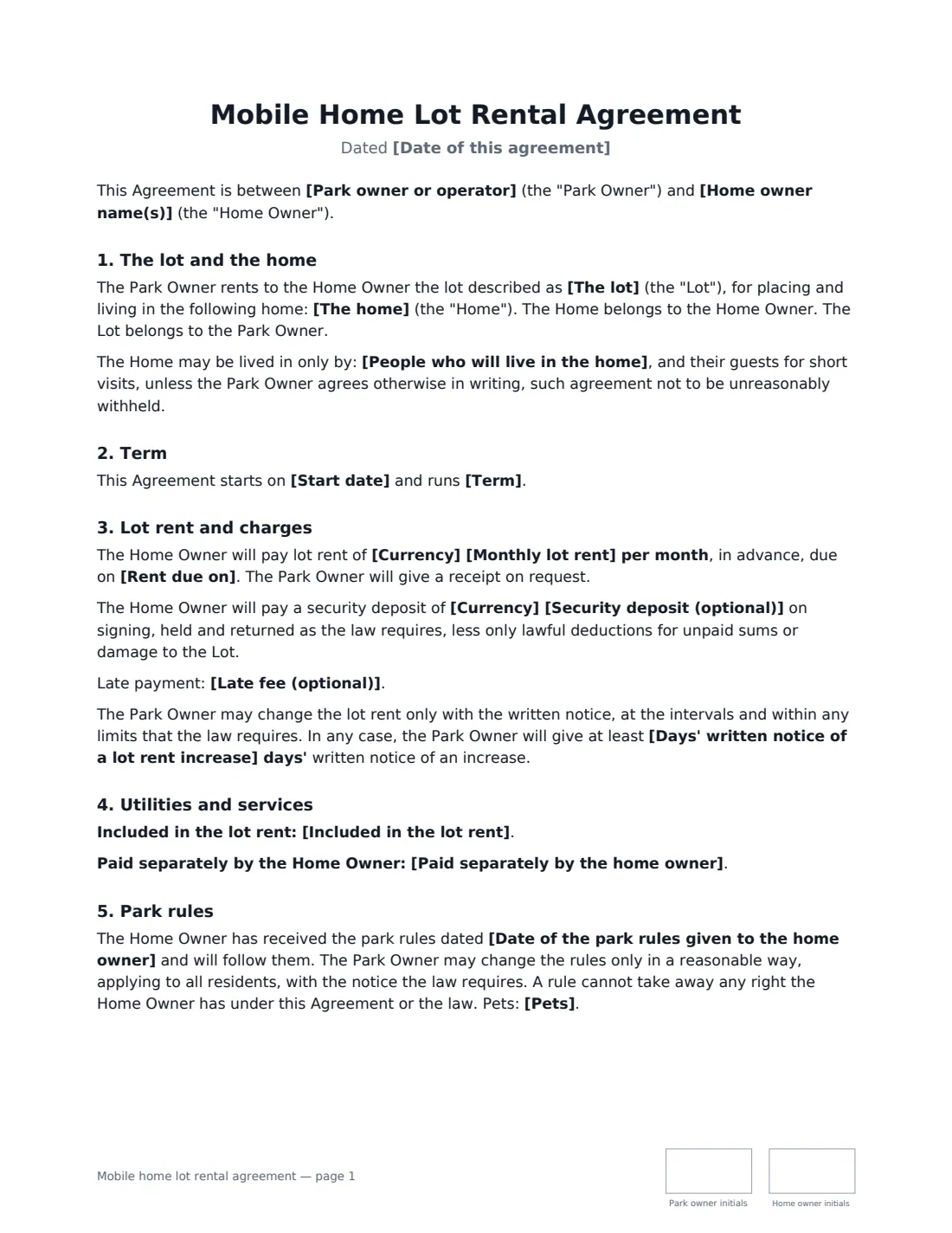
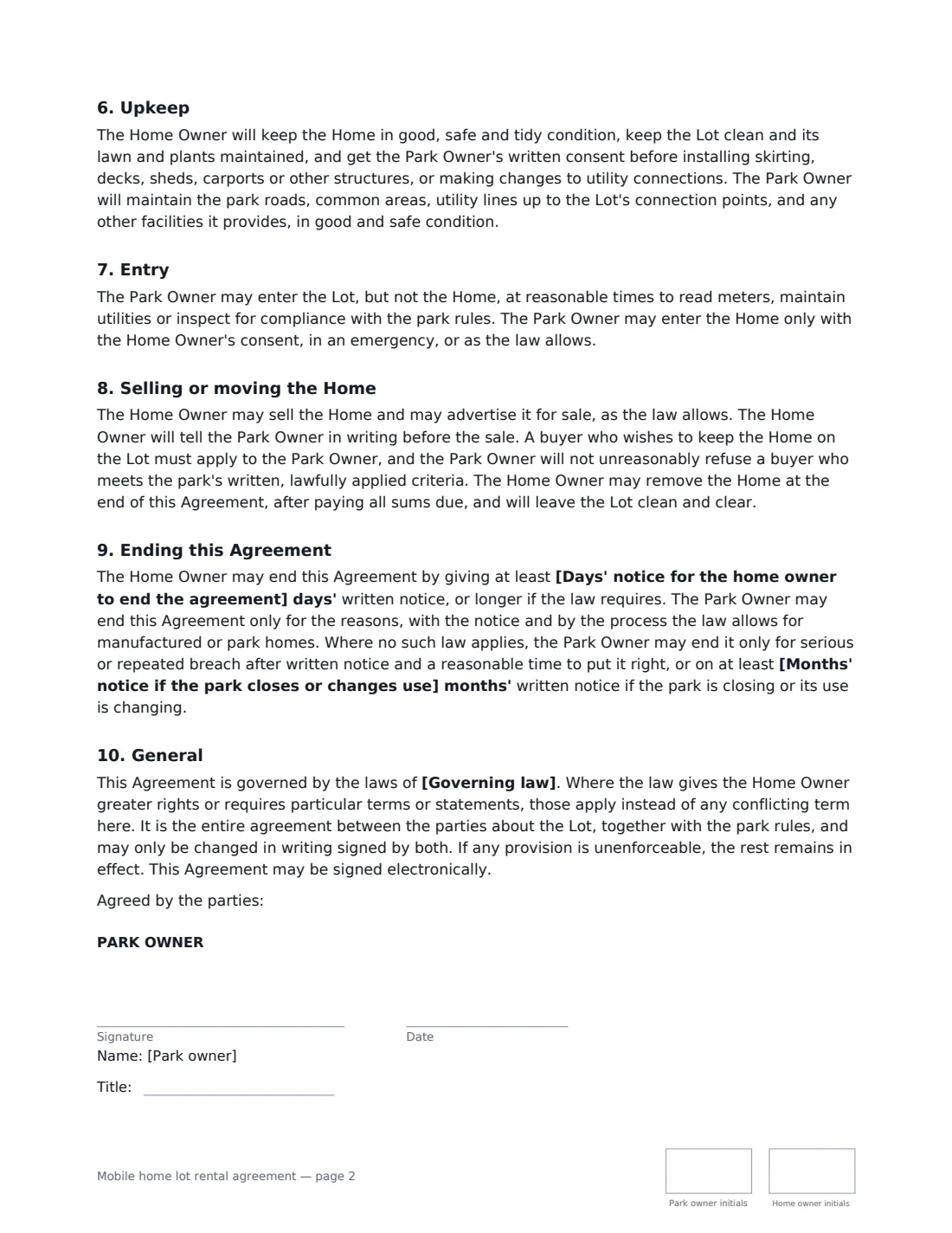
This template describes the lot and the home, the occupants, the term, lot rent and any deposit and late fee, notice of rent increases, what's included in the rent and what the resident pays, park rules, upkeep on both sides, entry to the lot versus the home, selling or removing the home, and ending the agreement. Notice periods are blanks you fill in, and the agreement says local law overrides it wherever it gives residents more rights.
- Best for
- Mobile home parks, park-home sites and private landowners renting a lot
- Signed by
- Park owner or manager (with job title) and home owner
- Term
- Month to month, fixed 12 or 24 months, or indefinite
- Length
- 2-3 pages
When to Use a mobile home lot rental agreement
- Signing up a new resident in a manufactured home community
- A landowner renting a single pitch for a mobile home
- Replacing an old informal arrangement with written terms
- A buyer of an existing home staying on the lot
- Recording which utilities are included in lot rent
What You Fill In
21 blanks, then the name and email of each person who signs: park owner, home owner.
1 The parties
- Date of this agreement*
- Park owner or operator*
- Home owner name(s)*
2 The lot
- The lot*
- The home*
- People who will live in the home*
3 Term and rent
- Start date*
- Term* month to month, continuing until ended as this Agreement and the law allow · for a fixed term of 12 months, then continuing month to month · for a fixed term of 24 months, then continuing month to month · for an indefinite term, ending only as the law allows
- Currency*
- Monthly lot rent*
- Rent due on*
- Security deposit (optional)
- Late fee (optional)
4 Utilities and services
- Included in the lot rent*
- Paid separately by the home owner*
5 Notice periods
- Days' written notice of a lot rent increase*
- Days' notice for the home owner to end the agreement*
- Months' notice if the park closes or changes use*
6 Rules
- Date of the park rules given to the home owner*
- Pets*
- Governing law*
7 Who signs
- Park owner signature and date, job title, initials on every page · The park owner, operator or landowner, or its manager.
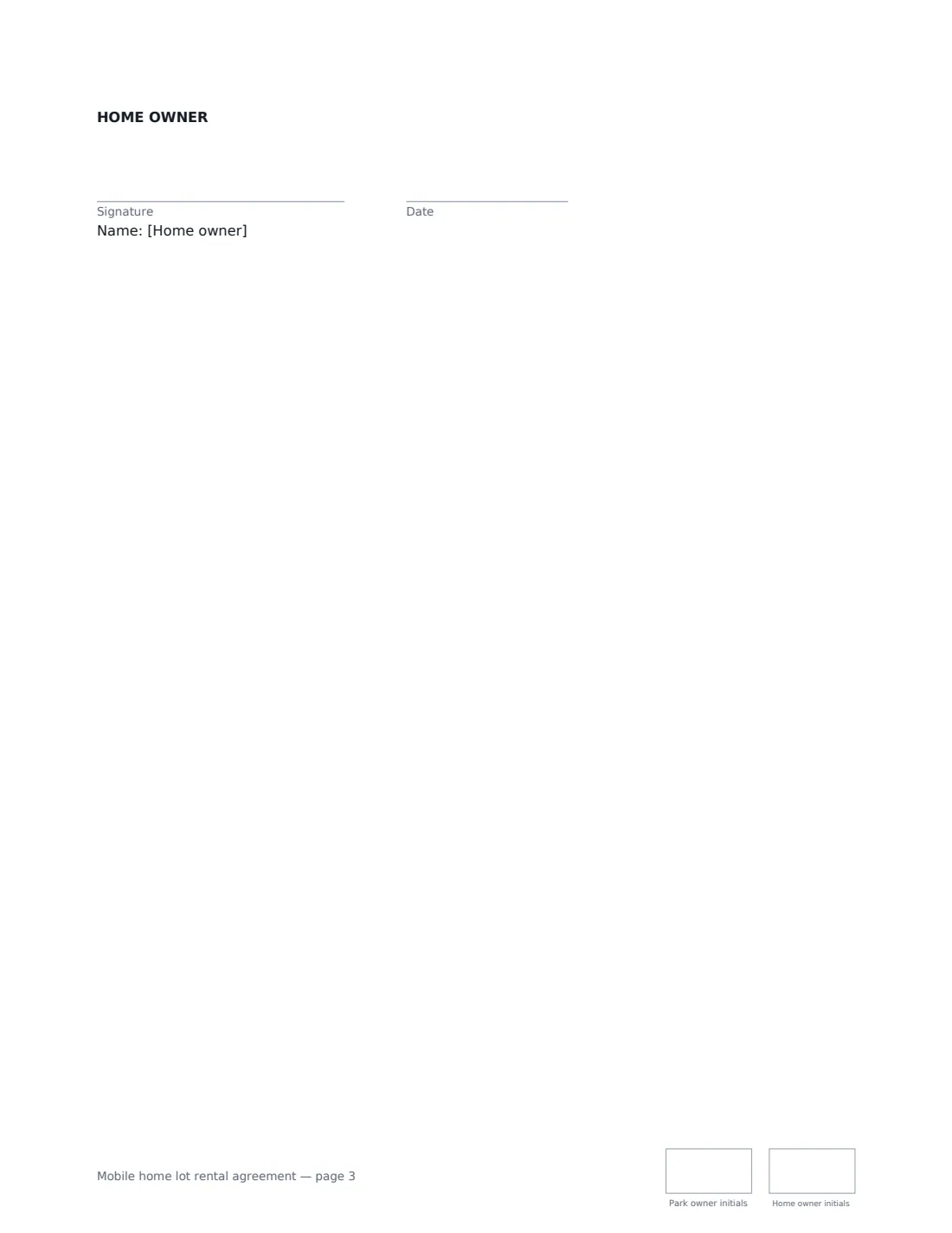
- Home owner signature and date, initials on every page · The owner of the home placed on the lot. If owned jointly, send a copy to each owner.
What the mobile home lot rental agreement Covers
- The lot and the home
- Term
- Lot rent and charges
- Utilities and services
- Park rules
- Upkeep
- Entry
- Selling or moving the Home
- Ending this Agreement
- General
Using the mobile home lot rental agreement, step by step
1 Describe the lot and home
Enter the park, resident, lot details and the home's make, year and serial number, and who will live there.
2 Set term and rent
Choose the term, enter the lot rent, due date and any deposit or late fee.
3 Fill in notice periods
Enter the notice for rent increases, for the resident to leave and for park closure — at least what local law requires.
4 Rules and send
List what's included and what the resident pays, the date of the park rules and pets policy, then send for signature.
Tips Before You Send It
- Check your manufactured-home or park-home law first — it often sets minimum terms, rent increase limits and prescribed statements.
- Give the resident a copy of the park rules in the same envelope.
- Record the home's serial number so there's no doubt which home the agreement covers.
- Keep each resident's signed agreement and rules version in Files.
Sign It Online In Minutes
- Fill in the blanks. Names, dates and amounts go straight into the agreement — the preview shows exactly where.
- Name who signs. Tick “This is me” for your own part. VergeHR builds the PDF with every signature, date and initials box on the right line, and you can check or move anything before sending.
- Send it. Each signer gets a secure link and signs from any device — no account needed. The signed PDF, with an audit trail and a Certificate of Completion, is filed in Files and emailed to everyone.
Mobile home lot rental agreement: frequently asked questions
Who owns the home?
The resident owns the home; the park owner owns the lot. The agreement covers renting the ground and using park services.
Can the resident sell the home on site?
Yes, as the law allows. The resident tells the park owner first, and a buyer who wants to stay must apply; the park owner won't unreasonably refuse a buyer who meets lawfully applied written criteria.
How can the park owner end the agreement?
Only for the reasons and by the process the law allows. Where no specific law applies, only for serious or repeated breach after notice, or on the notice you set if the park is closing or changing use.
Is an e-signed lot rental agreement valid?
Electronic signatures are generally accepted for ordinary agreements like a lot rental agreement in the US (ESIGN Act and UETA), the UK, the EU (eIDAS) and Canada, though local rules can add requirements. VergeHR keeps an audit trail and a Certificate of Completion with the signed PDF.