

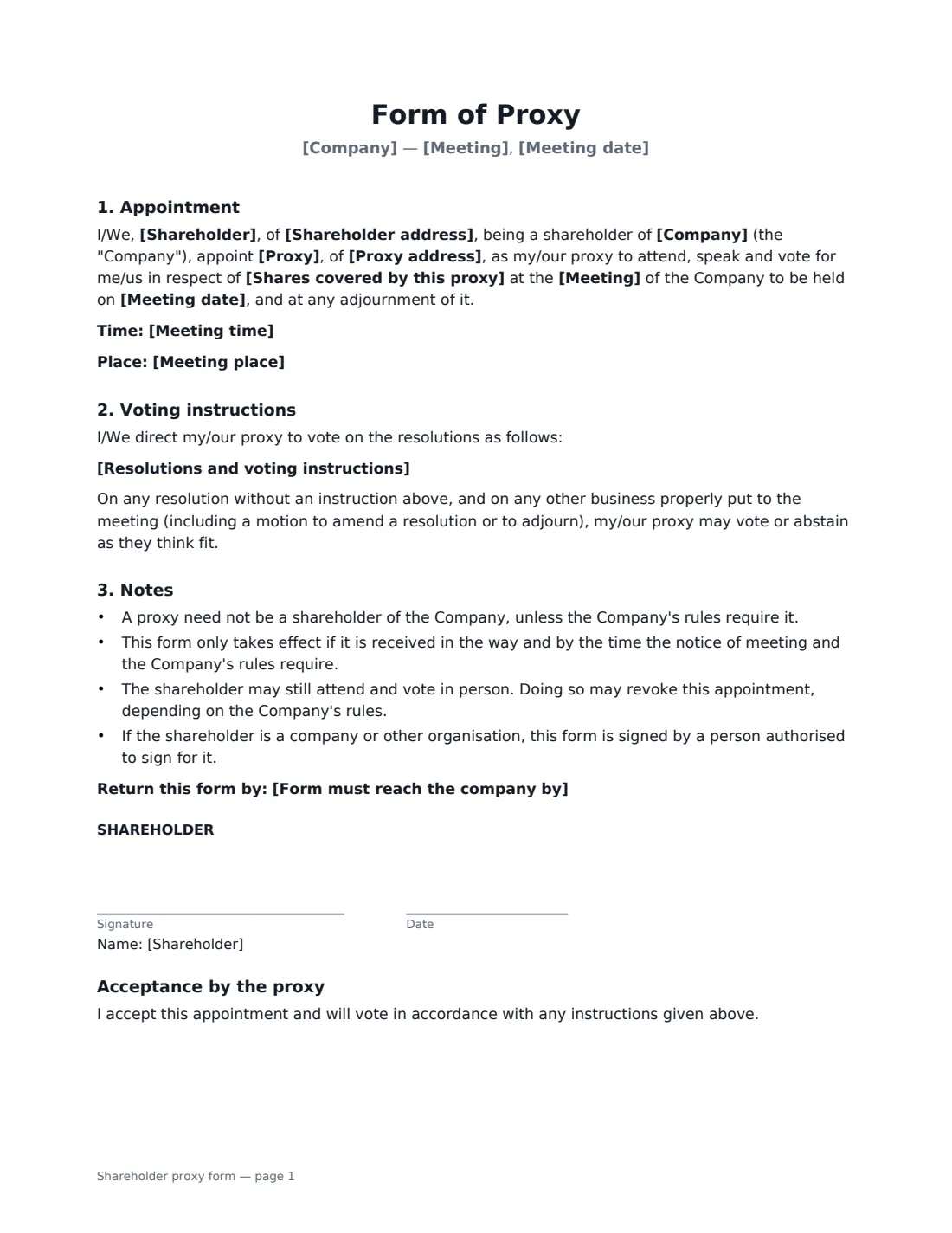

What is a shareholder proxy form?
Shareholders who cannot attend an annual general meeting or other shareholders' meeting can usually appoint a proxy — another person who attends, speaks and votes on their behalf. The appointment must normally be in writing and reach the company by a deadline set in the notice of meeting or the company's rules.
This form names the company, the meeting, the shareholder and the proxy, and covers all or part of the shareholder's shares. You can list each resolution with a FOR, AGAINST or ABSTAIN instruction, or leave the proxy free to vote as they see fit. Standard notes explain that a proxy need not be a shareholder and that attending in person may revoke the appointment. The proxy countersigns to accept.
- Best for
- Private company shareholders who cannot attend a meeting
- Signed by
- The shareholder; the proxy accepts
- Voting
- Directed per resolution, or at the proxy's discretion
- Length
- 1–2 pages
When to Use a shareholder proxy form
- Voting at a private company's annual general meeting while travelling
- A corporate shareholder appointing an employee to represent it
- Giving the chair of the meeting a directed proxy
- A family shareholder authorising a relative to vote
- An investor voting on a special resolution remotely
What You Fill In
12 blanks, then the name and email of each person who signs: shareholder, proxy.
1 The meeting
- Company*
- Meeting* annual general meeting · general meeting · special meeting of shareholders · class meeting
- Meeting date*
- Meeting time
- Meeting place
2 The shareholder
- Shareholder*
- Shareholder address
- Shares covered by this proxy*
3 The proxy
- Proxy*
- Proxy address
4 Voting instructions
- Resolutions and voting instructions
- Form must reach the company by
5 Who signs
- Shareholder signature and date · Or a person authorised to sign for a corporate shareholder.
- Proxy signature and date · Signs to accept the appointment.
What the shareholder proxy form Covers
- Appointment
- Voting instructions
- Notes
- Acceptance by the proxy
Using the shareholder proxy form, step by step
1 Enter the meeting
Name the company, the type of meeting, its date, time and place from the notice of meeting.
2 Name the shareholder and proxy
Enter who is appointing and who is appointed, and whether the proxy covers all or some of the shares.
3 Add voting instructions
List each resolution with FOR, AGAINST or ABSTAIN, or leave the field empty to let the proxy decide.
4 Sign and deliver on time
Sign, have the proxy accept, then send the signed PDF to the company by the deadline in the notice. VergeHR keeps a copy in Files.
Tips Before You Send It
- Read the notice of meeting for the proxy deadline and where the form must be sent.
- Many companies supply their own proxy form; use theirs if they require it.
- Number the resolutions the same way as the notice of meeting to avoid confusion.
- Listed companies usually run proxy voting through their registrar; this form is meant for private companies.
Sign It Online In Minutes
- Fill in the blanks. Names, dates and amounts go straight into the agreement — the preview shows exactly where.
- Name who signs. Tick “This is me” for your own part. VergeHR builds the PDF with every signature, date box on the right line, and you can check or move anything before sending.
- Send it. Each signer gets a secure link and signs from any device — no account needed. The signed PDF, with an audit trail and a Certificate of Completion, is filed in Files and emailed to everyone.
Shareholder proxy form: frequently asked questions
Does my proxy need to be a shareholder?
Usually not, unless the company's rules require it.
What if I don't give voting instructions?
The proxy may vote or abstain as they think fit on every resolution and on other business at the meeting.
Can I still attend the meeting?
Usually yes. Depending on the company's rules, voting in person may revoke the proxy.
Will the company accept an electronically signed proxy?
Many do, but it depends on the company's rules and the notice of meeting. Check before relying on it.