


What is a volunteer agreement?
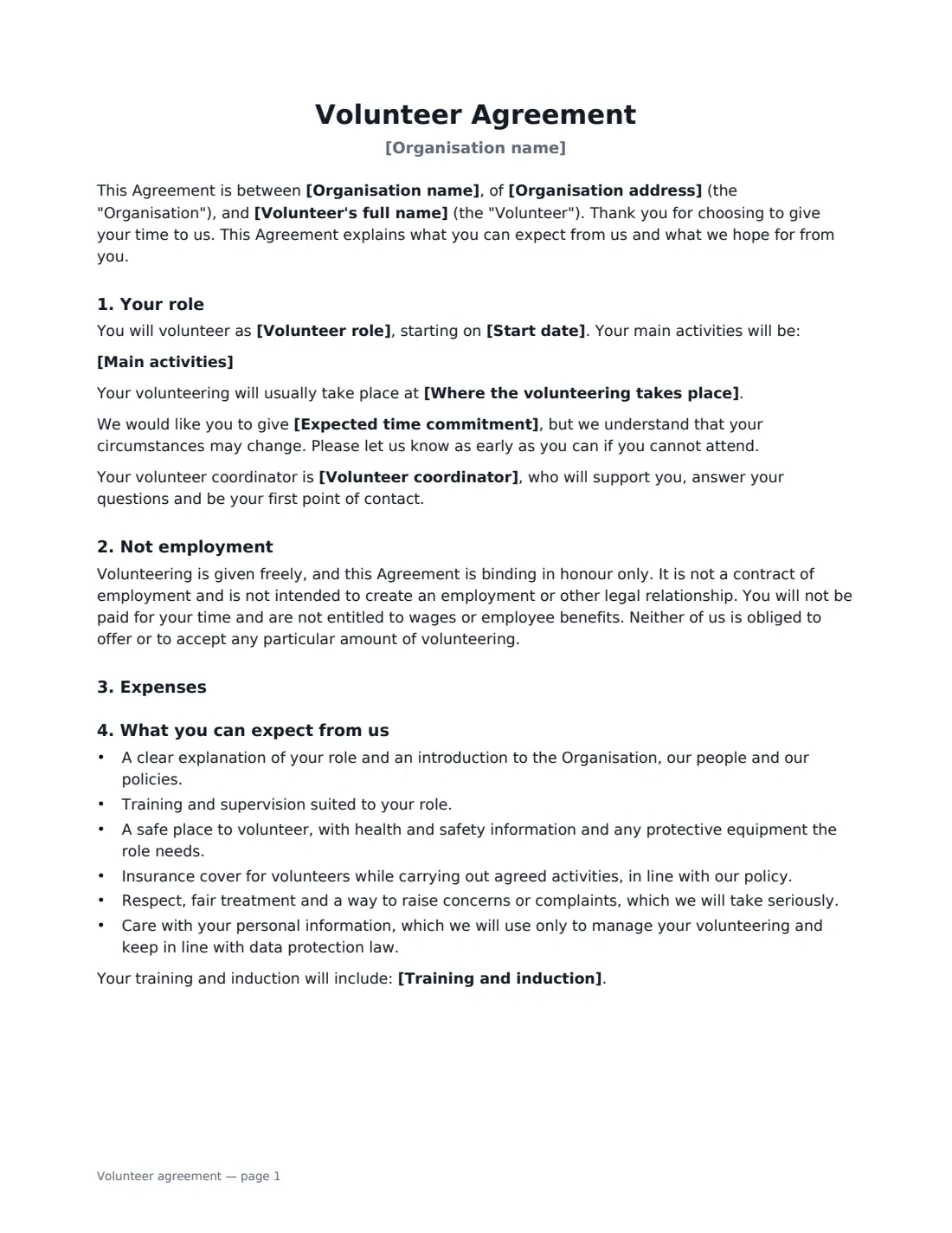
A volunteer agreement sets expectations on both sides when someone gives their time to a charity, nonprofit, club, school or community group. It explains what the volunteer will do and who supports them, what they can expect from the organisation, what the organisation asks in return, and how either side can step back — without turning volunteering into a job.
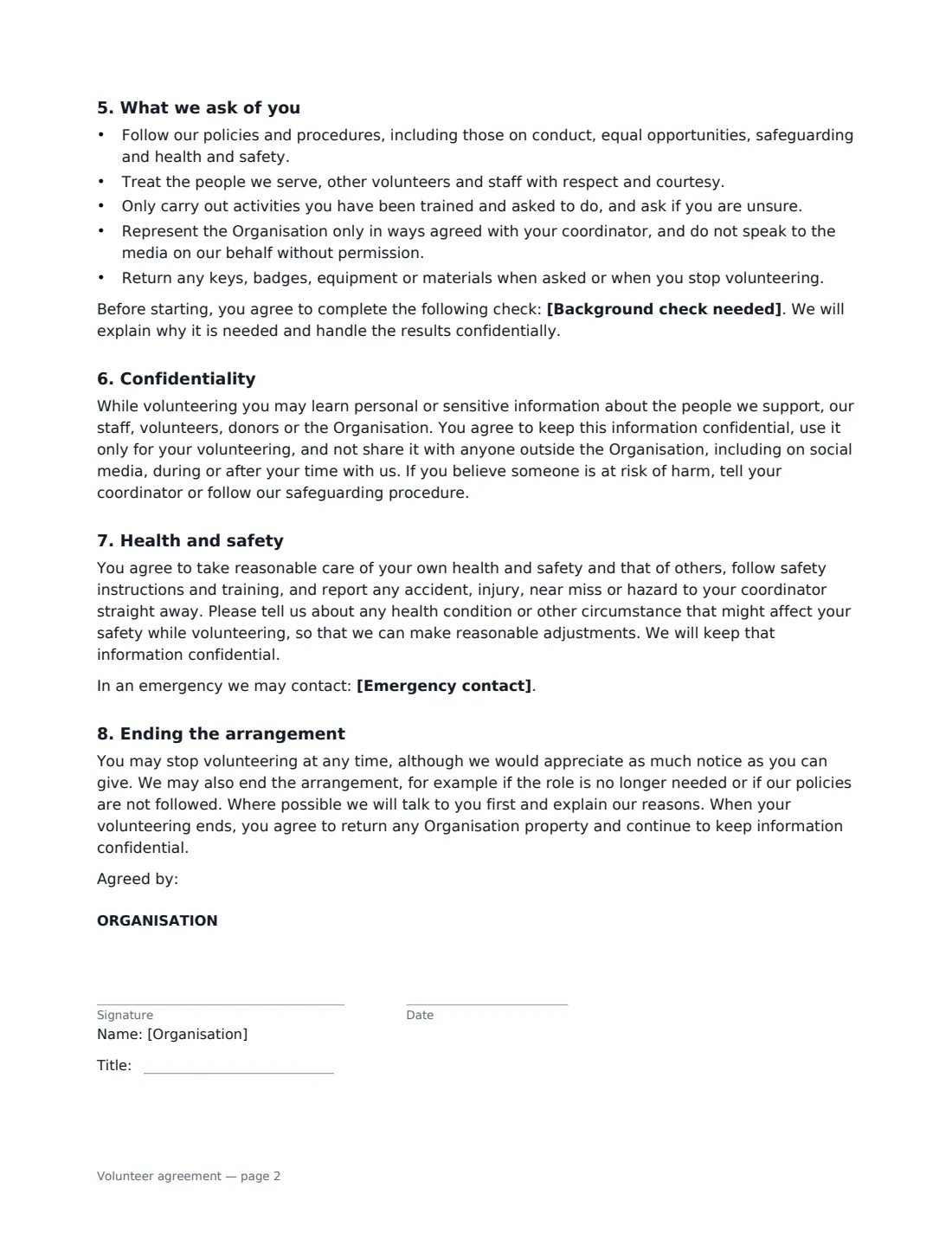
This template is written in a warm, plain-English voice addressed to the volunteer. It covers the role, main activities, start date, location and expected time commitment, the volunteer coordinator, a clear statement that it is binding in honour only and not employment, expenses (reimbursed at actual cost, or not at all), training, what the organisation provides, conduct, an optional background check, confidentiality, health and safety, an emergency contact, ending the arrangement, and optional consent to photographs.
- Best for
- Charities, nonprofits, clubs, schools, churches and community groups
- Signed by
- The organisation (e.g. the volunteer manager) and the volunteer
- Legal status
- Binding in honour only — not a contract of employment
- Length
- 2 to 3 pages
When to Use a volunteer agreement
- Onboarding a new volunteer at a food bank, shelter or charity shop
- Event volunteers for a fundraiser, race or festival
- Volunteers who work with children or vulnerable adults and need a background check
- Sports club coaches, helpers and committee volunteers
- Mentors, befrienders and helpers at community organisations
What You Fill In
15 blanks, then the name and email of each person who signs: organisation, volunteer.
1 The organisation
- Organisation name*
- Organisation address
- Volunteer coordinator*
2 The volunteer
- Volunteer's full name*
- Emergency contact
3 The role
- Volunteer role*
- Main activities*
- Start date*
- Expected time commitment
- Where the volunteering takes place
4 Support
- Training and induction
- Expenses policy* Agreed out-of-pocket expenses are reimbursed · Expenses are not reimbursed
- Expenses covered
- Background check needed
5 Photos
- Include photo consent?* Yes · No
6 Who signs
- Organisation signature and date, job title
- Volunteer signature and date
What the volunteer agreement Covers
- Your role
- Not employment
- Expenses
- What you can expect from us
- What we ask of you
- Confidentiality
- Health and safety
- Ending the arrangement
- Photographs
Using the volunteer agreement, step by step
1 Describe the role
Enter the role title and main activities, one per line, the start date, where the volunteering takes place and the expected time commitment. Name the volunteer coordinator who will be their first point of contact.
2 Set support and expenses
Describe training and induction. Choose whether agreed out-of-pocket expenses are reimbursed and, if so, say which ones (such as fares or mileage) — only actual, receipted costs are paid, never a flat amount. Add a background check if the role needs one.
3 Decide on photos
Choose whether to include consent for the organisation to use photos and video of the volunteer in its newsletters, website, social media and fundraising. The volunteer can withdraw it at any time.
4 Send for signature
Add the volunteer's name, email and an optional emergency contact, and send. The volunteer signs online without needing an account, and the signed agreement is filed in Files.
Tips Before You Send It
- Keep expenses to receipted, actual costs. Flat payments, gifts or perks can risk a volunteer being treated as a worker or employee in some places.
- Avoid language that sounds like an employment contract — fixed hours, disciplinary procedures or guaranteed work.
- Background checks for roles with children or vulnerable adults follow local rules. Check what your country or state requires for the role.
- Make sure your insurance actually covers volunteers for the activities listed, since the agreement tells them it does.
Sign It Online In Minutes
- Fill in the blanks. Names, dates and amounts go straight into the agreement — the preview shows exactly where.
- Name who signs. Tick “This is me” for your own part. VergeHR builds the PDF with every signature, date box on the right line, and you can check or move anything before sending.
- Send it. Each signer gets a secure link and signs from any device — no account needed. The signed PDF, with an audit trail and a Certificate of Completion, is filed in Files and emailed to everyone.
Volunteer agreement: frequently asked questions
Is a volunteer agreement a legal contract?
This one is deliberately not. It says it's binding in honour only, isn't a contract of employment, and doesn't create an employment or other legal relationship. It records expectations rather than enforceable obligations. Whether someone is actually treated as a volunteer or a worker depends on how the arrangement works in practice and on local law.
Can we reimburse volunteers' expenses?
Yes, if you choose that option. The agreement covers reasonable out-of-pocket expenses agreed in advance and backed by receipts, reimbursed at actual cost so the volunteer's status isn't affected.
Can volunteers sign electronically?
Generally, yes. Electronic signatures are recognised for ordinary documents like this in the US (ESIGN Act and UETA), the UK, the EU (eIDAS) and Canada. VergeHR keeps an audit trail and a Certificate of Completion with the signed PDF. If the volunteer is a minor, you may also need a parent or guardian's consent.
Is this template free?
Yes. The template is free to use with the eSignature app in VergeHR, and volunteers don't need a VergeHR login to sign.