

What is a family chore agreement?
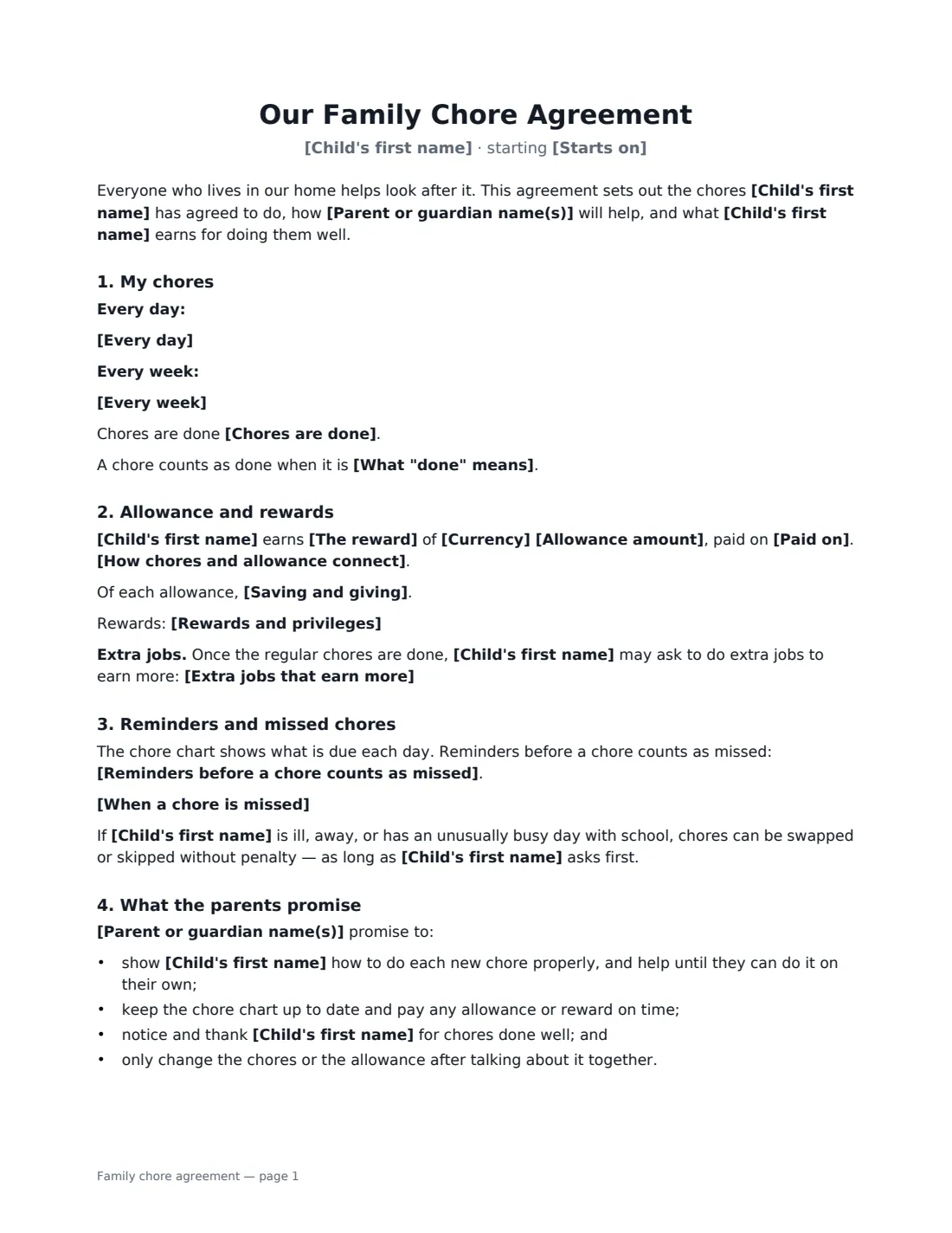
A family chore agreement, or chore contract, is a simple written deal between parents and a child. It lists the child's jobs around the house, when they must be done, and what the child earns for doing them, whether that is an allowance or privileges. Writing it down and signing it together cuts down on daily nagging and "I didn't know that was my job". It also teaches a child that money and privileges come from keeping promises.
This template covers daily and weekly chores, what "done" means, the reward (a weekly or monthly allowance, or rewards and privileges instead of money), how chores and allowance connect, saving and giving, extra paid jobs, how many reminders the child gets, what happens when chores are missed, sick days, the parents' promises, and a review date. Send one agreement per child, so each has chores that suit their age.
- Best for
- School-age children, a new allowance, or a fresh start on household jobs
- Signed by
- A parent or guardian and the child
- Reward
- Weekly or monthly allowance, or rewards and privileges instead of money
- Length
- About 2 pages
When to Use a family chore agreement
- Starting an allowance and tying it to regular chores
- Giving an older child more responsibility, such as laundry or cooking one night a week
- Settling arguments between siblings about who does what
- Offering paid extra jobs so a child can save for something they want
- Resetting house rules at the start of a school year or the summer holidays
What You Fill In
18 blanks, then the name and email of each person who signs: parent, child.
1 The family
- Parent or guardian name(s)*
- Child's first name*
- Starts on*
- We'll review it together on
2 The chores
- Every day*
- Every week*
- Chores are done*
- What "done" means
- Extra jobs that earn more
3 Allowance and rewards
- The reward* a weekly allowance · a monthly allowance · rewards and privileges instead of money
- Currency*
- Allowance amount
- Paid on
- How chores and allowance connect* The full allowance is paid when every chore for the period is done; each missed chore reduces it · The allowance is paid in proportion to the chores done · The allowance is paid whatever happens — chores are part of being in the family, and missed chores have the consequences below
- Saving and giving
- Rewards and privileges
4 Missed chores
- Reminders before a chore counts as missed* one friendly reminder · two reminders · none — the chore chart is the reminder
- When a chore is missed*
5 Who signs
- Parent signature and date · The parent or guardian. Send one agreement per child.
- Child signature and date · The child signs too — a family promise, not a legal contract. Use a parent's email if the child has none.
What the family chore agreement Covers
- My chores
- Allowance and rewards
- Reminders and missed chores
- What the parents promise
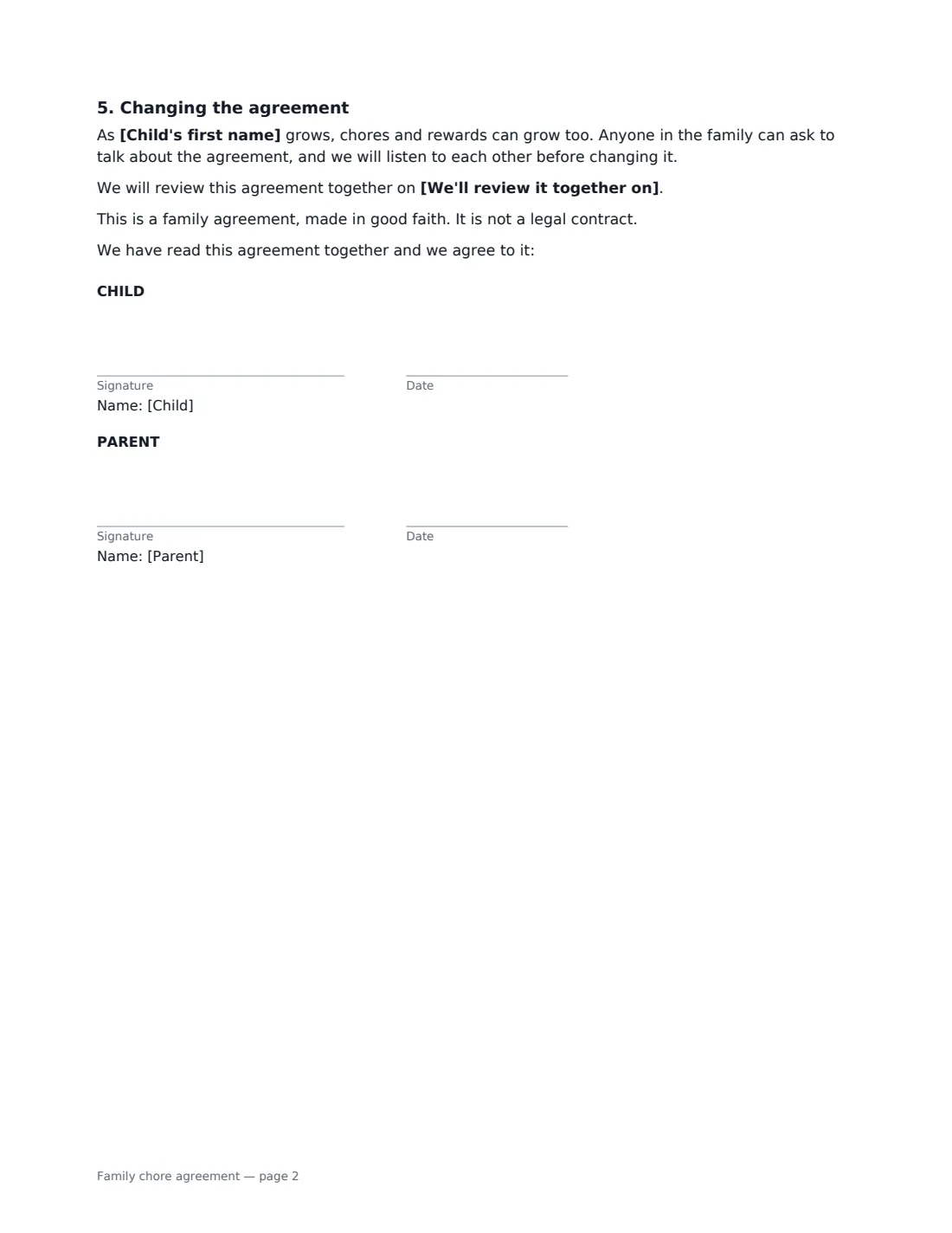
- Changing the agreement
Using the family chore agreement, step by step
1 List the chores
Write the daily chores and the weekly chores in short, specific phrases, such as "clear my plate after meals" or "vacuum my bedroom on Saturday morning". Say when chores must be done, for example before screen time. Say what counts as done, for example done properly without being asked twice.
2 Choose the reward
Pick a weekly or monthly allowance, or rewards and privileges instead of money. For an allowance, enter the amount and pay day and choose how it links to chores: the full amount only when every chore is done, paid in proportion, or paid regardless. You can add a savings rule and a list of extra paid jobs.
3 Agree reminders and what happens when a chore is missed
Choose one reminder, two, or none. Then write what happens if chores are missed, for example the chore still gets done before bed and repeated misses cost screen time. The agreement already allows swaps on sick days or busy school days, as long as the child asks first.
4 Sign it together
Add a review date, tick "This is me" as the parent and add your child as the second signer. A parent's email works if they don't have one. Both of you sign, and the signed copy is saved in VergeHR Files.
Tips Before You Send It
- Match chores to age. Younger children do best with a few simple daily jobs, and teenagers can take on whole tasks like a weekly meal or their own laundry.
- Put up a chore chart next to the agreement. The agreement says the chart is where chores are ticked off.
- Pay on time, every time. A late allowance teaches the opposite lesson.
- If you want chores to be part of family life rather than a paid job, choose the option that pays the allowance regardless.
- Review the agreement every few months and add responsibility as your child grows.
Sign It Online In Minutes
- Fill in the blanks. Names, dates and amounts go straight into the agreement — the preview shows exactly where.
- Name who signs. Tick “This is me” for your own part. VergeHR builds the PDF with every signature, date box on the right line, and you can check or move anything before sending.
- Send it. Each signer gets a secure link and signs from any device — no account needed. The signed PDF, with an audit trail and a Certificate of Completion, is filed in Files and emailed to everyone.
Family chore agreement: frequently asked questions
Should allowance depend on chores?
Families differ, and the template lets you choose. You can pay the full allowance only when every chore is done, pay in proportion to the chores done, or pay the allowance regardless and use other consequences for missed chores.
Can I use this for more than one child?
Send a separate agreement to each child, with chores and rewards that suit their age. The signed copies are stored separately in Files, so they are easy to find and update.
Is a chore agreement legally binding?
No. It is a family agreement made in good faith, and the document says so. Signing it helps your child take it seriously.
Does my child need an email address to sign?
No. Use a parent's email for the child's signing link, then let your child sign on your phone or computer.
Is this template free?
Yes. The template is free to use with the eSignature app in VergeHR, and the people you send it to don't need a VergeHR login to sign.