

What is a kids phone and screen time agreement?
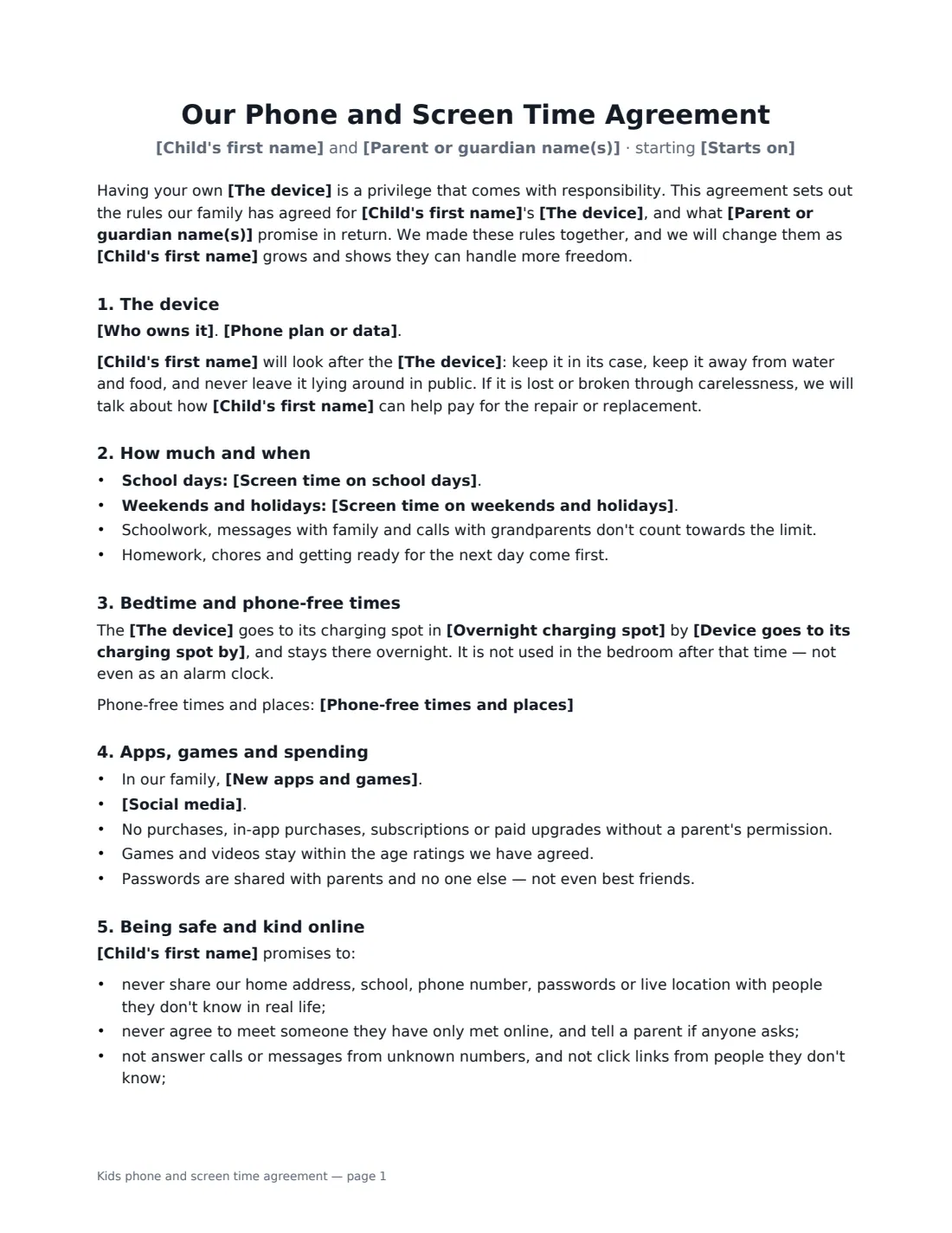
A phone contract for kids is a short family agreement you write together when a child gets their first phone, tablet or games console, or when the old rules have stopped working. Writing the rules down helps. Everyone knows the limits, arguments about "you never said that" stop, and the child has promised something in their own name. It also makes clear what the parents promise in return.
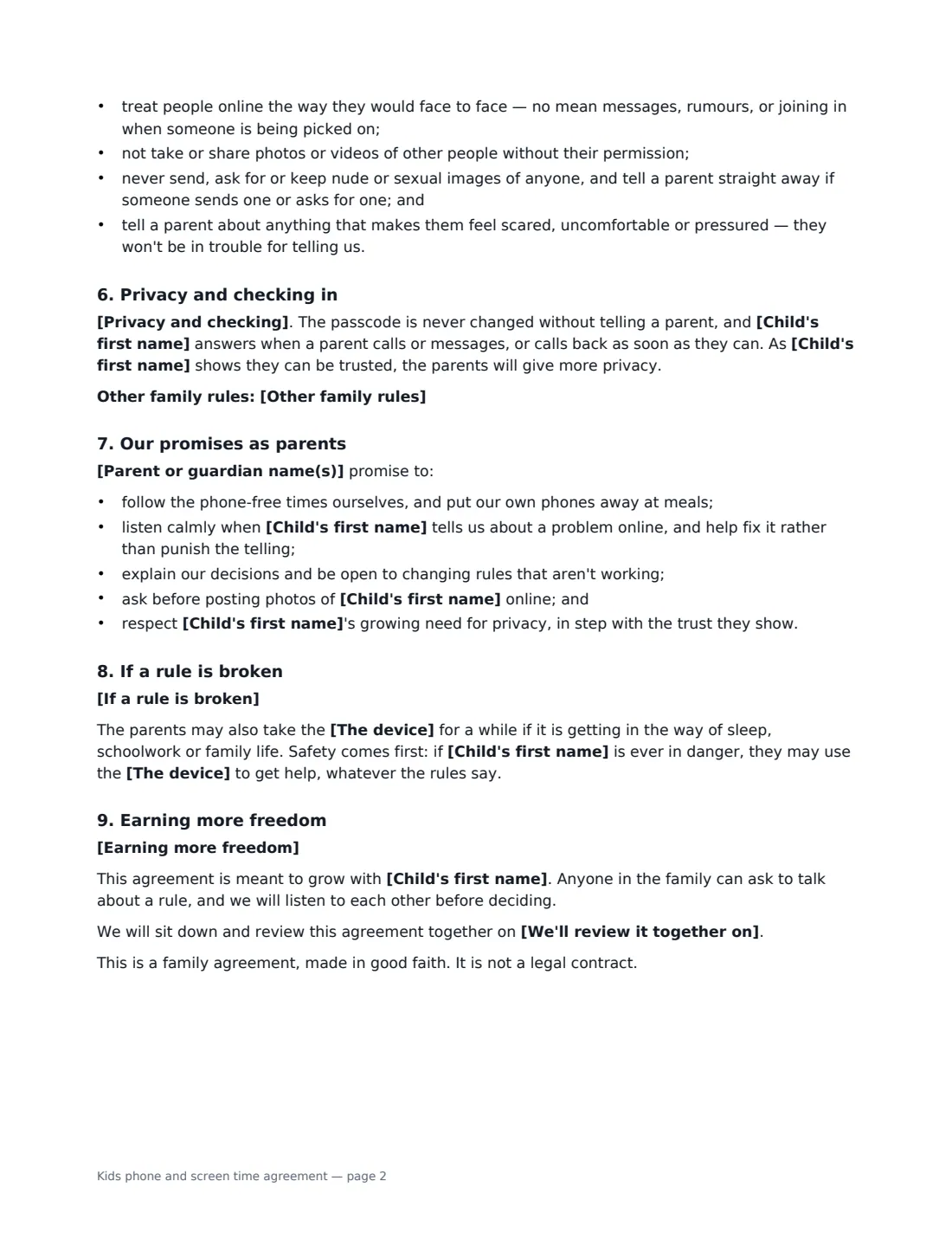
This template covers who owns the device and who pays the plan, screen time on school days and at weekends, a bedtime charging spot outside the bedroom, phone-free times, new apps and in-app purchases, social media, online safety and kindness, passcodes and checking, the parents' own promises, consequences, and how the child earns more freedom. You choose the limits and the options. The parent and the child both sign, so the rules feel agreed rather than imposed. It is a family agreement, not a legal contract.
- Best for
- A child's first phone or tablet, a new school year, or resetting screen-time rules
- Signed by
- A parent or guardian and the child
- You choose
- Daily limits, bedtime, charging spot, app and social media rules, how parents check, consequences and rewards
- Length
- 2-3 pages
When to Use a kids phone and screen time agreement
- Handing a child their first smartphone
- Setting screen-time limits for a tablet or games console
- Agreeing social media rules as a child moves into their teens
- Resetting rules after a problem, such as late-night use or a surprise app-store bill
- Giving grandparents or a co-parent a copy of the house rules so they are the same in both homes
What You Fill In
19 blanks, then the name and email of each person who signs: parent, child.
1 The family
- Parent or guardian name(s)*
- Child's first name*
- Starts on*
- We'll review it together on
2 The device
- The device*
- Who owns it* The device belongs to the parents, who are lending it to the child · The device was a gift to the child, who looks after it within these rules · The child bought the device with their own money and uses it within these rules
- Phone plan or data* The parents pay for the phone plan or data · The child contributes to the phone plan or data as set out below · There is no phone plan — the device uses home Wi-Fi only
- Child's contribution
3 Screen time
- Screen time on school days*
- Screen time on weekends and holidays*
- Device goes to its charging spot by*
- Overnight charging spot*
- Phone-free times and places*
4 Apps and online
- New apps and games* every new app, game or account needs a parent's OK first · apps rated for the child's age may be downloaded, and anything else needs a parent's OK first
- Social media* No social media accounts for now — we will talk about it again at the review · Social media only on accounts a parent has approved, set to private, where a parent is a follower or friend · Social media is allowed on private accounts with the privacy settings we agree together
- Privacy and checking* The parents know the passcode and may look at the device at any time · The parents know the passcode and will look at the device together with the child · The parents know the passcode and will only look at the device if they are worried about the child's safety
- Other family rules
5 Consequences and rewards
- If a rule is broken*
- Earning more freedom
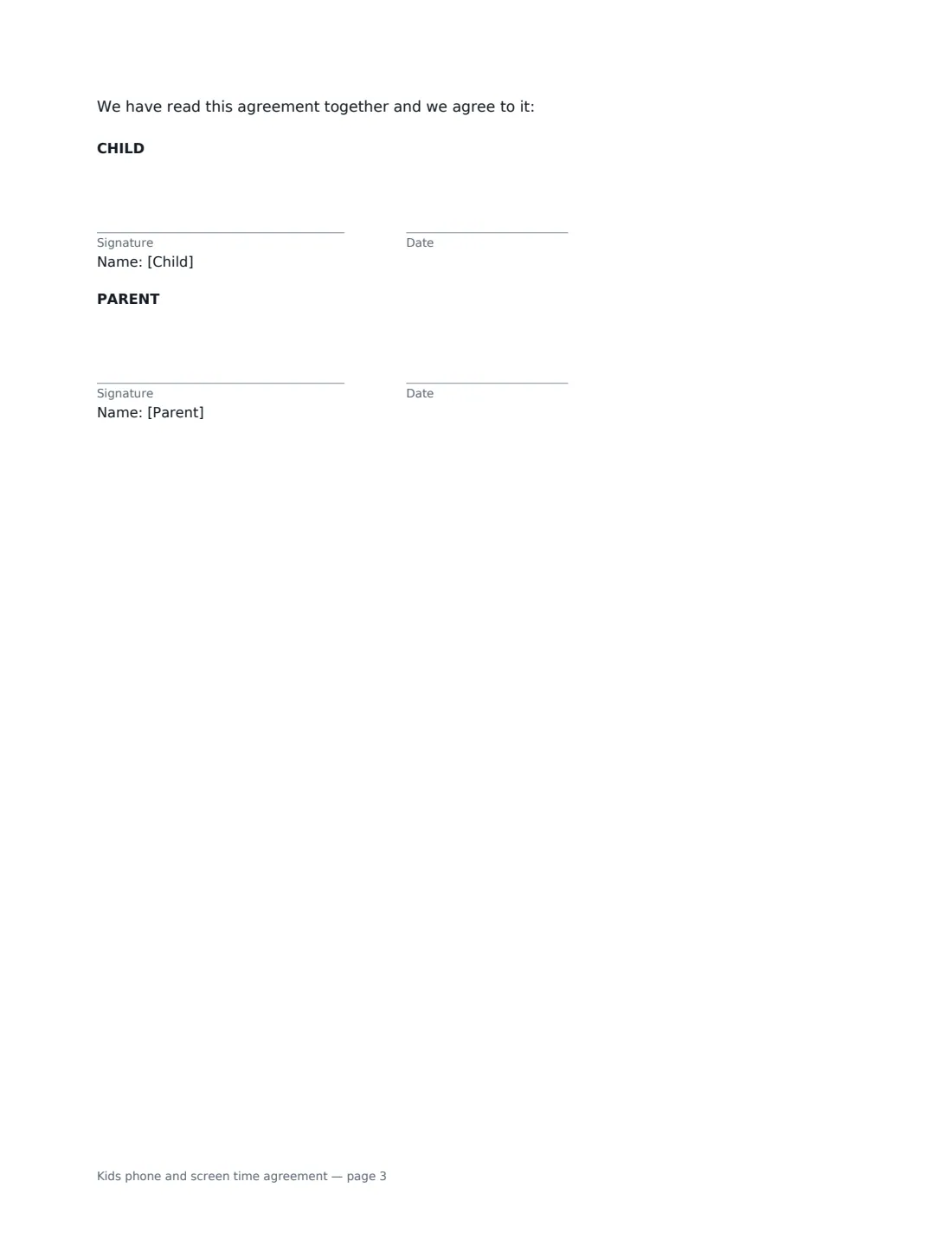
6 Who signs
- Parent signature and date · The parent or guardian setting the rules. A second parent can be added as a signer in the editor.
- Child signature and date · The child signs too — it is a family promise, not a legal contract. Use a parent's email if the child has none.
What the kids phone and screen time agreement Covers
- The device
- How much and when
- Bedtime and phone-free times
- Apps, games and spending
- Being safe and kind online
- Privacy and checking in
- Our promises as parents
- If a rule is broken
- Earning more freedom
Using the kids phone and screen time agreement, step by step
1 Talk it through first
Sit down with your child and go through each blank together before you send anything. Ask what they think is fair. Kids keep rules better when they helped set them, and the agreement says so.
2 Set the limits and the bedtime
Enter screen time for school days and weekends in plain words, such as "up to 1.5 hours of free time on screens, after homework". Choose a time the device goes to its charging spot, and where that spot is. Somewhere outside the bedroom works best. List the phone-free times and places, like meals and homework.
3 Choose the app, social media and privacy rules
Pick whether every new app needs your OK or only ones outside the age rating. Choose a social media rule and how you will check the device: at any time, together, or only if you are worried about safety. The online-safety promises, such as not sharing a location and telling you about anything upsetting, are already written in.
4 Agree consequences and rewards, then sign
Write consequences that go up in steps, and something your child can earn, such as more weekend screen time after a good month. Add a review date. Then tick "This is me" as the parent, add your child as the second signer (a parent's email works if they don't have one) and send.
Tips Before You Send It
- Keep the limits specific. "Two hours" is easier to follow than "a reasonable amount".
- Set a review date, such as a birthday or the start of the next school year, and loosen the rules as trust grows.
- Most social media apps set a minimum age in their terms. Check each app before you agree to it.
- Turn on the device's own parental controls and purchase approvals as well. The agreement sets expectations, the settings back them up.
- Follow the phone-free times yourself. The parents' promises section is there for a reason.
Sign It Online In Minutes
- Fill in the blanks. Names, dates and amounts go straight into the agreement — the preview shows exactly where.
- Name who signs. Tick “This is me” for your own part. VergeHR builds the PDF with every signature, date box on the right line, and you can check or move anything before sending.
- Send it. Each signer gets a secure link and signs from any device — no account needed. The signed PDF, with an audit trail and a Certificate of Completion, is filed in Files and emailed to everyone.
Kids phone and screen time agreement: frequently asked questions
At what age should a child get a phone contract?
Whenever they first get their own device, whether that is 8 or 14. Adjust the limits and the social media option to their age, and review the agreement as they get older.
Is a phone contract with my child legally binding?
No, and it isn't meant to be. It is a family agreement that records the rules you have agreed and the promises each of you makes. The document says so. Signing it matters because it makes the agreement feel real, not because anyone could enforce it.
Can both parents sign?
Yes. The template has one parent signer, but you can add a second parent as another signer in the eSignature editor before sending. Put both names in the parent names blank.
What if my child doesn't have an email address?
Use a parent's email address for the child's signing link, then let the child sign on your phone or computer.
Is this template free?
Yes. The template is free to use with the eSignature app in VergeHR, and the people you send it to don't need a VergeHR login to sign.