

What is a student device agreement?
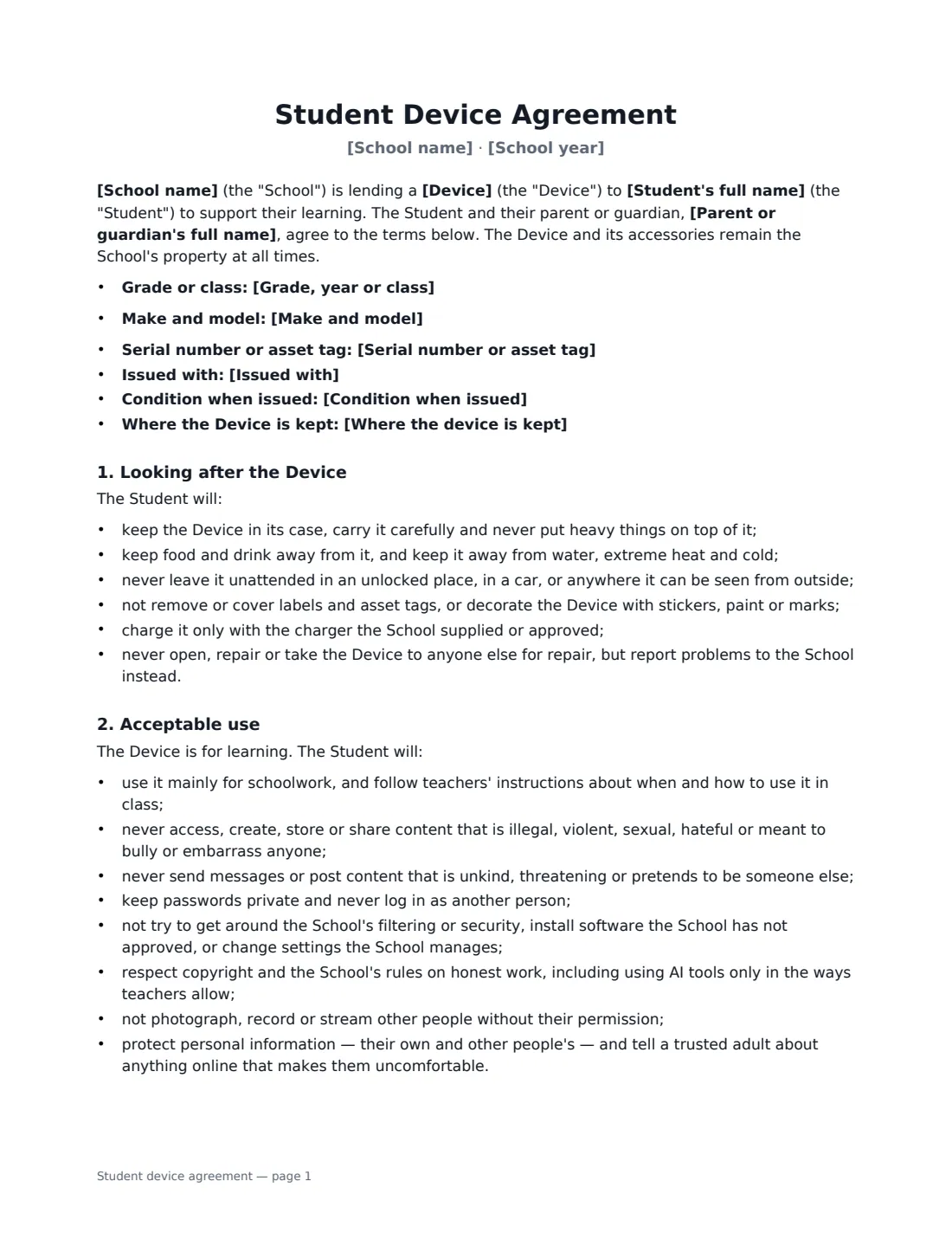
When a school lends a device to a student — in a one-to-one programme or for a single term — everyone needs to know the rules before it goes home. A student device agreement (also called a technology agreement, Chromebook agreement or device loan agreement) records exactly which device was issued, sets expectations for how it is looked after and used, explains filtering and monitoring honestly, and says what happens if it is damaged, lost or not returned.
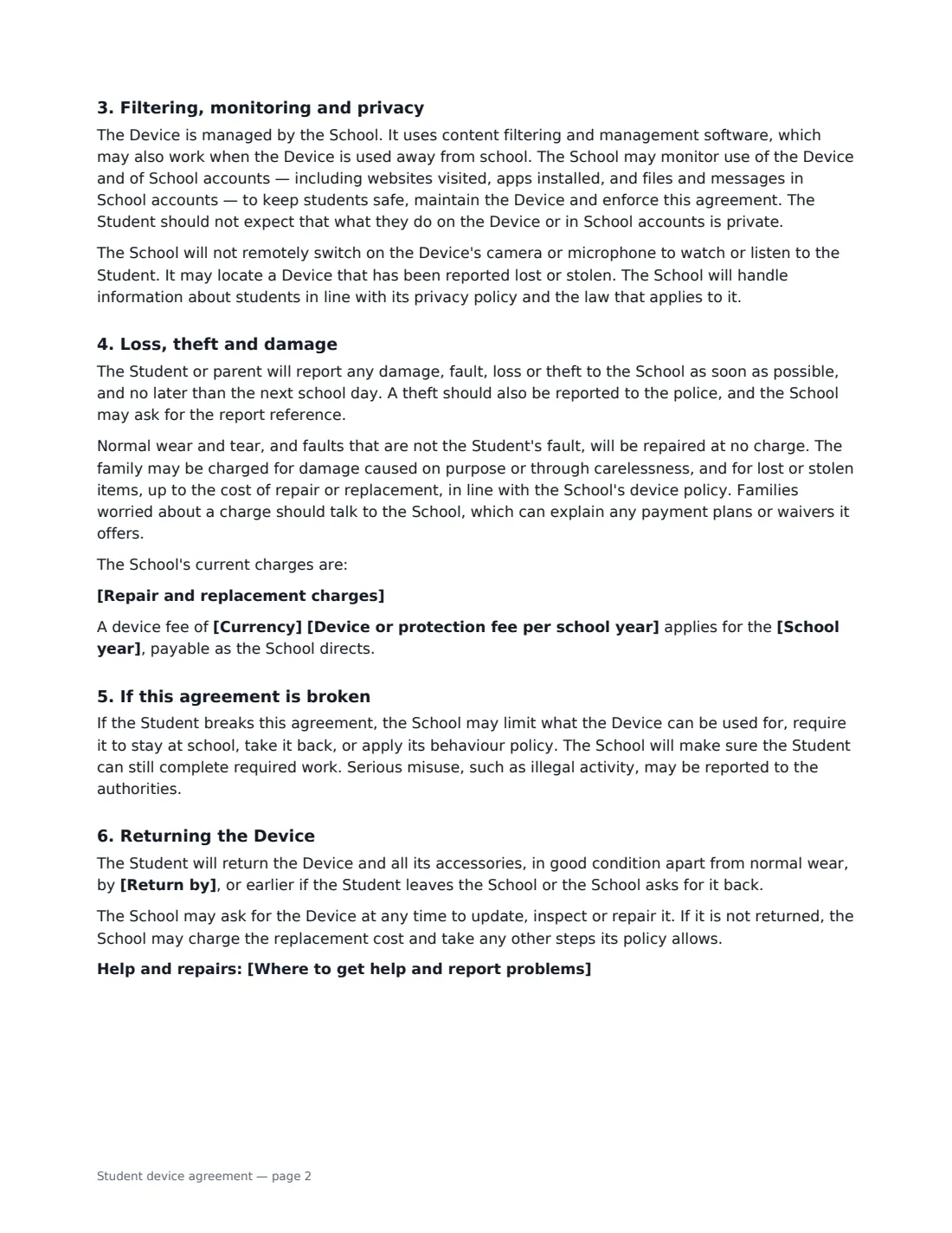
This template records the device type, model, serial number or asset tag, accessories and condition at issue. It covers daily care, acceptable use (including cyberbullying, security, copyright and using AI tools only as teachers allow), and a plain explanation that the device is filtered and monitored — with a commitment that the school will not remotely switch on the camera or microphone. You choose whether the device goes home or stays at school, and can add your device fee and repair charges. It charges nothing for normal wear and tear, and points families worried about a charge to the school's payment plans or waivers. The student, a parent and the school all sign.
- Best for
- One-to-one laptop and Chromebook programmes, tablet loans, device loans for home learning
- Signed by
- The student, a parent or guardian, and the school
- Device record
- Type, model, serial or asset tag, accessories and condition at issue
- Length
- 2–3 pages
When to Use a student device agreement
- Issuing Chromebooks to a whole year group at the start of the school year
- Lending a laptop to a student who needs one for home learning
- Devices that stay at school and are collected from a cart each day
- Replacing a damaged device and recording the new serial number
- Schools that charge a device or protection fee and want charges agreed up front
What You Fill In
16 blanks, then the name and email of each person who signs: student, parent or guardian, school.
1 The school
- School name*
- School year*
- Where to get help and report problems
2 Student and parent
- Student's full name*
- Grade, year or class
- Parent or guardian's full name*
3 The device
- Device* laptop · Chromebook · tablet
- Make and model
- Serial number or asset tag*
- Issued with*
- Condition when issued*
4 Use at home
- Where the device is kept* Goes home with the student · Stays at school
5 Fees and charges
- Currency*
- Device or protection fee per school year
- Repair and replacement charges
6 Return
- Return by
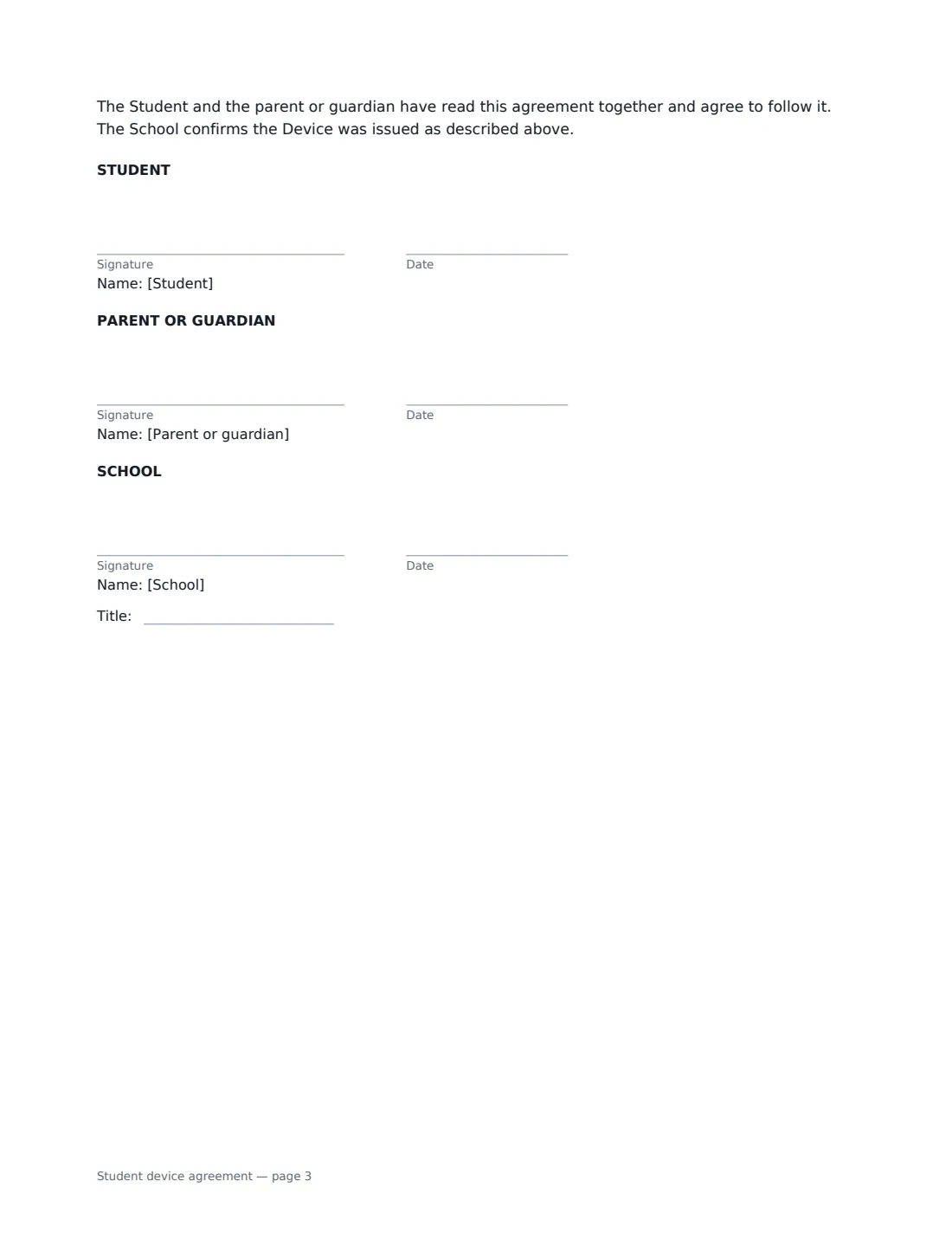
7 Who signs
- Student signature and date · The student receiving the device.
- Parent or guardian signature and date · A parent or legal guardian of the student.
- School signature and date, job title · A teacher, IT coordinator or school administrator.
What the student device agreement Covers
- Looking after the Device
- Acceptable use
- Filtering, monitoring and privacy
- Loss, theft and damage
- If this agreement is broken
- Returning the Device
Using the student device agreement, step by step
1 Record the device
Choose laptop, Chromebook or tablet, and add the make and model, the serial number or asset tag, what it was issued with (the default is a charger and protective case) and its condition. This is your check-in record when it comes back.
2 Choose home or school use
If the device goes home, the agreement asks the student to bring it charged each day and asks parents to supervise use at home, because filtering can't block everything. If it stays at school, it explains the daily collect-and-return routine instead.
3 Add your fees and charges
Optionally enter an annual device fee and your schedule of repair and replacement charges, one per line. Leave them empty if you don't charge. Normal wear and tear is never charged.
4 Send to the family
Enter the student's and parent's names and emails. Each signs from their own email link on any phone, tablet or computer. You sign for the school, and the signed agreement is filed in Files as the device record.
Tips Before You Send It
- Check your local rules and funding conditions before charging fees — some schools must provide devices free or waive charges for families who can't pay.
- Take a photo of the device's condition at issue and keep it with the signed agreement.
- Explain monitoring honestly to students — the agreement tells them not to expect privacy on school accounts, which is fairer than finding out later.
- Pair the agreement with your acceptable use policy and a short session on staying safe online.
Sign It Online In Minutes
- Fill in the blanks. Names, dates and amounts go straight into the agreement — the preview shows exactly where.
- Name who signs. Tick “This is me” for your own part. VergeHR builds the PDF with every signature, date box on the right line, and you can check or move anything before sending.
- Send it. Each signer gets a secure link and signs from any device — no account needed. The signed PDF, with an audit trail and a Certificate of Completion, is filed in Files and emailed to everyone.
Student device agreement: frequently asked questions
Does the school watch students through the webcam?
No. The agreement commits the school not to remotely switch on the camera or microphone. It may locate a device reported lost or stolen, and it may monitor use of the device and school accounts to keep students safe.
Who pays if the device is damaged?
Normal wear and tear and faults that aren't the student's fault are repaired free. The family may be charged for deliberate or careless damage and for lost items, up to the repair or replacement cost, in line with the school's policy and any charges you list.
What happens if the agreement is broken?
The school may limit what the device can be used for, keep it at school, take it back, or apply its behaviour policy — while making sure the student can still complete required work.
Is an electronic signature valid for this agreement?
Electronic signatures are generally valid for agreements like this in the US (ESIGN Act and UETA), the UK, the EU (eIDAS) and Canada. VergeHR keeps an audit trail and a Certificate of Completion for every signer.