

What is a conflict of interest waiver?
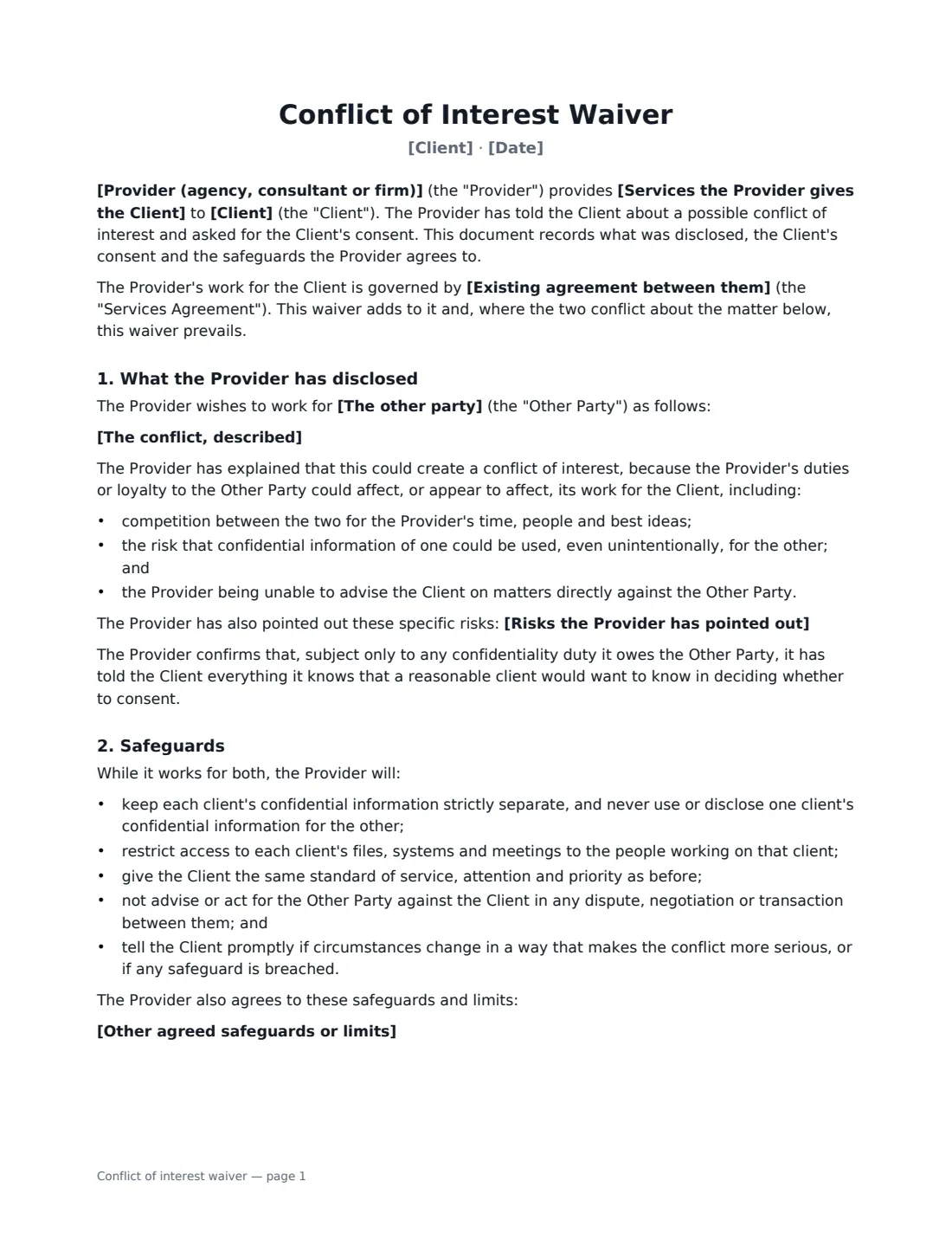
Agencies, consultants and service firms often get asked to work for a company that competes with, or deals with, an existing client. Taking the work without telling the client can breach trust and sometimes the contract. A conflict of interest waiver records that you disclosed the conflict properly and the client consented, on agreed conditions.
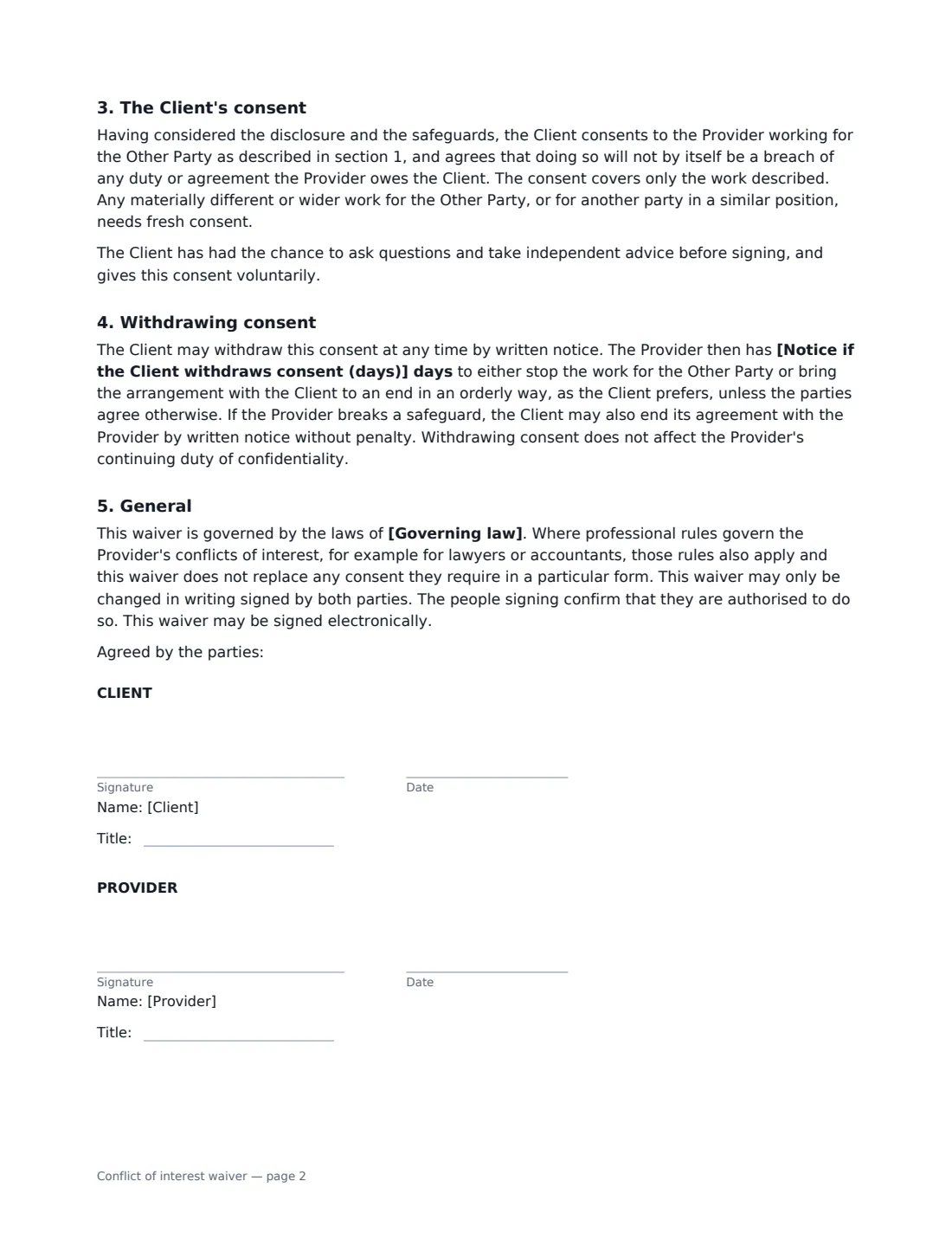
This template sets out the services you provide, the other engagement (named, or described if it's confidential), the standard risks of a conflict plus any specific ones you've identified, and the safeguards you'll follow: separating confidential information, restricting access, keeping service levels, never acting against the client in a matter between them, and reporting changes. You can choose separate teams, name people who may work on both, and add your own limits. The client's consent covers only the work described, and can be withdrawn with the notice you set.
- Best for
- Marketing and creative agencies, consultants, recruiters and other service providers
- Signed by
- The client and the provider, each with a job title
- Withdrawal
- The client may withdraw consent, with the notice period you choose
- Length
- About 2 pages
When to Use a conflict of interest waiver
- An agency asked to take on a client's direct competitor in another region
- A consultant advising two companies in the same supply chain
- A recruiter who wants to hire for a client's competitor
- A developer building similar products for two businesses
- A firm whose owner has a stake in a company the client deals with
What You Fill In
13 blanks, then the name and email of each person who signs: client, provider.
1 The parties
- Client*
- Provider (agency, consultant or firm)*
- Date*
2 The work
- Services the Provider gives the Client*
- Existing agreement between them
3 The conflict
- The other party
- The conflict, described*
- Risks the Provider has pointed out
4 Safeguards
- Separate teams* Yes · No
- People who may work on both
- Other agreed safeguards or limits
- Notice if the Client withdraws consent (days)*
- Governing law*
5 Who signs
- Client signature and date, job title · Someone at the client with authority to give consent.
- Provider signature and date, job title · The agency, consultant or firm asking for consent.
What the conflict of interest waiver Covers
- What the Provider has disclosed
- Safeguards
- The Client's consent
- Withdrawing consent
- General
Using the conflict of interest waiver, step by step
1 Describe the relationship
Enter the client, your firm, the services you provide and, if there is one, the existing agreement between you. The waiver adds to that agreement.
2 Disclose the conflict fully
Name the other party, or leave the name empty if you can't share it — but describe the work clearly enough for the client to make a real decision. Add any specific risks you have identified. The waiver lists the standard ones for you.
3 Agree safeguards
Choose whether different people will work on each account, name anyone who may work on both, and add further limits — for example not pitching the other party in the client's core markets.
4 Send for consent
Set the notice period if the client withdraws consent, add the governing law and send it. The client signs online, and the signed waiver is filed in Files.
Tips Before You Send It
- Disclose before you start the other work, not after — consent given after the fact is weaker and harder to rely on.
- Be specific. A vague description of the conflict may not count as informed consent.
- Lawyers, accountants and other regulated professionals often have their own conflict rules and consent formats. This waiver doesn't replace them.
- Check your services agreement for exclusivity or non-compete clauses that may need to be changed as well.
Sign It Online In Minutes
- Fill in the blanks. Names, dates and amounts go straight into the agreement — the preview shows exactly where.
- Name who signs. Tick “This is me” for your own part. VergeHR builds the PDF with every signature, date box on the right line, and you can check or move anything before sending.
- Send it. Each signer gets a secure link and signs from any device — no account needed. The signed PDF, with an audit trail and a Certificate of Completion, is filed in Files and emailed to everyone.
Conflict of interest waiver: frequently asked questions
Can I use this if I can't name the other client?
Yes. Leave the other party's name empty and the waiver describes them as a party you can't name for confidentiality reasons. You must still describe the work well enough for the client to decide.
What happens if the client withdraws consent?
The provider has the notice period you set to either stop the other work or bring the client relationship to an orderly end, as the client prefers. Confidentiality continues either way.
Does this work for legal or accounting conflicts?
It's designed for commercial service providers. Where professional rules govern conflicts — as they do for lawyers and accountants — those rules apply too, and they may require a particular form of consent.
Is an electronically signed waiver valid?
In the US (ESIGN Act and UETA), the UK, the EU (eIDAS) and Canada, electronic signatures are generally valid for ordinary contracts like this one. VergeHR keeps an audit trail and a Certificate of Completion with the signed PDF as evidence of who signed and when.
Is this template free?
Yes. The template is free to use with the eSignature app in VergeHR. The other party doesn't need a VergeHR login to sign.