

What is a dJ services agreement?
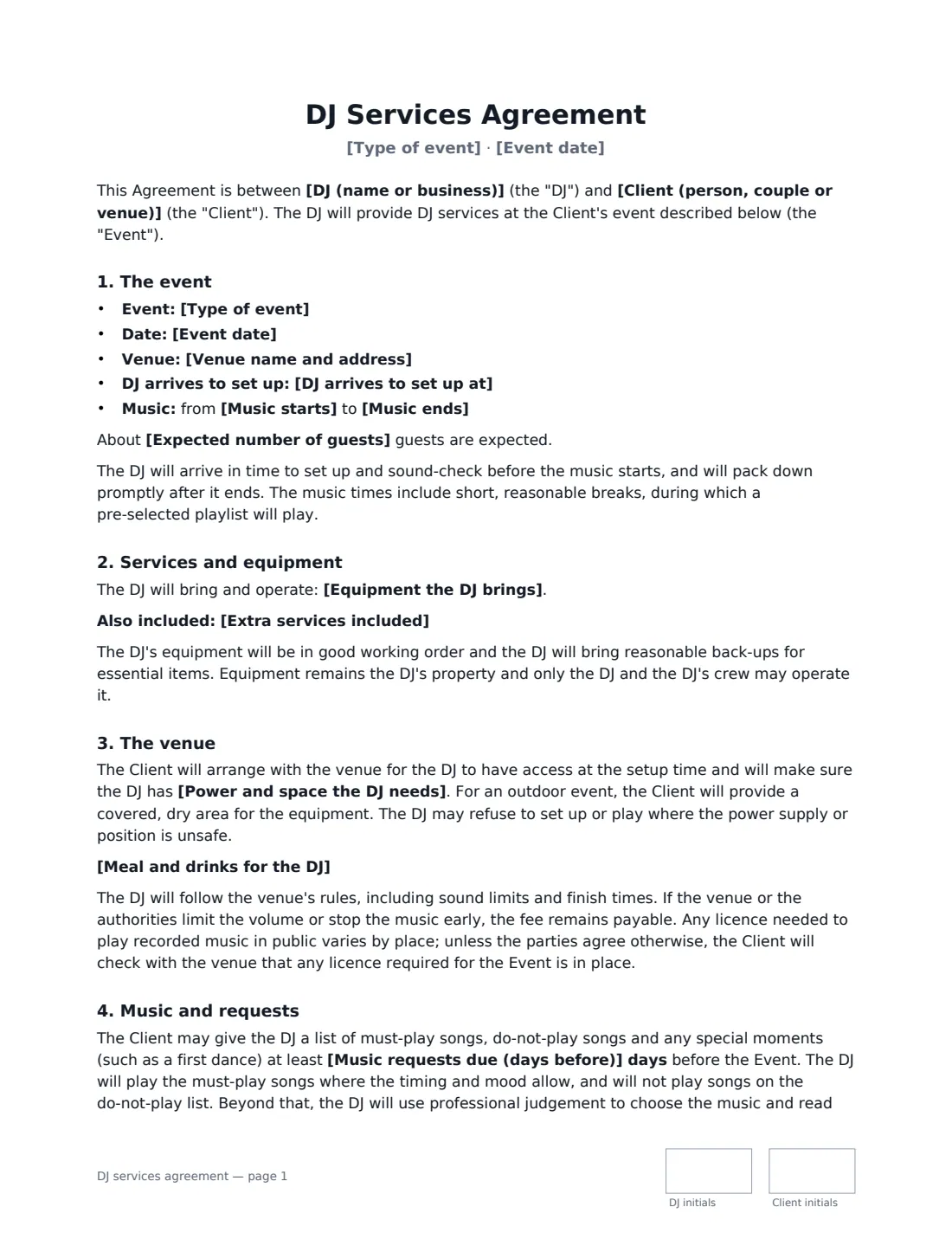
A DJ contract confirms that a DJ is booked for a particular date and what the client gets for the fee: how long the music plays, what equipment comes with it, how requests work and what happens if the night runs over or the booking is cancelled. It is the document that stops a Saturday in June being double-booked.
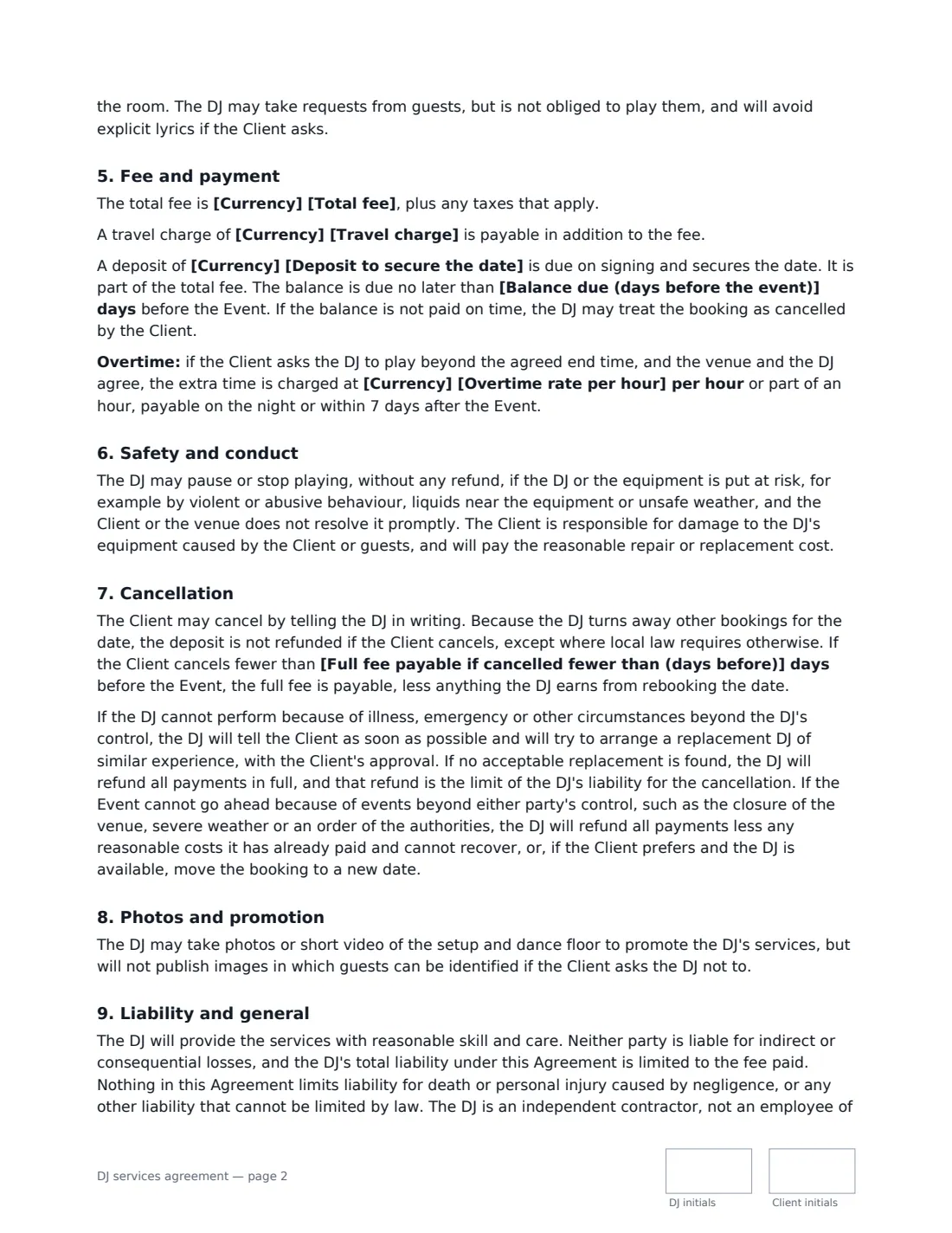
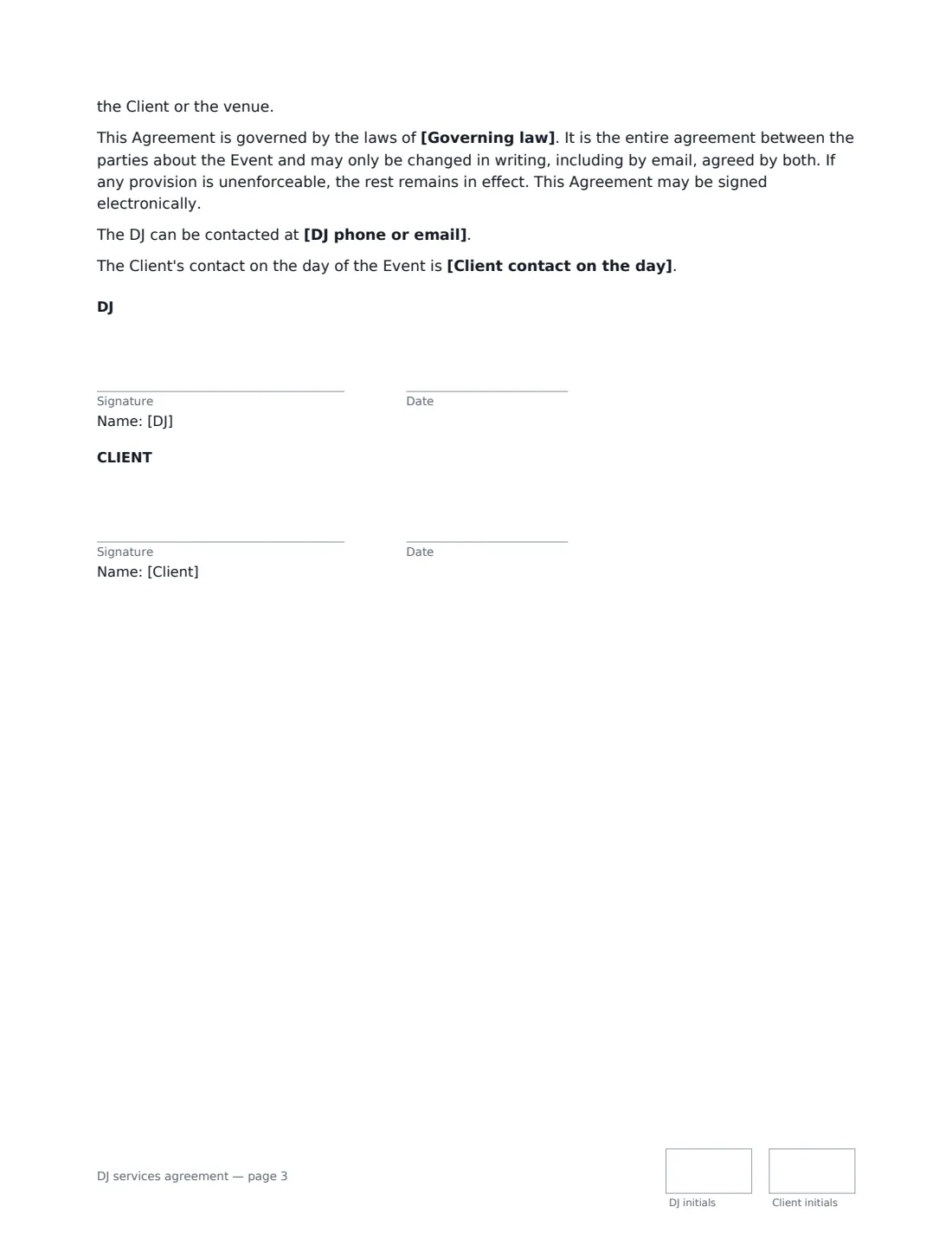
This template covers the event, venue and times, the equipment the DJ brings and any extras such as MC duties or ceremony sound, the power and space the DJ needs, venue sound limits and music licensing, must-play and do-not-play lists, the fee, travel, deposit and balance, overtime, meals, safety and damage to equipment, cancellation by either side or because of events beyond anyone's control, photos and liability. VergeHR places both signatures, dates and initials for you.
- Best for
- Mobile and wedding DJs, party DJs and venues booking a DJ
- Signed by
- The DJ and the client
- Covers
- Set times, equipment, requests, fee, deposit, overtime and cancellation
- Length
- About 3 pages, initialled on every page
When to Use a dJ services agreement
- A wedding DJ confirming a reception booking with a couple
- A DJ booked for a birthday, anniversary or school party
- A bar or club booking a guest DJ for a night
- A company booking a DJ and MC for an awards evening
- A DJ adding ceremony sound and uplighting to a wedding package
What You Fill In
24 blanks, then the name and email of each person who signs: dj, client.
1 The parties
- DJ (name or business)*
- DJ phone or email
- Client (person, couple or venue)*
- Client contact on the day
2 The event
- Type of event*
- Event date*
- Venue name and address*
- DJ arrives to set up at*
- Music starts*
- Music ends*
- Expected number of guests
3 Services and equipment
- Equipment the DJ brings*
- Extra services included
- Power and space the DJ needs*
4 Music
- Music requests due (days before)*
- Meal and drinks for the DJ* The Client will provide a meal and soft drinks for the DJ during the event. · No meal is provided. The DJ may take short breaks while a playlist runs.
5 Fee and payment
- Currency*
- Total fee*
- Travel charge
- Deposit to secure the date*
- Balance due (days before the event)*
- Overtime rate per hour
6 Cancellation
- Full fee payable if cancelled fewer than (days before)*
7 Other terms
- Governing law*
8 Who signs
- DJ signature and date, initials on every page · The DJ or DJ company being booked.
- Client signature and date, initials on every page · The person, couple or venue booking the DJ and paying the fee.
What the dJ services agreement Covers
- The event
- Services and equipment
- The venue
- Music and requests
- Fee and payment
- Safety and conduct
- Cancellation
- Photos and promotion
- Liability and general
Using the dJ services agreement, step by step
1 Enter the event and times
Add the event type, date and venue, when you arrive to set up, and when the music starts and ends. The template allows short breaks with a playlist running.
2 List your equipment and extras
The equipment box comes pre-filled with a typical setup — edit it to match yours. Add extras like MC announcements or ceremony microphones, and the power and space you need at the venue.
3 Set requests, fee and overtime
Choose how many days before the event the client sends must-play and do-not-play lists. Enter the fee, any travel charge, the deposit, when the balance is due and an hourly overtime rate if you offer extra time.
4 Choose the cancellation window and send
Set how close to the event a cancellation means the full fee is payable. Add the client as signer and send; the signed copy lands in Files.
Tips Before You Send It
- Ask the client to confirm the venue's sound limit and finish time before the event — the template makes the fee payable even if the venue turns the music down or off early.
- Whether a licence is needed to play recorded music in public varies by place. The template asks the client to check with the venue.
- Offer overtime only if the venue allows it; the template makes extra time subject to both the venue's and your agreement.
- If you work outdoors, the template requires a covered, dry area for your equipment — mention it again when you confirm the details.
Sign It Online In Minutes
- Fill in the blanks. Names, dates and amounts go straight into the agreement — the preview shows exactly where.
- Name who signs. Tick “This is me” for your own part. VergeHR builds the PDF with every signature, date and initials box on the right line, and you can check or move anything before sending.
- Send it. Each signer gets a secure link and signs from any device — no account needed. The signed PDF, with an audit trail and a Certificate of Completion, is filed in Files and emailed to everyone.
DJ services agreement: frequently asked questions
What should a DJ contract include?
The date, venue and set times, what equipment and services are included, how music requests work, the fee, deposit and when the balance is due, overtime, and what happens if either side cancels. This template covers all of these plus venue requirements, safety and damage to equipment.
Does the client get the deposit back if they cancel?
Under this template the deposit is not refunded if the client cancels, except where local law requires otherwise. If the client cancels within the late-cancellation window you set, the full fee is payable, less anything the DJ earns from rebooking the date.
What if the DJ is ill on the day?
The DJ tells the client as soon as possible and tries to arrange a replacement DJ of similar experience for the client to approve. If no acceptable replacement is found, all payments are refunded in full.
Is a DJ contract signed electronically valid?
In most countries, including the US (ESIGN Act and UETA), the UK, the EU (eIDAS) and Canada, an electronic signature is generally valid for an ordinary services contract like this one. VergeHR keeps an audit trail and a Certificate of Completion with the signed PDF as evidence of who signed and when.
Can I change the wording?
You fill in the blanks and choose the options on the setup page; optional clauses appear only when you fill them in. If you need different clauses, draft your own document and upload it to VergeHR eSignature instead — you can still place the signature boxes in the editor.
Is this template free?
Yes. The template is free to use with the eSignature app in VergeHR. The person you send it to doesn't need a VergeHR login to sign.