

What is a catering agreement?
A catering agreement sets out exactly what a caterer will serve at an event, for how many people, at what price, and what happens if numbers change or the event is cancelled. It protects the caterer, who turns away other bookings and orders food in advance, and the client, who knows what is included and when each payment is due.
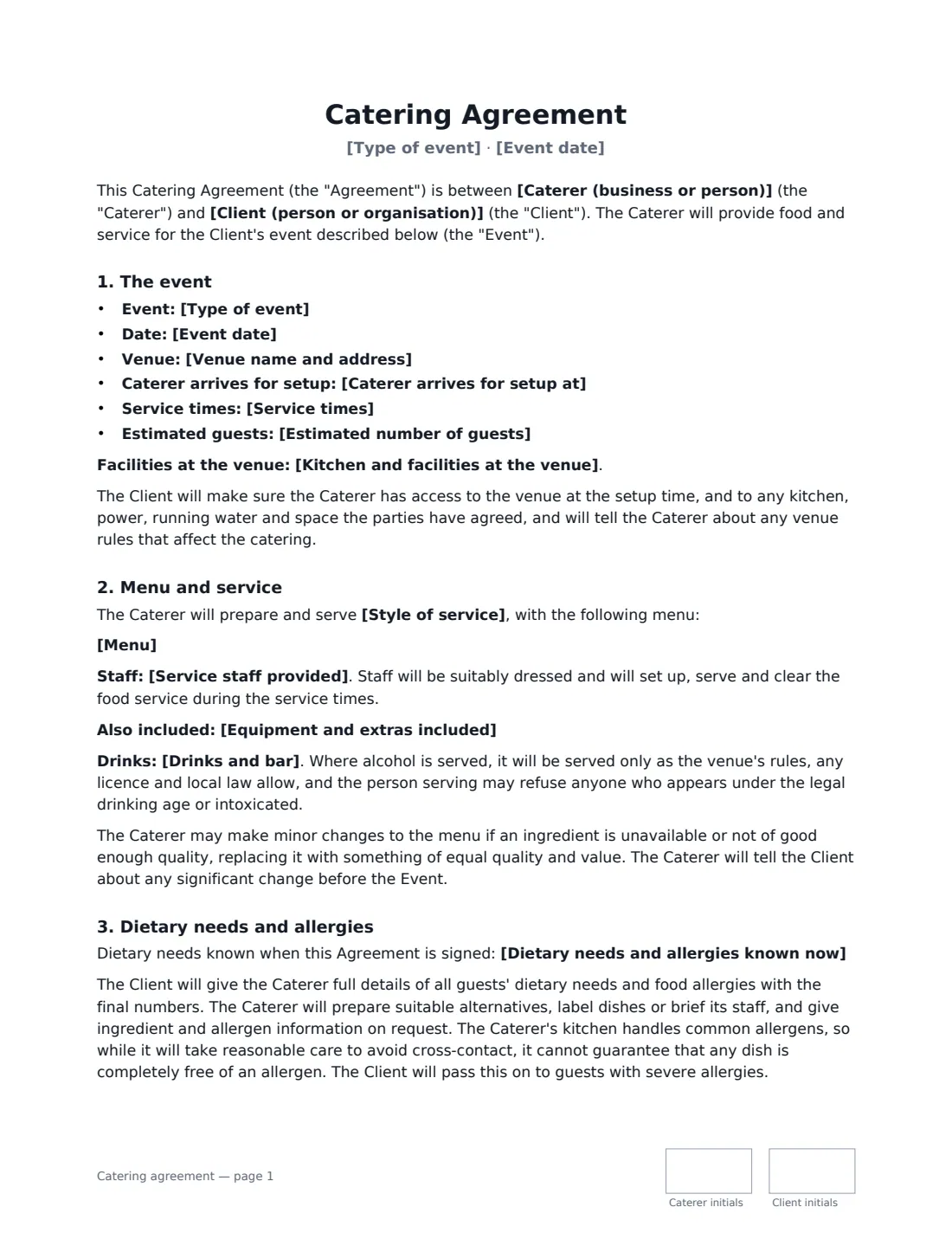
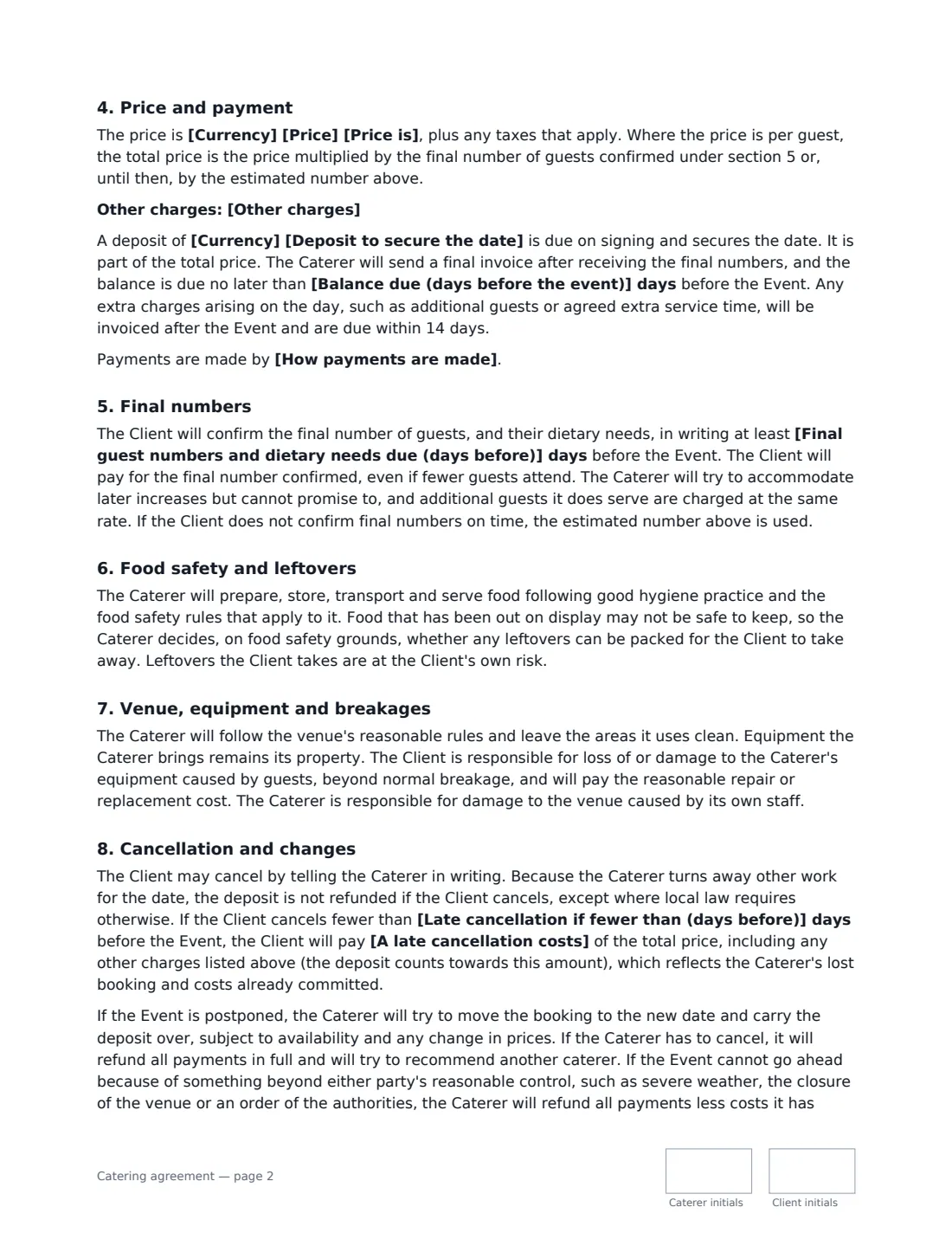
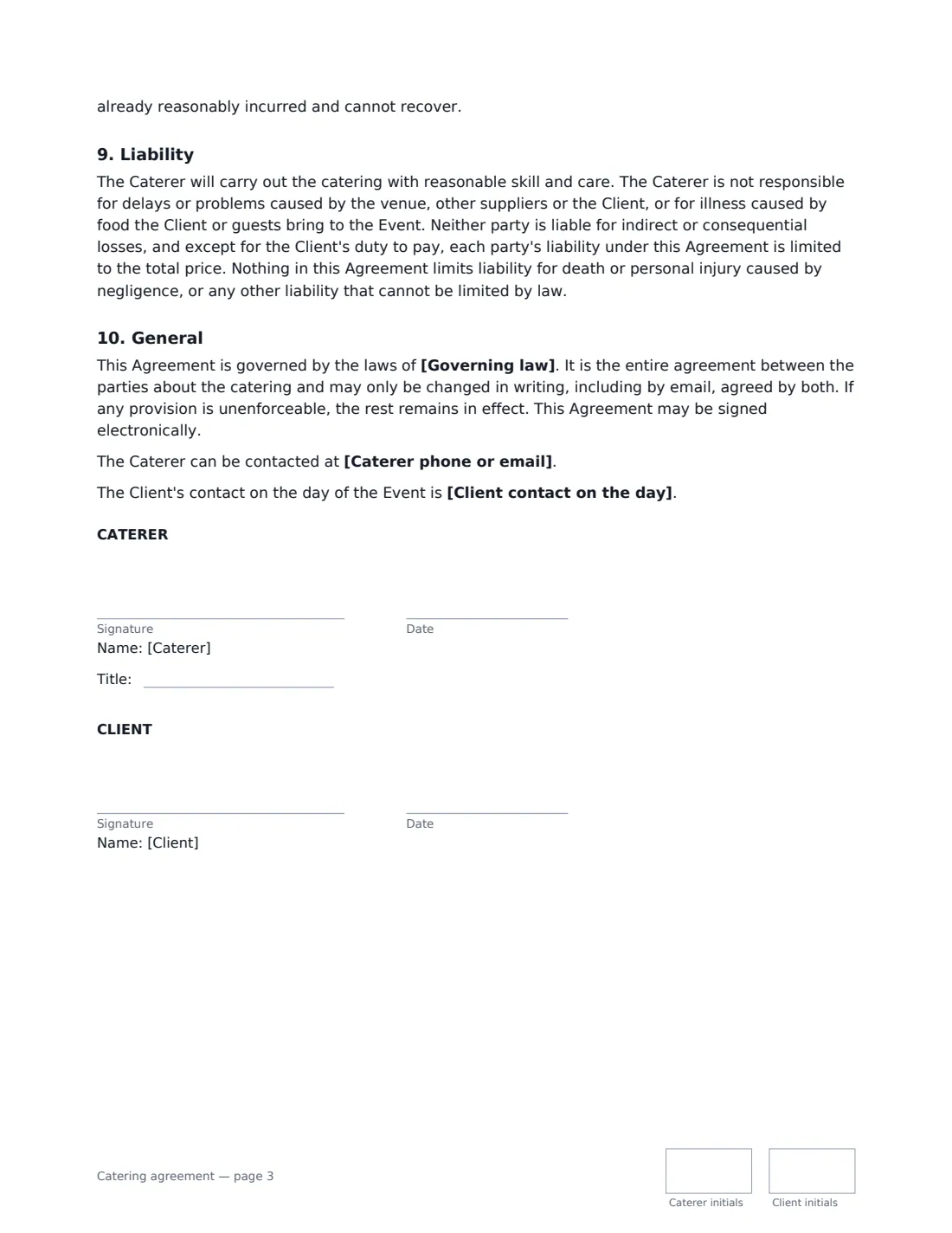
This template covers the event details and service times, the menu and style of service (plated, buffet, sharing platters, canapés, food stations or drop-off), service staff and equipment, drinks and who supplies alcohol, dietary needs and allergen handling, the price per guest or for the whole event, the deposit and balance, a final-numbers deadline, food safety and leftovers, breakages, cancellation and postponement, liability and governing law. VergeHR places both signatures, dates and initials on every page.
- Best for
- Wedding, party and corporate caterers, private chefs and food trucks booked for events
- Signed by
- The caterer (with a job title) and the client
- Pricing
- Per guest or for the whole event, plus any service charge, travel or bar staff you list
- Length
- About 3 pages, initialled on every page
When to Use a catering agreement
- A caterer confirming a wedding reception menu and guest count with a couple
- A private chef agreeing a dinner party at a client's home
- A company booking lunch and a drinks reception for a staff event
- A food truck or drop-off caterer booked for a birthday party with no staff on site
- A caterer providing bar staff to serve alcohol the client supplies
What You Fill In
28 blanks, then the name and email of each person who signs: caterer, client.
1 The parties
- Caterer (business or person)*
- Caterer phone or email
- Client (person or organisation)*
- Client contact on the day
2 The event
- Type of event*
- Event date*
- Venue name and address*
- Caterer arrives for setup at*
- Service times*
- Kitchen and facilities at the venue
3 Menu and service
- Style of service* a plated sit-down meal · a buffet · family-style sharing platters · a canapé and drinks reception · food stations · delivery and drop-off only, with no staff on site
- Menu*
- Estimated number of guests*
- Service staff provided
- Equipment and extras included
- Drinks and bar* the Caterer provides soft drinks only · the Caterer provides alcohol and bar staff under its own licence · the Client supplies alcohol and the Caterer's staff serve it · no drinks service is included
4 Dietary needs
- Dietary needs and allergies known now
5 Price and payment
- Currency*
- Price*
- Price is* per guest · for the whole event
- Other charges
- Deposit to secure the date*
- Balance due (days before the event)*
- How payments are made
6 Final numbers
- Final guest numbers and dietary needs due (days before)*
7 Cancellation
- Late cancellation if fewer than (days before)*
- A late cancellation costs* 25% · 50% · 75% · 100%
8 Other terms
- Governing law*
9 Who signs
- Caterer signature and date, job title, initials on every page · The catering business, or the chef running it.
- Client signature and date, initials on every page · The person or organisation booking the catering and paying for it.
What the catering agreement Covers
- The event
- Menu and service
- Dietary needs and allergies
- Price and payment
- Final numbers
- Food safety and leftovers
- Venue, equipment and breakages
- Cancellation and changes
- Liability
- General
Using the catering agreement, step by step
1 Describe the event
Enter the event type, date, venue, when you arrive to set up and the service times. Note what the venue has for you — a full kitchen, or just power and water — so there are no surprises on the day.
2 Set the menu and service
Choose the style of service and paste the menu, one course per line. Add the staff you are sending and anything else included, such as crockery, linen and clearing. Pick who supplies and serves drinks.
3 Price it and set the deadlines
Enter the price per guest or for the event, any other charges, the deposit and when the balance is due. Set the final-numbers deadline: after it, the client pays for the confirmed number even if fewer guests come.
4 Choose the cancellation terms and send
Choose how many days before the event a cancellation counts as late and what share of the total price it costs. Add the client as signer and send; the signed copy is filed in Files.
Tips Before You Send It
- Ask for every guest's allergies with the final numbers, not on the day. The template makes this the client's job and explains that a shared kitchen can't guarantee a dish is allergen-free.
- Keep the deposit realistic. In some places a charge that goes well beyond your real losses from a cancellation may not be enforceable.
- If alcohol is served, check the venue's rules and whether a licence is needed where the event takes place.
- Put the service charge and any tax in "Other charges" so the client sees the full cost up front.
Sign It Online In Minutes
- Fill in the blanks. Names, dates and amounts go straight into the agreement — the preview shows exactly where.
- Name who signs. Tick “This is me” for your own part. VergeHR builds the PDF with every signature, date and initials box on the right line, and you can check or move anything before sending.
- Send it. Each signer gets a secure link and signs from any device — no account needed. The signed PDF, with an audit trail and a Certificate of Completion, is filed in Files and emailed to everyone.
Catering agreement: frequently asked questions
What should a catering contract include?
At minimum: the event date, venue and times, the menu and style of service, the guest count and a deadline for final numbers, staff and equipment, dietary and allergy arrangements, the price, deposit and balance due date, and what happens if either side cancels. This template covers all of these.
What happens if fewer guests turn up than confirmed?
Under this template the client pays for the final number confirmed by the deadline you set, because the food and staff have been arranged for that number. Extra guests the caterer can serve are charged at the same rate.
Is the deposit refundable?
The template says the deposit is not refunded if the client cancels, except where local law requires otherwise, and it is always refunded in full if the caterer cancels. A late cancellation costs the share of the total price you choose.
Is a catering agreement signed online legally binding?
In most countries, including the US (ESIGN Act and UETA), the UK, the EU (eIDAS) and Canada, an electronic signature is generally valid for an ordinary services contract like this one. VergeHR keeps an audit trail and a Certificate of Completion with the signed PDF as evidence of who signed and when.
Can I change the wording?
You fill in the blanks and choose the options on the setup page; optional clauses appear only when you fill them in. If you need different clauses, draft your own document and upload it to VergeHR eSignature instead — you can still place the signature boxes in the editor.
Is this template free?
Yes. The template is free to use with the eSignature app in VergeHR. The person you send it to doesn't need a VergeHR login to sign.